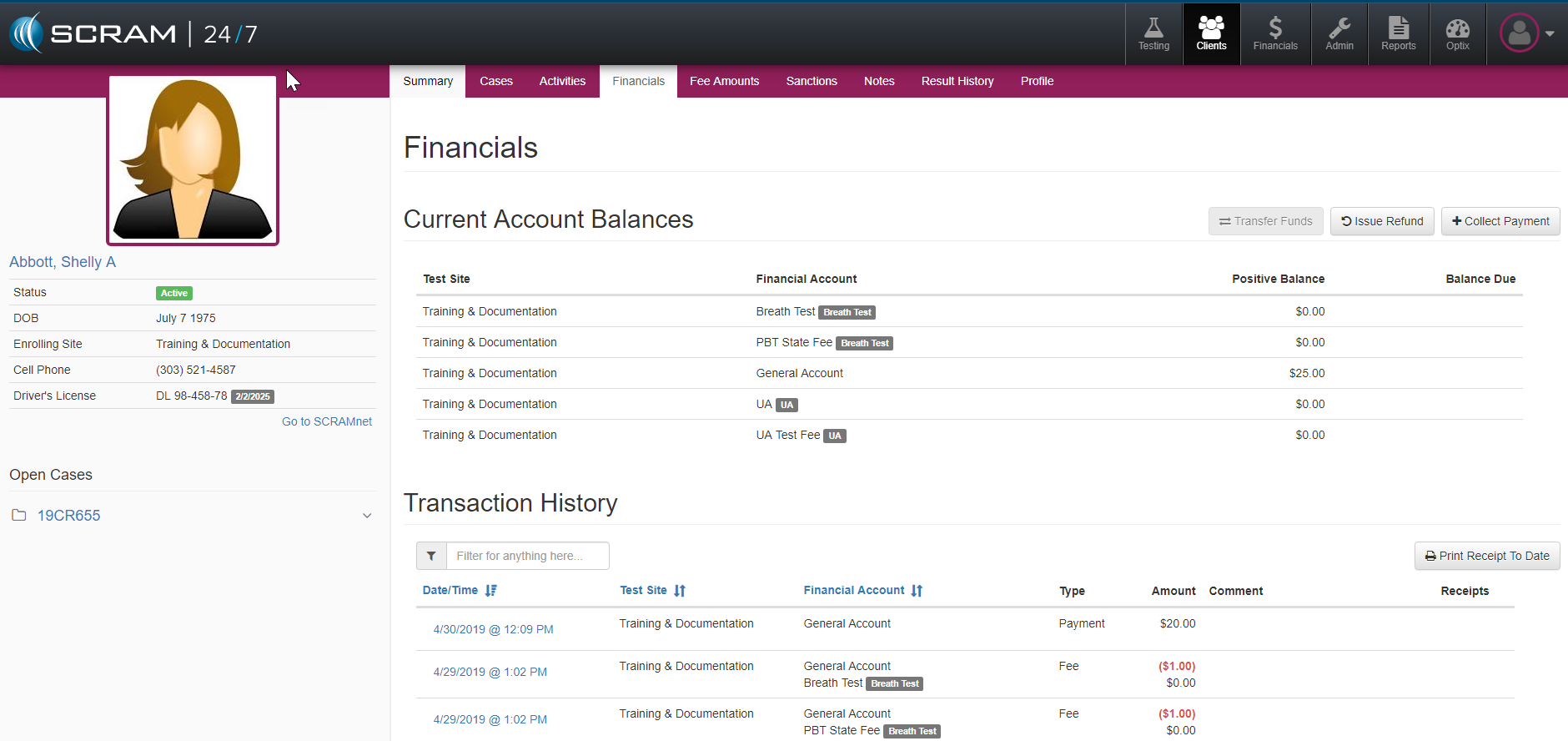
From a client’s Financials page, detailed payment information is ledgered so that officer’s can review any payment balances and transactions they have received that pertain to that client as well as issue receipts.
Account Balances
In addition to providing an update look at a client’s specific account balances and how they are broken down based on the program’s standard fees, the Current Account Balances features also provide the ability to launch the actions of:
- Transfer Funds: Move surplus funds from fee categories
- Issue Refunds: Refund client’s requested funds
- Collect Payment: Collect payments and deposits
Transaction History
The Transaction History provides the bookkeeping entries for all transactions that take place relevant to the client’s time on the program. All ledger time stamps listed can be open to review a detailed transaction log. Additionally, there is a filter field which can be used to find specific types of transactions as well as all of the Blue Title headings can be selected to reorder the transaction items listed.