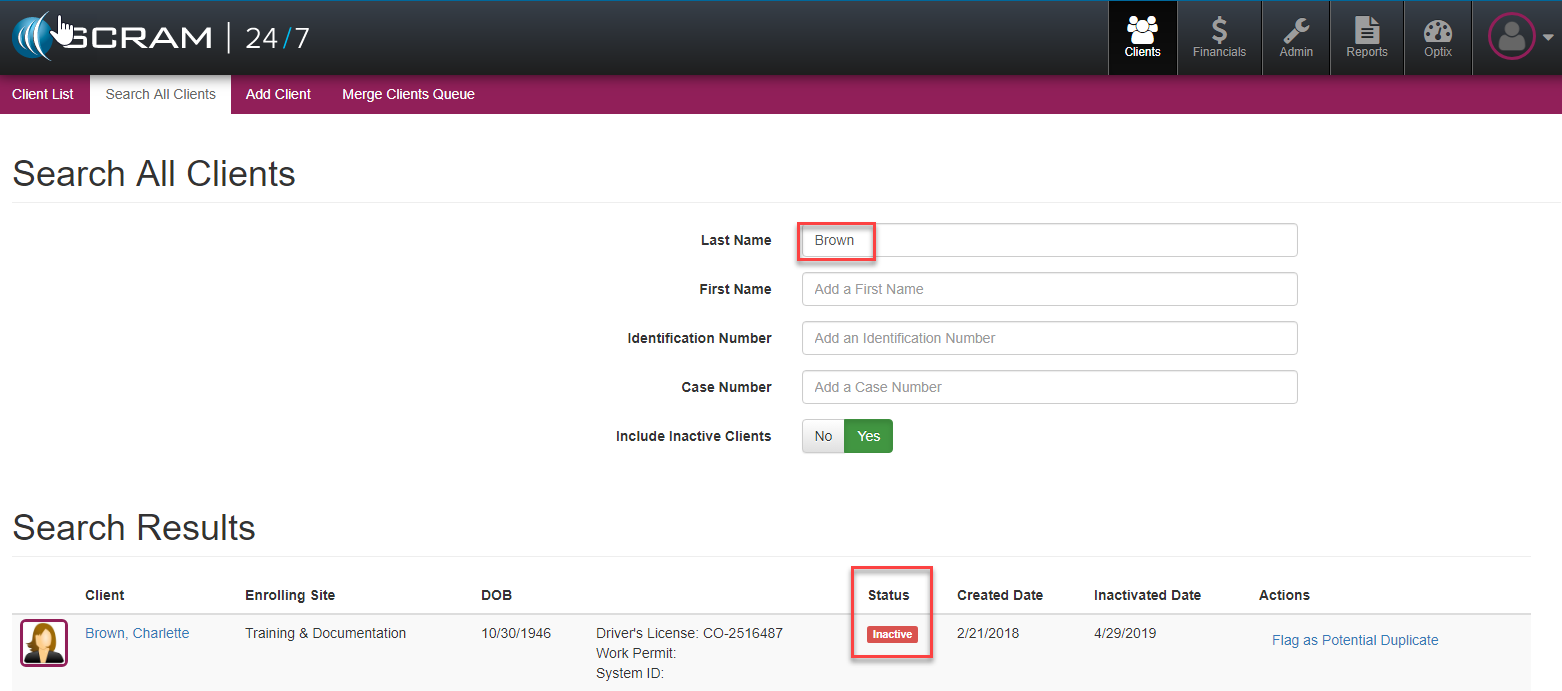
Clients that may be returning to the program either can be reactivated at any time. To reactivate a prior client first search and locate the client’s record and open their profile. The client’s status should be listed in the system as inactive.
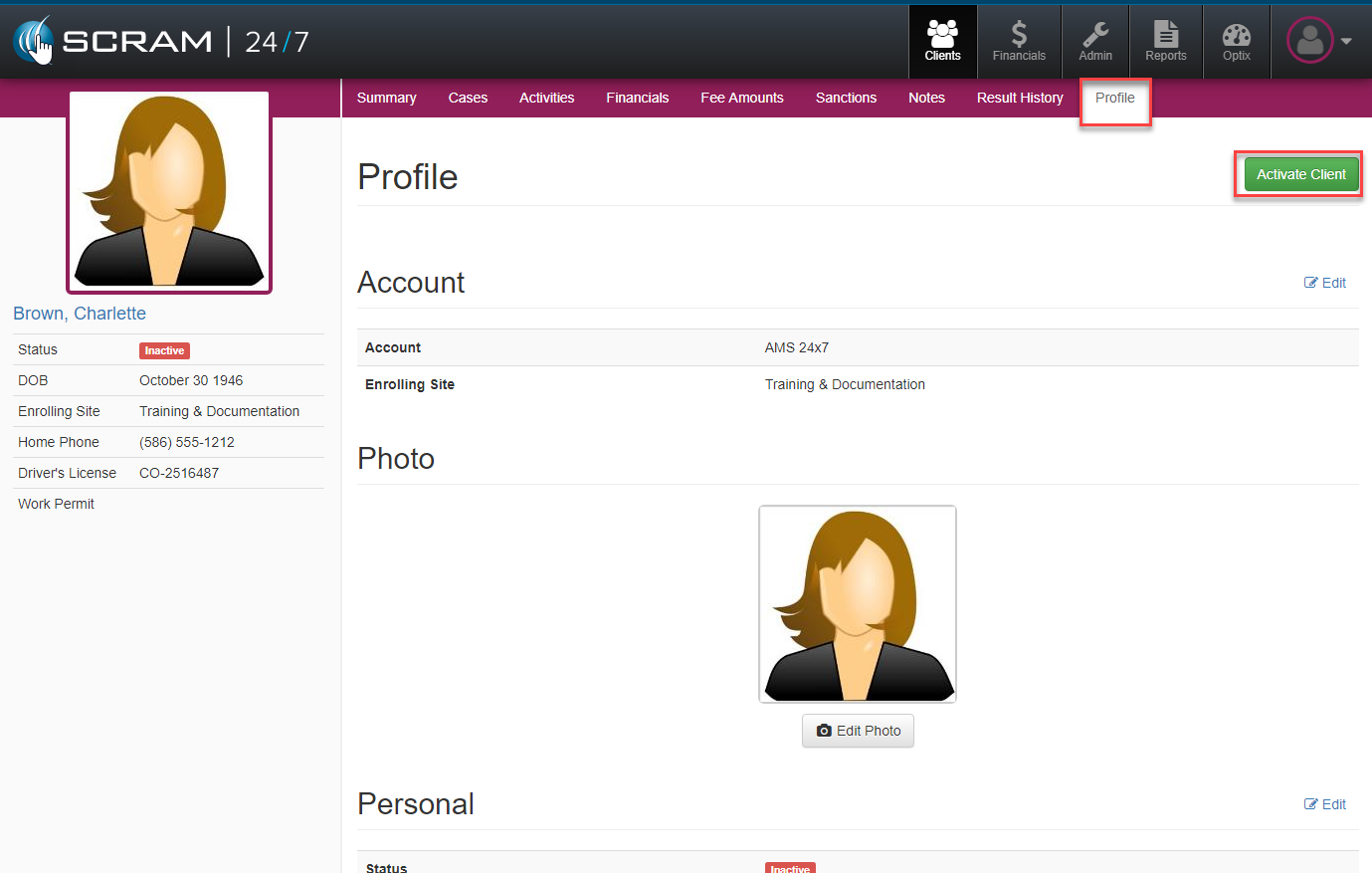
Once the client is selected, navigate to their Profile and select the green Activate Client button to initialize the reactivation process.
Once the client is reactivated, the officer can then review the rest of the activity and case information and update if required.