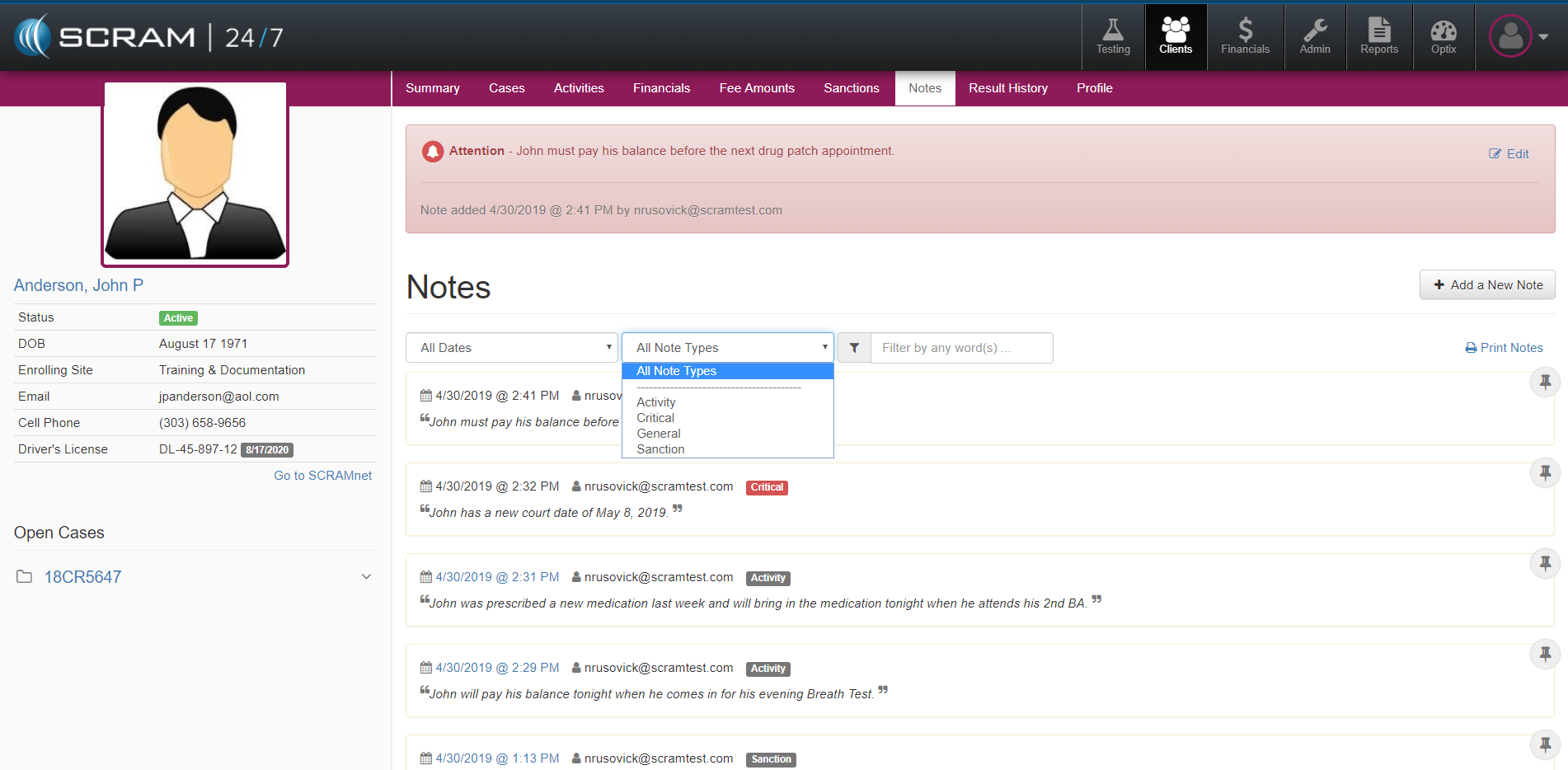
The Notes tab within SCRAM 24/7 provides a Tester the ability to document the Client’s individual case. A Tester can enter:
- a General Note,
- a Critical Note that will persist on all of the Client pages,
- a Roster Note that will appear on the agency’s Client Roster
- or enter a Note for a specific Activity or Sanction.
Each note is time stamped and captures specific details including the activity associated to the note, the note itself and the author of the Note.
The Notes appear in a consolidated view and allow the Tester to sort by a specific period of time or by Note Type. A Note can be pinned to the top of Note History to emphasize its importance or unpinned which will place it back in chronological order. The Tester also has the ability to Print the Client’s Notes History.