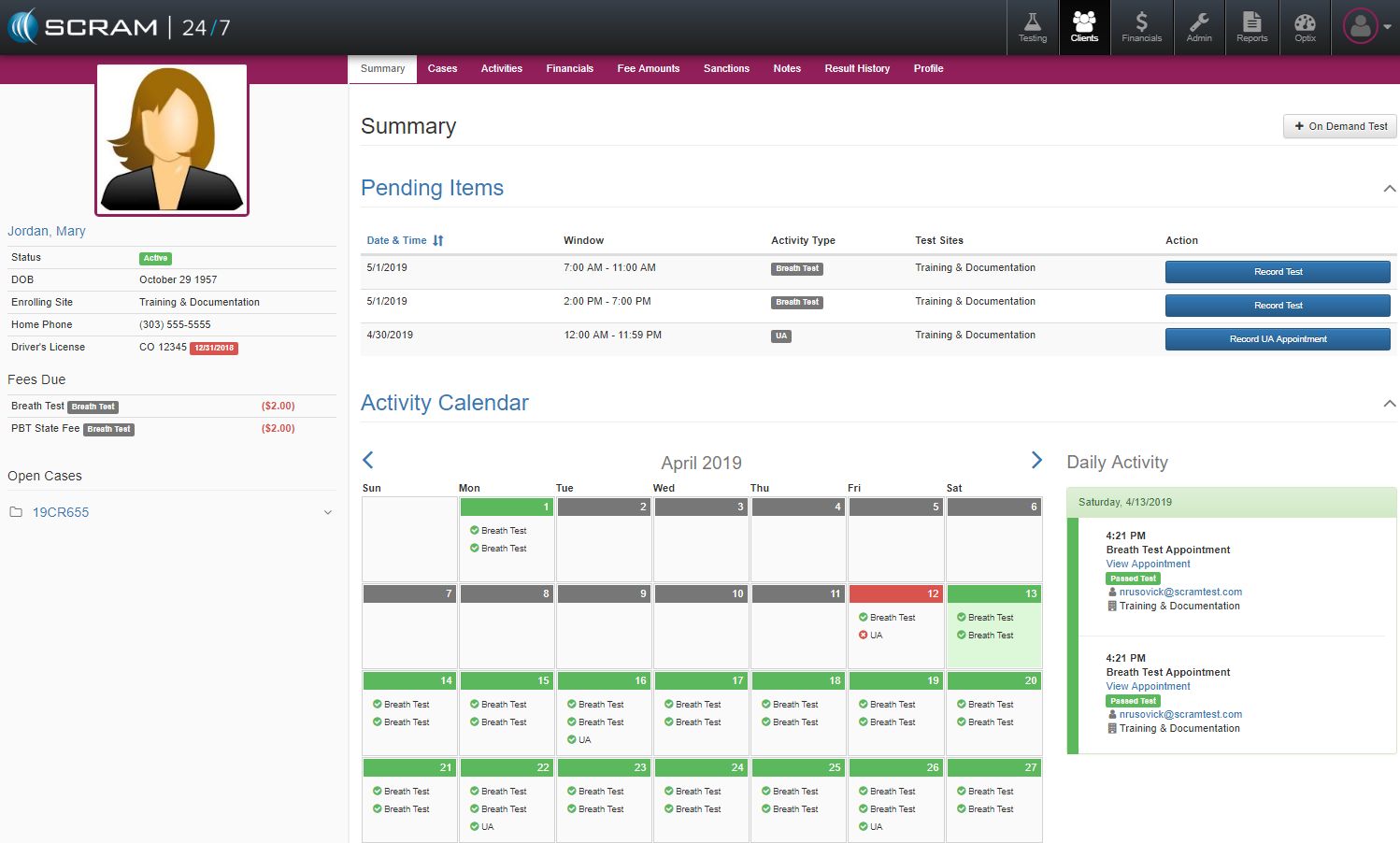
In SCRAM 24×7 whenever a client is selected, the system will open up a summary view of the Client’s activities and schedule where officer’s can review any pertinent details related to that client.
Profile Sidebar
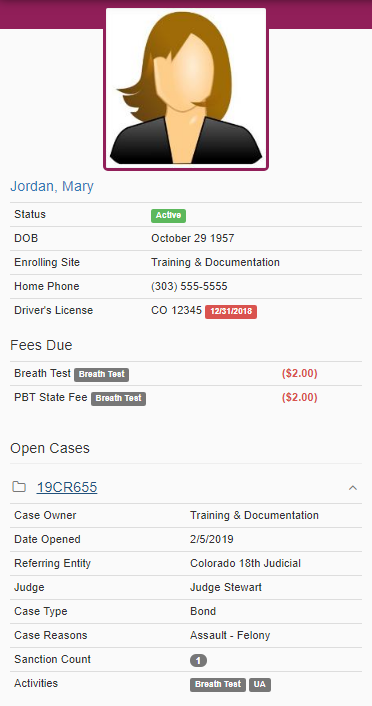
While within any client’s record, users will notice the grey sidepanel that provides an “at glance “ view of that client’s key information. Basic program status and contact details, program account balances, and court case information are all displayed along with the client’s system photo.
Pending Items

The Pending Items table at the top of the Summary page displays those action items that have yet to be completed. An officer can use the blue button on this table to initate any of the actions listed.
Activity Calendar
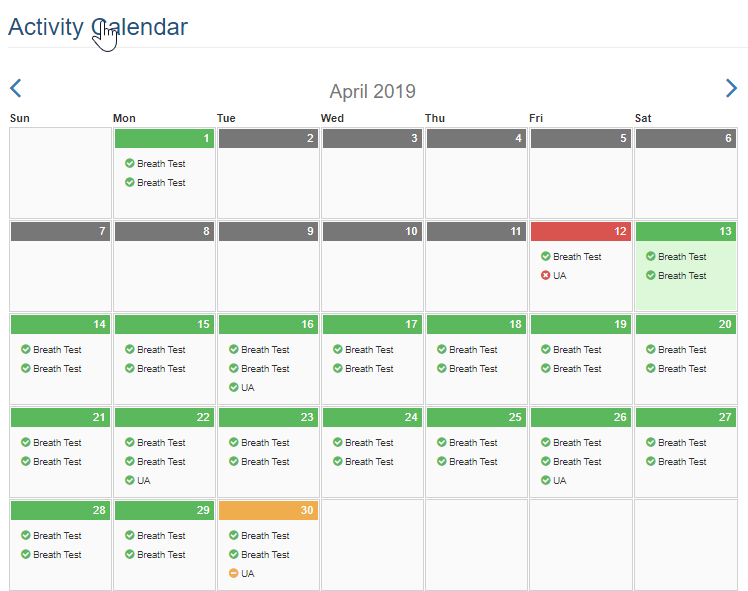
The Activity Calendar provides a color coded calendar of past and future events. This expanded level of detail will prove useful should an assessment of a client’s progress be necessary. The color scheme for the calendar: Yellow = Pending, Red = Failed/Missed, Green = Passed/Attended, Blue = Present Day, and Gray = No Activity/Future Day.
Daily Activity
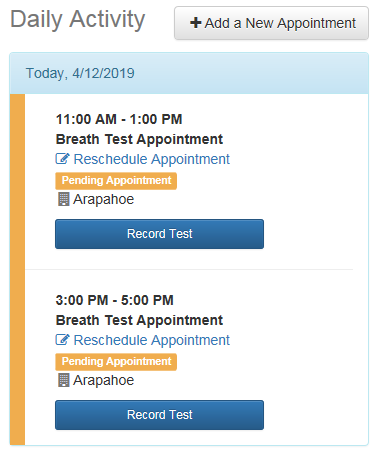
By selecting a date within the Activity Calendar, the corresponding Daily Activity widow will show up with that day’s recorded or scheduled activities. For past activities, details can be review relative to that test. For activities yet to occur, appointments can be rescheduled or cancelled. There is also a +Add a New Appointment which allow the officer to add a separate individual appointment.