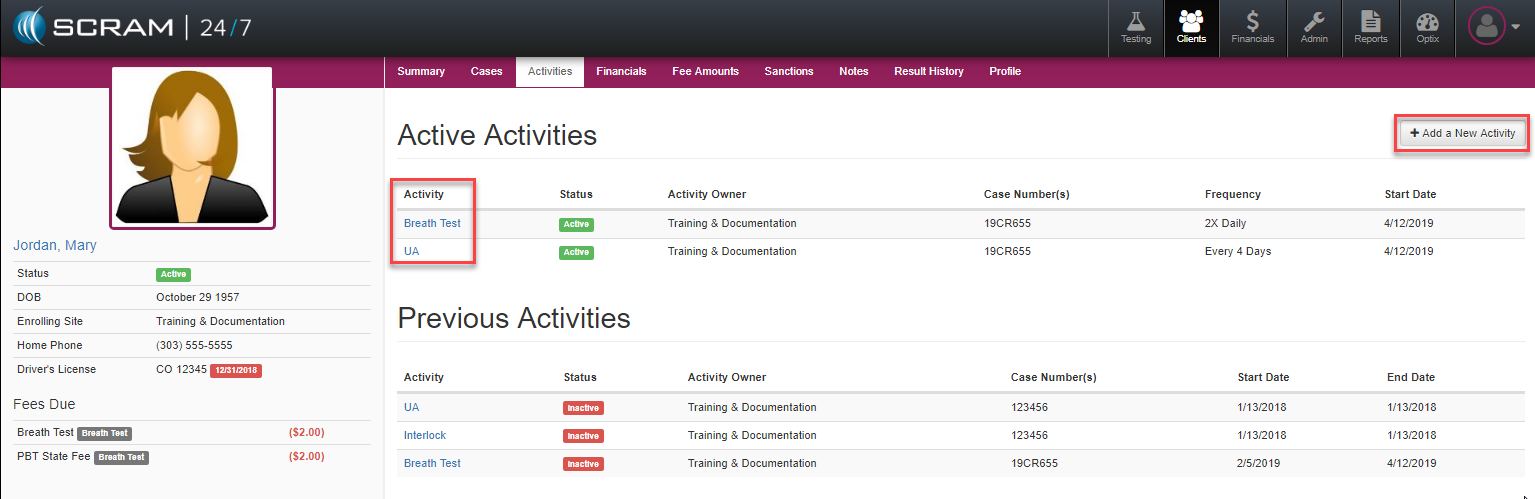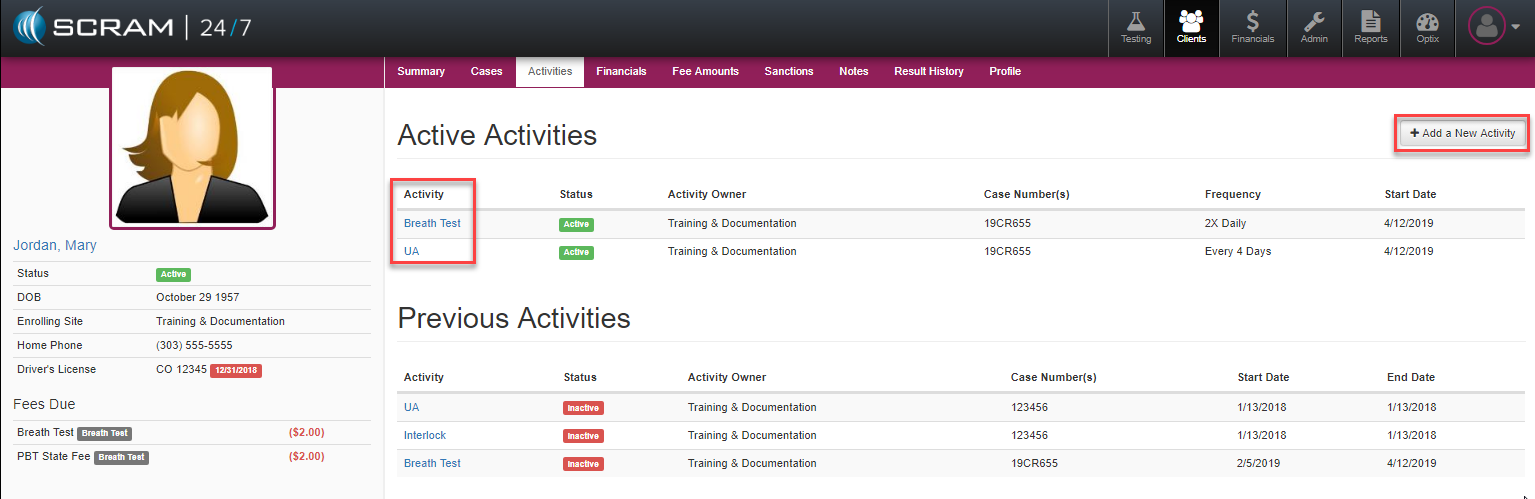
To review or modify the list of testing types a client is currently being supervised for, users can access that from the Activities tab. From there they will notice a table view of the activities the client is/has been supervised on including the status, the primary testing owner location, the case number the activity is tied to, testing frequency, and the starting date.
Add New Activity
Select the +Add a New Activity button to add a new activity to the client’s program. This will open the Add an Activity page where the testing type, schedule, frequency, test windows, and testing locations can then be defined by the officer.
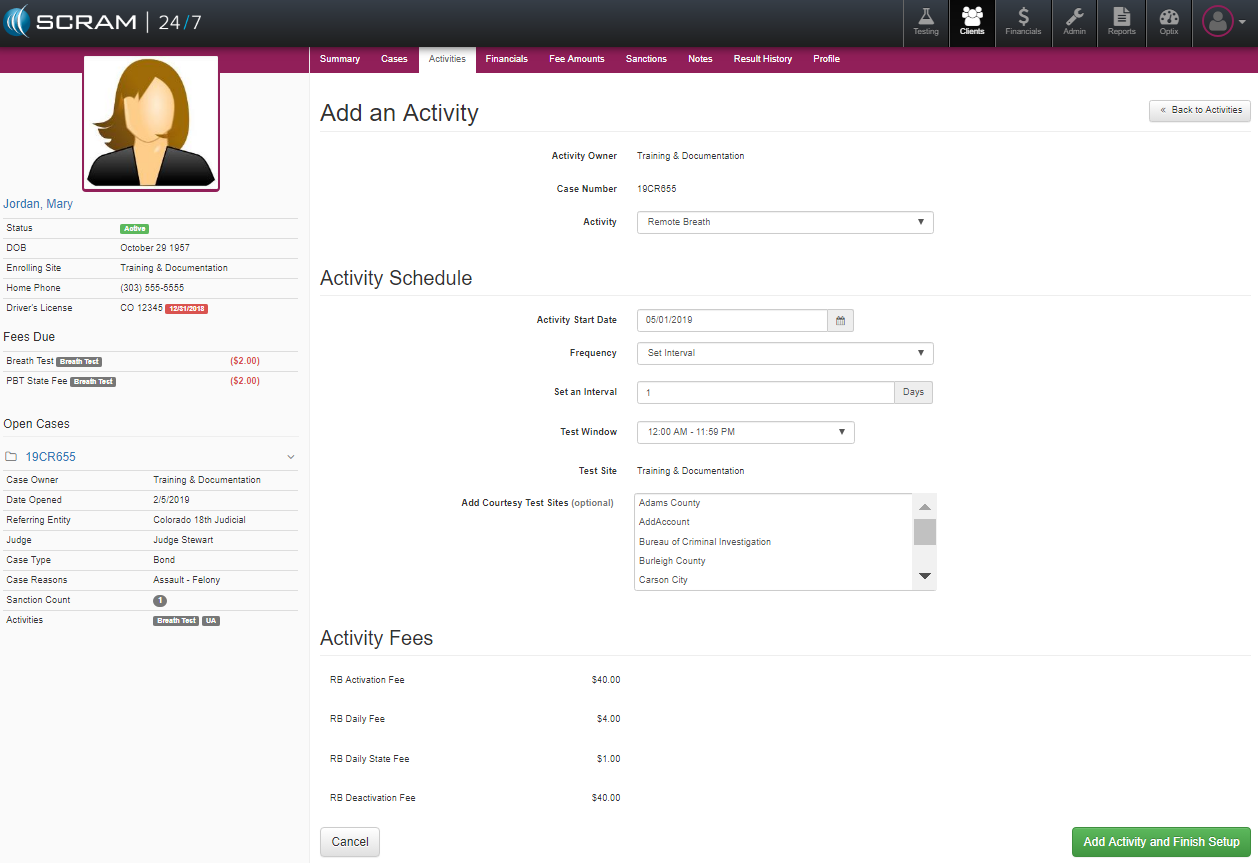
Once the testing activity and schedule has been set up, the officer can review the related fees and complete the process by selecting the green Add Activity and Finish Setup button.
Activity Details:
Officers can review the details related to any of the activities for a client by selecting the Activity from either the Active Activities or Previous Activities table. Once an activity is selected the Activity Details page is open, officers can review or edit relevant testing details including the activity, schedule, test site, and fees along with a Change Log of any changes made.
Users can select to remove the activity all together by selecting 
Activate/Suspend Activity
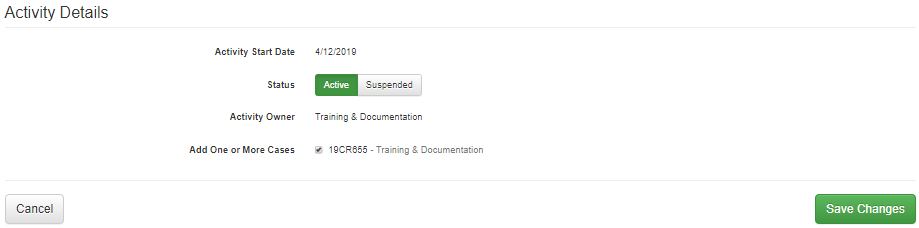
To modify or suspend an activity while a client is in the program, simply select the edit link adjacent to the Activity Details subtopic title which will open the Status selection where the Active or Suspended action can be made and saved.
Modify Schedule Details
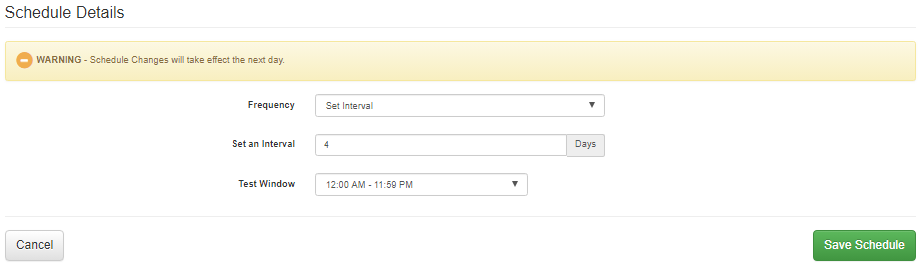
To modify the testing schedule, select edit of the Schedule Details menu. From there either a set schedule or interval cadence of scheduling can be selected and saved. The new schedule will go into effect starting the next day.
Testing Site Additions or Set Up Courtesy Sites
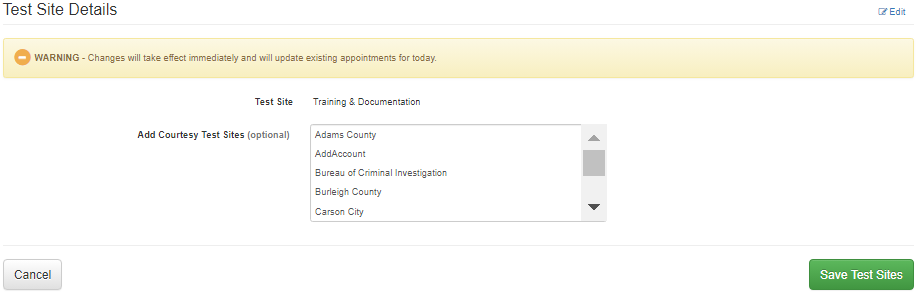
By editing the Testing Site Details, users can select or modify any additional testing sites that may be required to support the client’s testing such as setting up alternative courtesy testing sites.
Activity Fees

Ability to adjust testing fees for a client may be controlled by your program’s administration. For those officers with the appropriate permission, fee adjustments can be edited and saved by editing the Activity Fee area.