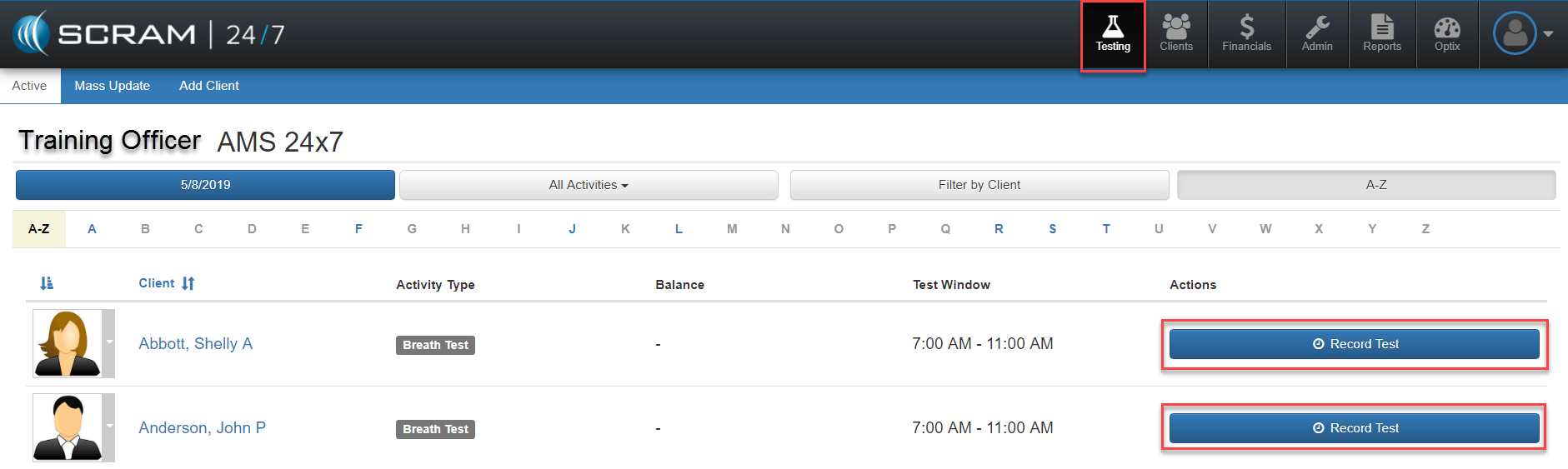
For clients on the program being supervised via breath testing, there are two main ways to initiate the testing sequence. First the officer can locate the client by navigating to the Testing page located via the top Testing navigation icon and search and locate the client. From there a blue Actions button can be selected to launch the testing and payment process.
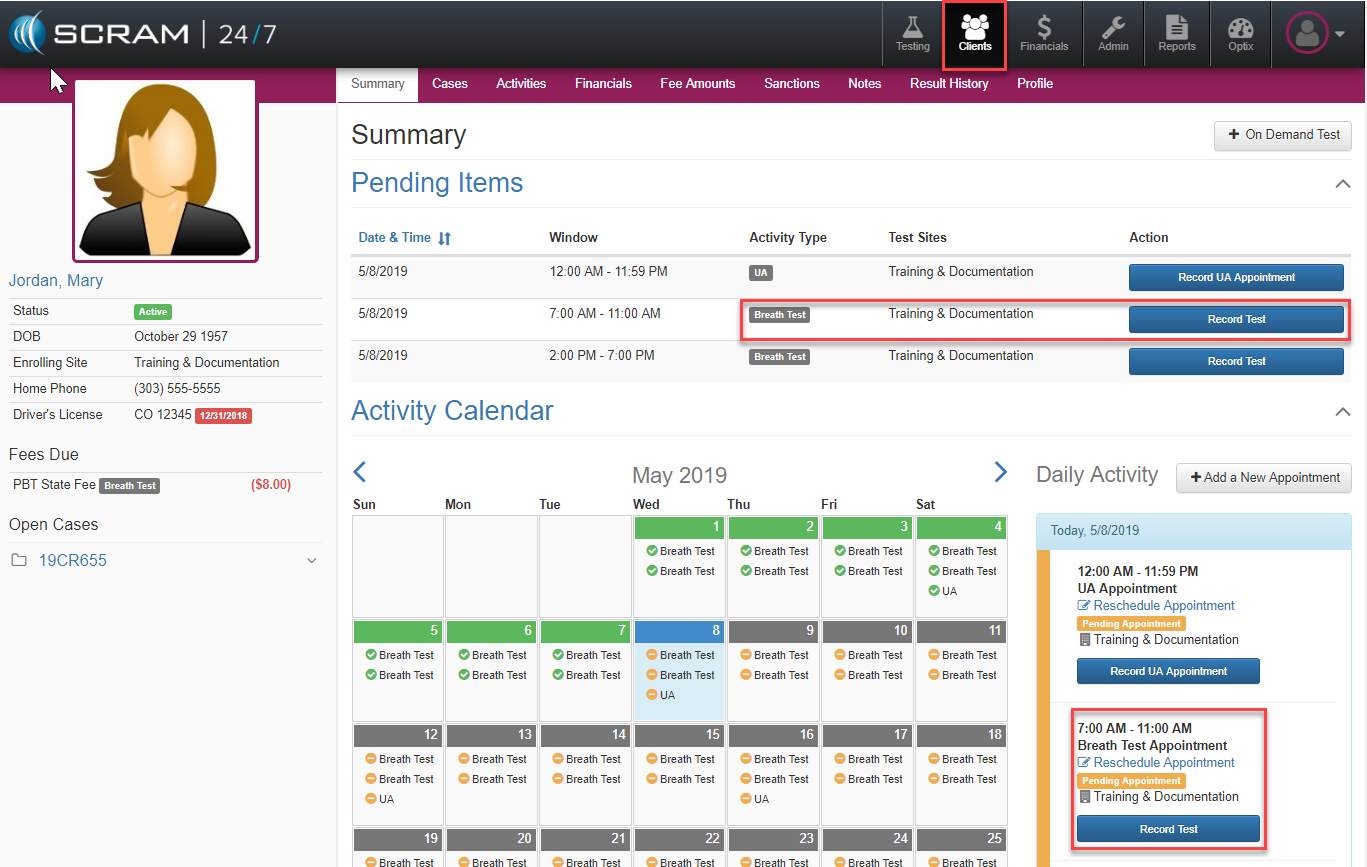
Alternatively, officers can navigate to an individual client’s summary page and select either from the Pending Items or the Daily Activity the blue Record Test button.