Use this quick sheet to perform all tasks related to a client who is enrolled in the SCRAM 24/7 Interlock Program.
- Log in to SCRAM 24/7.
The officer’s Testing page appears. - Locate the specific appointment and click the Interlock Appointment button.
The Interlock Appointment page appears.
Note: The Interlock Appointment page can also be accessed from the client’s Summary page.
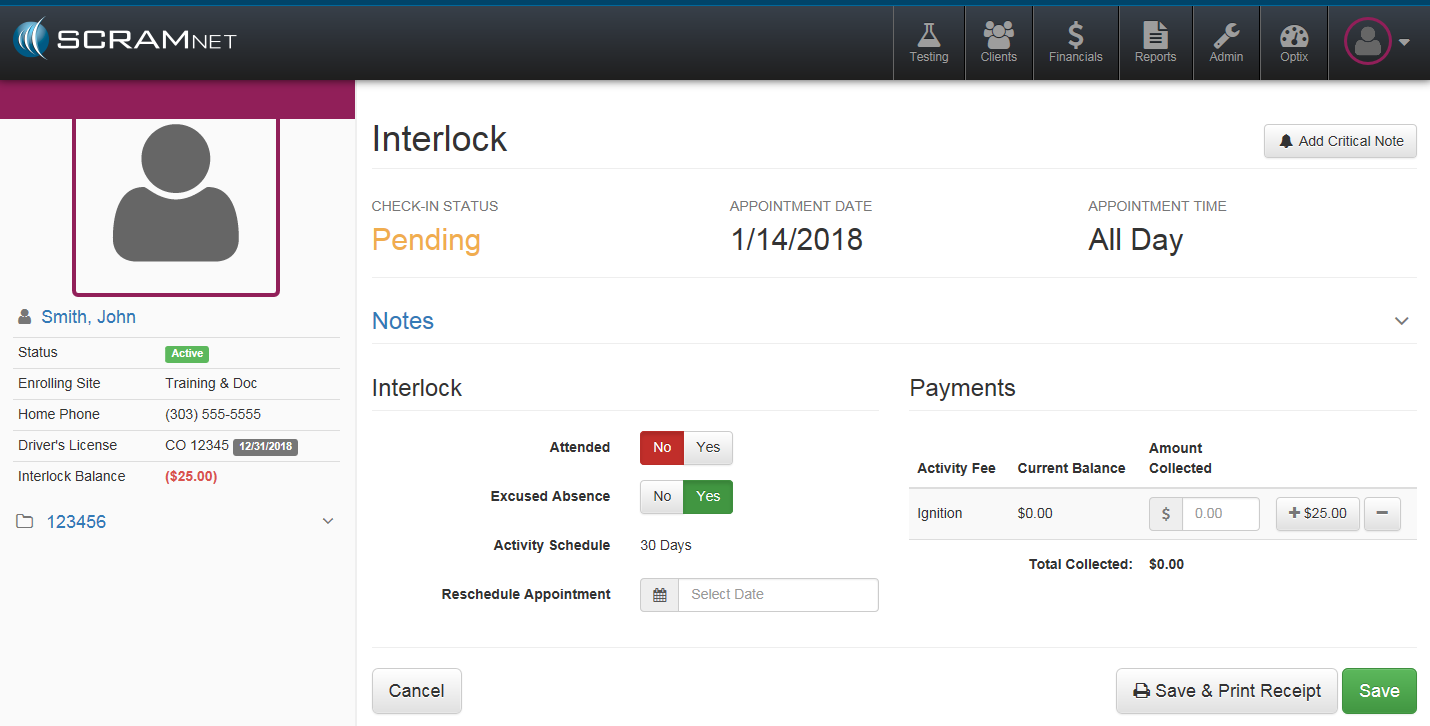
Client Did Not Attend Appointment
- Add a note. (optional)
- Click the arrow on right side to expand Notes section.
- Enter note in field.
- Click the Add Note button.
The note will appear to the left of the “Notes” field.
- Click the “Attended” No button.
- Click the applicable “Excused Absence” button.
- Reschedule the appointment.
- Click the Save button.
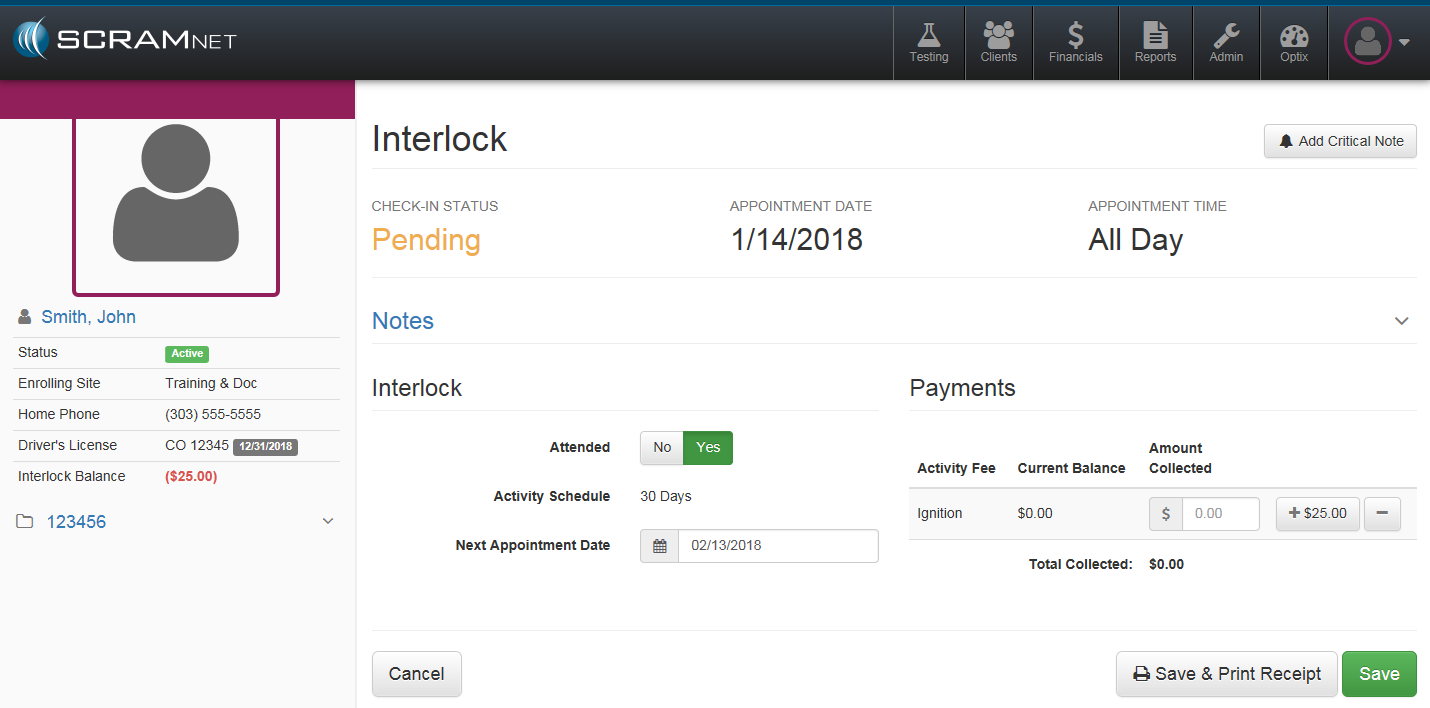
Client Attended Appointment
- Add a note. (optional)
- Click the arrow on right side to expand Notes section.
- Enter note in field.
- Click the Add Note button.
The note will appear to the left of the “Notes” field.
- Verify the next appointment date.
- Click the Save button.