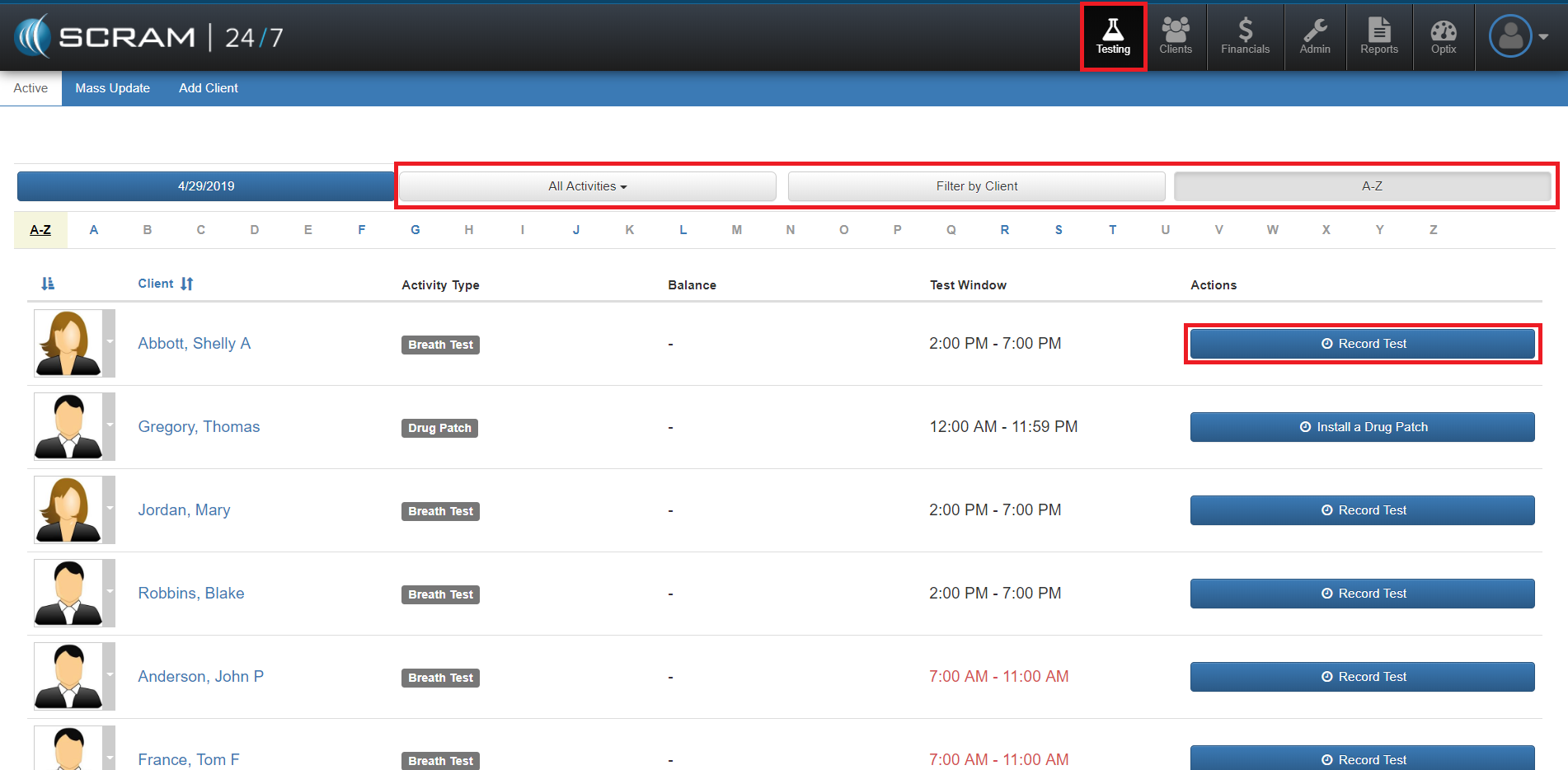
The Testing page (accessed by the Testing Beaker icon in the black top navigation bar) is designed to provide the officer with a list of clients expected to show up during the testing window they are working. It provides the ability to quickly correlate a client’s testing visit with their enrollment photo and initiate the test taking sequence with a single click. It also allows for the officer to do a mass update for a group of scheduled testers as well as provide search and query tools for the caseload.
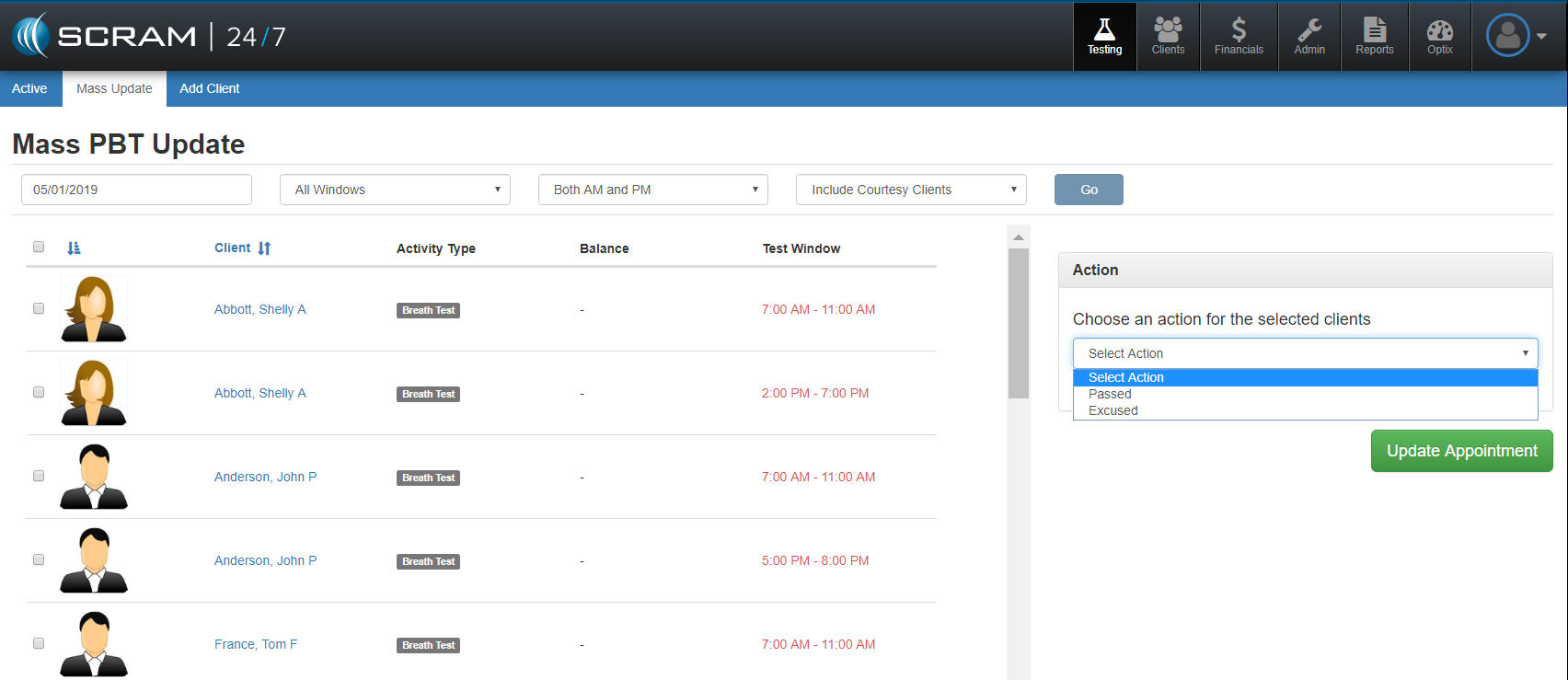
Mass Update
The Mass Update SCRAM 24×7 feature provides the officer the ability to select multiple clients at a single time and perform a uniform action (Passed or Excused) for all clients. Users simple toggle on the clients, select the action, and hit the green Update Appointment button.