
Enabling Bulk Uploads
Before the Bulk Payment feature can be used for you agency, a few action items need to be accomplished:
- Create an ID Type (Client Id) so that when a payment file is uploaded it will be mapped to the appropriate client.
- Enable the Bulk Upload feature (Allow Payment File Upload).
Create an Id Type:
- Navigate to the Admin facility and select the Client Attributes tab.
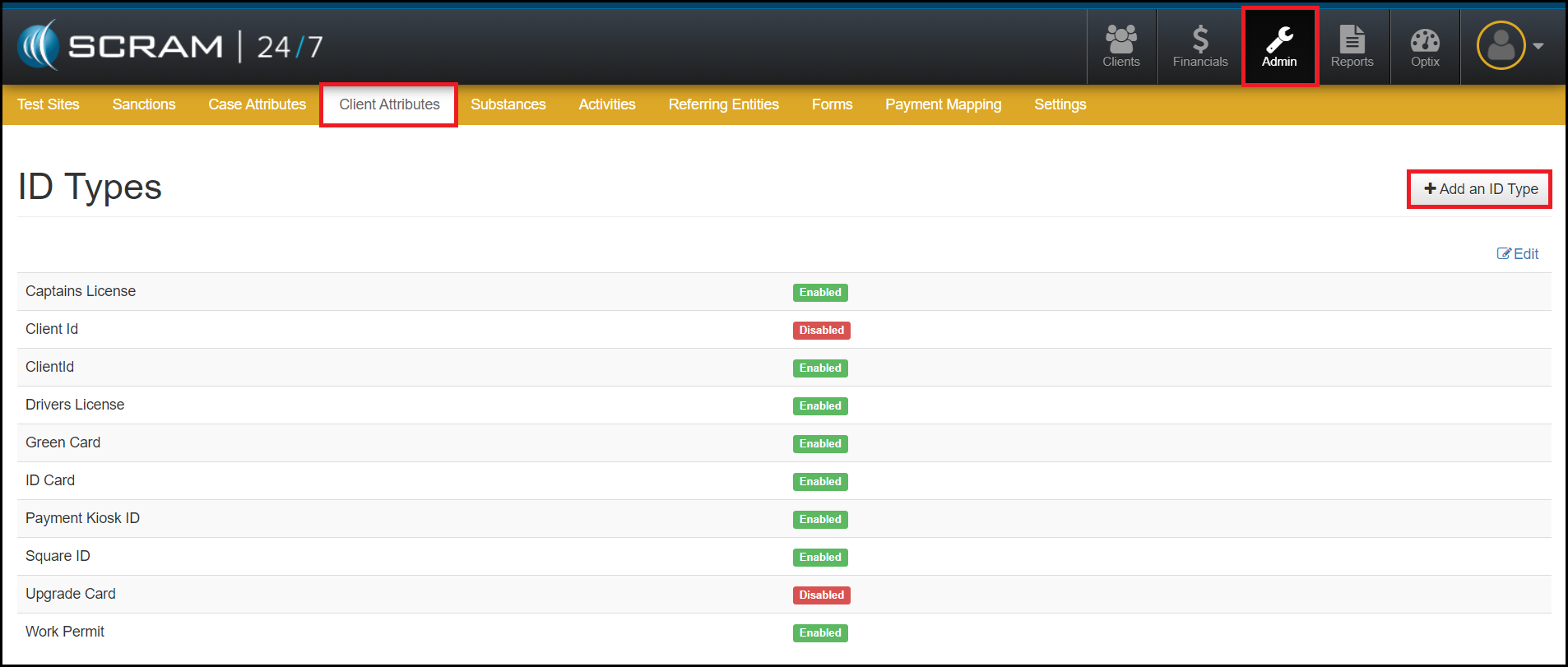
- Select the +Add an ID Type button.
- Create a new ID Type.
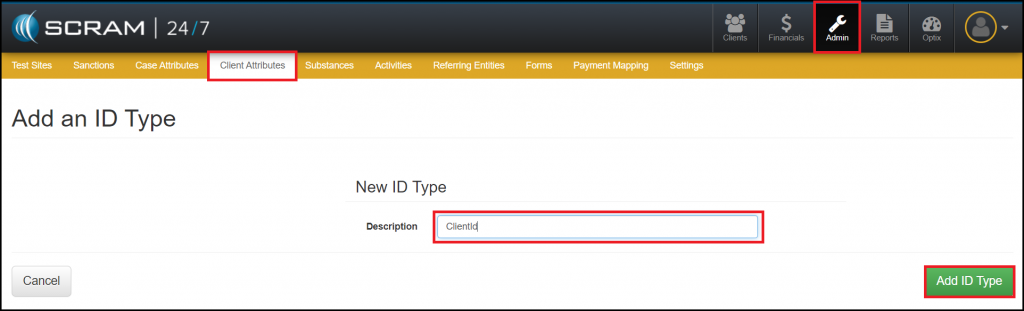
- Select the green Add Id Type button.
Enable Allow Payment File Upload:
- Navigate to the Admin facility and select the Settings tab.

- Next, Enable the Allow Payment File Upload section.
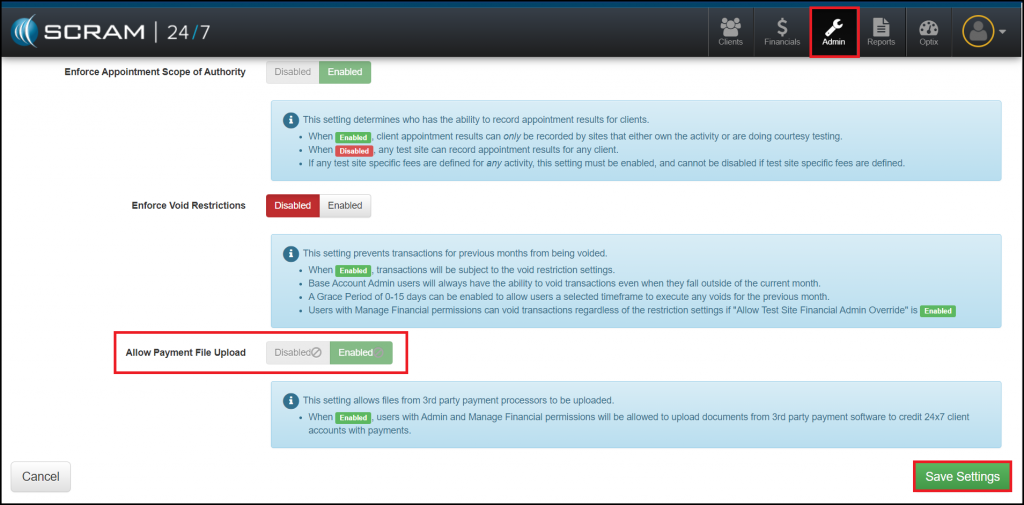
- Select the green Save Settings button.