A Courtesy Test Site can be added for a specific test/appointment or for all future tests/appointments.
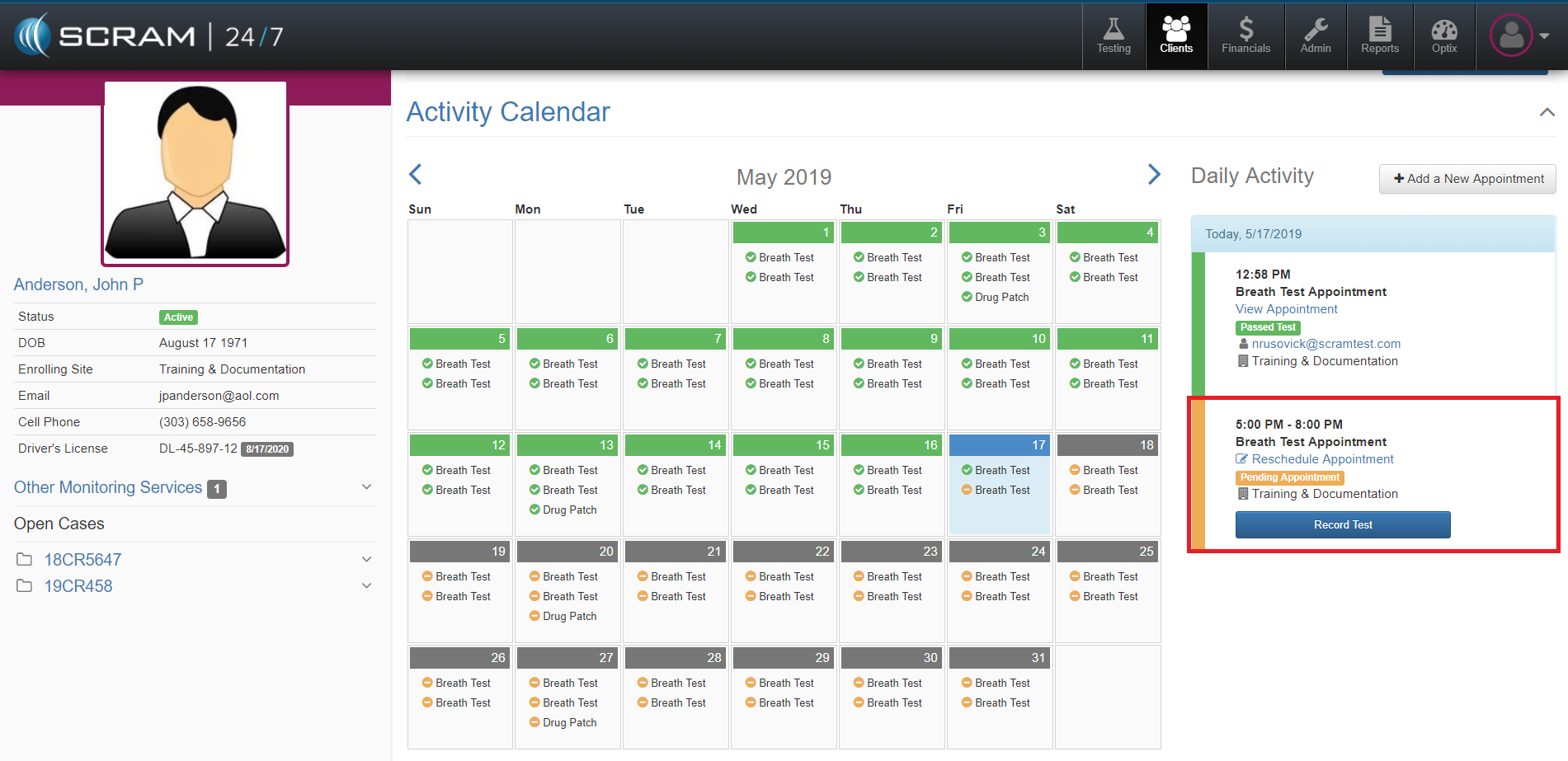
To add a Courtesy Test Site for a one-time occurrence, navigate to the Client’s Activity Calendar and select the Reschedule Appointment link for that specific test or appointment. Next, select the preferred Courtesy Test Site location and then select the Reschedule Appointment button.
Test Site Details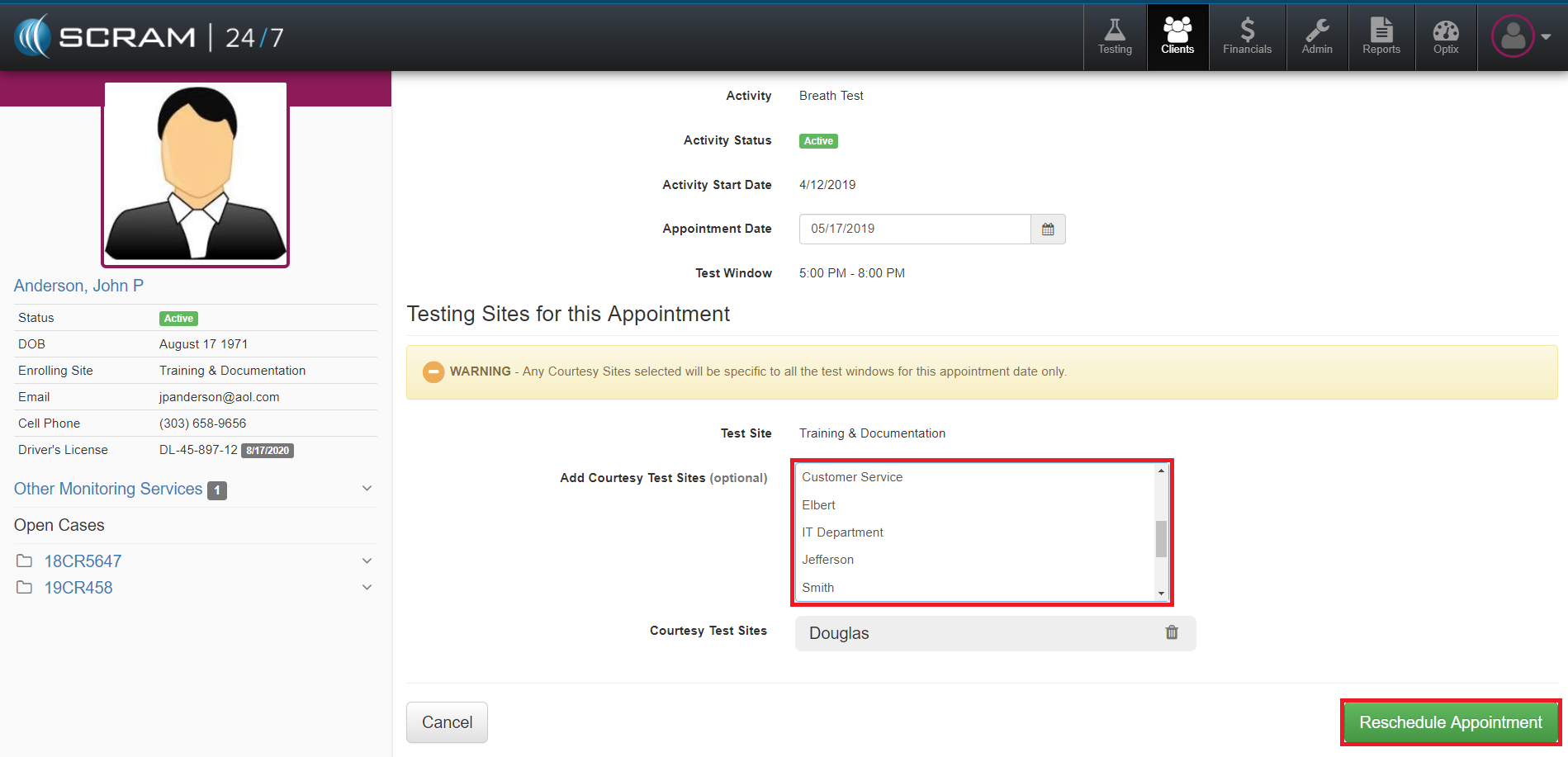
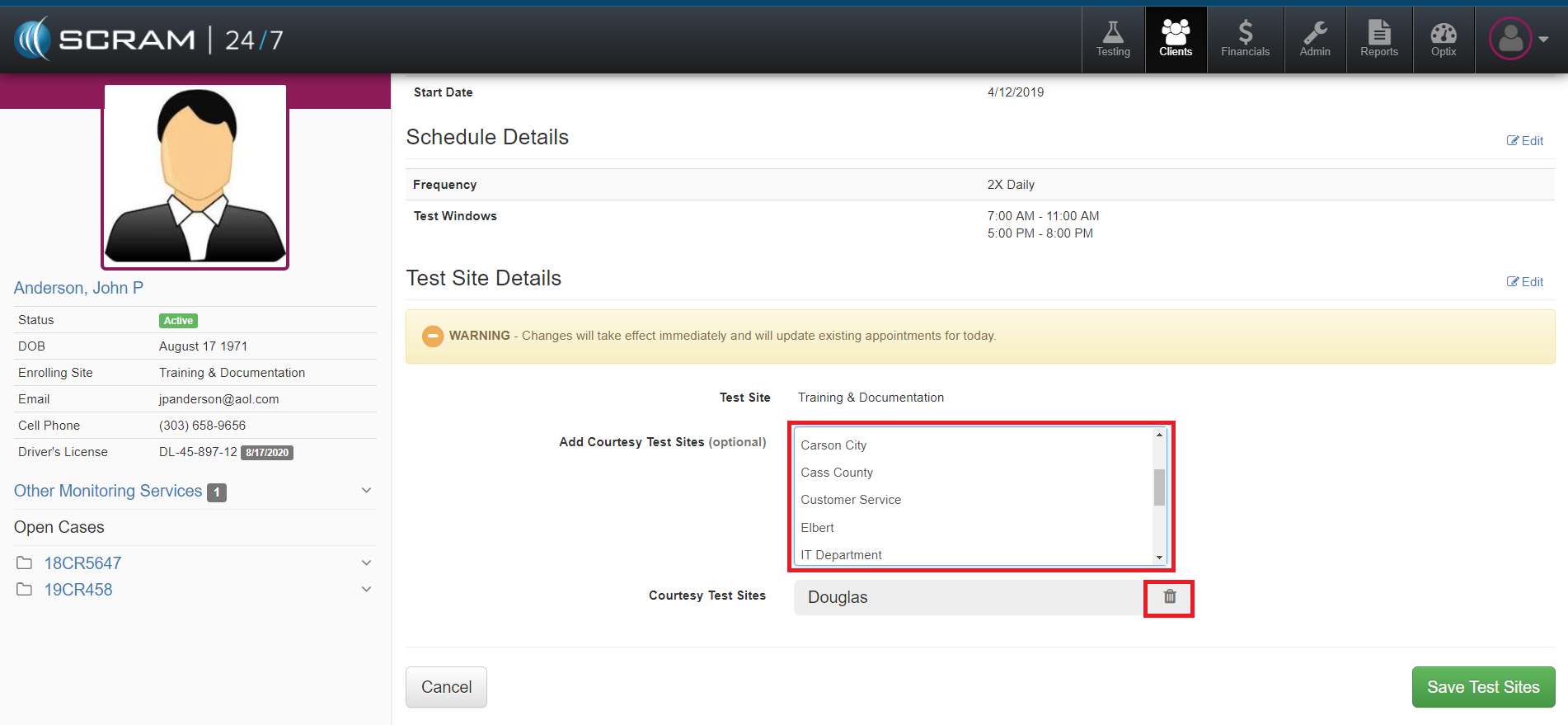
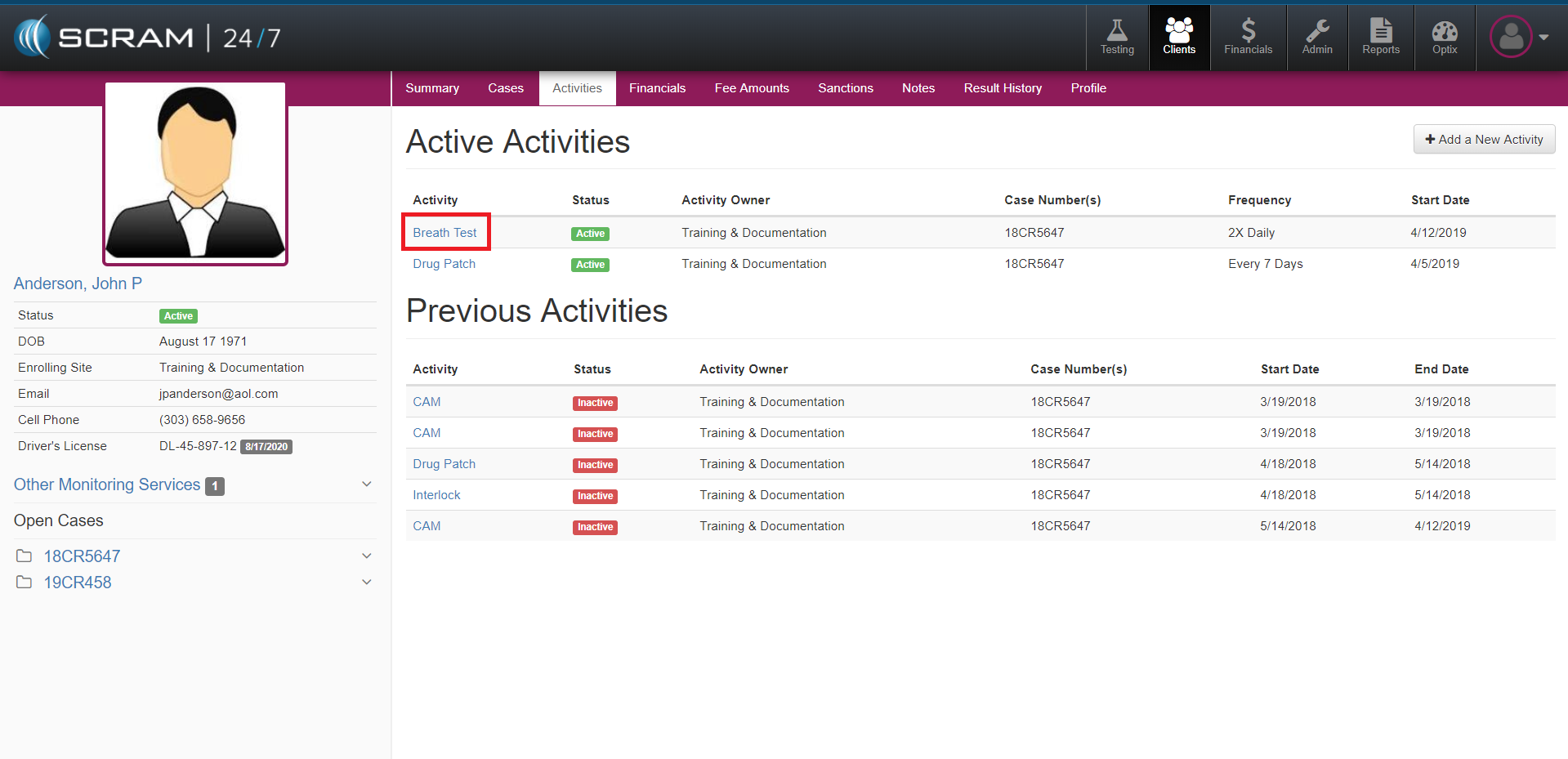
To add a Courtesy Test Site on permanent bases, navigate to the Clients Activities tab and select the Activity that you want to add a Courtesy Test Site to. Next, edit the Test Site Details and add the Courtesy Test Site location. Once complete, select the Save Test Sites button.
To Remove a Courtesy Test Site, open the Test Site Details and select the trash can next to the Courtesy Test Site location you want to remove.