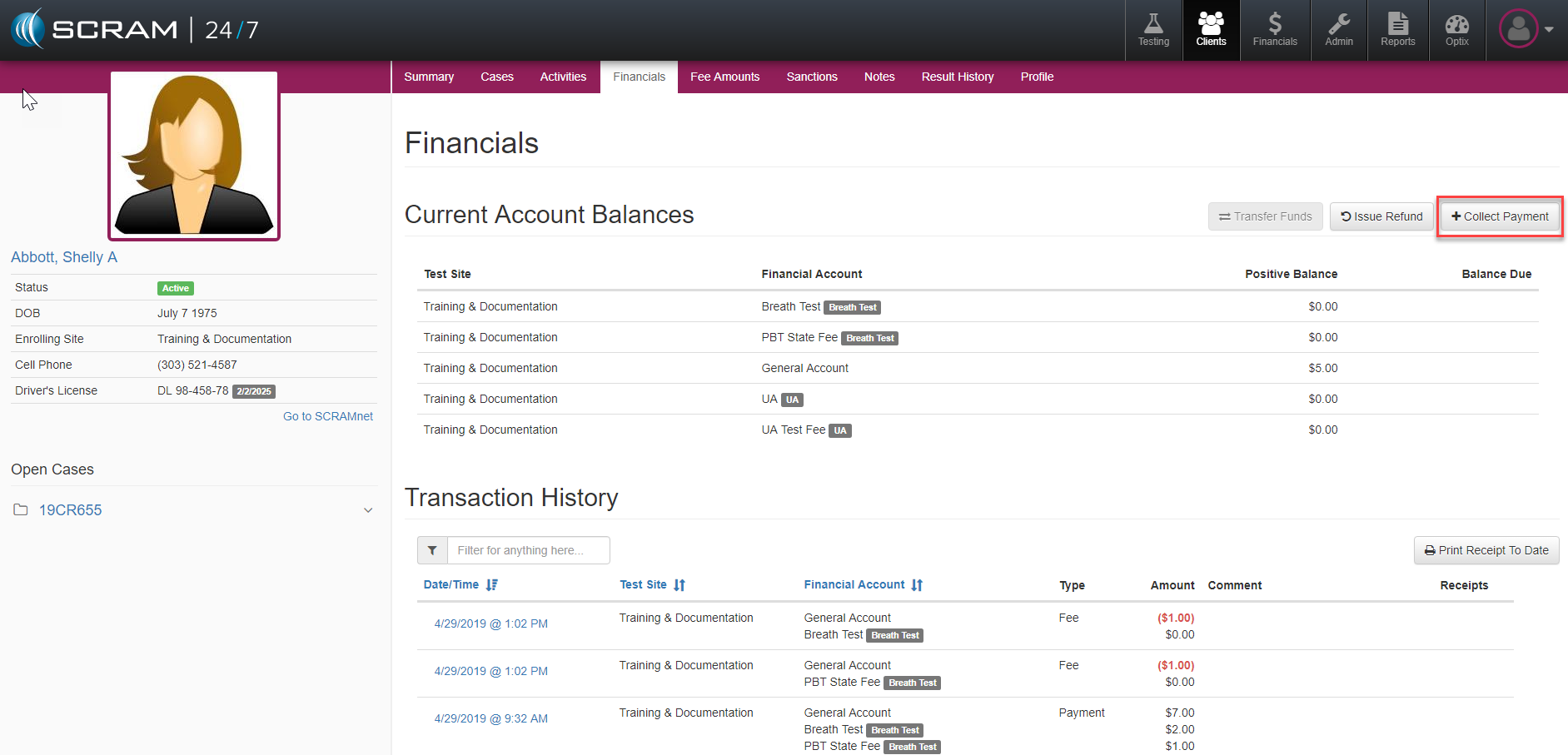
An alternate option for collecting payment exists from the Client’s Financials tab. Once on the page, officers can simply select the +Collect Payment button.
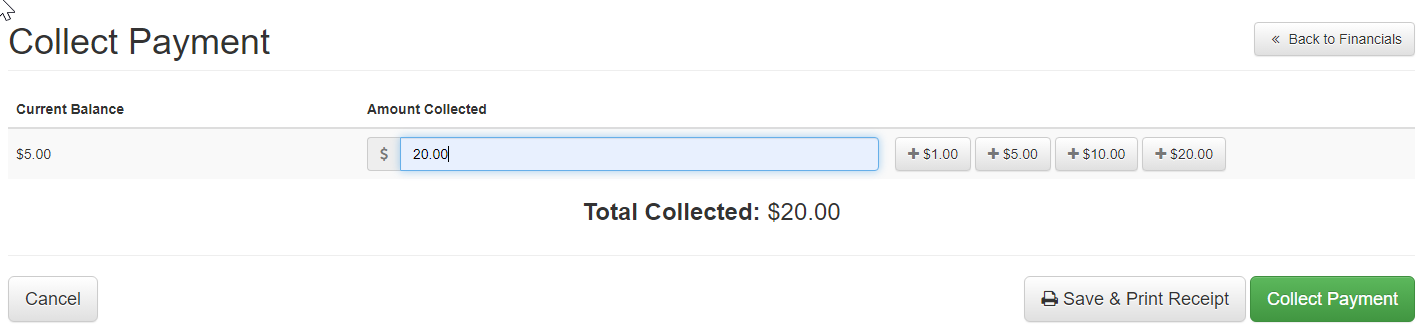
The Collect Payment page will display and officer’s have the option to capture the transaction either by manually entering the Amount Collected amount or by selecting any of the denomination keys to the right and choose either the Save & Print Receipt or Collect Payment buttons to the lower right.