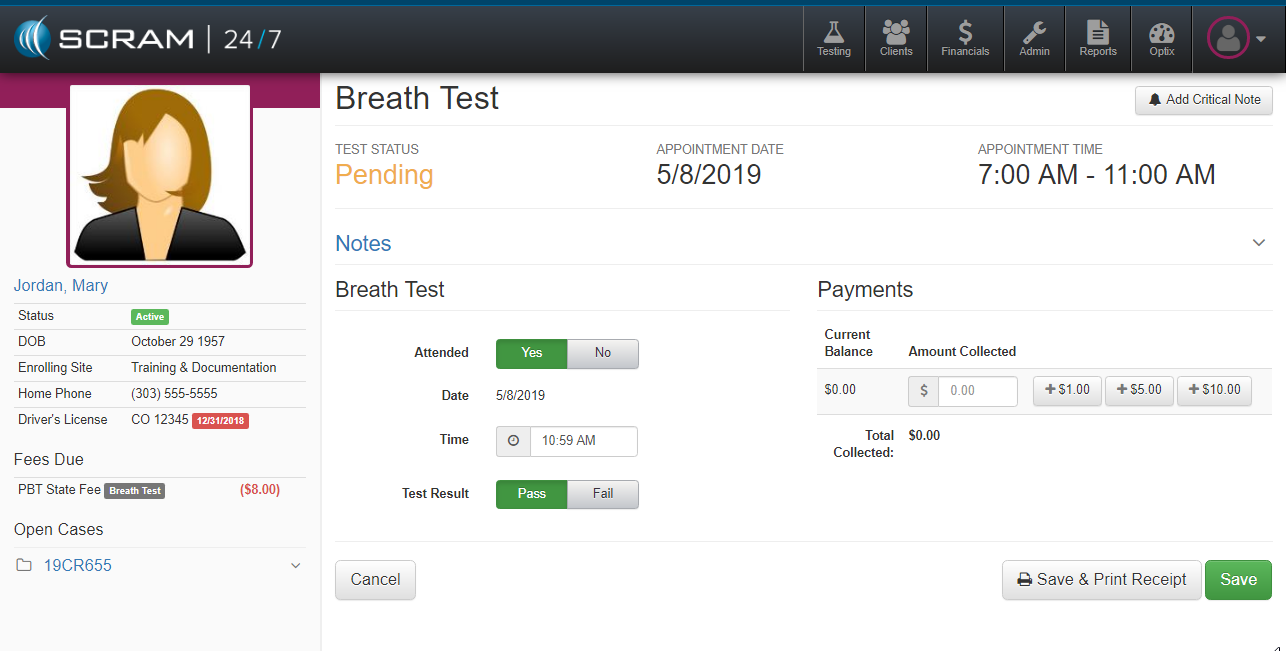
Once the Record Test button has been initiated officer’s are presented with the Breath Test page where they can document the test results and collect payment. The basics steps to record a breath test include:
- Attended: Yes or No (If No is selected, the officer can document if the absence was excused or not)
- Time: Time will default to computer clock, but can be adjusted by the officer
- Test Results: Pass or Fail
- BrAC: If Fail is selected, the menu option to manually enter blood alcohol level (which may trigger second test).
If payment is received during the test, the office can document the amount remitted by the client by manually entering the amount or clicking on one of the payment denomination buttons. The officer can complete the test either by clicking the Save & Print Receipt or green Save button in the lower right.