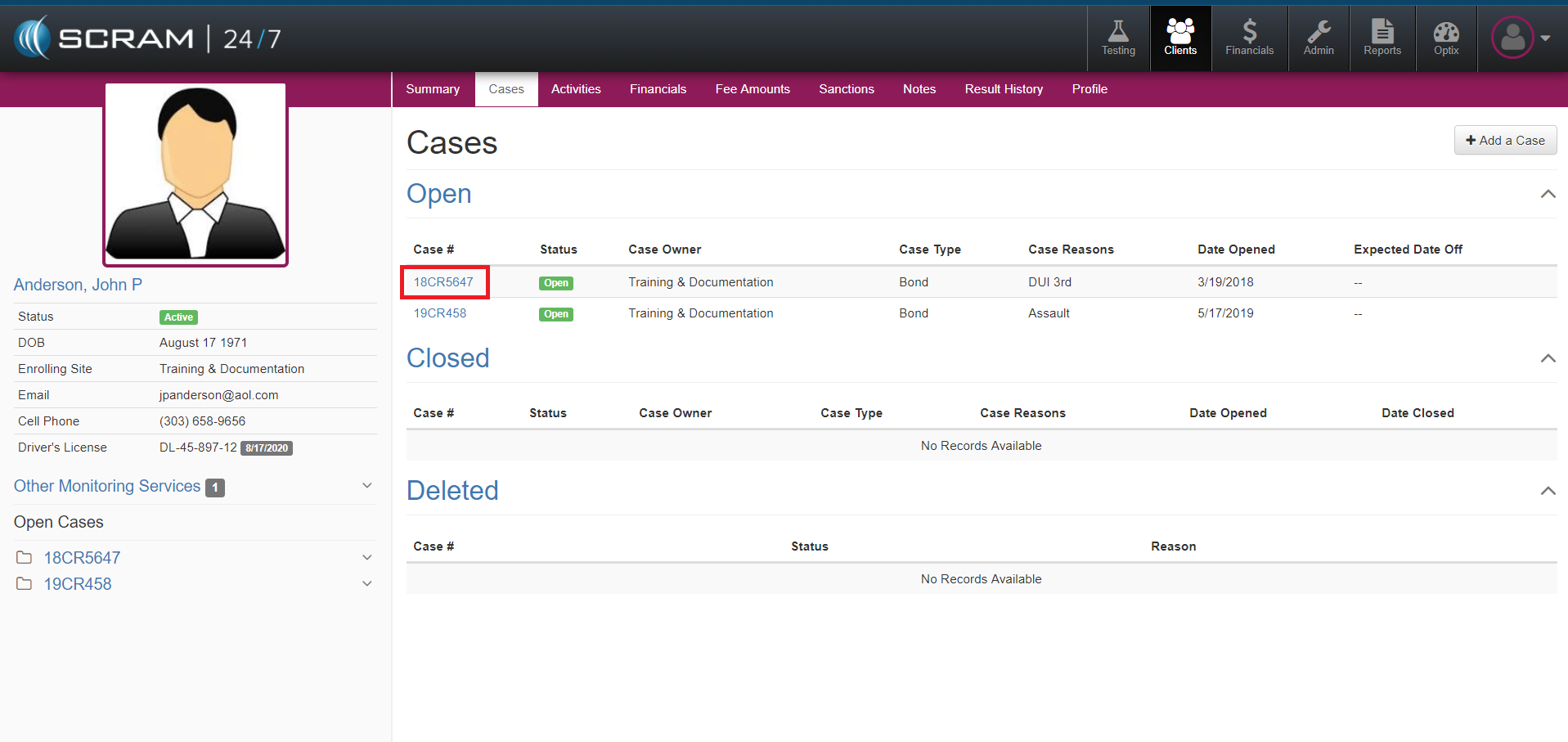
Add Case
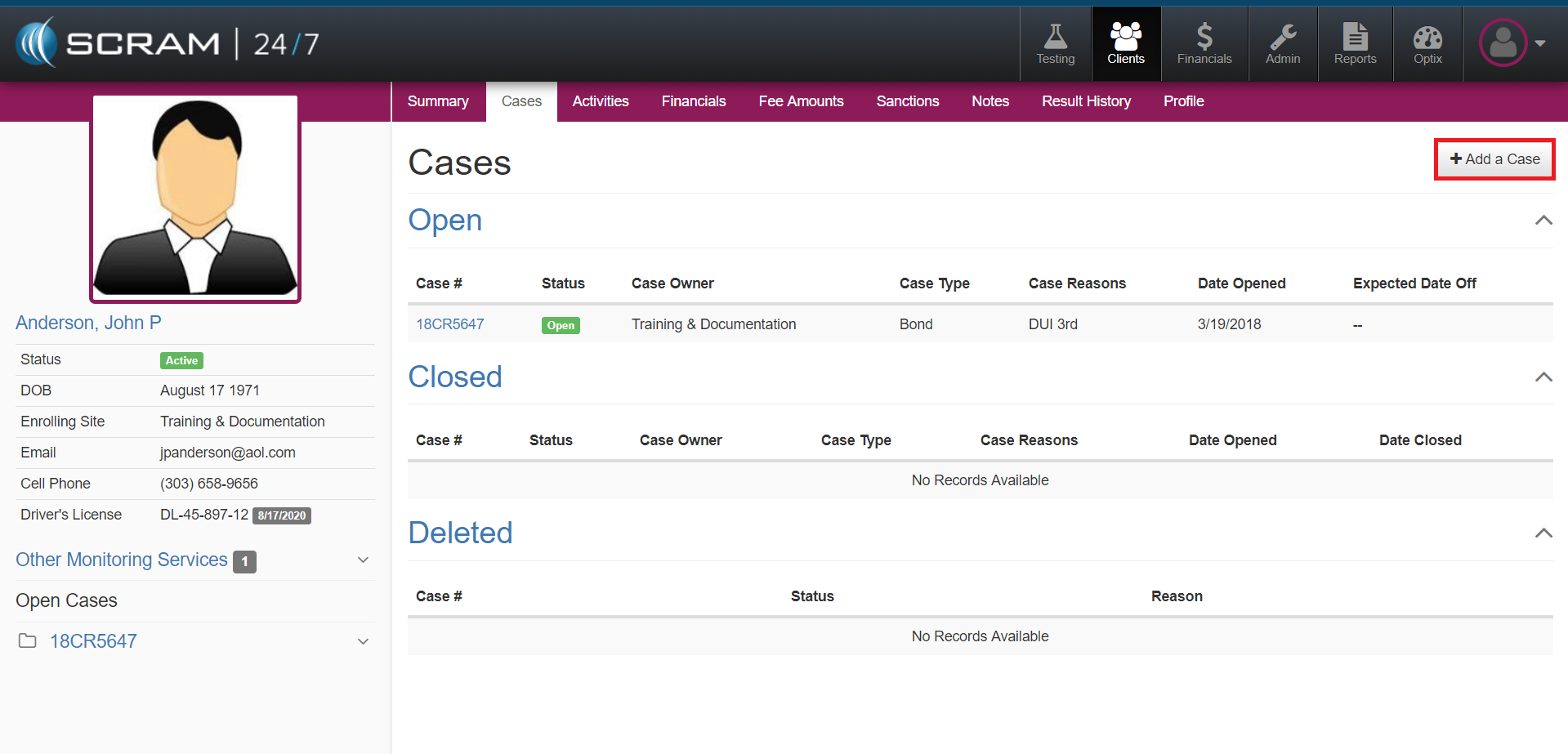
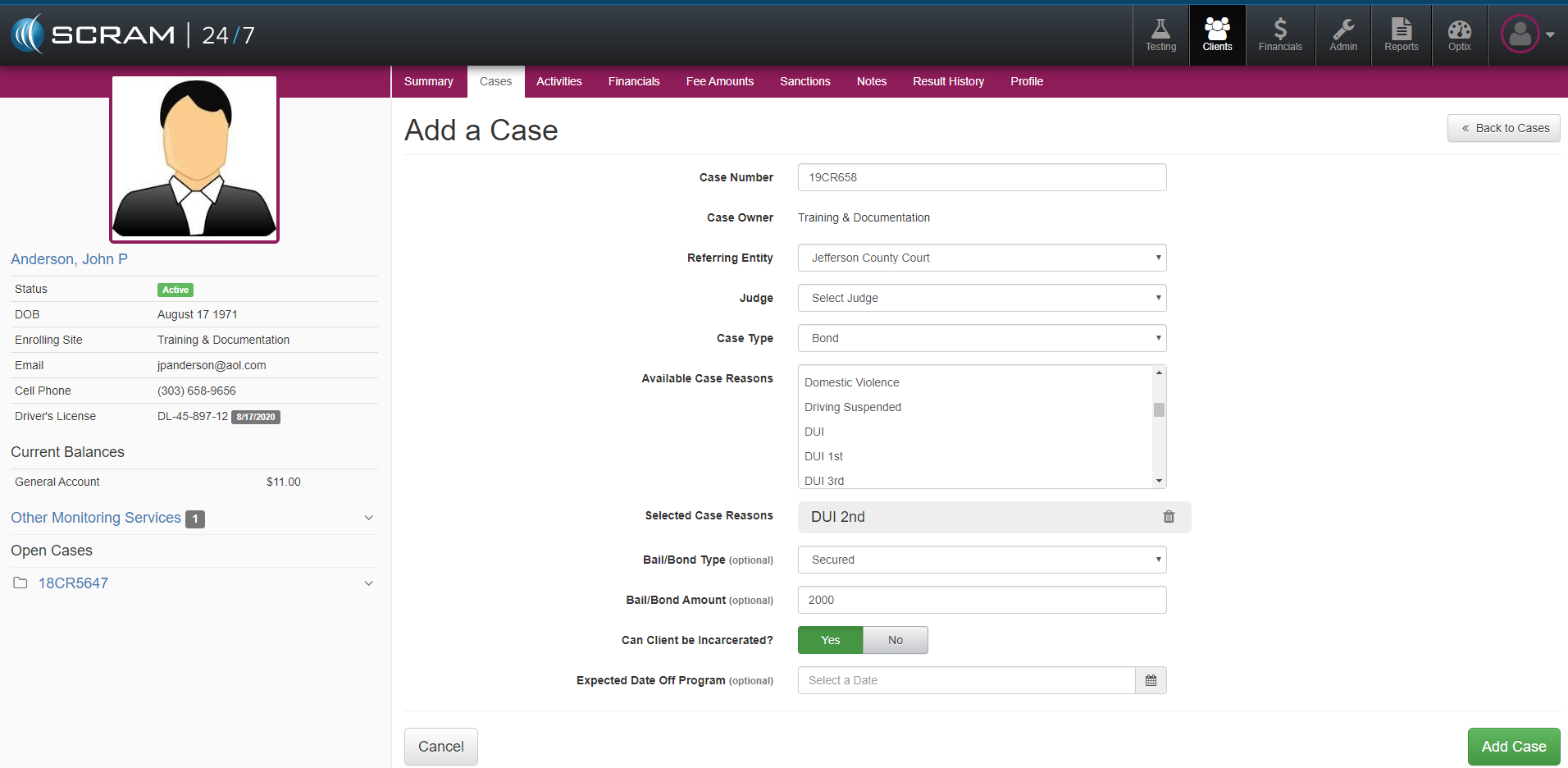
It is not uncommon for a Client to have more than one case while being supervised on 24/7 monitoring. To add an additional case for a Client in SCRAM 24/7, navigate to the Clients Cases tab and select the +Add a Case button. Next complete the corresponding fields and then select the green Add Case button.
Close Case
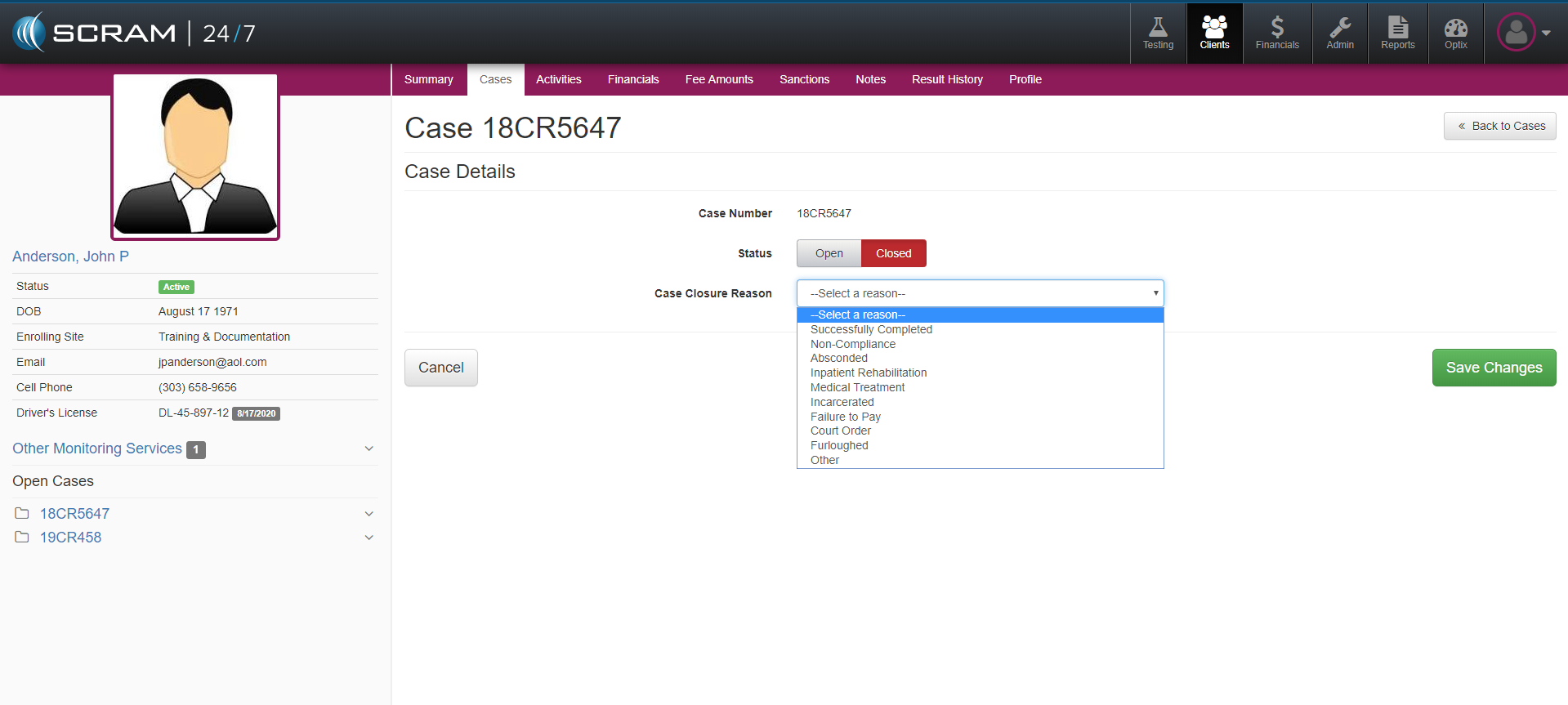
With the Case Details open, change the status from Open to Closed and select from the Case Closure Reason dropdown the reason. Once complete, select the Save Changes button.