Once the client’s profile has been created, the next step is to add the monitoring Activity.
Depending on the Activity type, you will select either the +Add a New Activity or the +Add an EM Activity button.
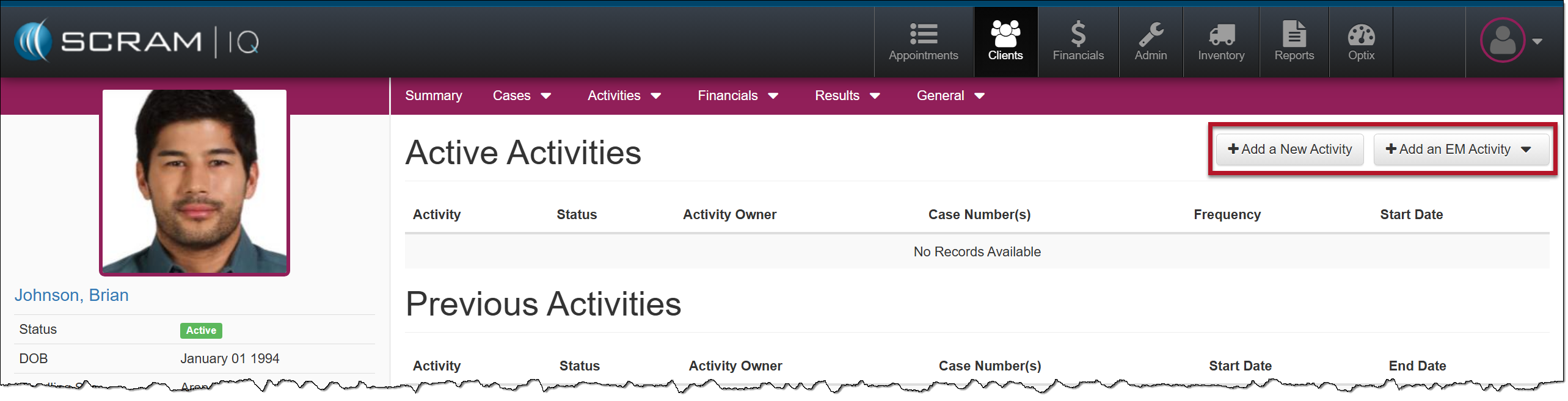 Active Activities page with Add Activity buttons for EM and Non-EM Activities.
Non-EM Activity Dropdown Menu
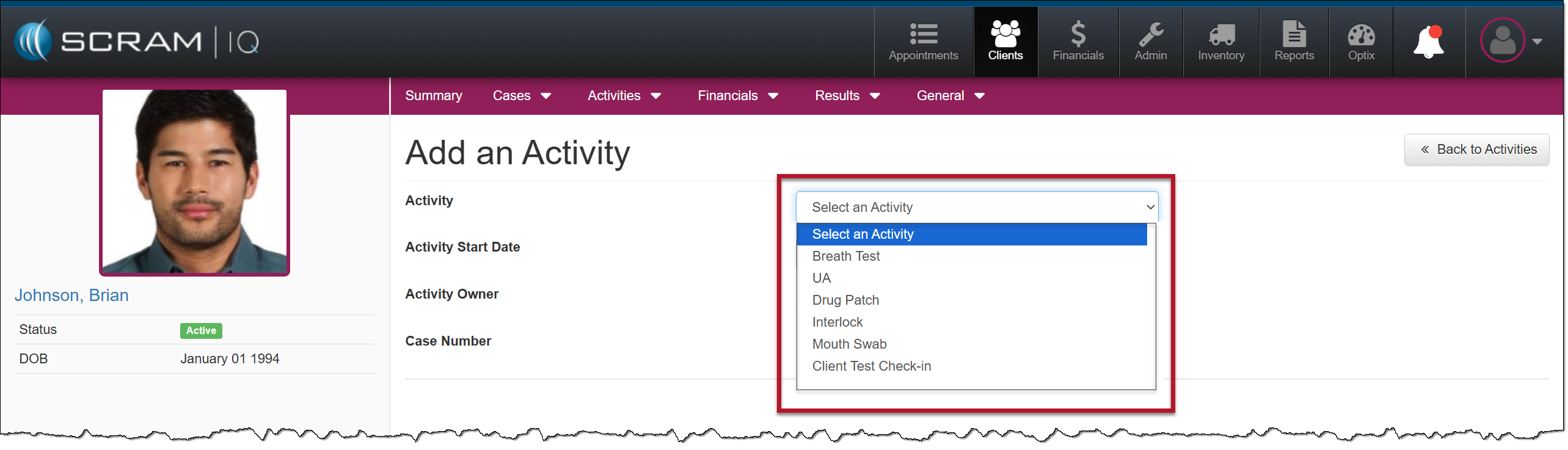
Non-EM Activity Options – click to enlarge
EM Activity Dropdown Menu
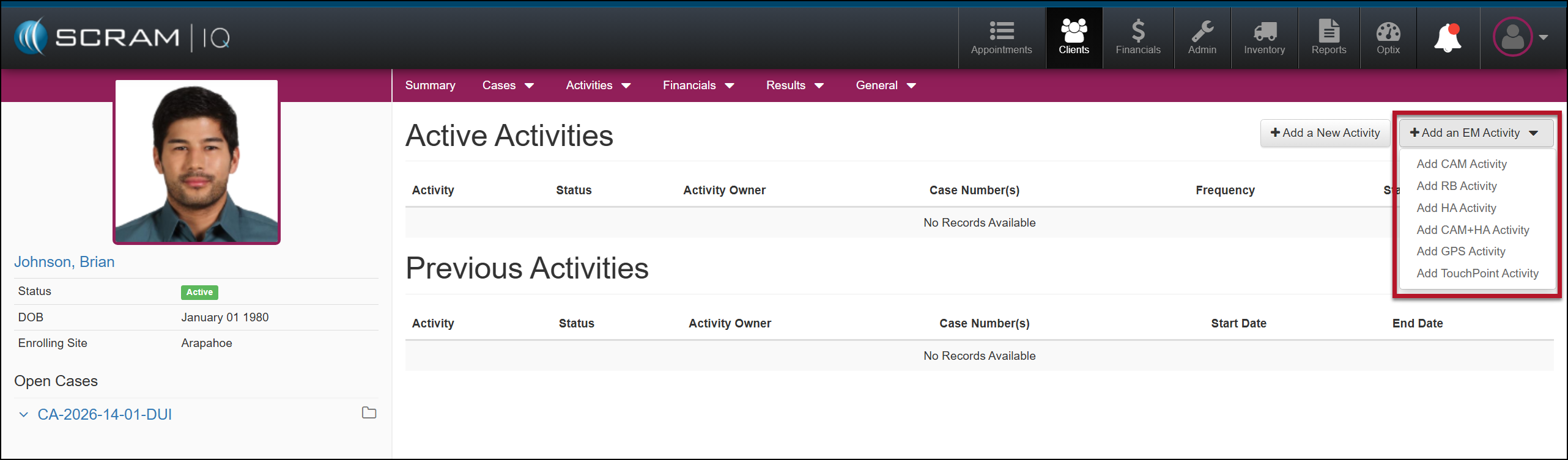
+Add an EM Activity Dropdown menu – click to enlarge
After selecting your Activity, you will walk through the Activity setup process. For example, creating the Activity Schedule for sobriety testing or in-person meetings, monitoring fees (when applicable), or assigning EM equipment for monitoring.
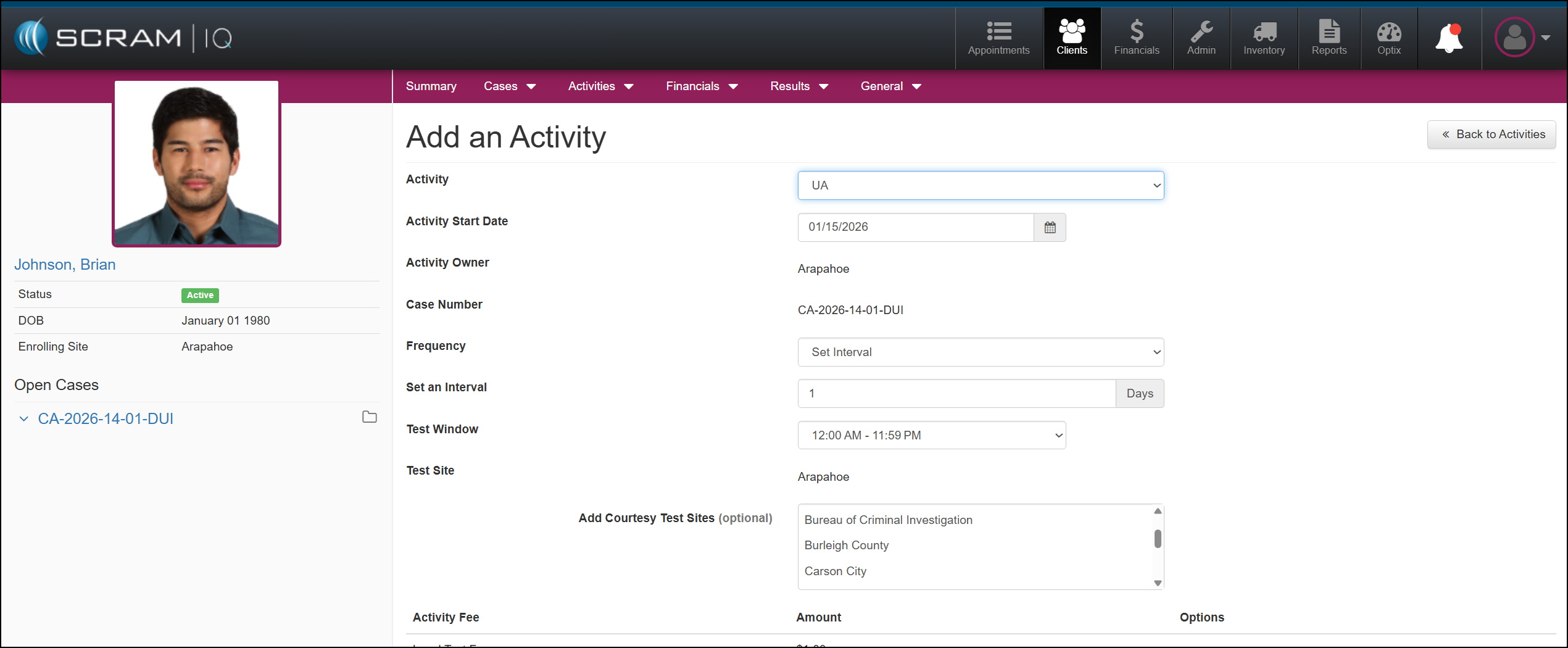
UA Activity Example – click to enlarge
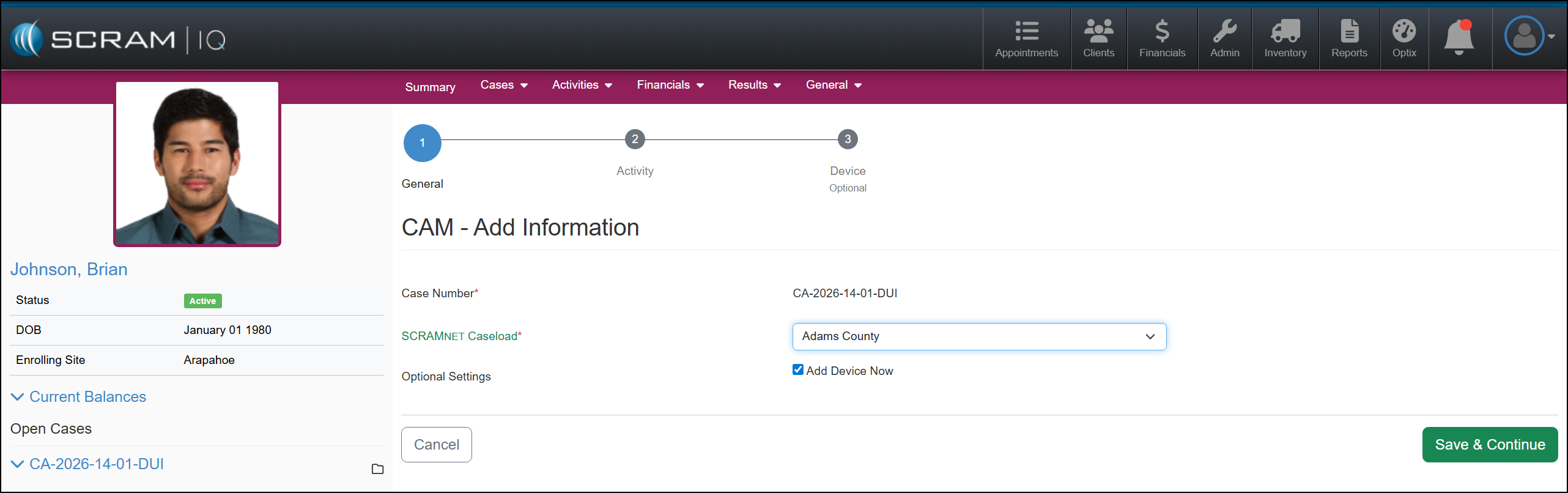
Add An CAM Activity Example – click to enlarge
To view the specific Activity’s step-by-step setup, use the left navigation bar.