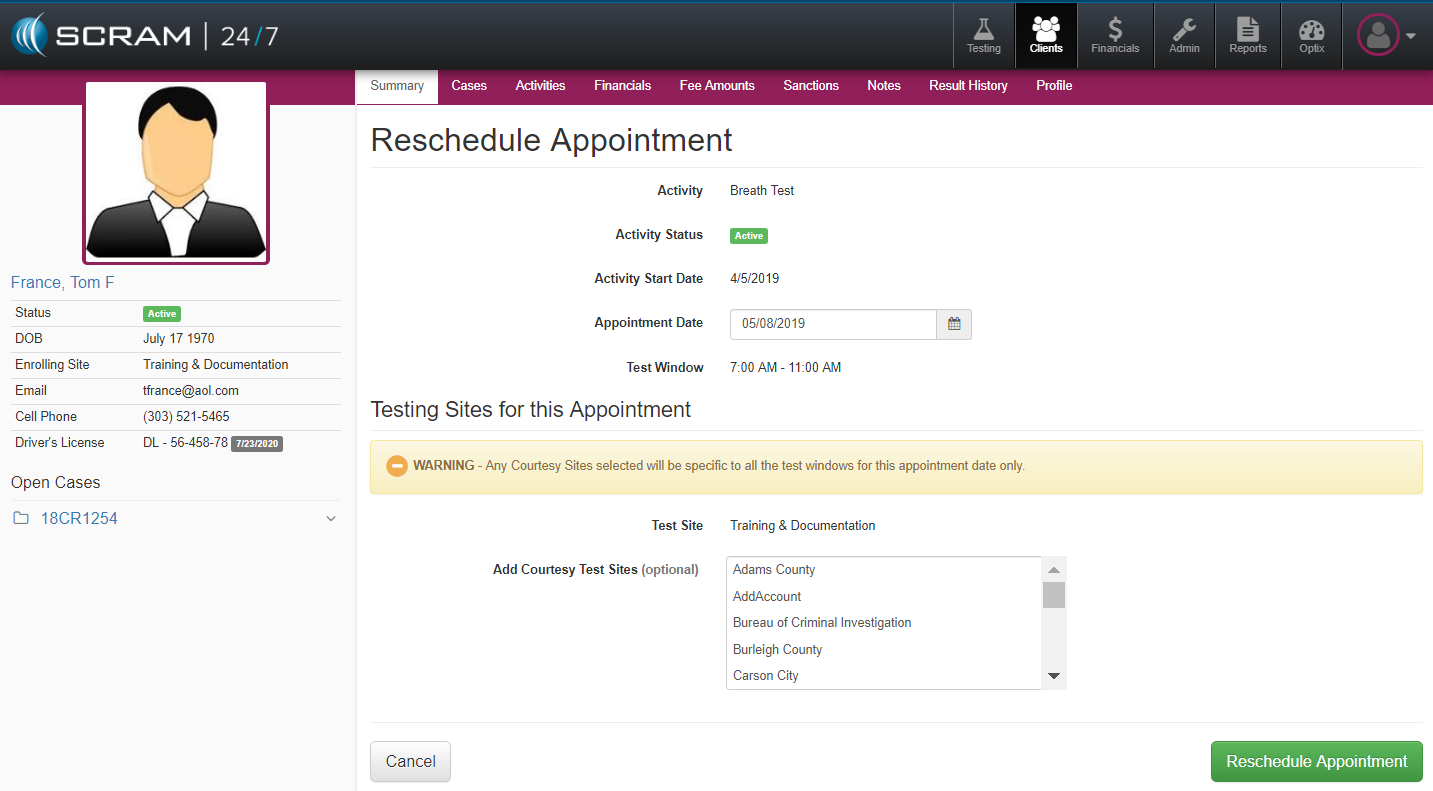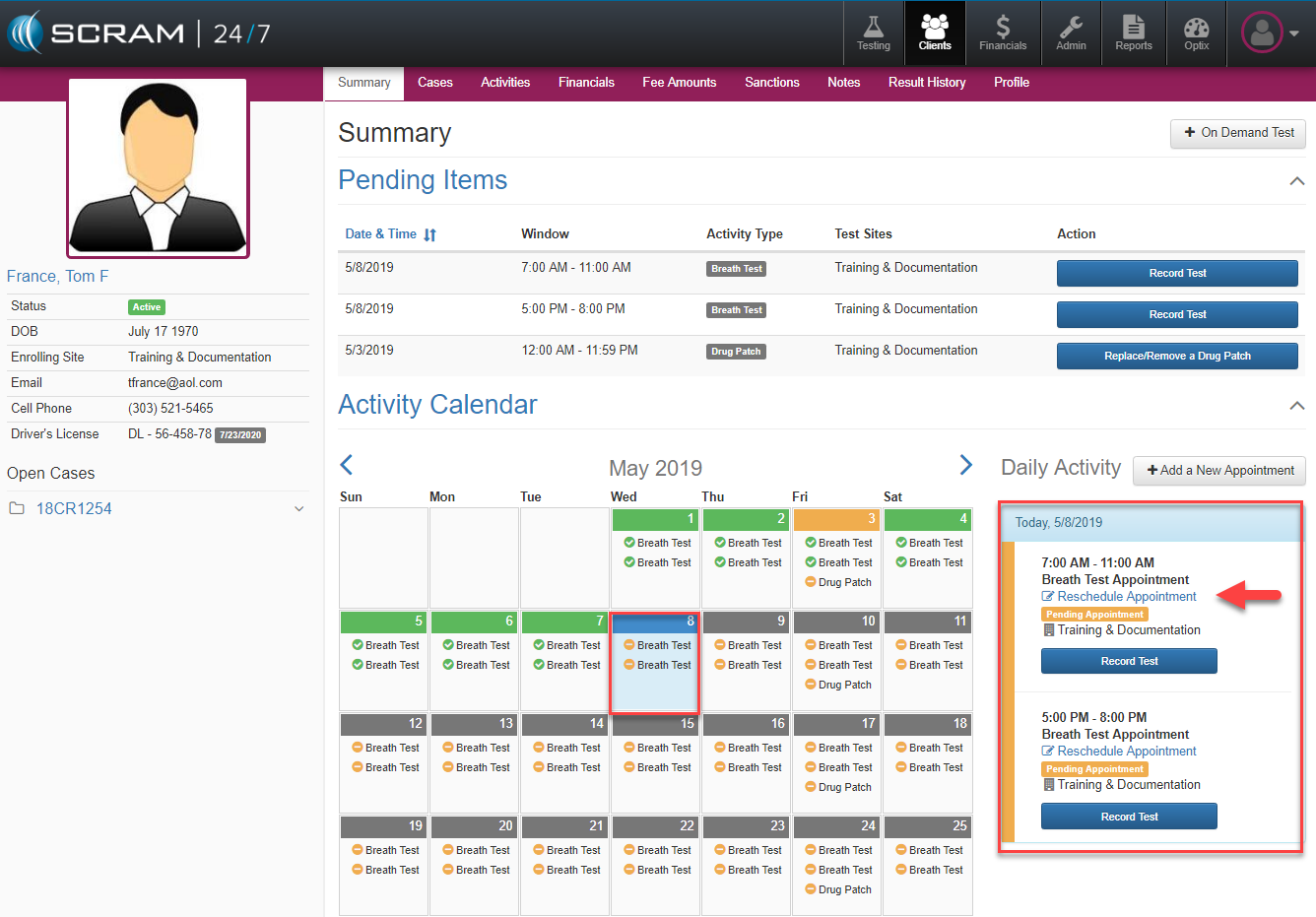
To reschedule an appointment in SCRAM 24/7, locate the appointment in question from the Client’s Daily Activity and select the blue Reschedule Appointment button which will load the Reschedule Appointment page where the date and testing sites for the appointment can be selected.