Clients participating in a curfew monitoring program, House Arrest or CAM+HA Activity, typically have permission to leave throughout the day to work or engage in other activities. These leaves are scheduled on the HA Schedule page in SCRAMNET. In some cases, non-compliant behavior or court orders may result in the revocation of the client’s freedom to leave their home.
When this occurs, quickly override the client’s HA Schedule by selecting the Activate Lockdown hyperlink in the Client Equipment section on the Summary page in SCRAM 24/7.
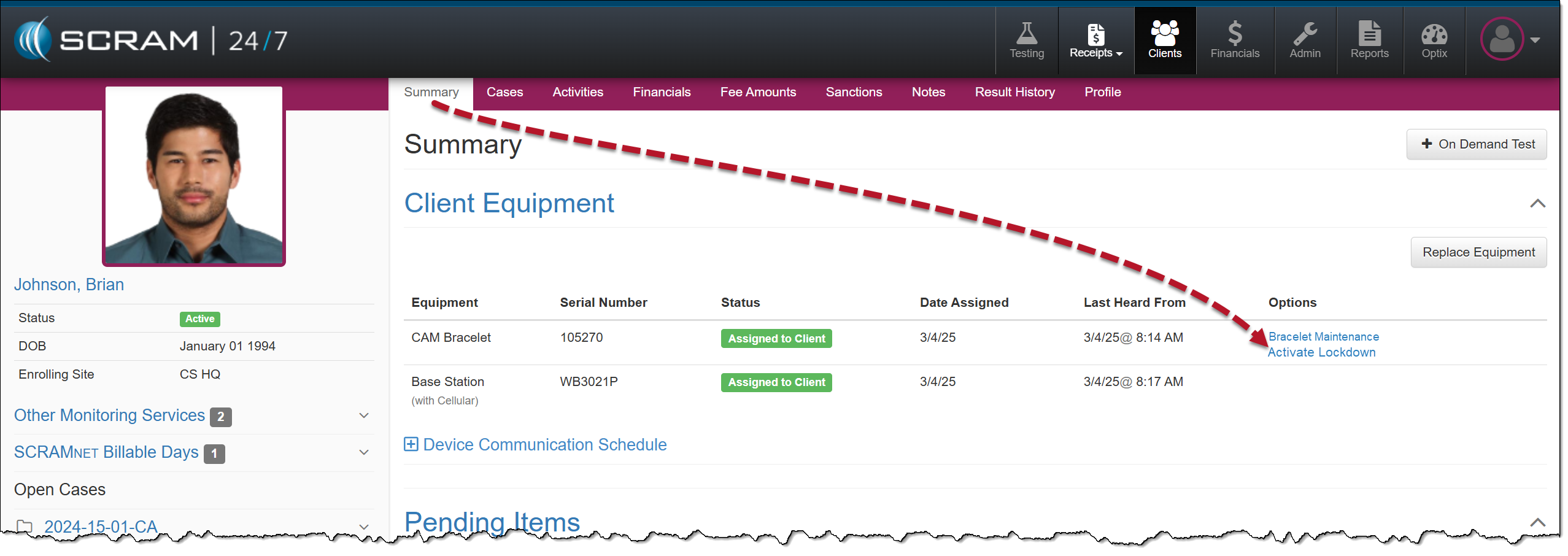
Activate Lockdown Hyperlink
Once the Lockdown status is active, an Unauthorized Leave alert is generated any time the client moves outside the range of the base station, regardless of the HA schedule.
To remove the lockdown status, select the Deactivate Lockdown hyperlink, and the client may resume their activities based on the HA schedule saved in the system.
Activate Lockdown Hyperlink
In SCRAMNET, you can view the client’s Lockdown History on the HA Schedule page, under the Lockdown subtab.
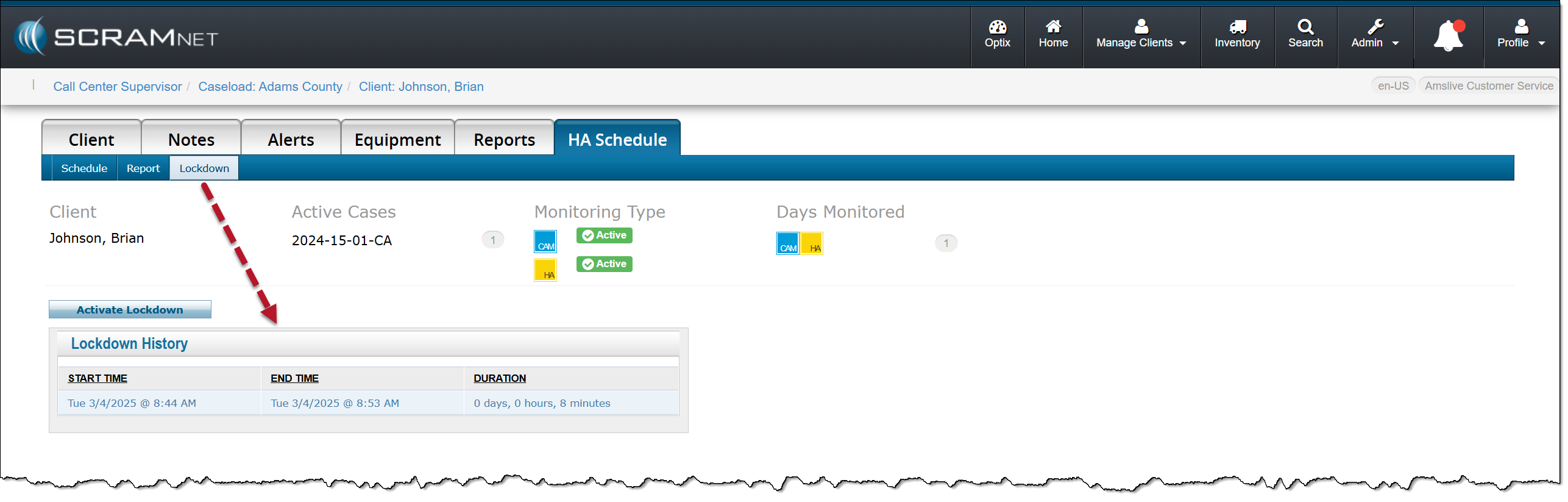
SCRAMNET Lockdown History page