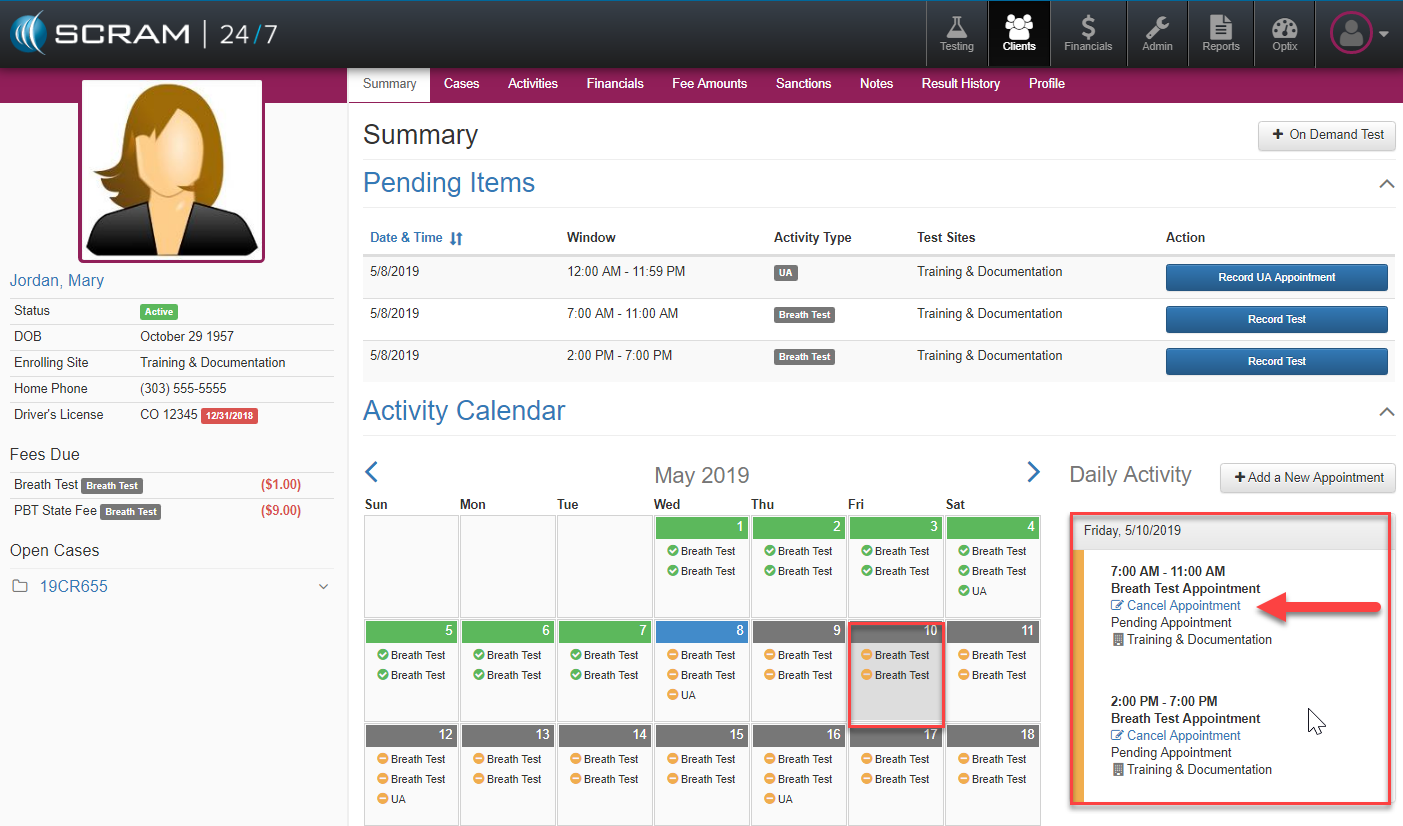
Future appointment may be cancelled by locating the specific appointment within the Activity Calendar/Daily Activity windows. First select the date of the appointment and then in adjacent Daily Activity window choose the blue Cancel Appointment link.
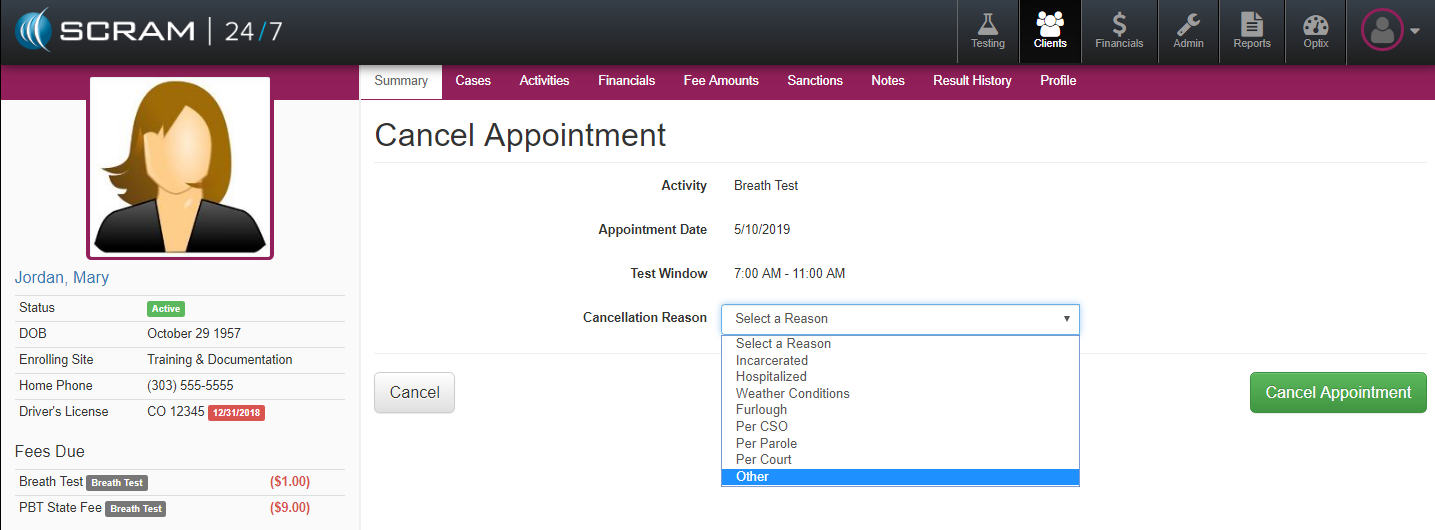
The software will open up the Cancel Appointment page where the officer can select the Cancellation Reason and the appointment will be removed from the Client’s calendar.