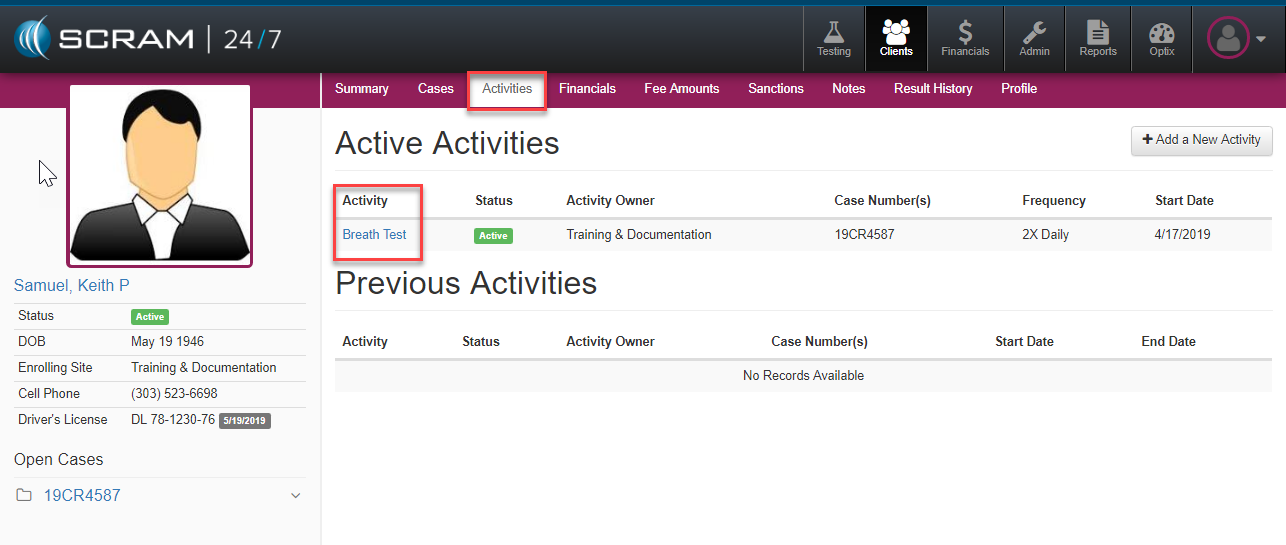
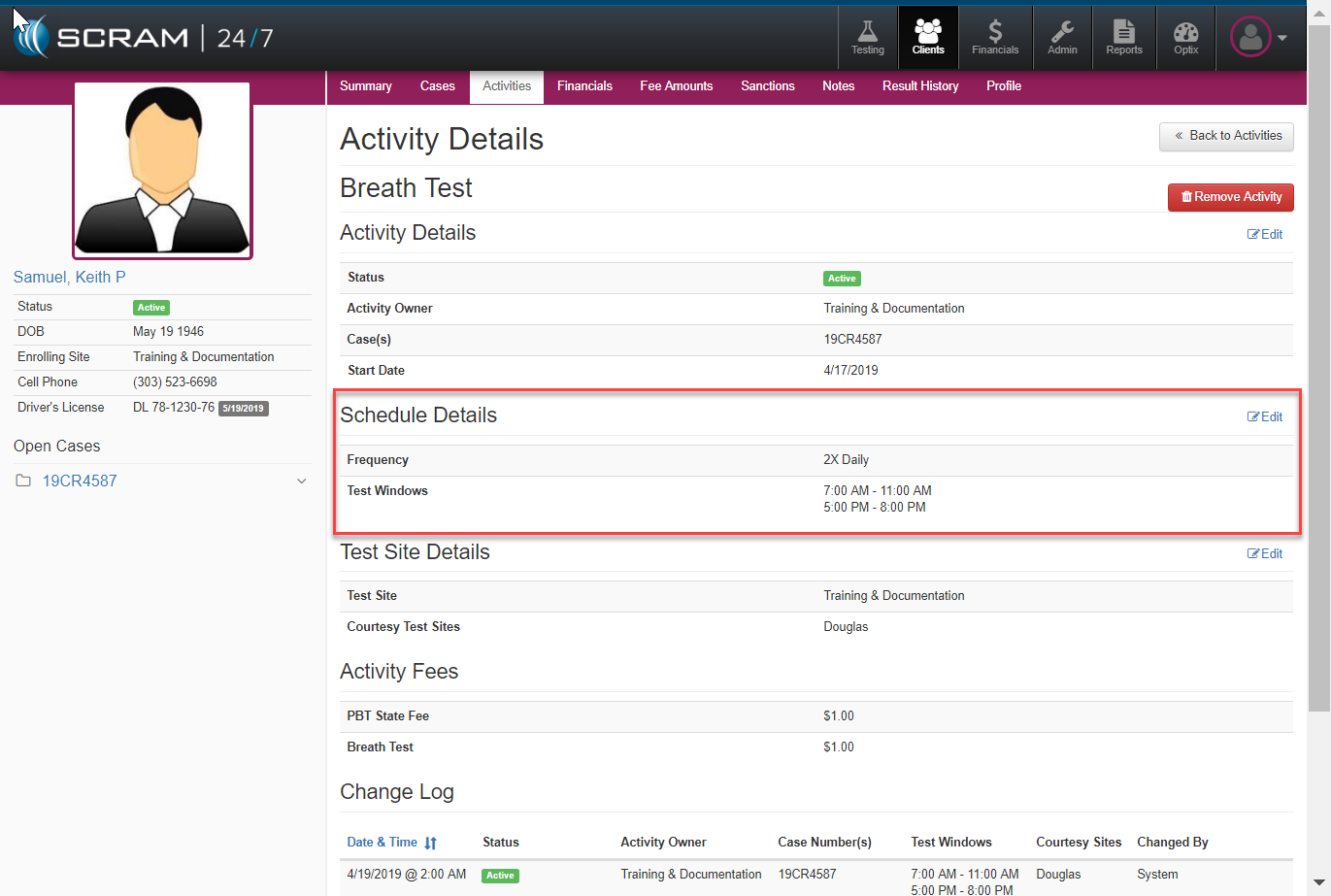
Should a client’s testing schedule require alteration, the officer can modify their schedule by opening the Active activity and edit the Schedule Details section of the Activity Details page.
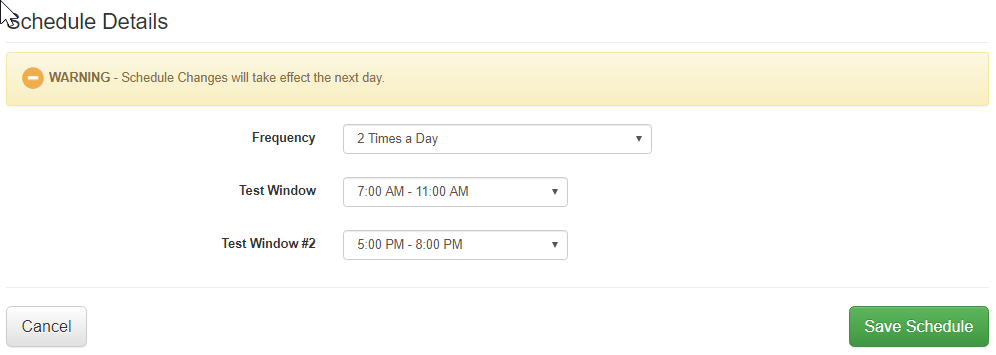
Once the edit Schedule Details selection is made, schedule options for the officer to modify will appear such as Frequency and Testing Window configurations.