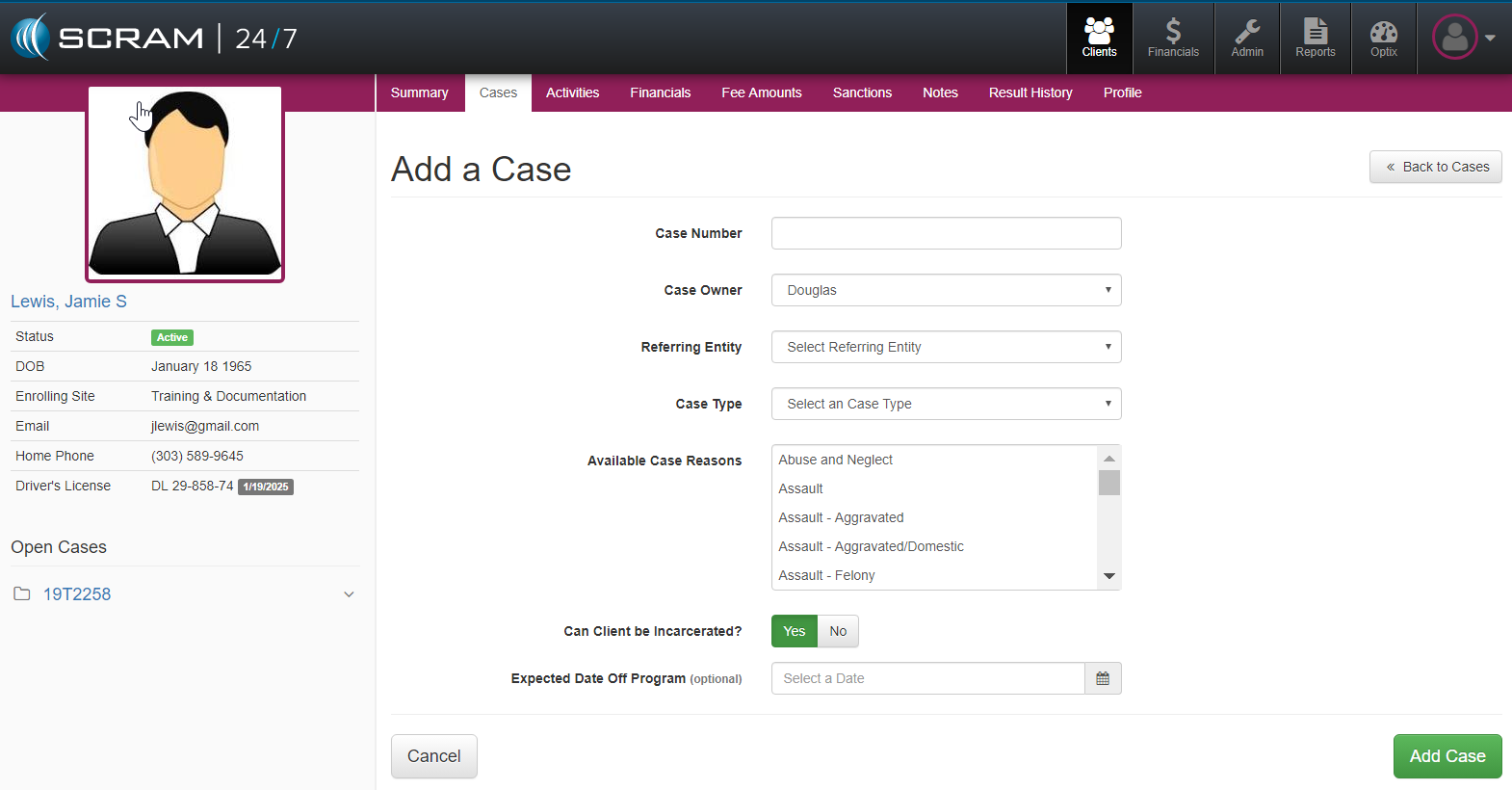
During the Add Client setup, a critical part of the information required to initiate the client’s set up under supervision is to enter all of the required information relevant to their case. In the Add Client detailed page, the following Case information can be entered in the Referring Source section. This information is then added to the client and allows the officer to connect specific activities or sobriety testing to a specific case.
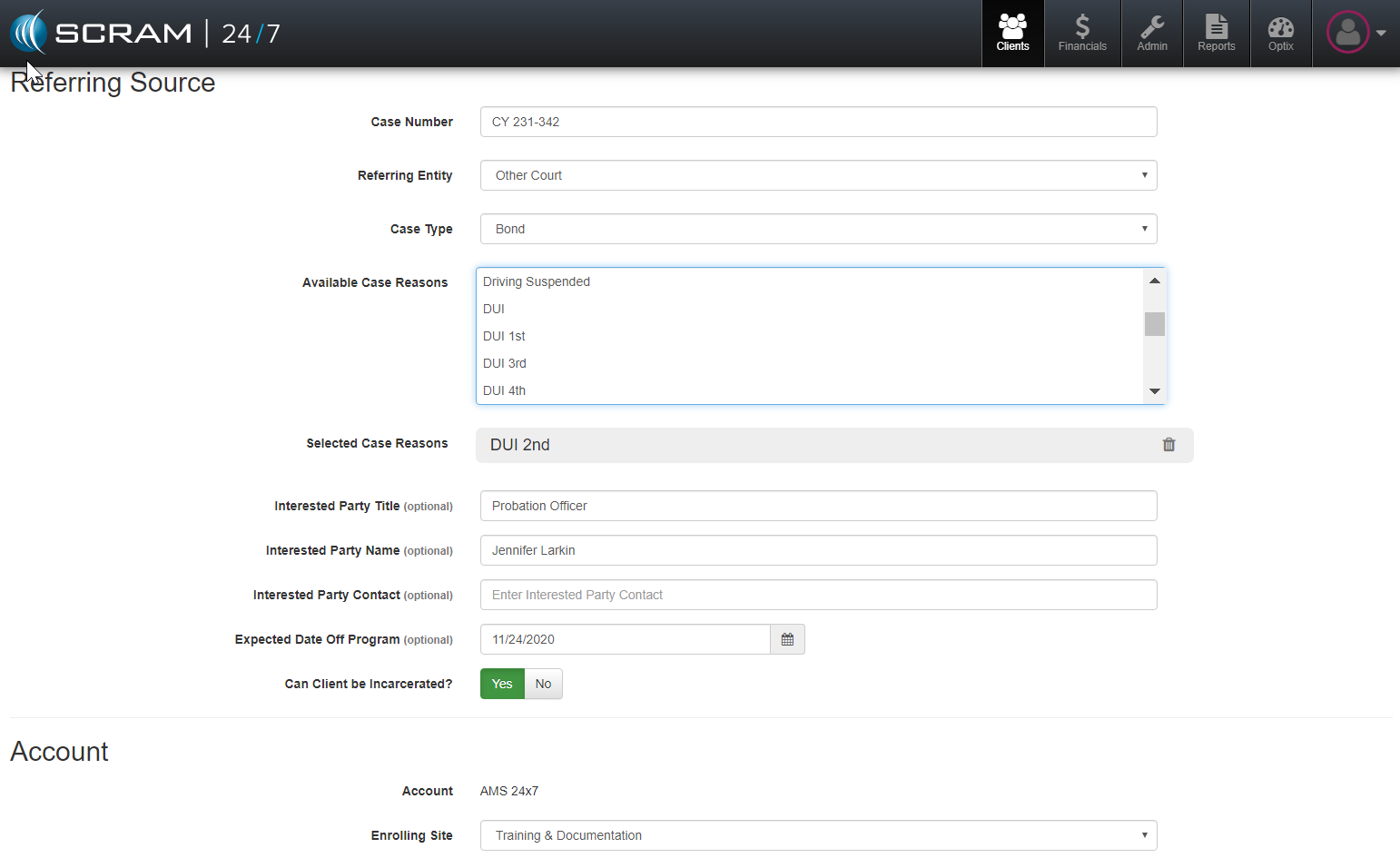
Add Case to Active Client
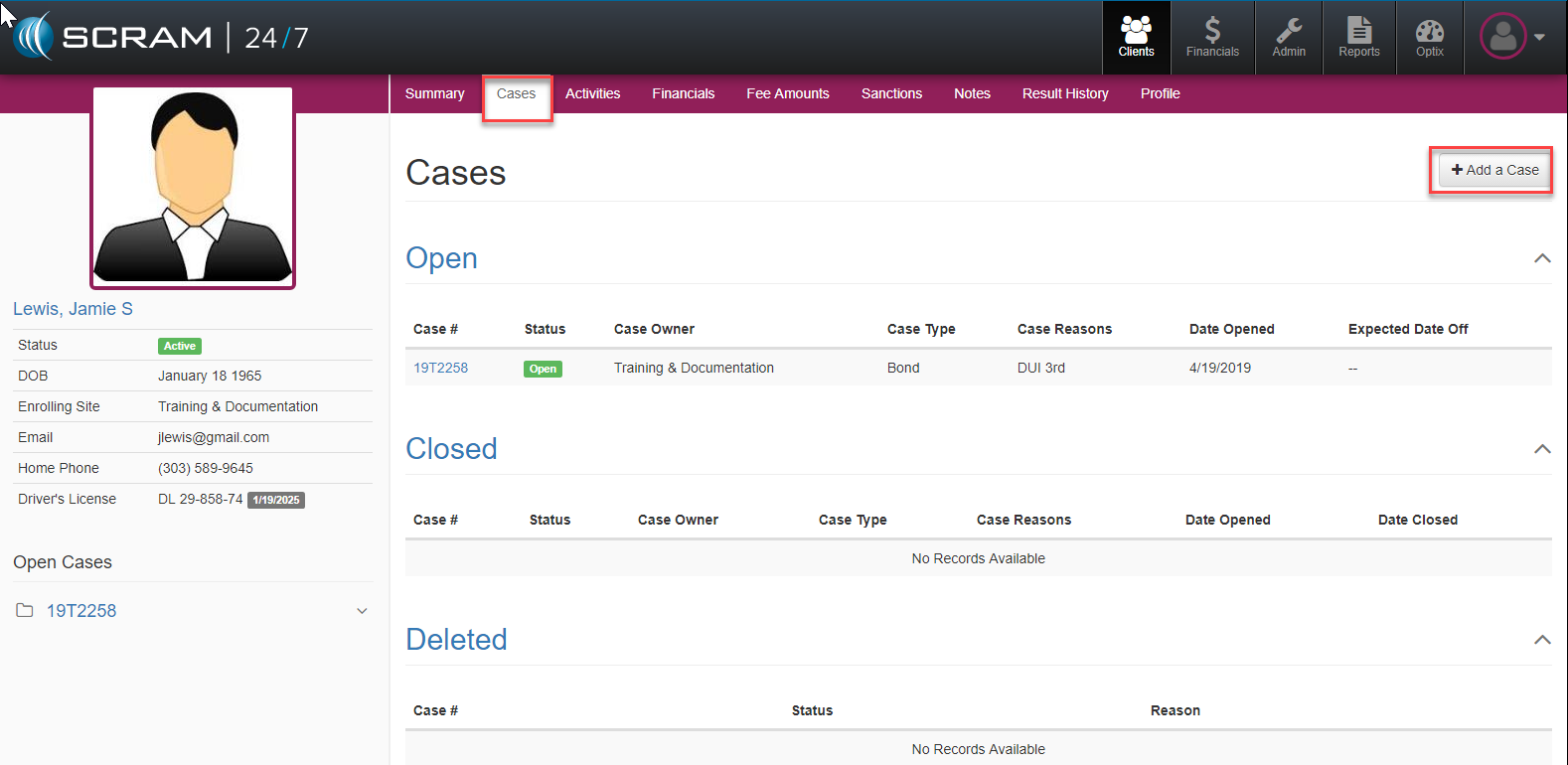
For active clients who may require a second or multiple case be added to their record, officers can add subsequent cases by: accessing the Client’s profile, navigating to the Cases tab and selecting Add a Case button where they can add details on the additional case(s).