A Courtesy Reminder is a text message sent to a client’s cell phone at the time of, or shortly before a scheduled Remote Breath test. In addition, a text message can be sent when the client’s Remote Breath Pro battery level is reported as low or critically low as a reminder to the client to charge their device.
Activate Courtesy Reminders during the Remote Breath Activity Setup
- On the Add an Activity page, select the checkbox next to the Add Monitoring Settings Now option (additional Optional Settings may also be selected) and then the Save and Continue button.
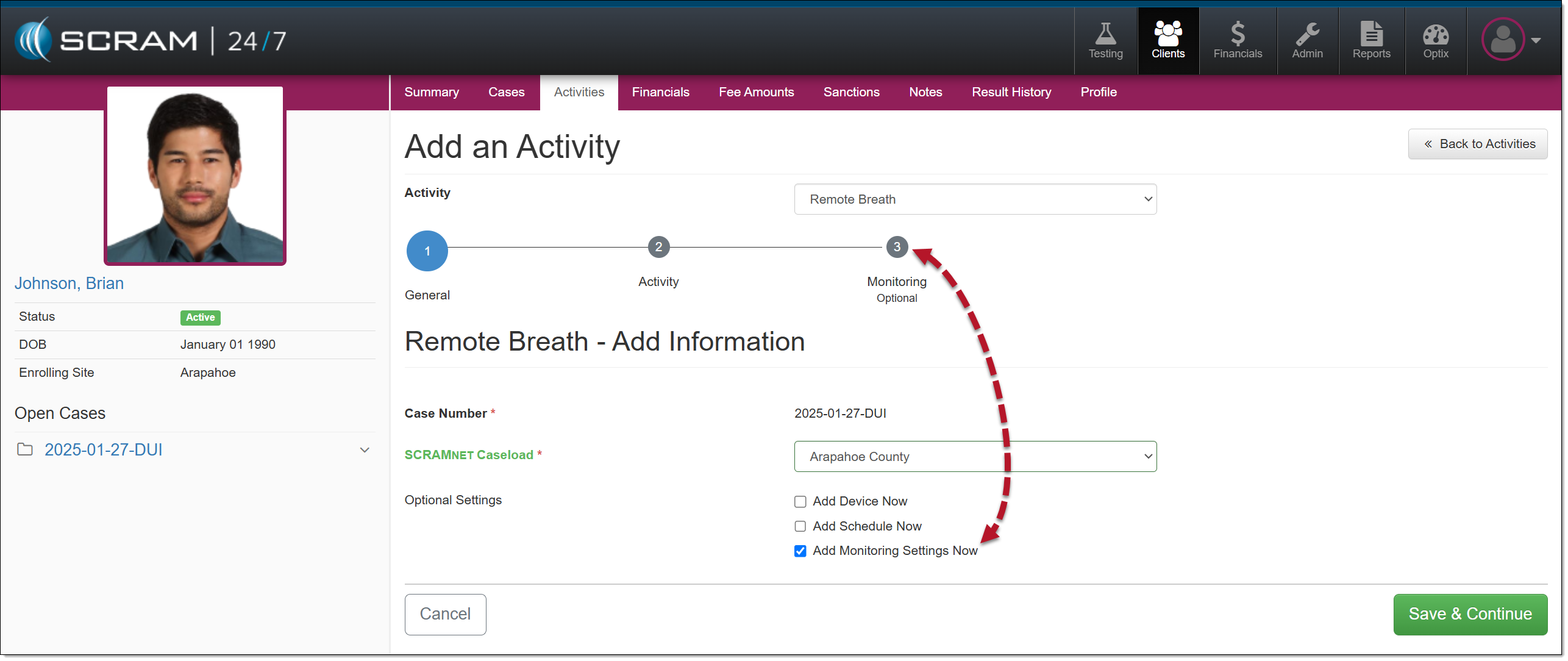
- On the Monitoring step, select the Edit hyperlink in the Courtesy Reminders Detail section.
- Toggle the Disabled button to Enabled.
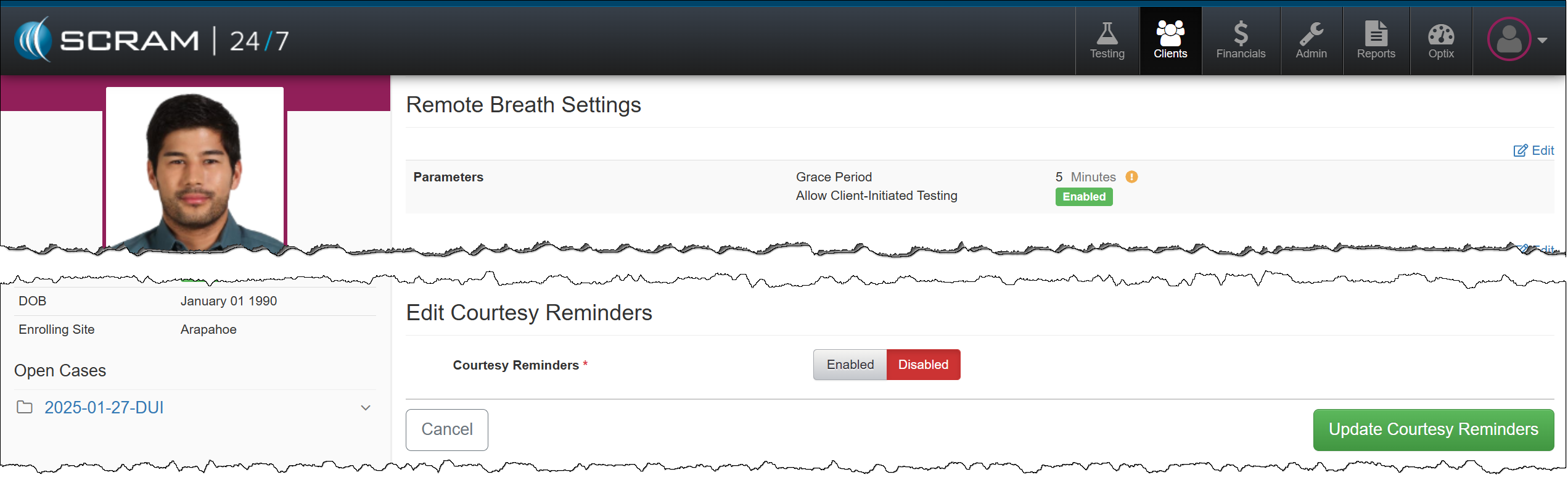
Enable Courtesy Reminders for the Client
- Once enabled, select the Enter Phone Manually option from the Phone # dropdown menu and enter the client’s cell phone number.
- If needed, verify the client’s cell number is entered correctly by selecting the Verify Cell Number hyperlink.
- Select the Client Preferred Language: English or Spanish.
- Enable the Breath Test Reminder and select when the client will receive a text message.
- At Test Time.
- 15 Minutes Prior to the scheduled test.
- 30 Minutes Prior to the scheduled test.
- Enable the Battery Reminder option.
- Select the Update Courtesy Reminders button.
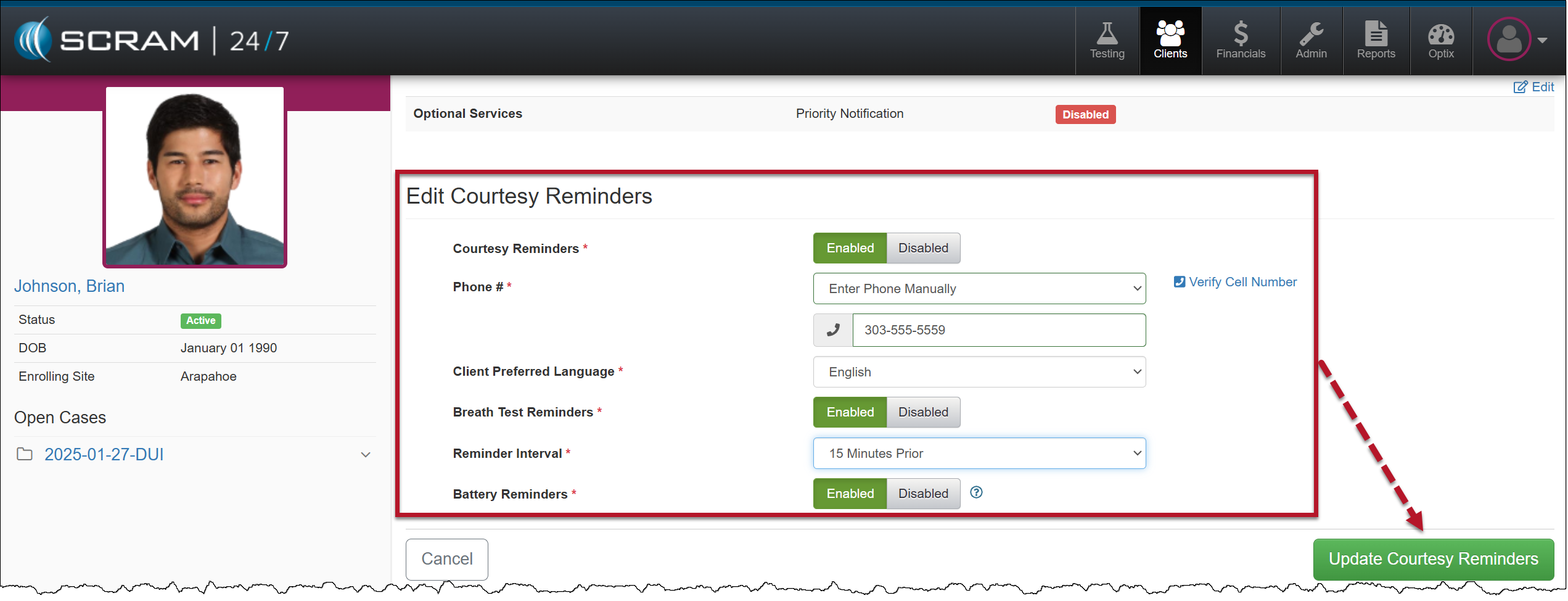
Once the Courtesy Reminders options are saved, you may complete the Activity setup for the client.
Enable/Edit an Active Remote Breath Activity
To add or edit a client’s Remote Breath Courtesy Reminders:
- Select the Remote Breath Activity on the client’s Activities page.
- In the Courtesy Reminders Detail section, select the Edit hyperlink.
- Select the Enabled toggle button and follow steps 4-9 as described above, or if already enabled, make your updates.
- When updating the client’s phone number, select the Enter Phone Manually dropdown menu option, and then you may enter the new or corrected phone number.
 |
Whether a client receives the Courtesy Reminder text message or not, the client is responsible for completing a breath test when prompted by the device.
There may be several reasons why a client does not receive the Courtesy Reminder text message, such as the cell phone being out of the cellular coverage area, the cell phone being turned off, or the battery being dead. |