Click on a topic to jump directly to it. Use the yellow “up” arrow in the lower-right corner of the screen to return to the top of this page.
- Overview of the Clients / Financials page.
- When should the Adjustment feature be used?
- Why do adjustments not affect disbursements?
- How do I assess a fee?
- Why can only some fees be assessed at given times?
- When does a fee generate?
- Are State Participation fees assessed per case?
- Can fees be waived?
- How do I waive a fee?
- How do I change a fee amount for a client?
- How do I issue a refund for a client?
- How do I void a fee?
- When and why are voids locked?
- Should an Admin (Base Account User) collect money or assess fees?
- Why was the money for a client not disbursed?
- Can I search the client’s financial transactions?
- What is a Test-Site Specific fee?
1. Overview of the Clients / Financials page.

When an activity is assigned for a client, an account “bucket” is created for each type of fee associated to that activity. For example, here are the individual buckets created for a CAM Activity.
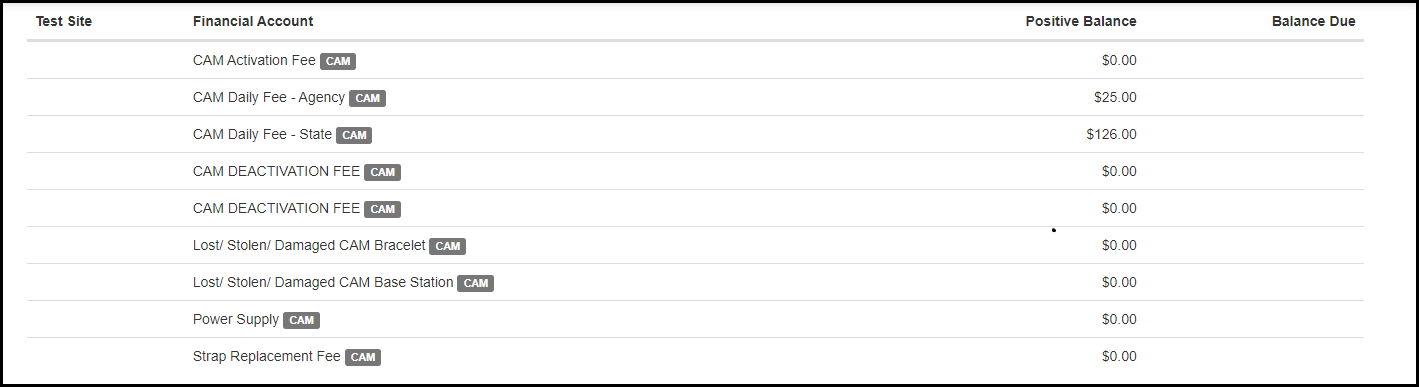
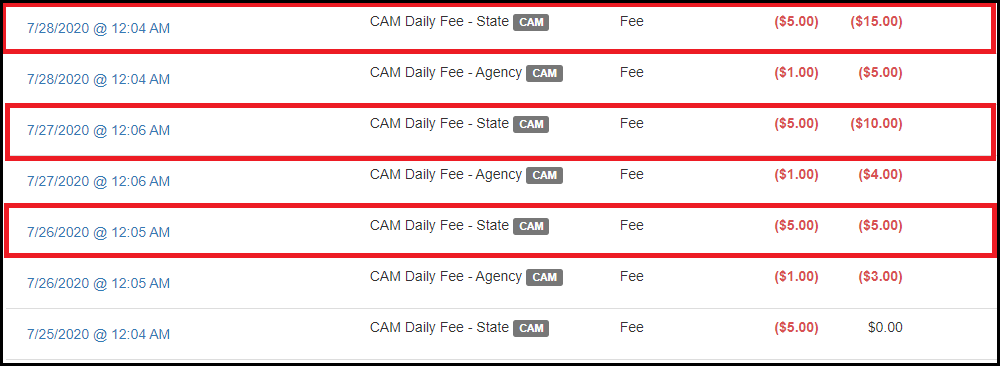
When a fee is generated, it will be applied to the individual buckets. If there is a positive balance in that bucket, the fee will simply be debited from the account.

If there is a negative balance in the bucket, the fee total will be added to the negative balance.
2. When should the Adjustment feature be used?
The adjustment feature should be used to correct a client’s balance amount. This feature allows the Admin (Base Account User) to simply change the amount owed or the amount showing as a credit. The Adjustment feature does not impact disbursable amounts and therefore should not be used as a way to void transactions.
3. Why do adjustments not affect disbursements?
Disbursement totals are based on the fees associated to an activity (CAM, HA, RB, GPS). If a fee is generated for an activity, it will be added to the disbursement total.
When Paid Exception: Some AMS customers work off a “When Paid” model. This means that if an adjustment removes money from an activity money bucket, this will affect the amount that is disbursable because money can only be disbursed when the client has that money in their financial account.
4. How do I assess a fee?
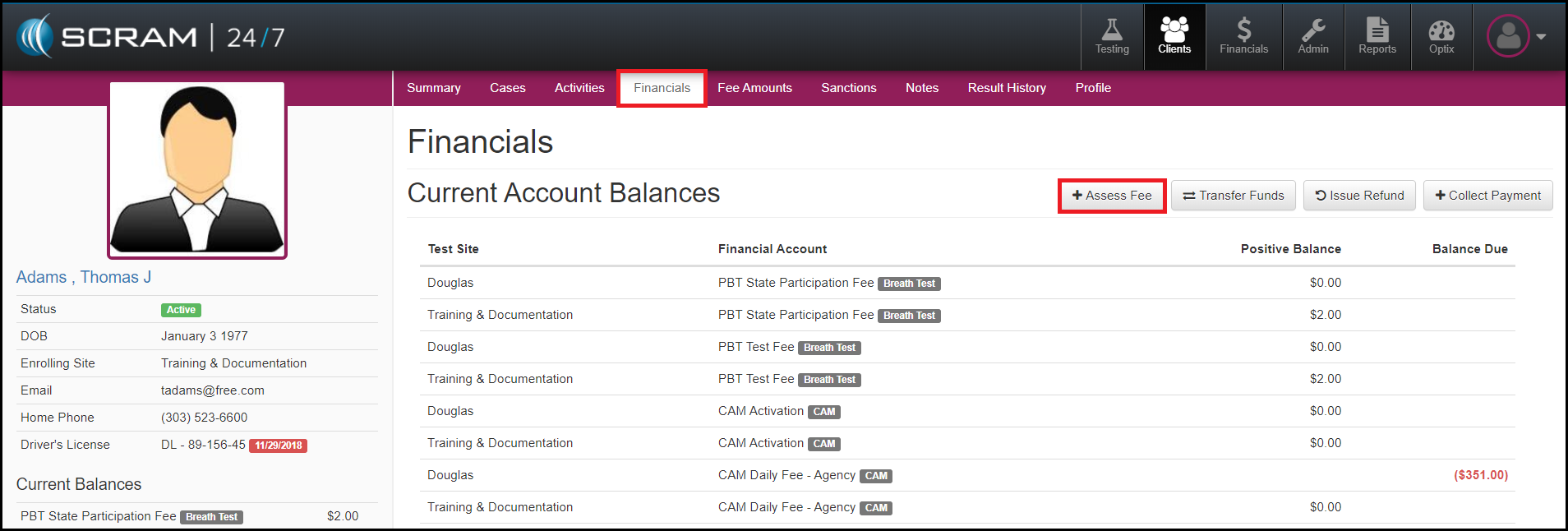
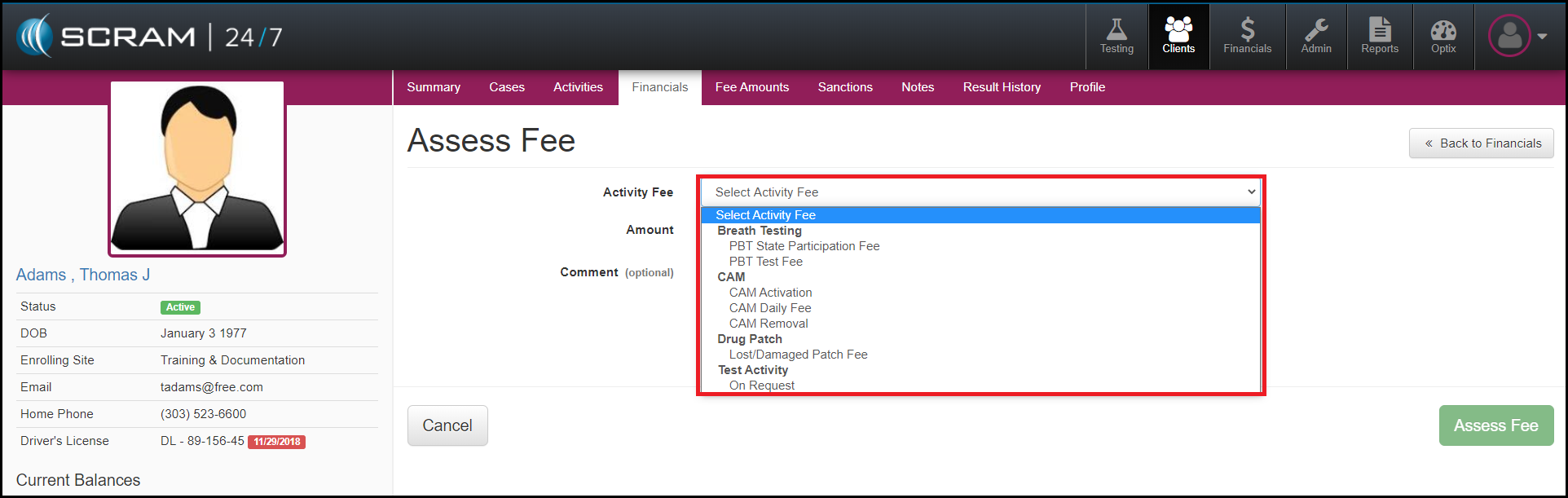
Navigate to the Clients / Financials page and click the Assess Fee button, and then select the appropriate fee from the dropdown menu.
5. Why can only some fees be assessed at given times?
For fees to appear in the Assess Fee dropdown, the activity needs to be assigned to the client. For example, if the client was on CAM FOR 90 days (May 1st – July 31st) and today is August 1st, I would not be able to assess a fee for lost equipment because the activity is no longer assigned to the client.
To correct this, a Test Site user (not a Base Account user) will need to reassign the activity to the client. If the CAM, HA, RB or GPS activity is being reassigned, the user does not need to complete the full equipment assignment in SCRAMnet. Once the fee has been assessed, the activity should be removed.
6. When does a fee generate?
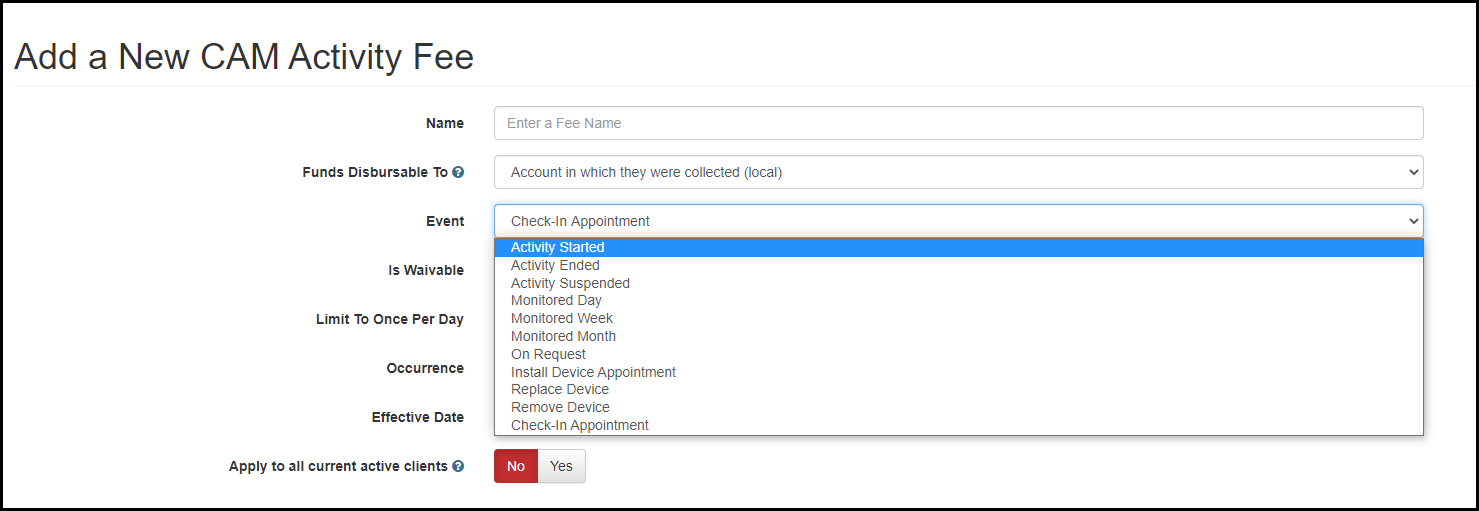
Fees are generated per event. When an Admin (Base Account user) creates a fee for an activity, they can decide when that fee will generate. For example, an Admin created a Daily State Fee to generate every monitored day (event) and also created an activation and deactivation fee that only generates when the device is installed (event).
7. Are State Participation fees assessed per case?
Yes. A State Participation fee is a fee that is disbursable to the state and can be limited to each occurrence or limited to a select number of occurrences. For example, an AMS customer charges Breath Testing clients $1.00 a day for the first 30 days. This fee will apply for every case that Breath Testing is assigned as an activity.
Example: A client was assigned Breath Testing for case number 20CR458. The client was on the program for 45 days and paid the state participation fee in full. On the 45th day, the client relapsed and their bond was revoked. The client was sent to jail for 30 days and is now back on the Breath Testing activity. Since the client is back with the same case number, the state participation will not be reassessed because it has already been paid in full. If the client came back with a new case number and the Breath Testing activity was associated to that new case, the State Participation fee would start being assessed once again.
8. Can fees be waived?
The first thing that needs to be considered is if a fee is waivable. When an Admin (Base Account User) creates a fee, they must indicate if the fee is waivable or not. Generally, any fee that is disbursable to the state is not waivable. This includes the following activities: CAM, HA, RB, GPS. Fees that are associated to testing site (Breath Testing, Drug Patch, UA and Mouth Swab etc.) can be waived by a Test Site Admin.
9. How do I waive a fee?
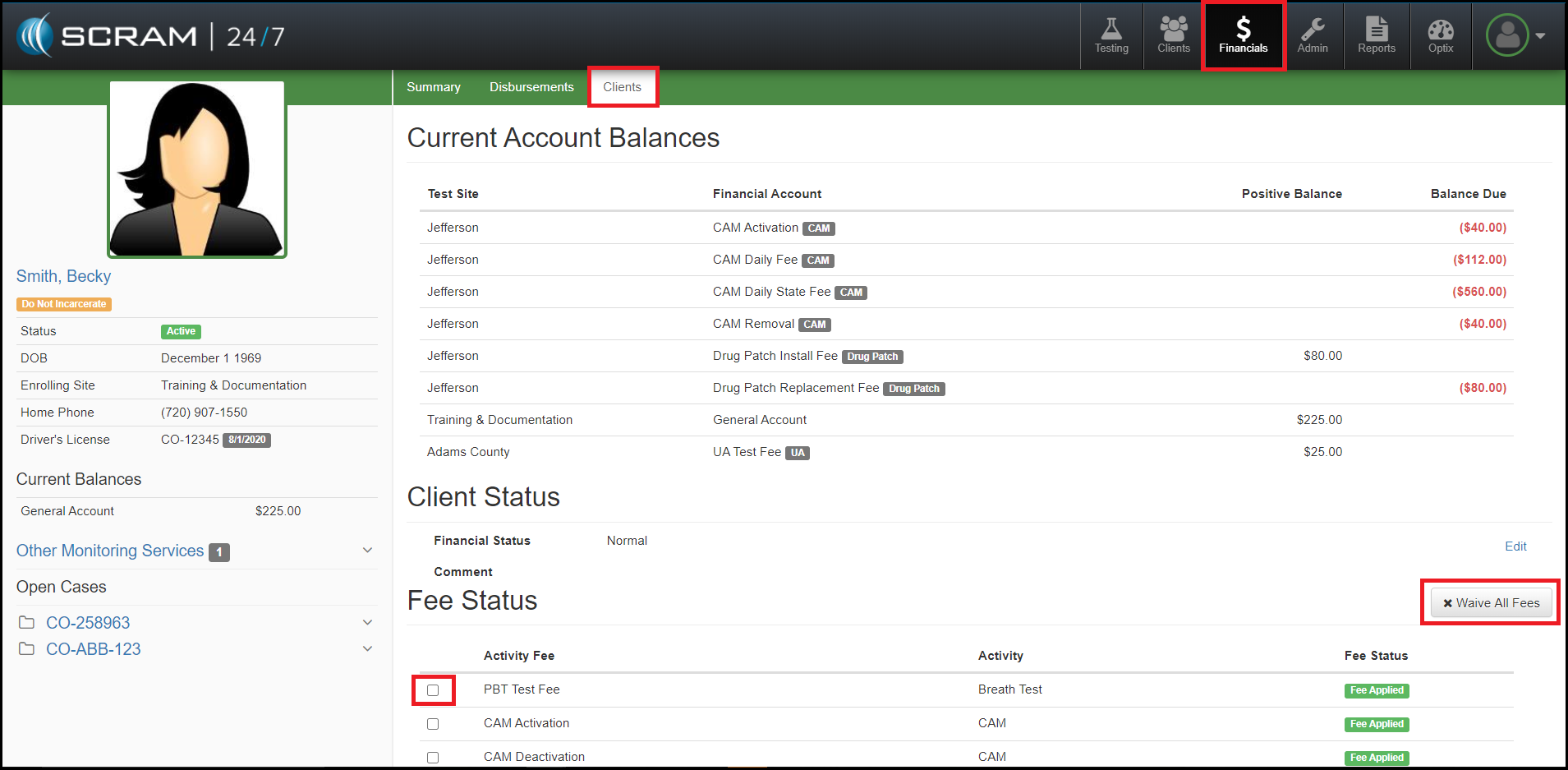
To waive a fee, navigate to the agency’s Financials page and search for the client on the Clients tab. Once the client’s record is located, check the checkbox next to each Activity Fee to be waived or if all fees are being waived, click the Waive All Fees button.
10. How do I change a fee amount for a client?
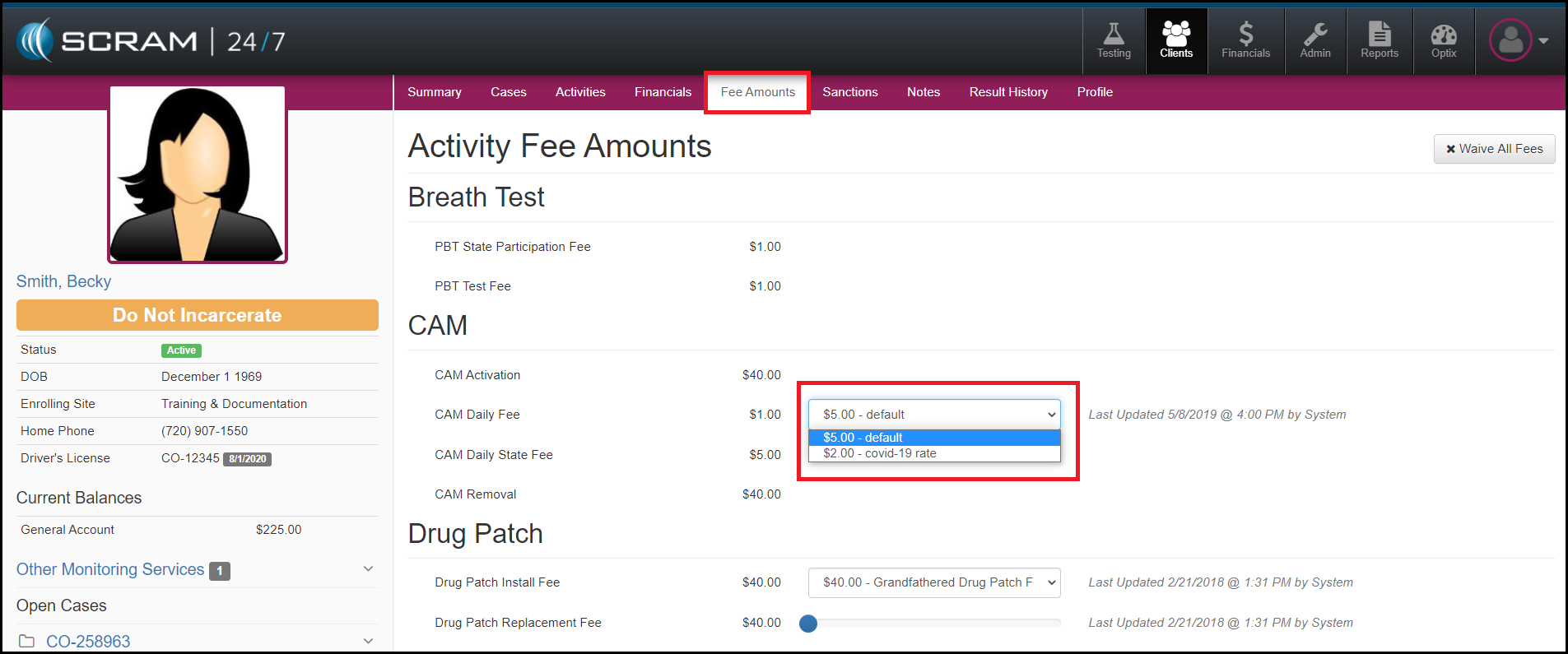
A fee amount can be changed for a client by navigating to the client’s Fee Amounts tab and selecting the appropriate fee.
11. How do I issue a refund for a client?
A refund can be recorded for a client by navigating to the clients Financials tab and selecting the Issue Refund button.
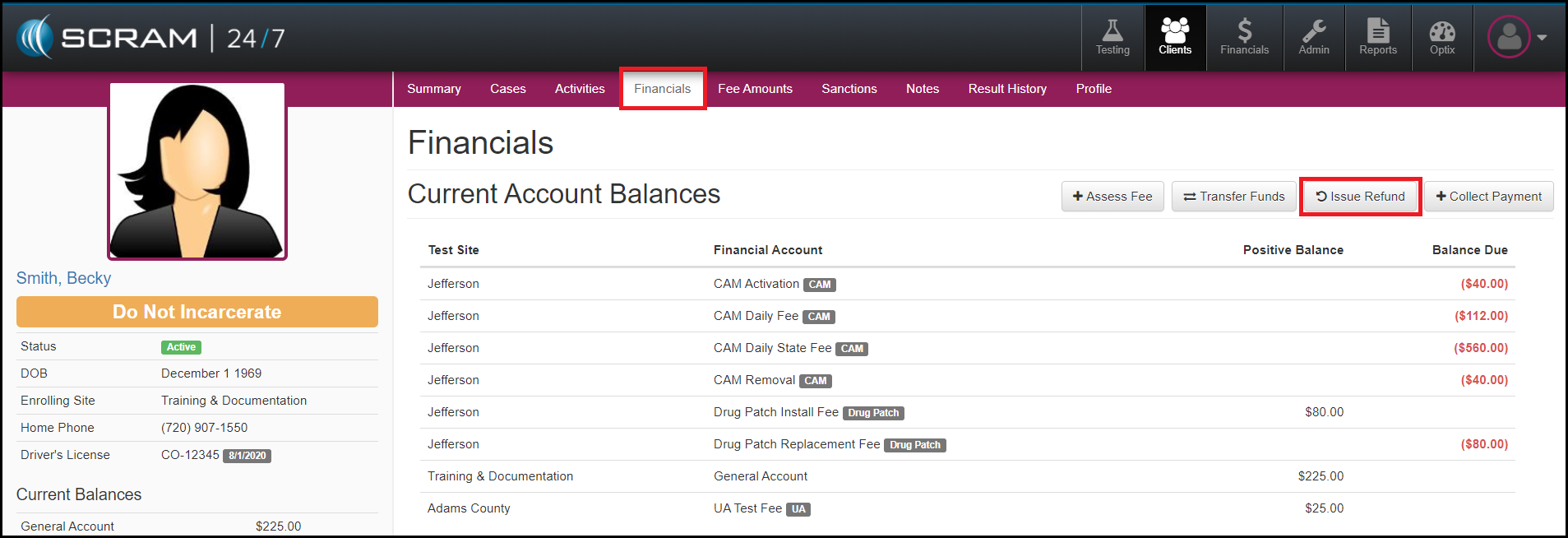
What happens if a refund is not processed when a client has completed their monitoring? The amount they have in their accounts will remain with the profile until a refund is processed.
What happens if a client has a negative balance when they complete their monitoring? The negative balance will remain with the profile until the fees are paid in full.
12. How do I void a fee?
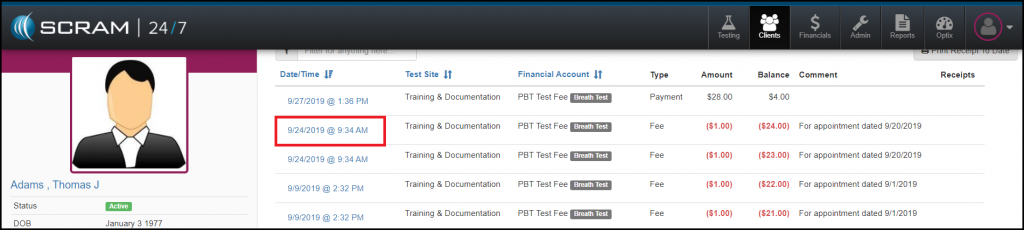
To void a fee, find the specific transaction from the client’s Financials transactions and click on the date and time of the fee to open the Transaction Detail.
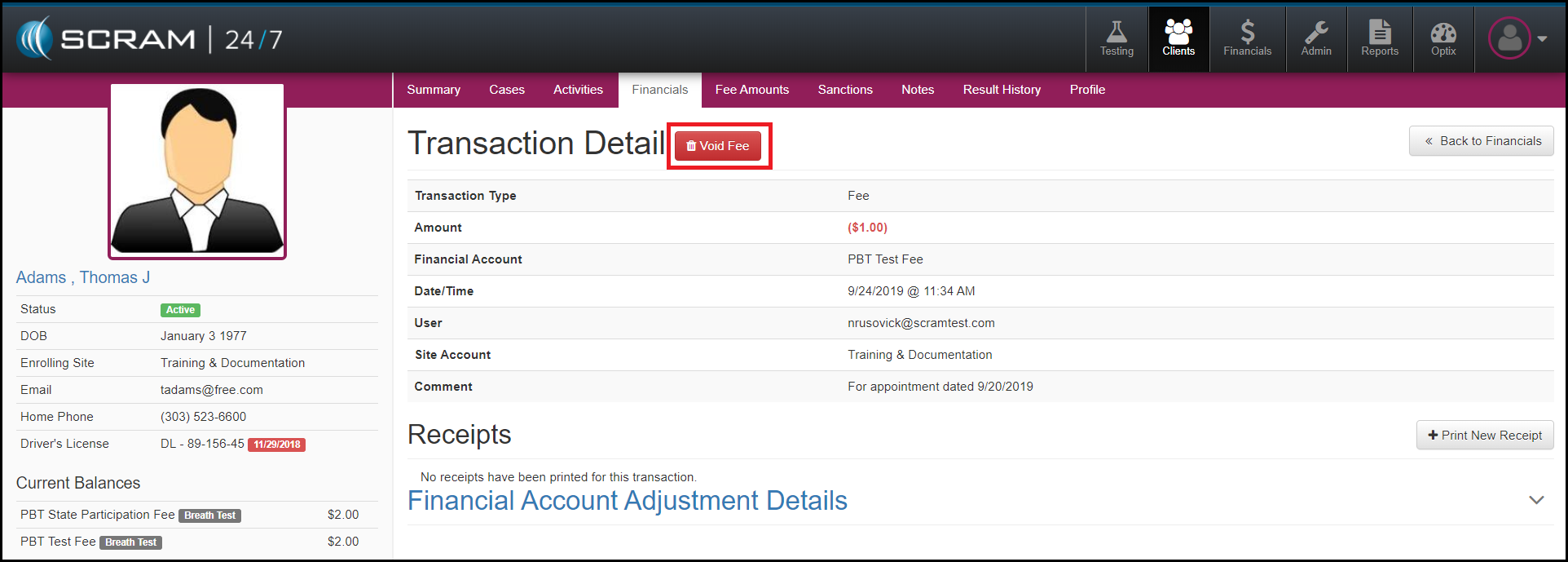
Next select the Void Fee button and enter a reason for the void.
13. When and why are voids locked for certain customers?
Some customers require each of their test site locations to complete an accounting report. By preventing transactions for previous months from being voided, the customer will ensure that the accounting report will match the disbursement that was created. An Admin (Base Account user) can set void restrictions for a set period of time. If a void needs to take place after the grace period has passed, the user needs to contact the Admin (Base Account user) for their program.
14. Should an Admin (Base Account User) collect money or assess fees?
No. Admins (Base Account Users) are not associated to a specific test site; so when they collect money from a client, a new money “bucket” is created for that client instead of putting the money in an already-created bucket at the Test Site level. This creates accounting headaches for the program.
15. Why was the money for a client not disbursed?
Depending on how the account is setup, money can be disbursed when it is paid or when it is charged. For “When Paid” accounts, this means that money cannot be disbursed for a client until the client has enough money in the fee bucket to cover the fees. For “When Charged” accounts, this means that as soon as the fee is generated that amount of money is now disbursable.
16. Can I search the client’s financial transactions?
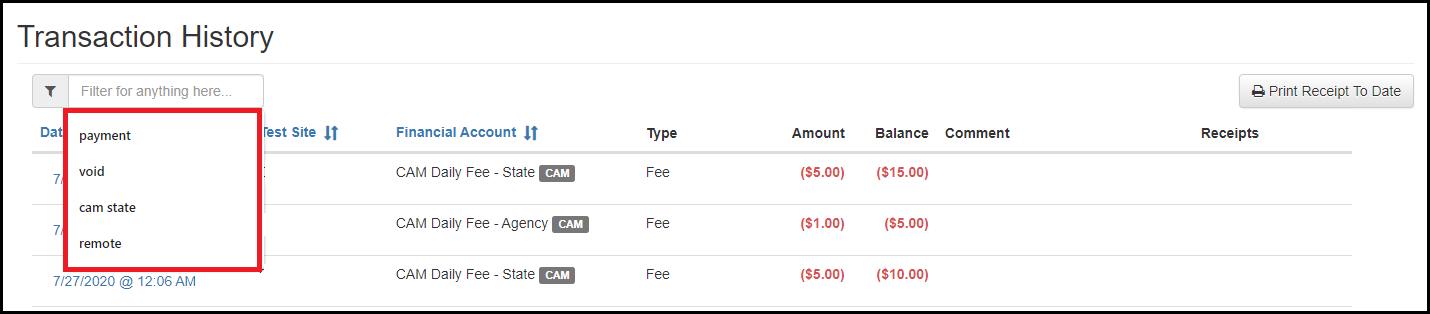
Yes. To search the financial transactions, navigate to the Transaction History on the client’s Financials page. Here you can search types of activities, dates, fees, payments, transfers, voids and amounts.
17. What is a Test-Site Specific fee?
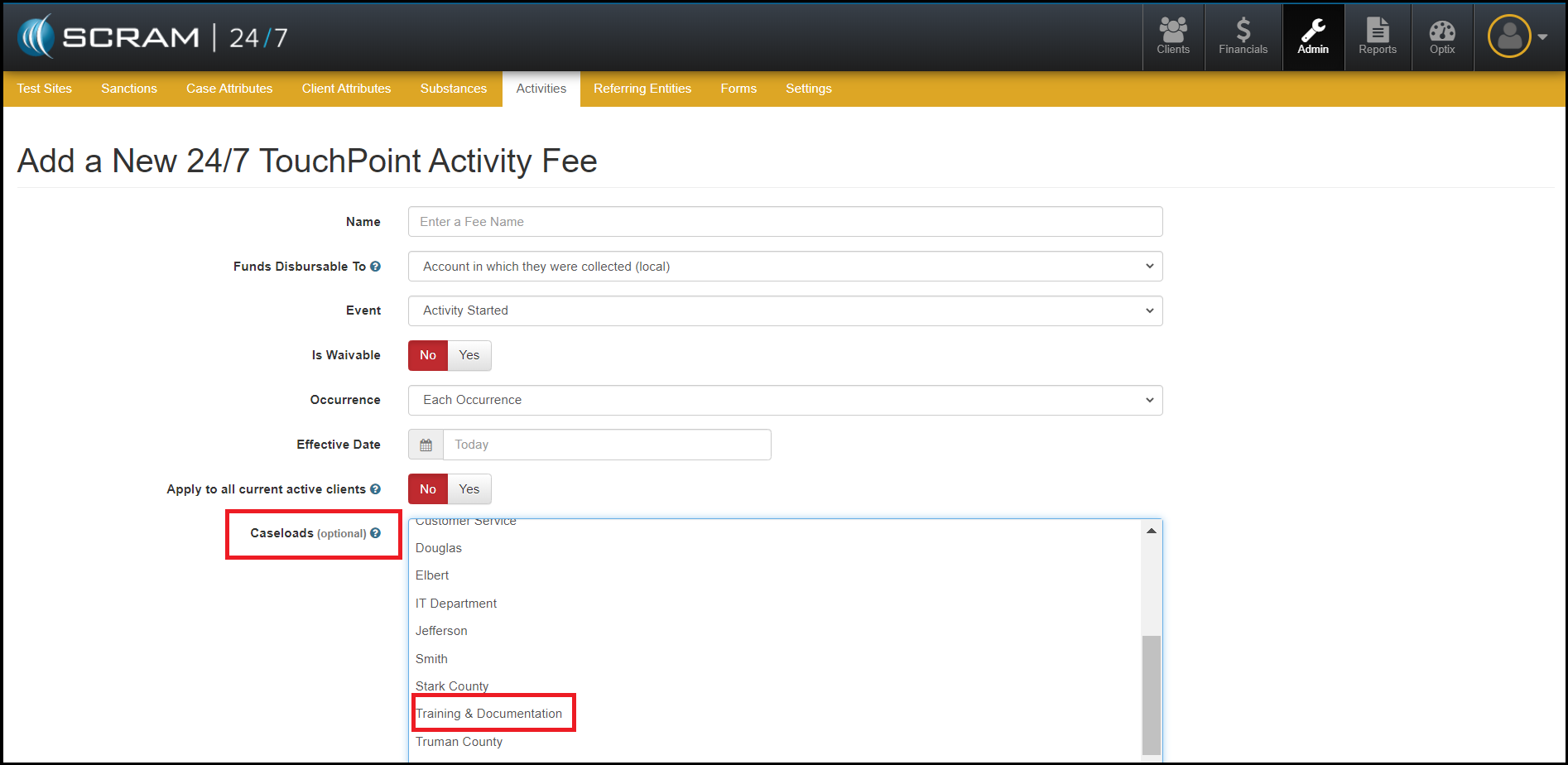
A Test-Site Specific fee allows for a fee to be created solely for an agency. An Admin (Base Account User) will need to create this fee for the agency.