Ally Event Report
An Ally Event report will have all victim-related events. These events are also available in the Event report:
- Battery Low – Victim
- Battery Low Clear – Victim
- Panic Button Pressed
- No Communication – Victim
- Communication Restored – Victim
- No Location – Victim
- Location Restored – Victim
- Location Service Disabled – Victim
- Location Service Enabled – Victim
- Push Notifications Disabled – Victim
- Push Notifications Enabled – Victim
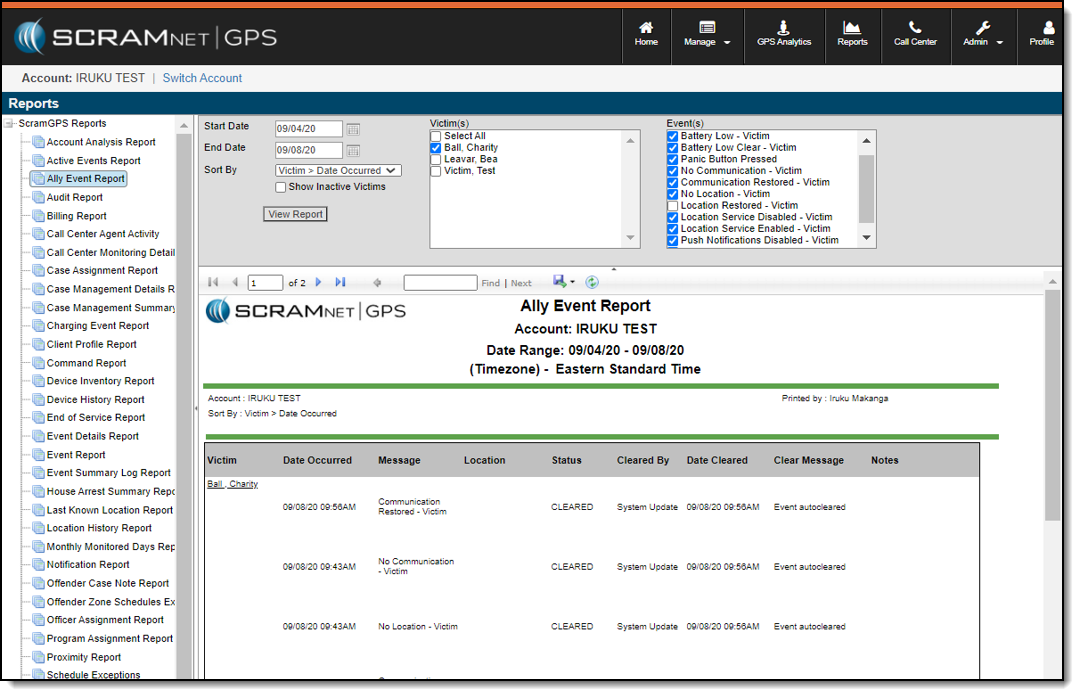
When Call Center is enabled, the Call Center Monitoring Details report will now include victim-related Call Center tickets.
Audit Report
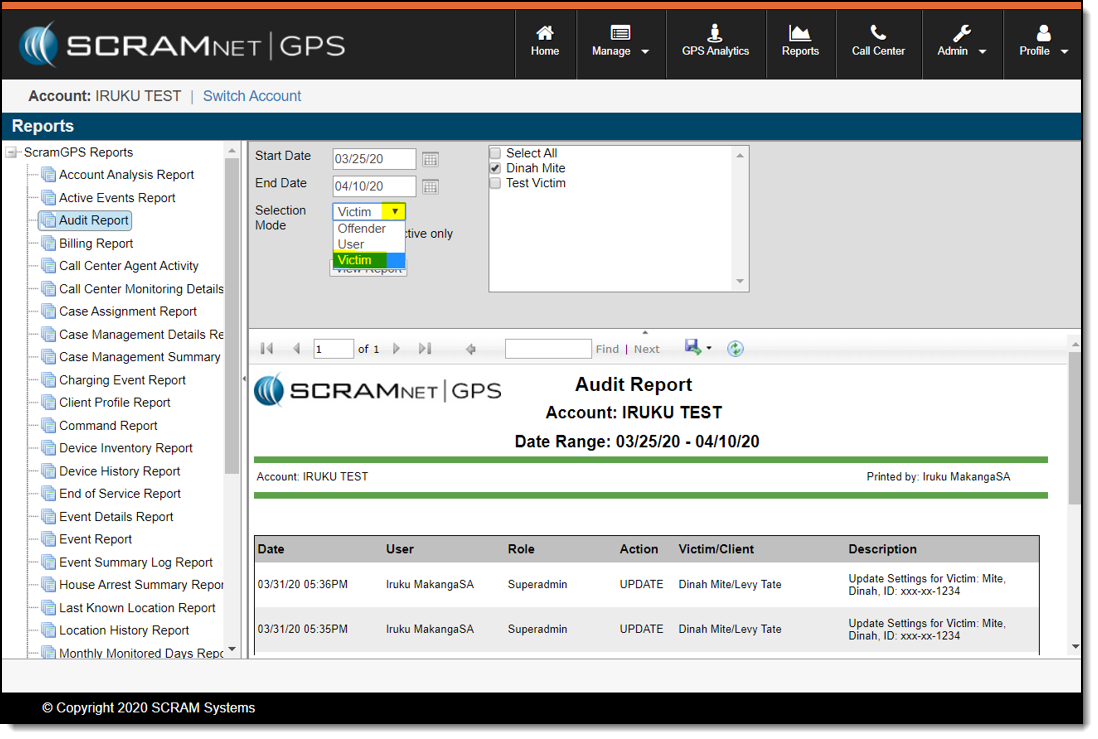
The Audit report can be run to display victim information.
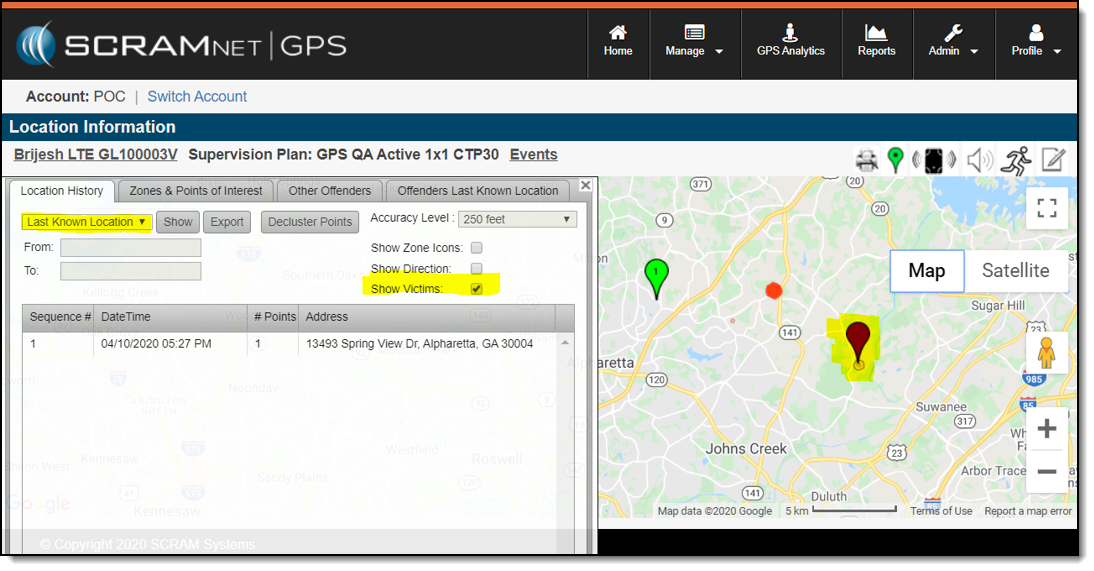
Last Known Location
Select the Show Victims check box to display the victim’s last known location while viewing the client’s last known location on a map. The check box is selected by default.
Next Steps:
- Review victim notification features and violations
- Complete victim set-up tasks to begin victim management
- Explain the features and capabilities of the SCRAM Ally App
- Identify areas in SCRAMNET GPS related to victim management
- Configure account and user/recipient/victim notification settings
- View and print the SCRAM Ally App victim instructions