To remove the Beacon from the client’s Device Assignment page:
- Select the Beacon tab.
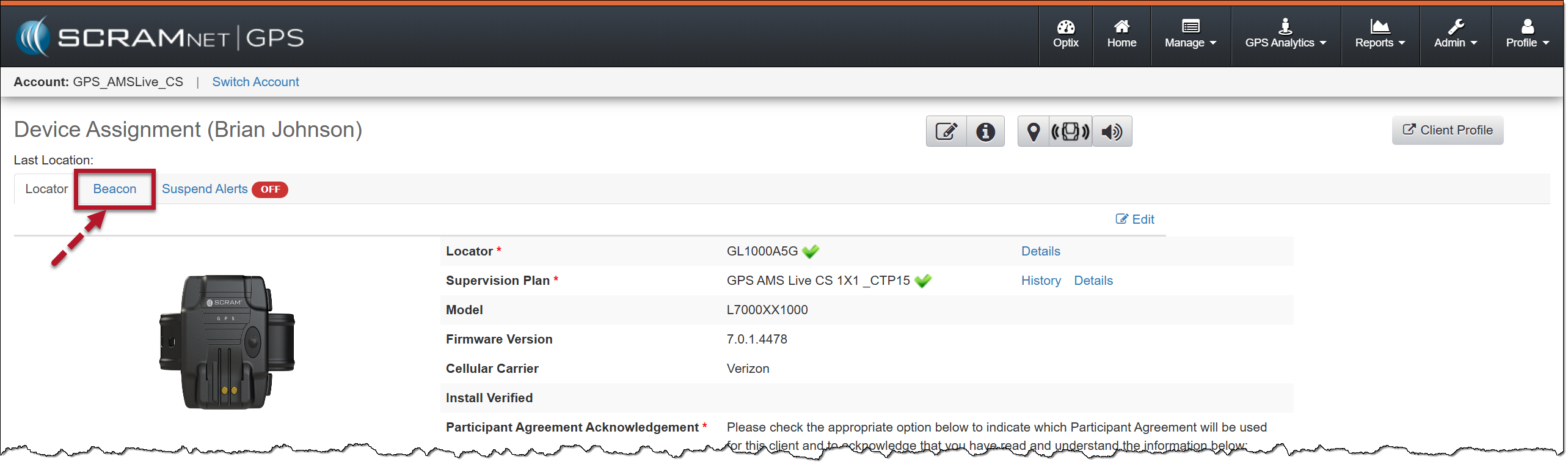
Device Assignment page, Beacon Tab – click to enlarge
- On the Beacon page, select the Edit hyperlink.
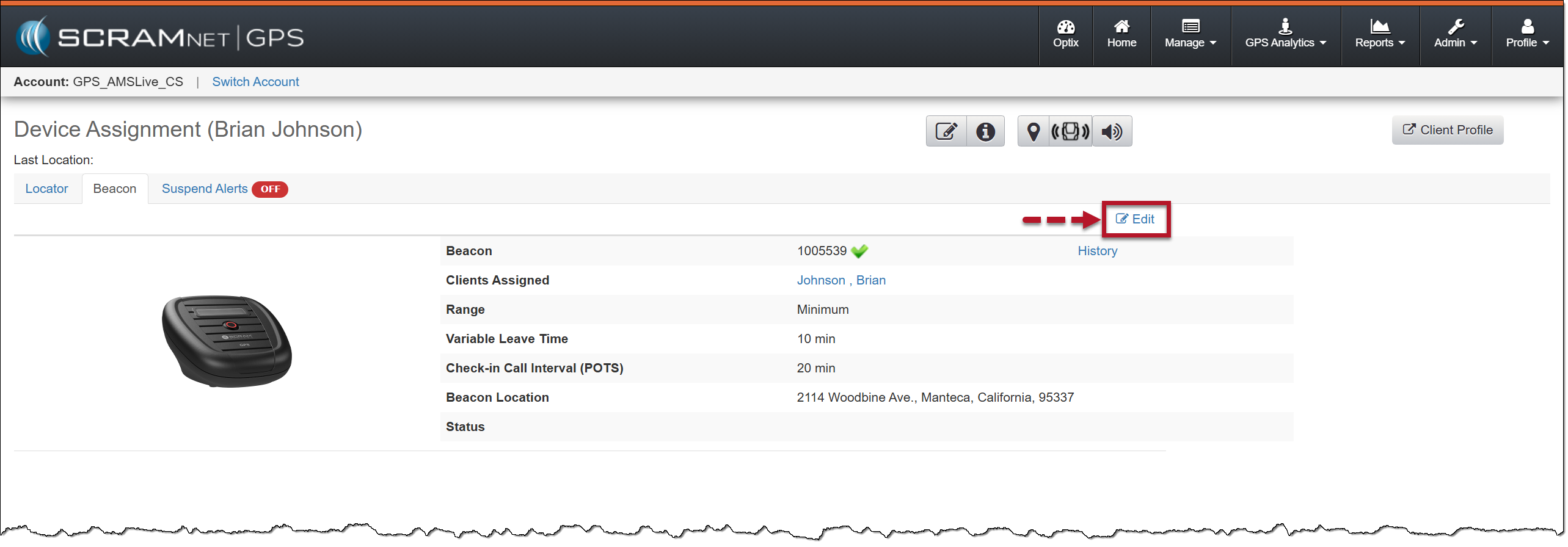
Beacon Edit Hyperlink – click to enlarge
- Next, select the Unassign button.
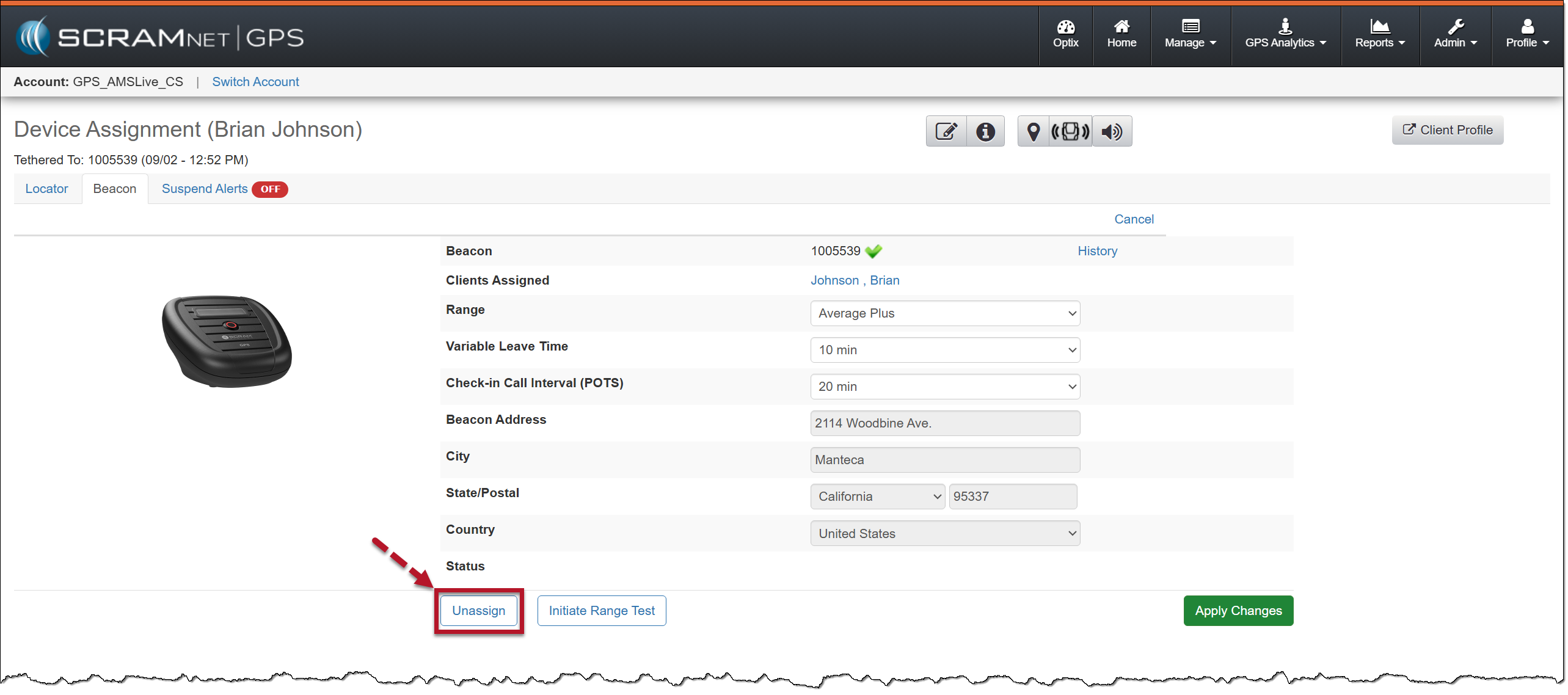
Beacon Unassign Button – click to enlarge
- In the confirmation pop-up window, acknowledge the statement by selecting the OK button.
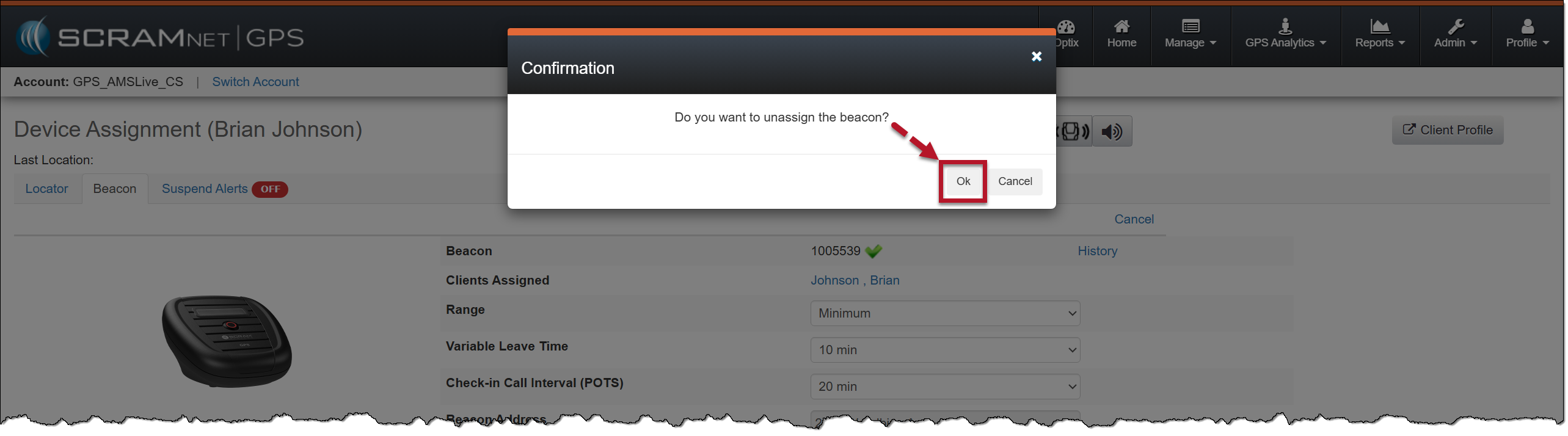
Confirmation Pop-up Window – click to enlarge
The beacon is now removed from the client’s Device Assignment page.
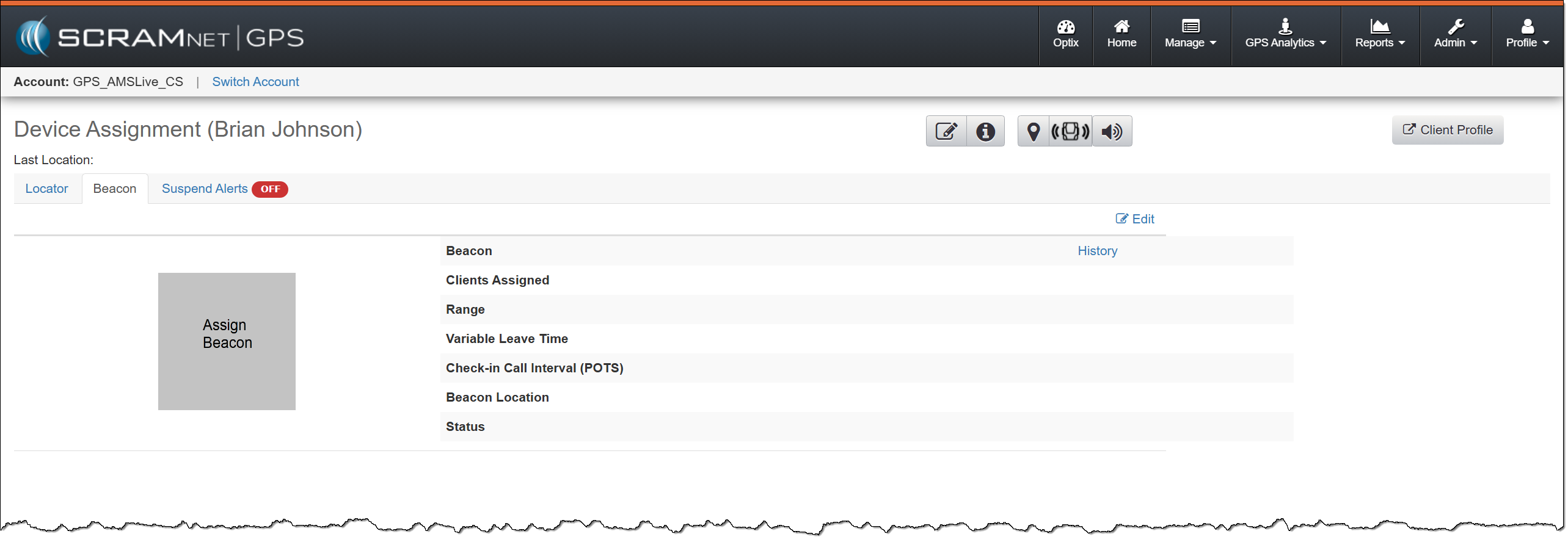
No Beacon Assigned to the Client – click to enlarge
 |
When replacing the client’s beacon, once the old beacon is removed, follow the instructions in the GPS Getting Started section, specifically the “Add and Assign a SCRAM Beacon” article, to assign the new beacon. |