About SCRAM Ally
The SCRAM Ally™ app is installed on a victim-provided smartphone. The following are required:
- The victim must provide an email address. The provided email address will receive the app download and installation instructions.
- The SCRAM Ally app is compatible with Android and iOS smartphones.
- The victim will be requested to allow:
- Location services
- Push notifications
- SCRAM Ally will acquire a location point once every minute from the victim’s smartphone.
Install SCRAM Ally
Download and Registration
The following are high-level app installation instructions. For detailed instructions, visit the SCRAM Ally App Victim Instructions page.
- When the victim is created in SCRAMNET GPS, two emails are generated and sent to the victim. These emails should be accessed and acted upon in the following order:
- SCRAM Ally Verify Email Address: – Requests that the victim verifies their email address
- SCRAM Ally Change Password Request: – Requests that the victim set up their password
- The SCRAM Ally app is downloaded from the Google Play store or the Apple App Store
- The first time the victim accesses the SCRAM Ally app, the following pop-ups will appear on the victim’s smartphone:
- “Ally” Would Like to Access Your Motion & Fitness Activity – Tap OK
- Allow “Ally” to use your location – Tap the “Always Allow” option if available. Otherwise, tap the “Allow While Using App” option
- Allow “Ally” to use your location even when you are not using the app? – Tap the “Change to Always Allow” option
- Country / Region: The victim must select either North America or Australia/NZ* for the app to operate correctly
 |
*IMPORTANT: If the victim selects the wrong Region by mistake, contact SCRAM Systems Customer Service immediately for assistance. |
Validate App Settings
For best results and for victim safety, encourage the victim to verify that the SCRAM Ally app settings are set to:
- Location – Set to ALWAYS
- Motion & Fitness – Set to ON
- Background App Refresh – Set to ON
- Cellular Data – Set to ON
SCRAM Ally Features
Home Screen
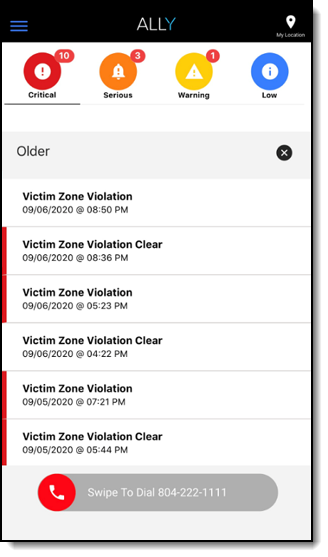
The Home screen displays the following information:
- Any active alerts.
- Swipe to dial emergency number – Provides the ability to dial 911 (North America), 000 (Australia), or 111 (New Zealand) – or a specified local police or other emergency service number – in case of an emergency.
- My location button – Displays the smartphone’s current location with address and Lat/Long coordinates included.
My Profile Screen
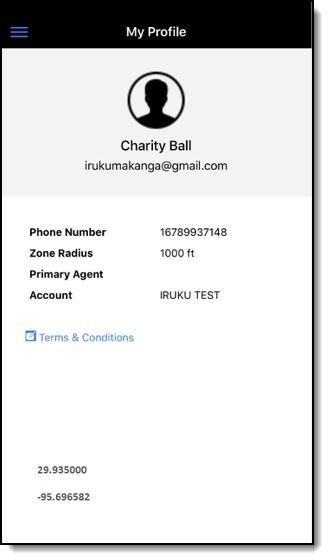
Displays the following information:
- Phone Number
- Zone Radius – Represents the distance that, if the client moves within, will generate a “Victim Exclusion Zone” alert that will be listed in the SCRAM Ally app.
- Primary Agent – Name of the agent that is managing the client.
- Account – Name of supervising authority.
- Terms and Conditions: Link to read the details.
- User Guide: Link to the SCRAM Ally User Guide.
My Location Screen
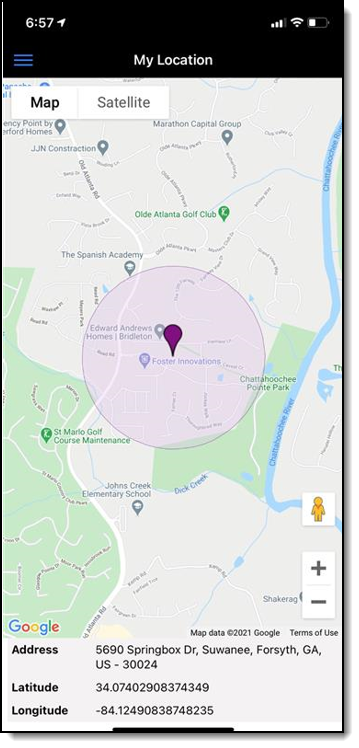
Displays the victim’s current location information:
- Victim Zone Radius
- Map Point
- Address
- Latitude and Longitude
My Assigned Individuals
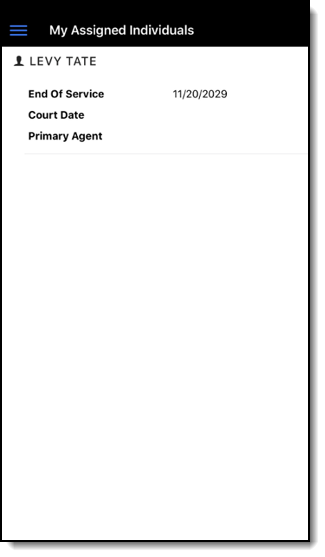
Displays the following information:
- End of Service Date – The date that the client will no longer be monitored.
- Court Date – The client’s next court date.
- Primary Agent – The name of the client’s primary agent.
Next Steps:
- Review victim notification features and violations
- Complete victim set-up tasks to begin victim management
- Identify areas in SCRAMNET GPS related to victim management
- Configure account and user/recipient/victim notification settings
- Utilize reports in SCRAMNET GPS
- View and print the SCRAM Ally App victim instructions