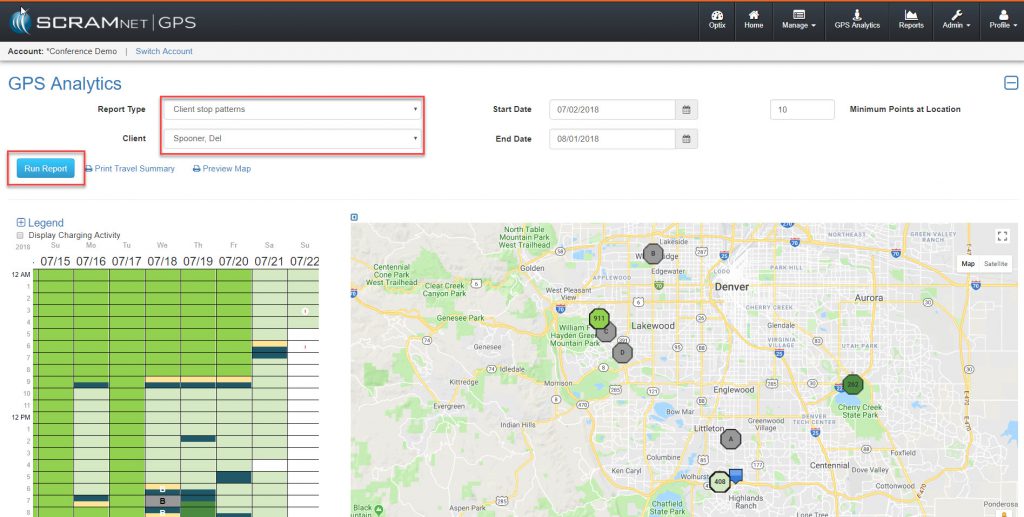
Officers can click on a stop location and immediately see whether it is: currently a defined location (such as work, home, school) or is undefined (AA Meeting, doctor’s office). The view will display the physical address and the Google street view image of that location, related latitude/longitude coordinates, how the location point was acquired, and how long the offender was at that location.
To Run Report select GPS Analytics Tab and set report parameters from dropdown menus.
Report Type: Client stop patterns
Client: Select client
Set Date Range from Start Date and End Date calendar selection.
Hit Run Report button.