To assign a beacon to the client, you will need access to:
- SCRAMNET GPS
- the client’s bracelet
- and an Ethernet or landline (telephone) connection.
 |
IMPORTANT: SCRAM Systems strongly recommends that beacons be assigned to bracelets in an office environment with an Ethernet or telephone line connection to the internet available, and with the client and bracelet present. |
Adding a Beacon
Once the bracelet is assigned to the client:
- Select the Beacon tab on the client’s Device Assignment page.
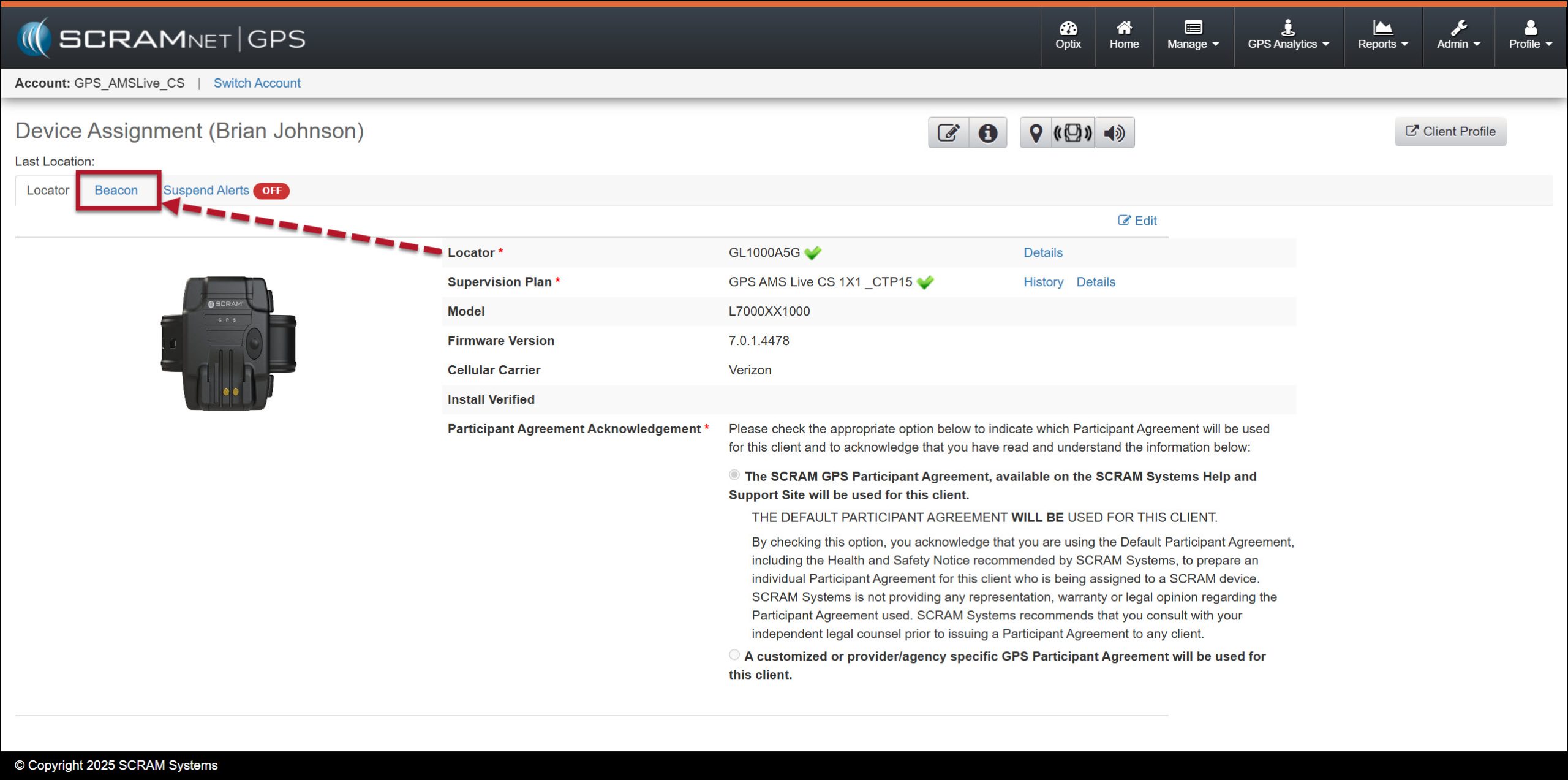
Device Assignment Page, Beacon Tab – click to enlarge
- Select the Beason’s serial number from the dropdown menu.
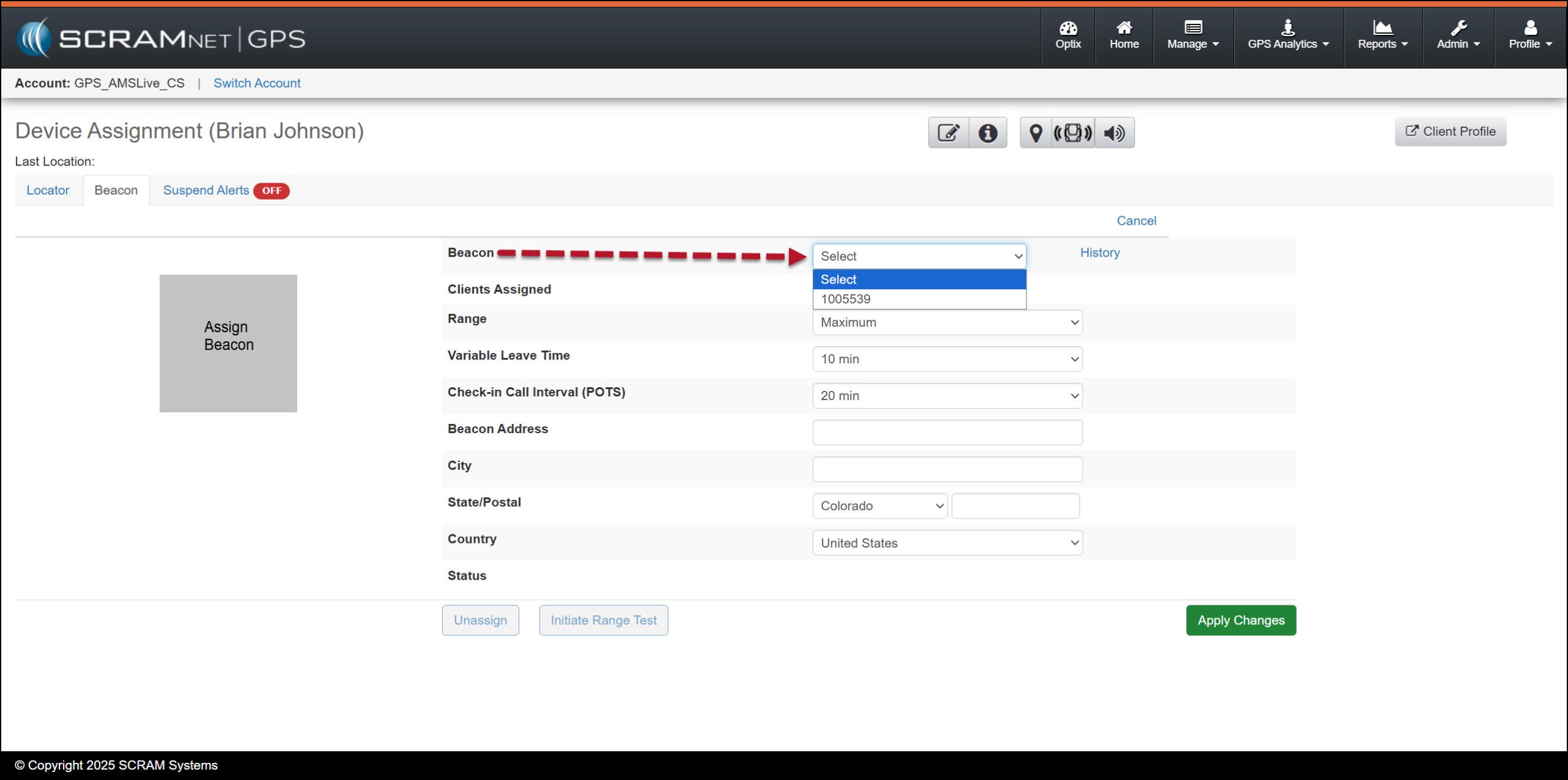
Beacon Dropdown Menu – click to enlarge
Next, you will add the specific beacon configuration parameters. This includes the:
- Range
- Minimum– About 40 feet (12 m); approximate indoor range of a small one-bedroom apartment on a single floor
- Minimum Plus – About 60 feet (18 m); approximate indoor range of a two-bedroom apartment on a single floor
- Average– About 130 feet (40 m); approximate indoor range of a two-bedroom townhouse on two floors.
- Average Plus – About 160 feet (49 m); approximate indoor range of 1,700 sq. ft. (158 sq. m.) ranch house
- Maximum– Open field range of about 170 feet (52 m); approximate indoor range of a 3,000 sq. ft. (279 sq. m.) multi-level house
 |
|
- Select the Variable Leave Time. This represents the maximum time that the client can be outside the range of the beacon before a “Schedule Violation (Beacon)” alert is generated.
- Select the Check-in Call Interval. This will determine how often the beacon will communicate with SCRAMNET GPS via a phone line.
- Enter the address where the beacon will be located.
- After entering all the required fields, select the Apply Changes button.
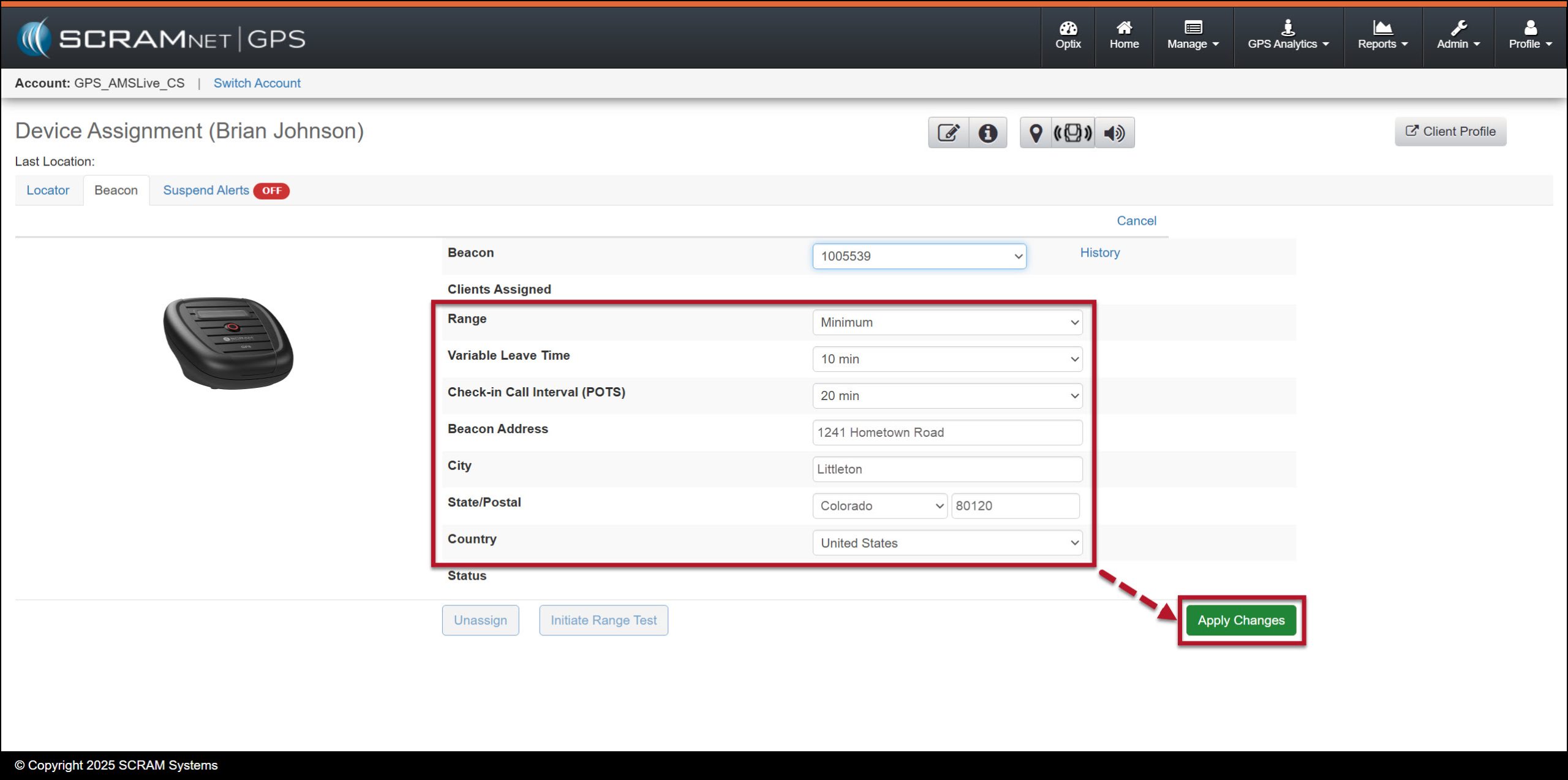
Beacon’s Configuration Parameters Selected – click to enlarge
- In the assignment acknowledgement pop-up window, select the OK button.

Assignment Acknowledgement Pop-Up Window – click to enlarge
Once the beacon has communicated with the system via an Ethernet or landline connection, a green checkmark will be displayed next to the beacon’s serial number.
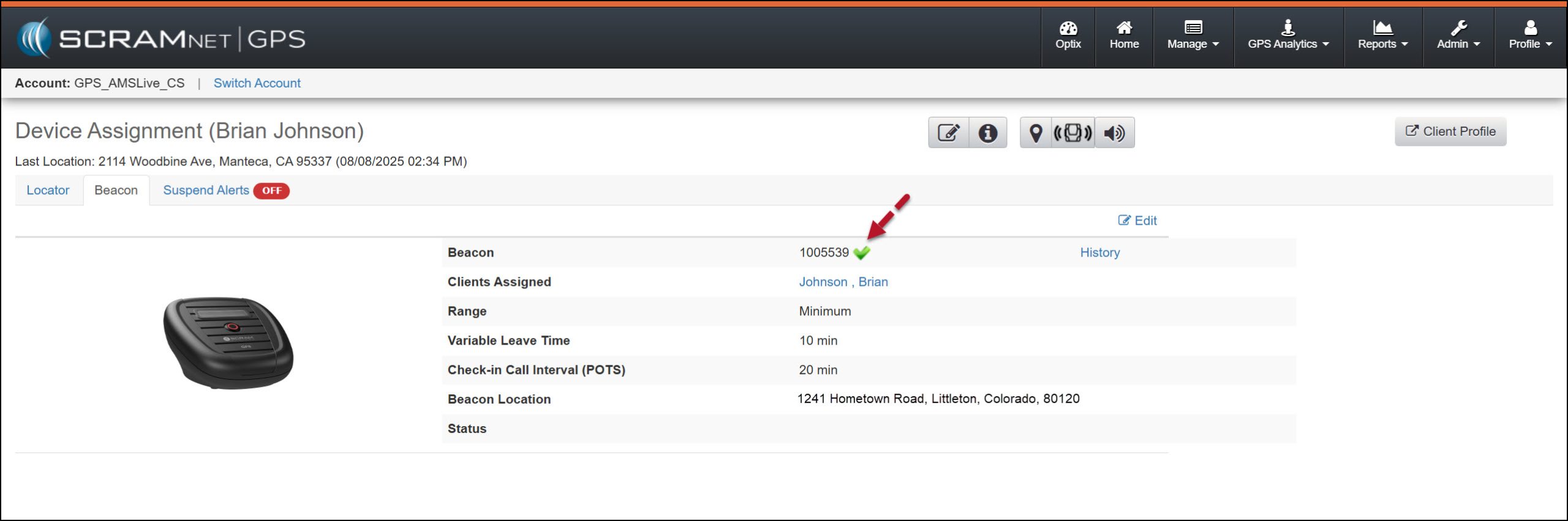
Beacon Assignment Complete – click to enlarge
When the beacon is assigned, a “Beacon Zone” is automatically created, and a 24/7 schedule is established. A “Schedule Violation (Beacon)” alert will be generated each time the client moves outside the beacon range. You have the option to amend the schedule to set specific time windows during which the client must be within the beacon’s range or outside it. You also have the option to remove the Beacon Zone; however, if deleted, a “Schedule Violation (Beacon)” alert will no longer be created when the client moves outside the beacon’s range.
|
Most GPS devices with “GL” serial numbers are Beacon-compatible. If you receive a “Beacon Compatibility” warning on a “GL” or “GM” device, your GPS bracelet or Beacon may not be running the latest firmware. Contact SCRAM Systems Customer Support for assistance. |