Use these instructions to charge the SCRAM GPS Bracelet.
What you will need:
- The combination power supply and charging cable that is included with each bracelet and allows you to charge the bracelet via an AC power outlet, or
- The SCRAM GPS On-Body Charger (OBC) portable charging unit, or
- The SCRAM Multi-Charger – an 18″ GPS charging cable that can be plugged into any USB power source.
 |
IMPORTANT: The SCRAM Multi-Charger USB cable is for CUSTOMER/AGENCY USE ONLY and is not intended for client use. Alcohol Monitoring Systems, Inc. will not be responsible for use of the SCRAM Multi-Charger USB cable by someone wearing a SCRAM GPS Bracelet. |
AC Charging Instructions
The SCRAM GPS location monitoring device is powered by a long-life rechargeable lithium-ion battery. The battery will power the device for up to 40 hours, depending on the monitoring program assigned to a particular client (a 1×1 vs. a 1×10 rate plan, e.g.) and the signal strength in the client’s monitoring location (how hard the device has to work to find and maintain signal). Because of these variables, as a best practice SCRAM Systems recommends that clients recharge their devices to full charge once per day, every day. The charger provided with the bracelet is an all-in-one power cord, power supply, and GPS device charging cable.
Inspect the Charger Components
Prior to providing a SCRAM GPS device charger to your client, and whenever your receive a GPS Charger Maintenance Alert in SCRAMNET GPS, inspect the charger for signs of wear and tear. SCRAM GPS device chargers are consumables; so if a charger looks worn (exposed wires are visible, e.g.) or the charger will not connect securely to, or maintain solid contact with, the charging slot on the front of the SCRAM GPS device any longer, dispose of the charger and order a replacement from the SCRAM Equipment Order Form, or by contacting Customer Service or your SCRAM Systems Account Manager.
Connect it to the Bracelet
To charge the bracelet using the provided charger, slide the charging cable into the SCRAM GPS device housing slot as shown below. Connect the charging cable to the device by sliding it from the bottom-up only, until wear-in is complete, then you may connect it by sliding from the top-down as well.
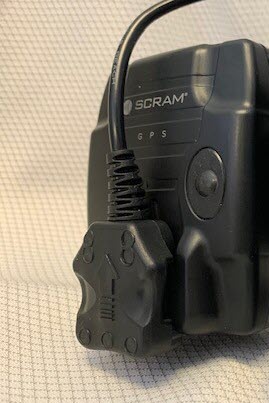
Slide the charging cable into the SCRAM GPS device housing slot from the bottom-up
Plug it Into the Wall
The AC power cable connects the other end of the charger to a standard AC outlet.
The GPS bracelet vibrates when the charger is connected properly and charging has begun.
Charge the device until the Charge Indicator light is solid green.
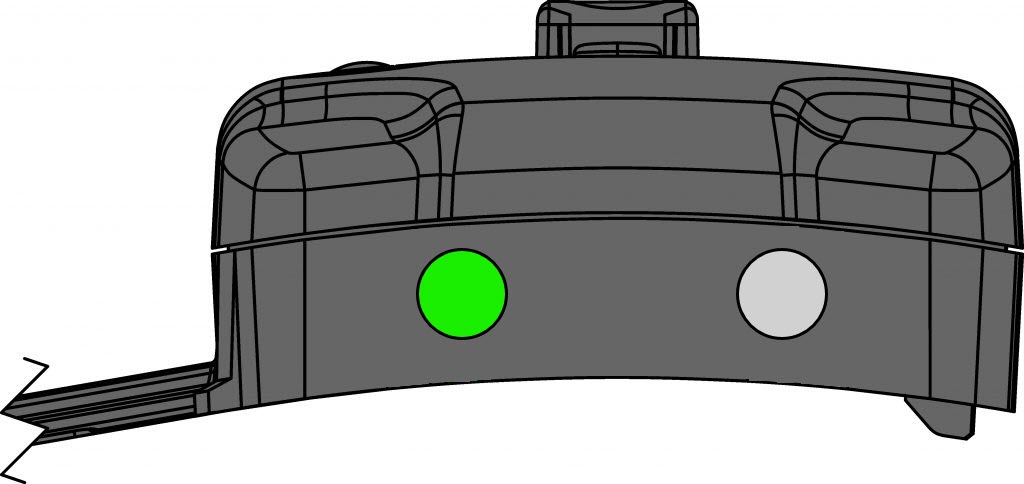
Charge the GPS device until there is a solid green light (click to enlarge)
| Charge Indicator | |
| Charging | Blinking Green Light |
| Charge Complete | Solid Green Light |
| Not Charging | No Green Light |
 |
The SCRAM GPS battery should maintain approximately 80% of its original capacity after 500 charge cycles. The percentage will vary depending on the client’s charging habits; however, the battery should typically retain around 80% capacity after 2½ years. |
SCRAM GPS Client Charging Instructions (PDF)
SCRAM GPS On-Body Charger Instructions
The SCRAM GPS On-Body Charger (OBC) device is an attachable, re-chargeable power supply accessory that allows the client to recharge the assigned SCRAM GPS bracelet without being tethered to a wall outlet. The device is designed to be used as a mobile substitute for the wall charger that is included with each bracelet. The client can attach the OBC device to charge the bracelet at any time, including while sleeping.
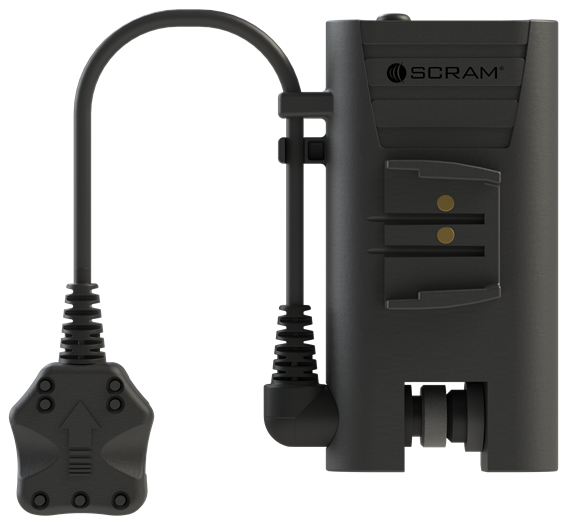
Device Components
LED Lights:
Five green LED lights are located on the top surface of the device. When the device is being charged, the lights indicate that the device is charging while also reflecting the current charge level. The charge level is indicated by the number of lights that are on. For example, if the device is approximately 40% charged, two of the five lights will be on with the third light blinking, as shown below. When the charge level reaches approximately 60%, the third light will turn solid green and the fourth light will begin blinking.
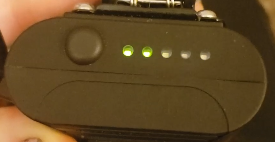
Top view of the OBC unit
Push Button:
The push button, located near the green LED lights, allows the client to determine the current charge level of the OBC device. It does NOT indicate the charge level of the GPS bracelet itself. After the client depresses and releases the push button, the lights automatically turn off after approximately two seconds.
Using the OBC Device
The client can use the clip that is affixed to the device to attach the charger to the bracelet, then connect the device to the bracelet using the short charging cable. Once attached, a fully charged OBC device will completely charge a fully depleted bracelet in four to six (4-6) hours.
|
WARNING: While the GPS bracelet itself is designed to be worn at all times during normal activity – including while showering – the client MUST NOT leave the SCRAM OBC device attached while showering or when in a wet environment (including rain). |
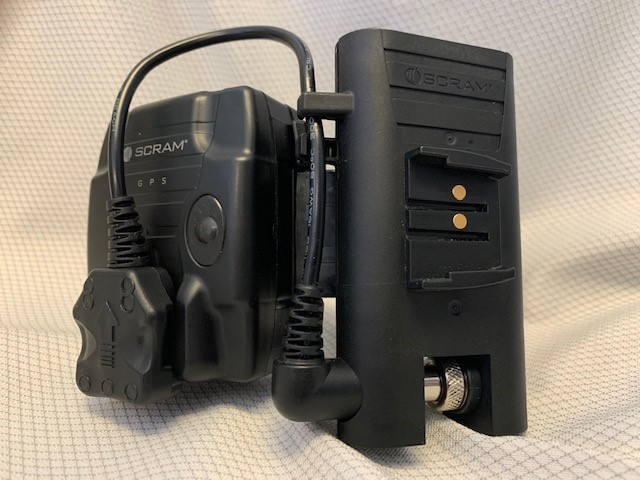
To attach the OBC device to the bracelet, the client clips the device to the GPS bracelet strap just to the right of the bracelet body, as shown below.
|
Attach the OBC cable to the bracelet in the same way that the AC wall charger cable is attached to the bracelet. |
Charging the OBC Device
To recharge the OBC device, the client plugs the GPS wall charger into an AC outlet, then connects the wall charger to the OBC device, as shown below. It may be a few minutes before the first green LED light begins to blink.
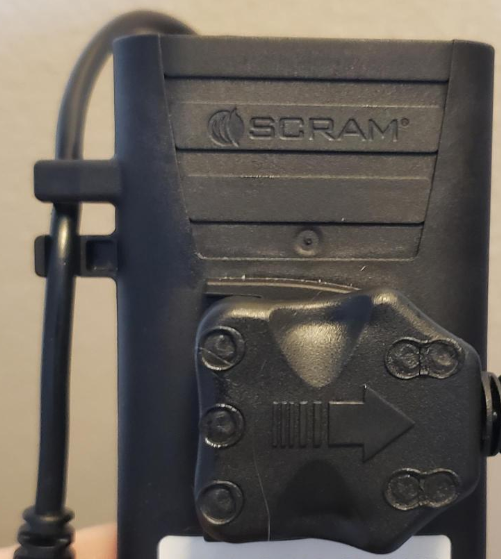
A depleted OBC device will be fully charged in four to six hours, which is indicated by all five lights being solid green.
While the OBC device is charging, the LED lights will continue to illuminate to the current charge level as indicated by the blinking LED light corresponding to that level of charge. If the device battery is completely depleted, it may take a few minutes for the first LED light to illuminate.
|
The device is only partially charged upon receipt and must be fully charged prior to use. |
SCRAM Multi-Charger
The SCRAM Multi-Charger is an 18” USB cable that can be plugged into any USB power source and used to charge SCRAM GPS bracelets in your inventory.
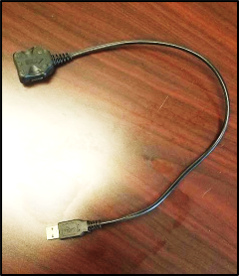 The SCRAM Multi-Charger USB Cable |
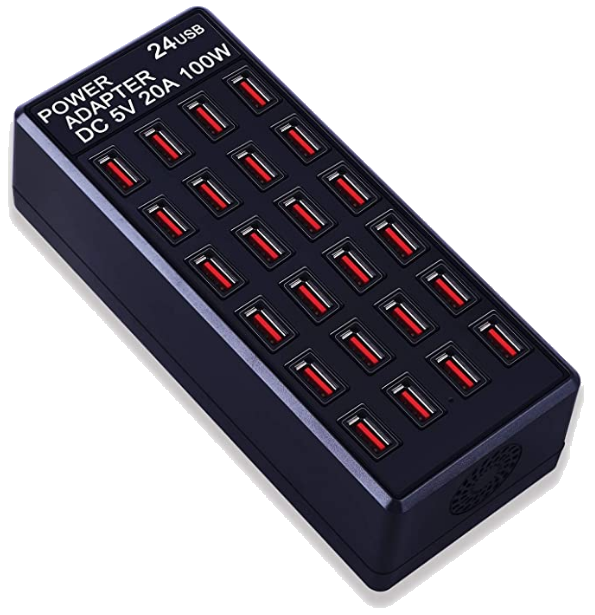 Example of a 24-port USB charging hub |
|
IMPORTANT: The SCRAM Multi-Charger USB cable is for CUSTOMER/AGENCY USE ONLY and is not intended for client use. Alcohol Monitoring Systems, Inc. will not be responsible for use of a SCRAM Multi-Charger USB cable by someone wearing a SCRAM GPS Bracelet. |
The cable is designed to be used with multi-port USB charging hubs that support 2.4 Amps per port. Lower amperage equates to slower charging times. SCRAM has tested the cable and recommends its use with the following multi-port USB charging hubs available from Amazon.com:
- MIXILIN 24-Port 100W (20A) USB Charging Station
- Sabrent 10-Port 60 Watt (12A) Desktop USB Rapid Charger
- RAVPower 6-Port 60W (12A) Desktop USB Charging Station
|
For best performance, you should limit the number of cables plugged into a single charging station to the charging station’s total amperage divided by 2.4.
EXAMPLES:
Plugging in more cables than the SCRAM-recommended maximum will result in lower amperage output per cable and longer charging times for every device plugged into the charging station. |