SCRAM GPS Bracelet Removal Instructions:
Whether you’re removing the bracelet to adjust the device’s fit on the client’s leg, to replace the device, or to discharge the client from the monitoring program, following this process will allow you to safely remove the bracelet from the client’s leg and protect the device from inadvertent damage.
What you will need:
- GPS Backplate Removal Tool – Forked Bit
- One of the two available GPS Backplate Removal Handles – Screwdriver-Handle or T-Handle
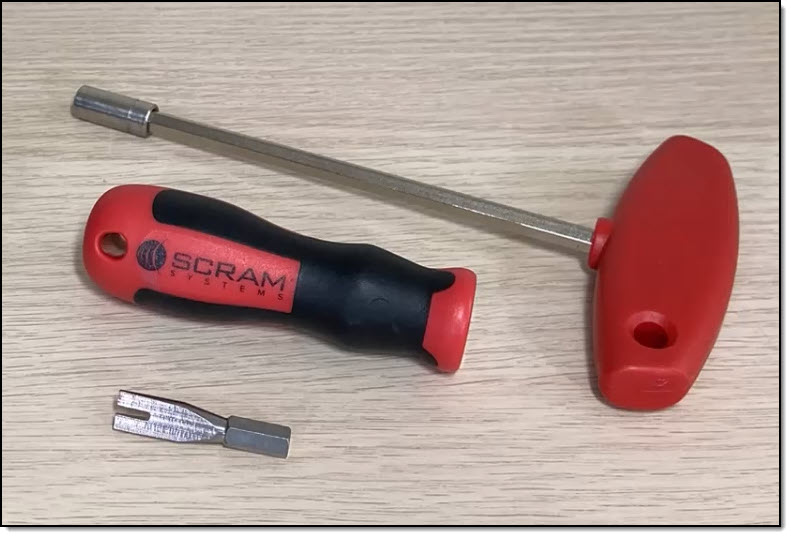
SCRAM GPS Backplate Removal Tool – click to enlarge
Removing the SCRAM GPS Bracelet
Start by securing the bracelet with one hand.
- Next, fully insert the forked bit into one of the post-release windows. The thin web of plastic should be positioned between the prongs on the forked bit.
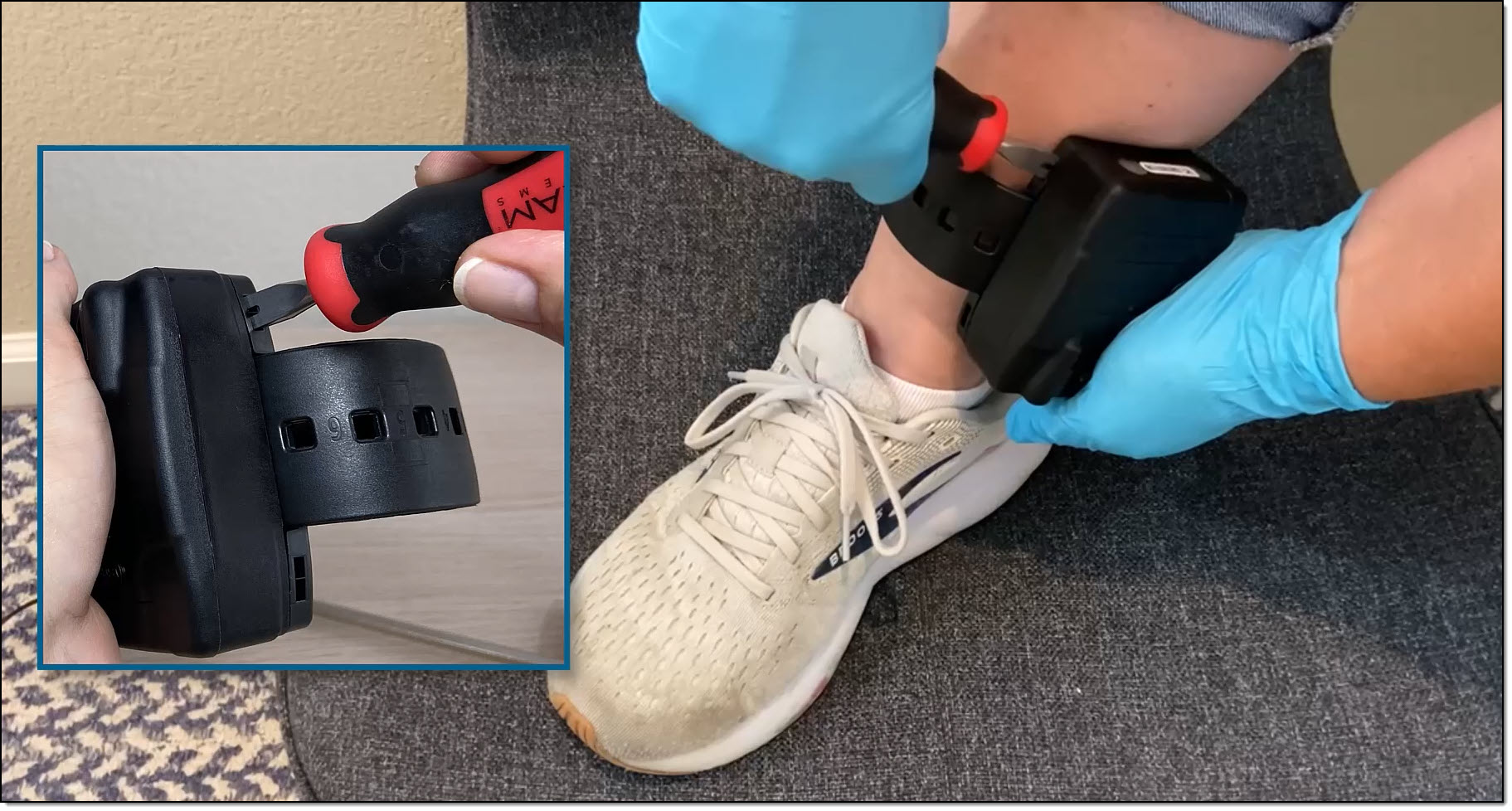
Removal Tool Aligned and Inserted in Post-Release Window – click to enlarge
- Once it is inserted, twist the tool at least 90 degrees.
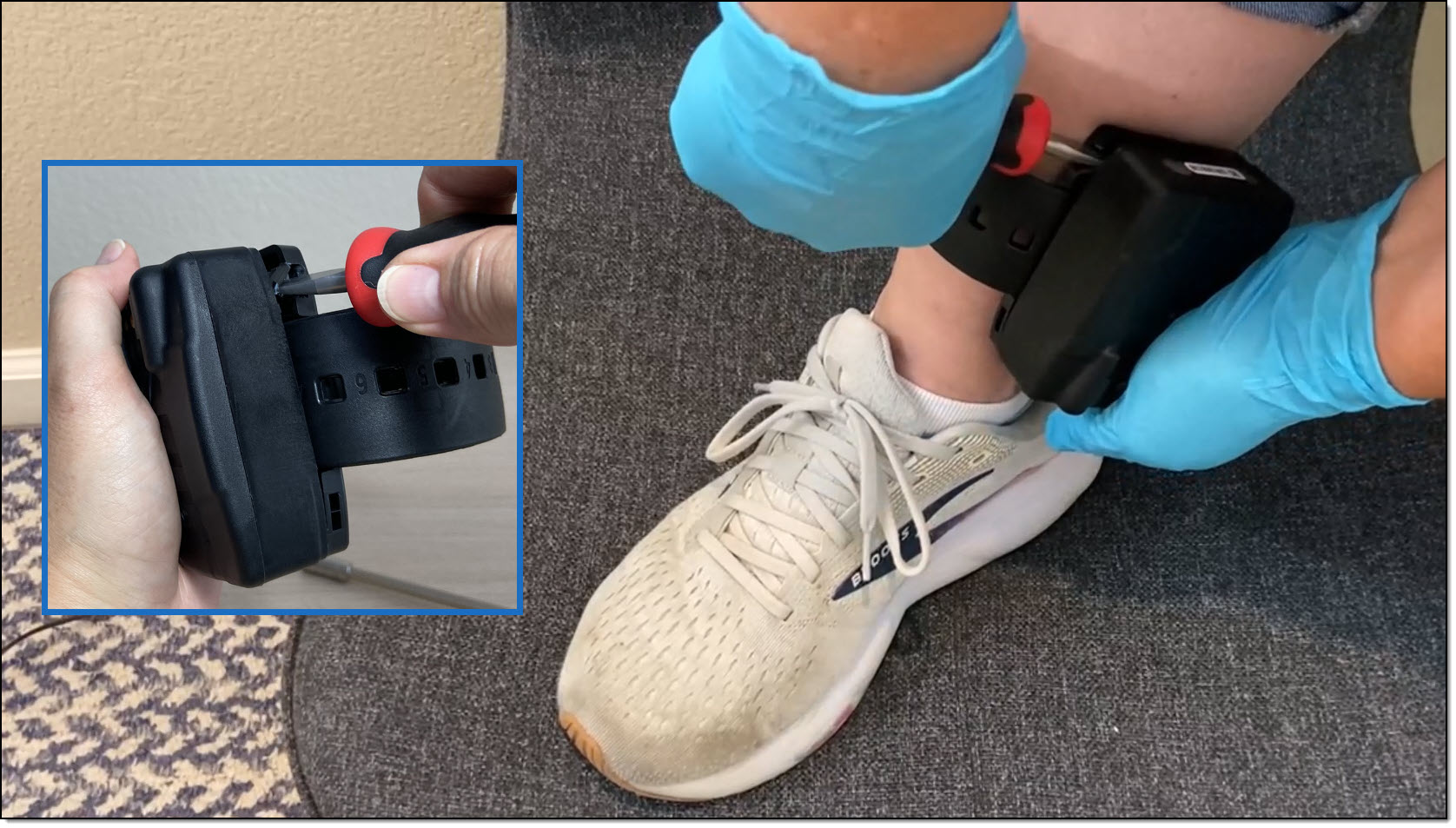
Post-Release Window Broken – click to enlarge
 |
The device will be damaged if the tab-release windows are not used to separate the backplate from the device. |
- Repeat steps 1 and 2 on the second post-release window.
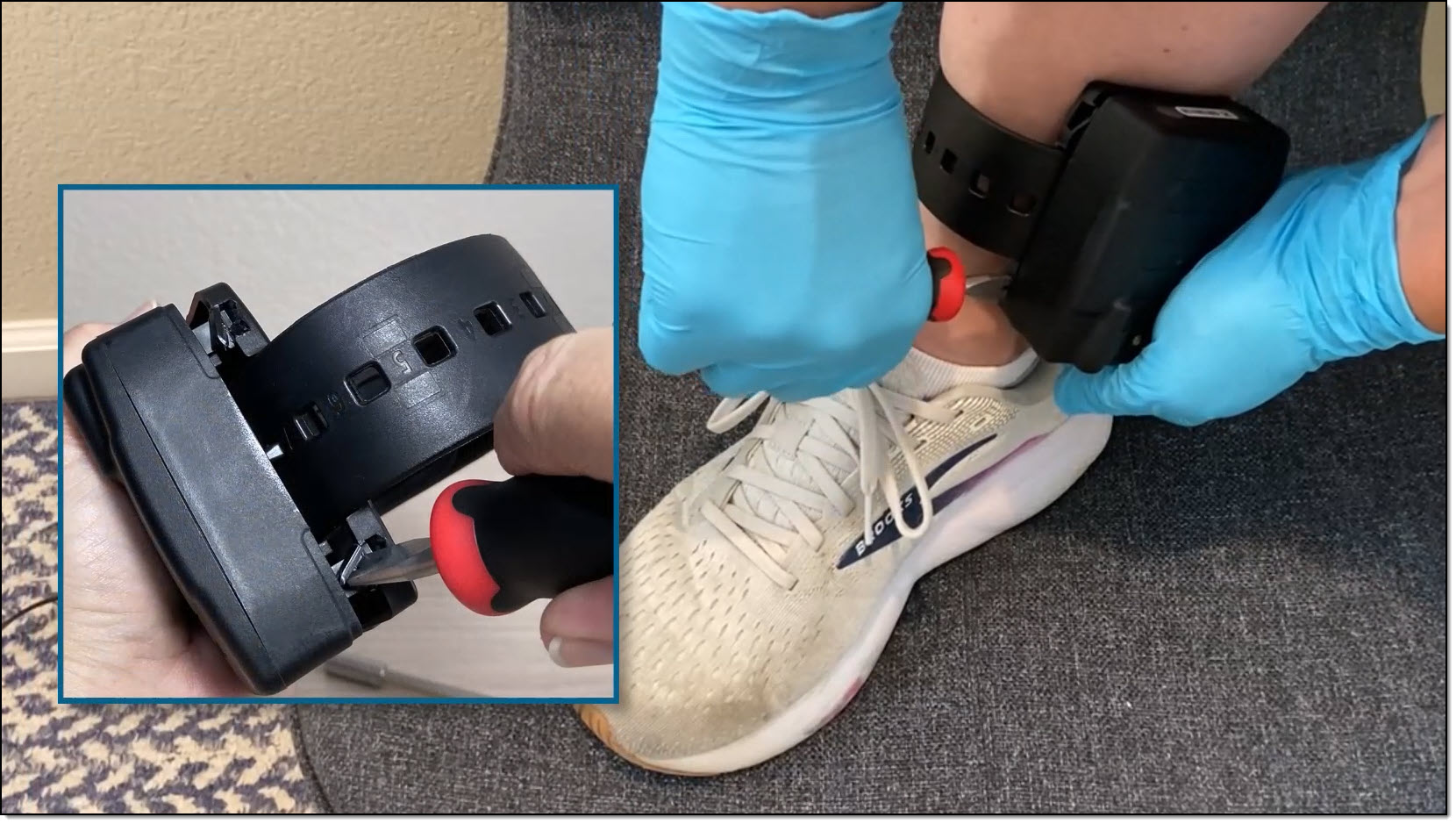
Both Post-Release Windows Broken – click to enlarge
- After both post-release windows are broken, you are able to pull the bracelet and backplate apart and safely remove the bracelet from the client’s leg.
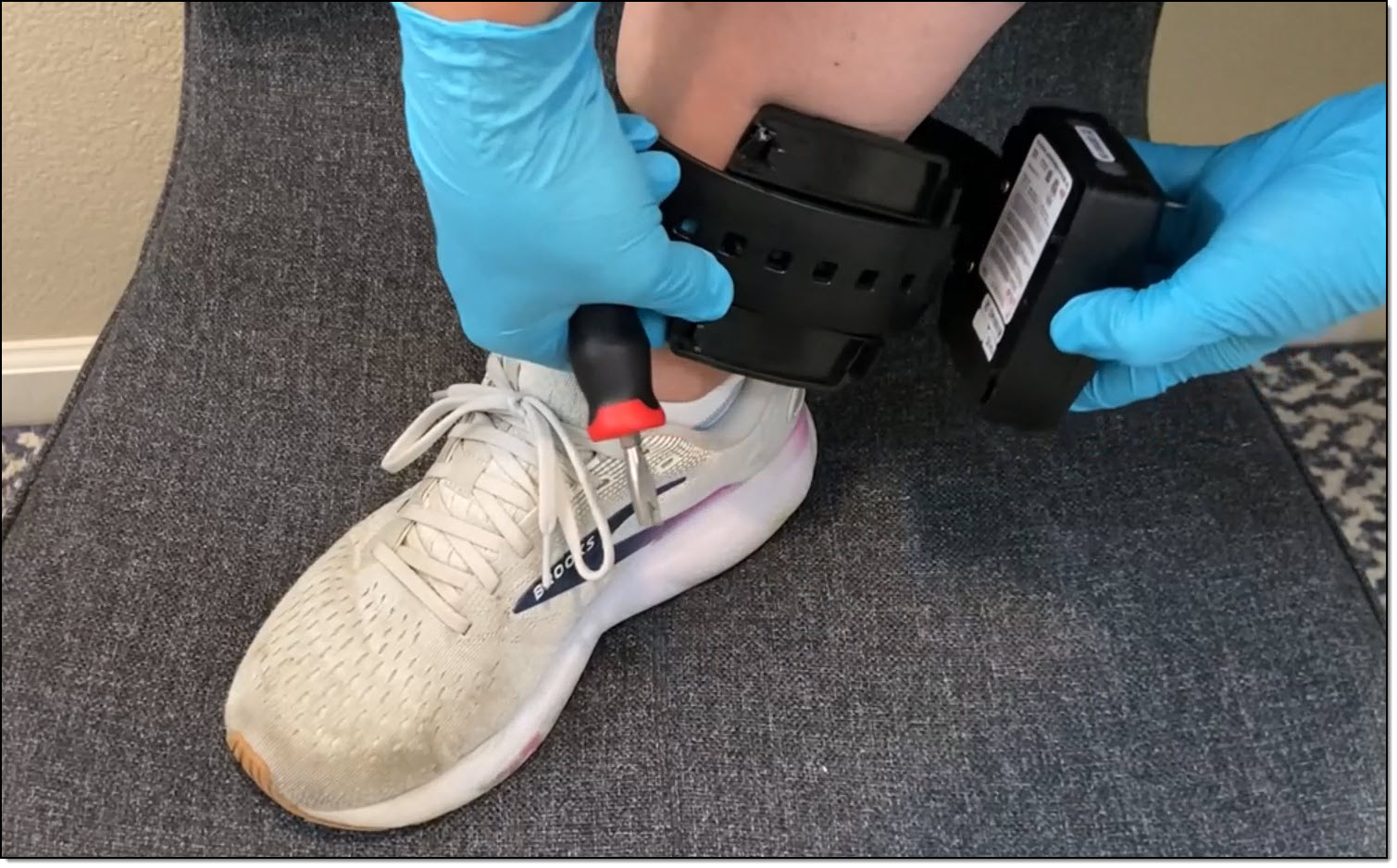
Removing the Bracelet – click to enlarge
The backplate is designed for single-use only. Once removed, discard it.
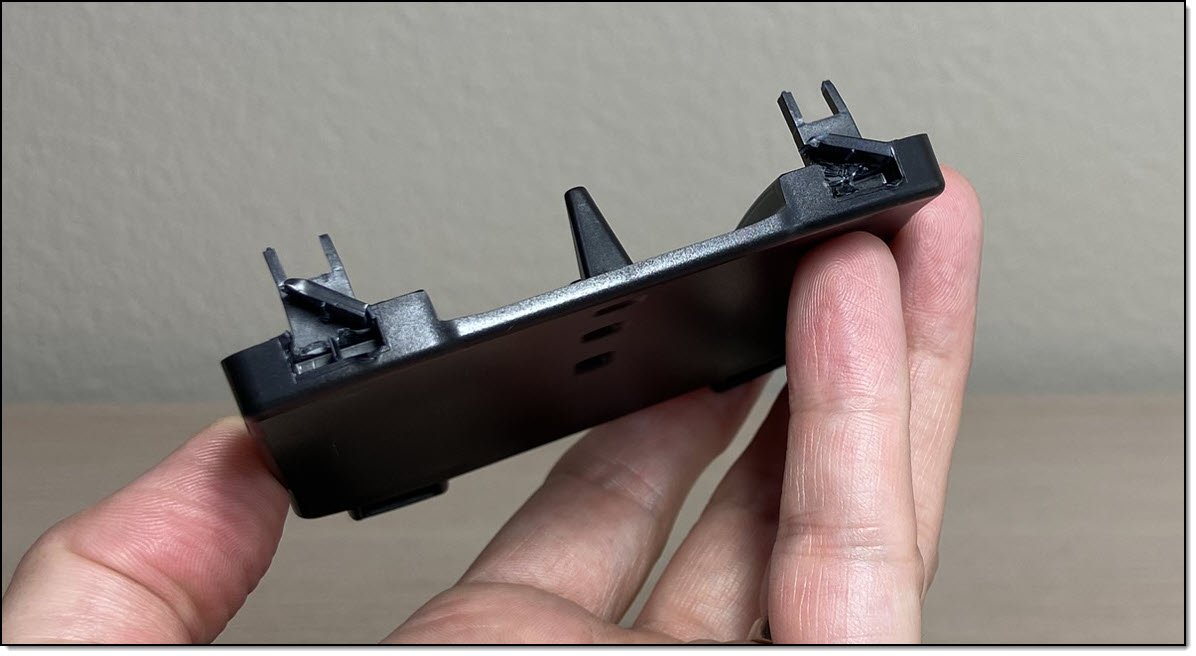
Broken Backplate – click to enlarge
Device Tamper Alert
Depending on why the SCRAM GPS bracelet was removed and the bracelet’s status at the time of the removal, it is possible that a Device Tamper alert may have been generated during the removal process. It is best practice to navigate to the SCRAMNET GPS Dashboard and resolve any device tamper alerts that may have been triggered during the removal and or installation process for that client before letting the client leave.
Disinfecting and Cleaning
SCRAM Systems recommends disinfecting and cleaning the equipment between client use and when returning it to SCRAM Systems to prevent the spread of germs. For current device cleaning information, visit the GPS Device Cleaning article.