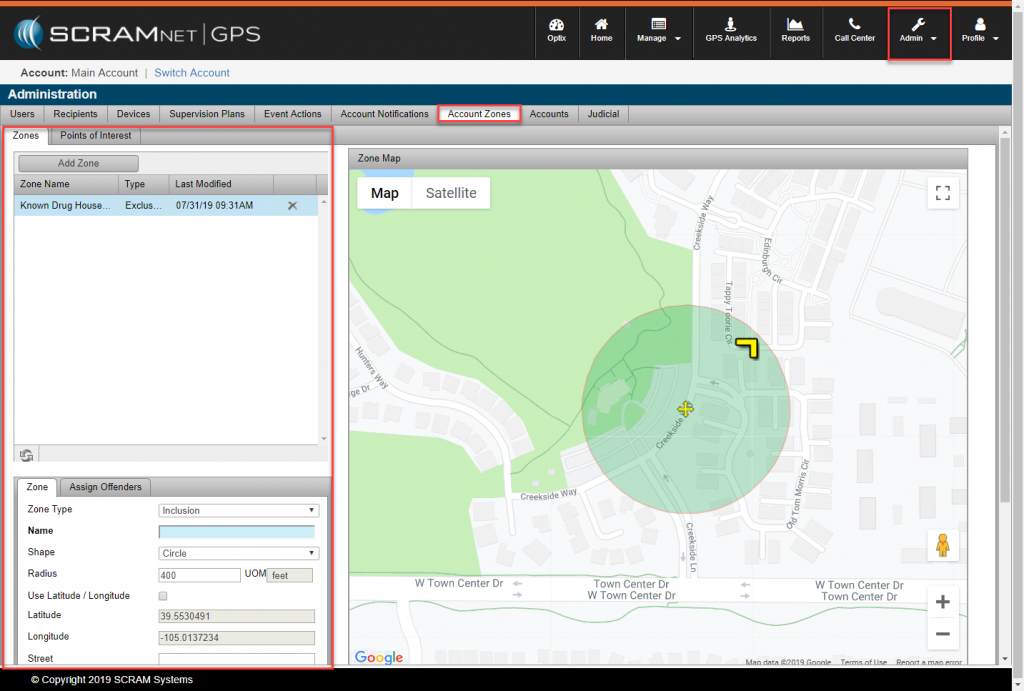
Zones that are frequently used across an entire program or department can be saved as an Account Zone. This provides easy access of preexisting zones to all account users so officers don’t need to spend time recreating zones that officers’ may be regularly using for other clients. (You can find the current list of zones that have been saved by clicking on Assign Account Zone under the Zones tab.)
Add an Account Zone
Select admin icon and navigate to account settings. From there there, select Account Zones tab and walk through SCRAMNET GPS standard zone creation steps. Once an Account Zone is defined, multiple clients can be added to the Zone.
Limitations of the Account Zone include:
-
- Can only be saved On Server
- Only store 11 Polygonal Zones