To add a general note for the client from the Dashboard:
- Open the client’s option dropdown menu, and select the Notes option.
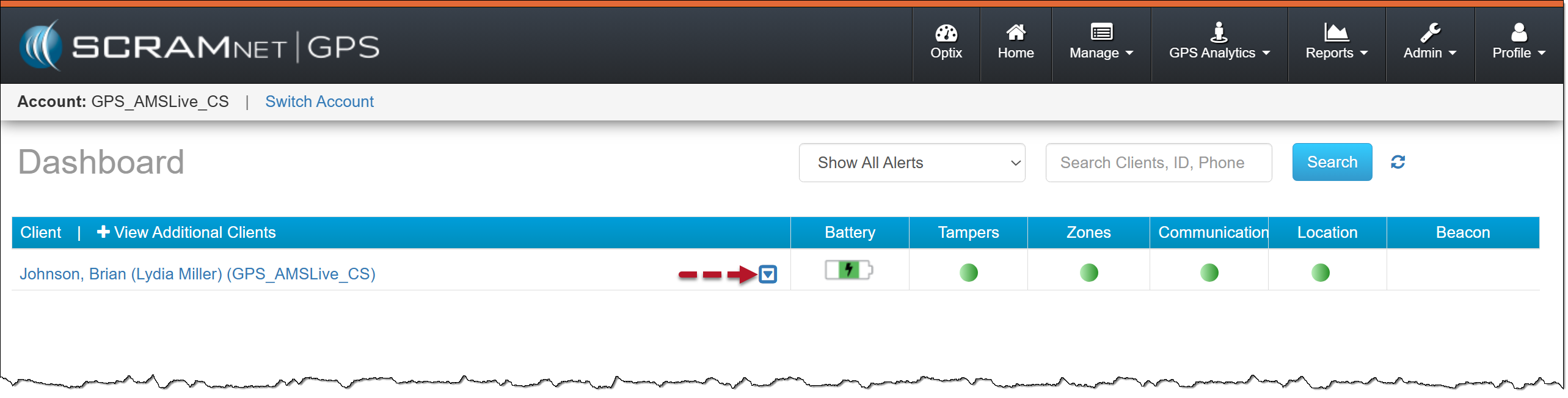
GPS Client Menu Options Icon – click to enlarge
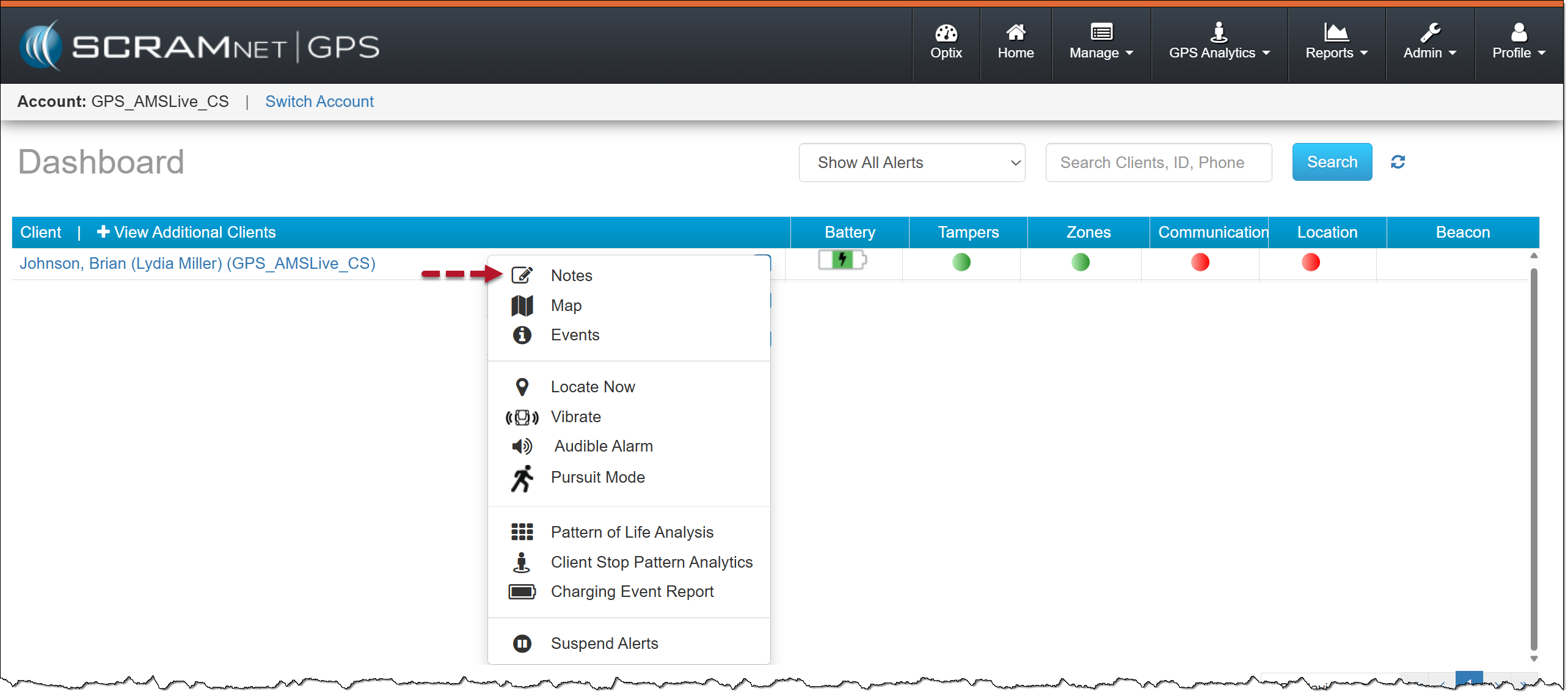
Client Notes Option Icon – click to enlarge
- Add your note in the Notes pop-up window, and then select the Save button.
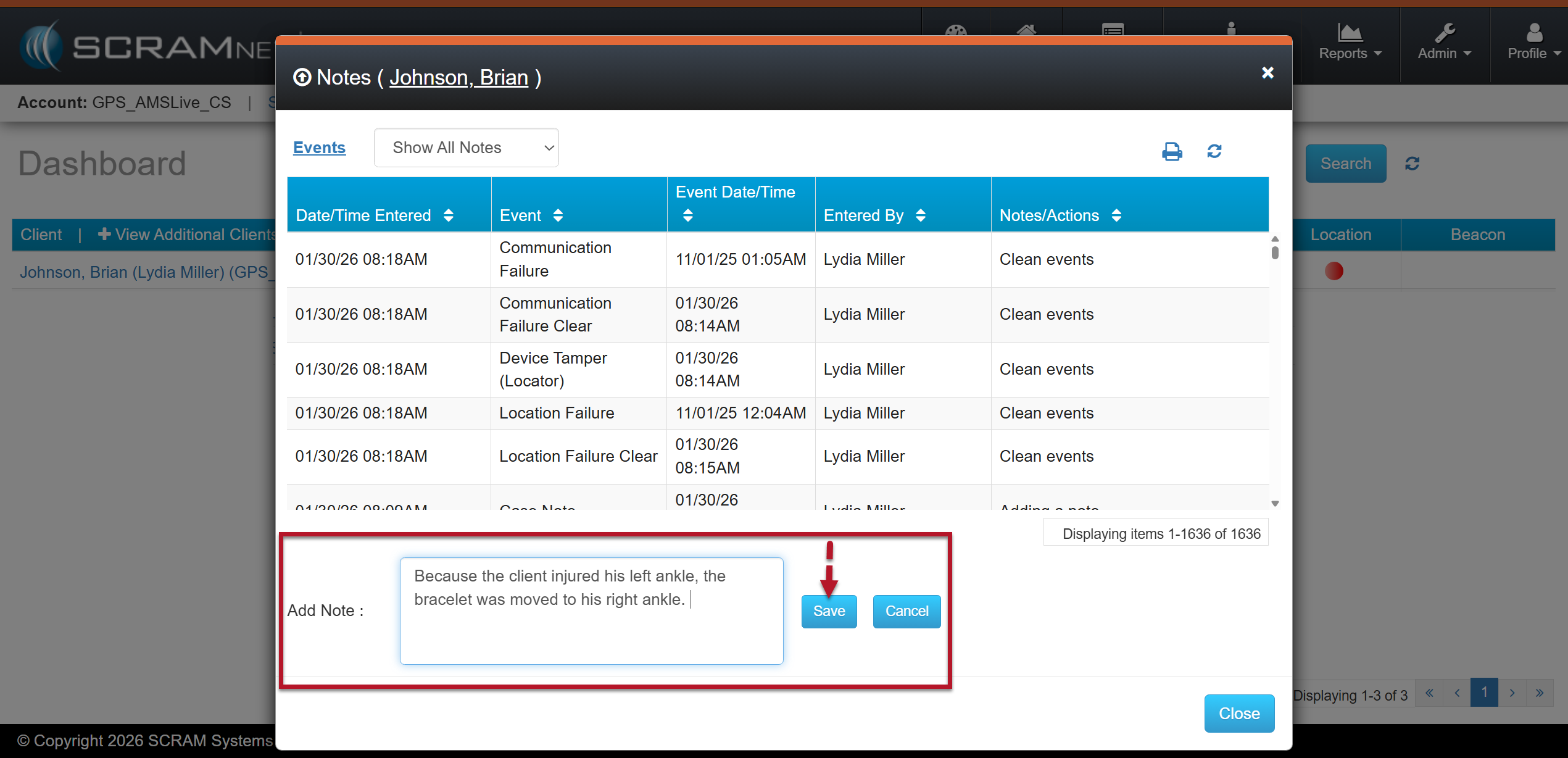
Add Note Text Field and Save Button – click to enlarge
Your note is now displayed on the Notes pop-up window.
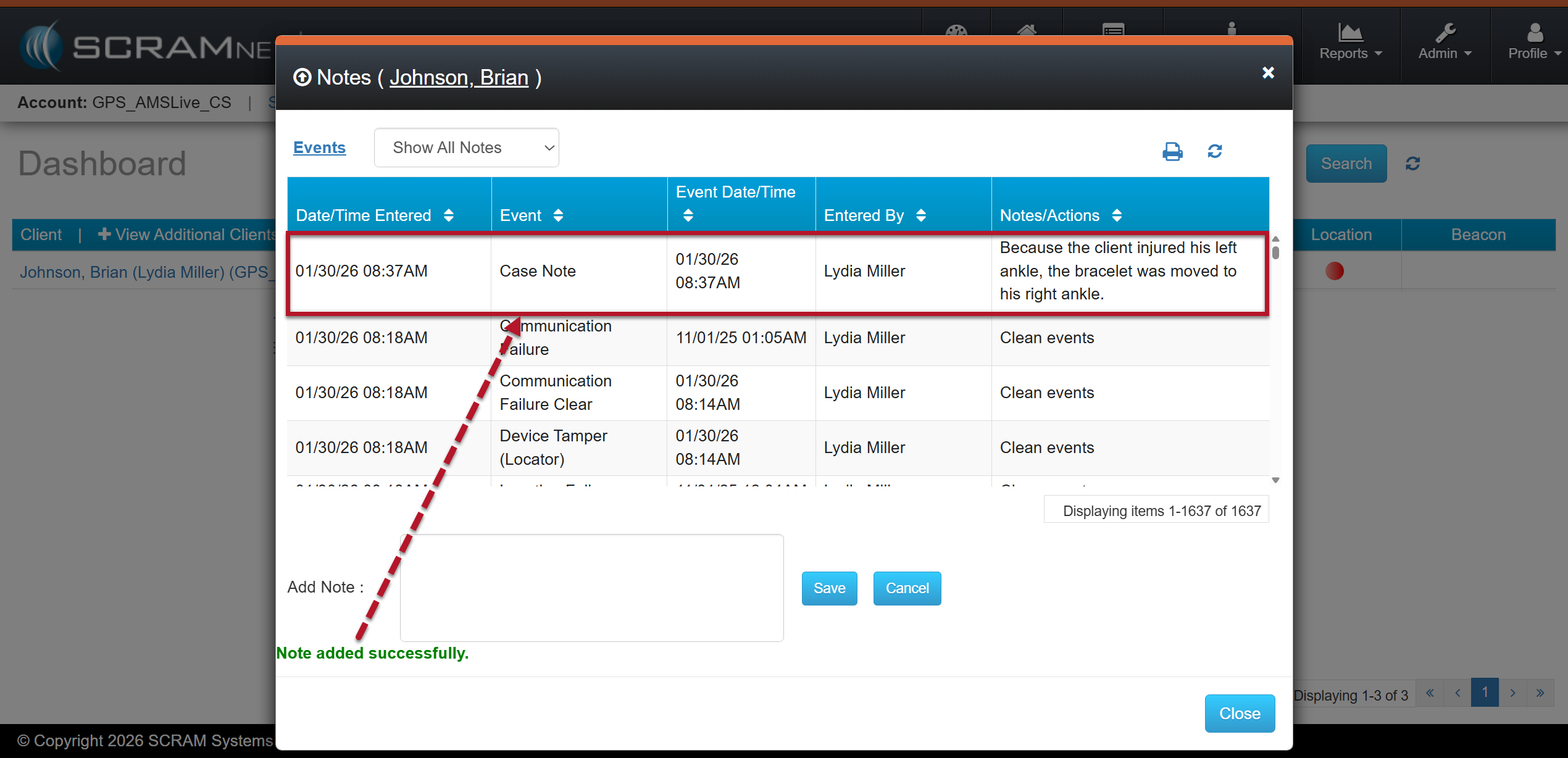
Saved Note – click to enlarge
To close the Note pop-up window, select the Close button.