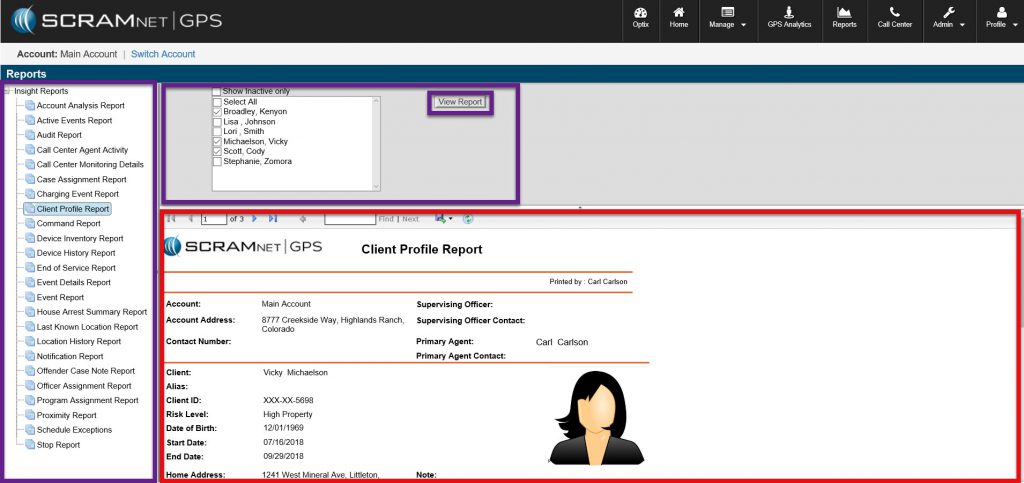
From the Reports Tab, users are presented with a series of reports (22-24 depending on the agency) that can be selected to review critical information on client location patterns, device history, and agency activity just to name a few.
To utilize the available reports, user can simply:
- Select Report – by clicking on the desired report from the report list located in the left navigation window
- Select or Adjust Data Parameters – by following menuing in top grey box and making the desired checkbox selections
- Run Report – by clicking on View Report button
Report results will populate in lower right window, where the report can be paged through, saved to file, or printed as desired.