A SCRAM Beacon range test is performed at the client’s home with the supervising authority present. A range test identifies areas where the radio frequency (RF) between the SCRAM GPS bracelet and the beacon is interrupted. This interruption may occur due to walls, building materials, or other electronics, for example. Once these areas are identified, the range selected in SCRAMNET GPS may be updated, the beacon may be moved to a new location, or the client may be instructed not to linger in these areas for extended periods.
Completing a Range Test
Before beginning a range test:
- The SCRAM GPS Bracelet and beacon must be in an assigned status
- The beacon must be connected to power
- and be able to communicate with SCRAMNET GPS with either an Ethernet or a landline (telephone) connection
Place the beacon in a central location in the home, at least three feet off the ground on a wooden surface or countertop. Avoid placing the beacon near mirrors, windows, glass surfaces, or large metal objects such as kitchen appliances.
To begin the Range Test:
In SCRAMNET GPS:
- Select the client’s name hyperlink on the Dashboard.

SCRAMNET GPS Dashboard – click to enlarge
- On the Profile Summary pop-up, select the Device Information hyperlink.
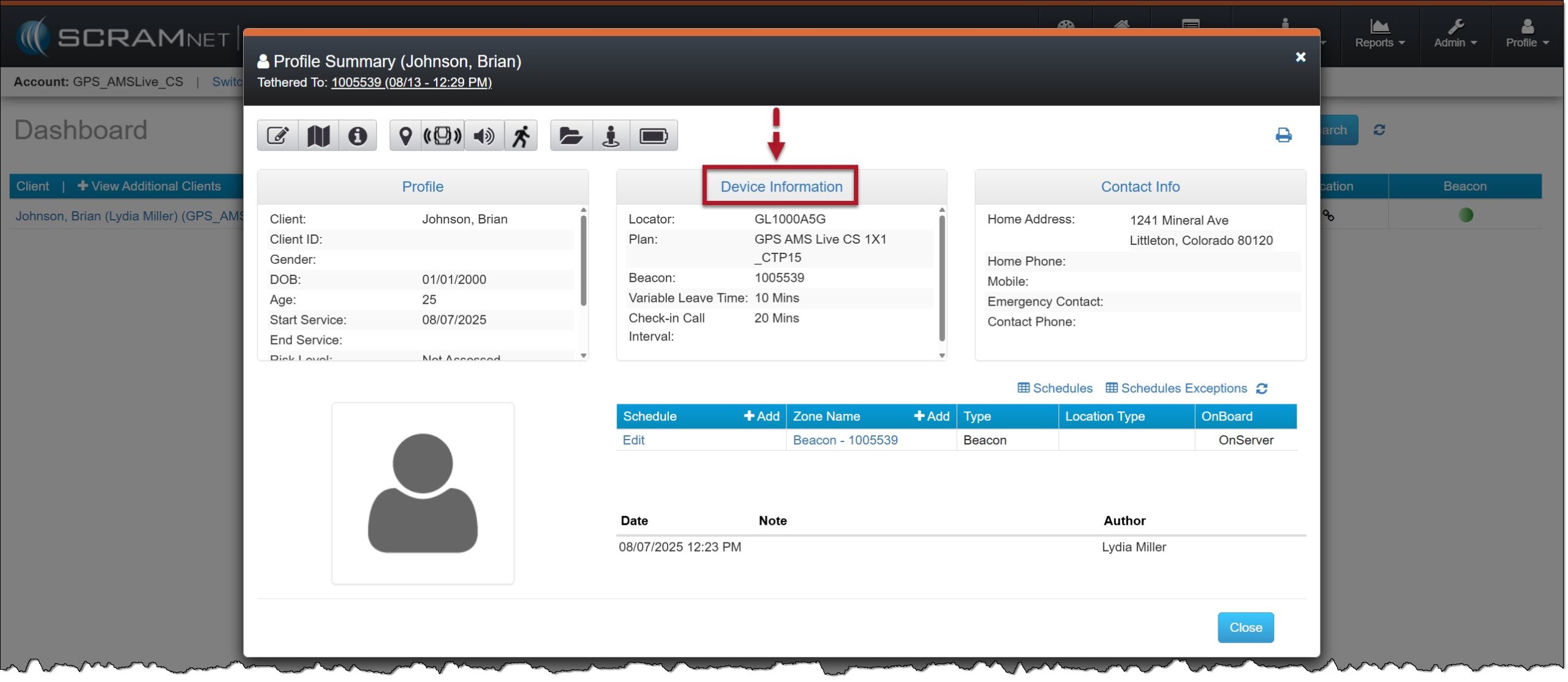
Profile Summary Pop-Up Window>Device Information Hyperlink – click to enlarge
- On the Device Assignment page, select the Beacon tab.
- With the beacon’s details displayed, select the Edit hyperlink.
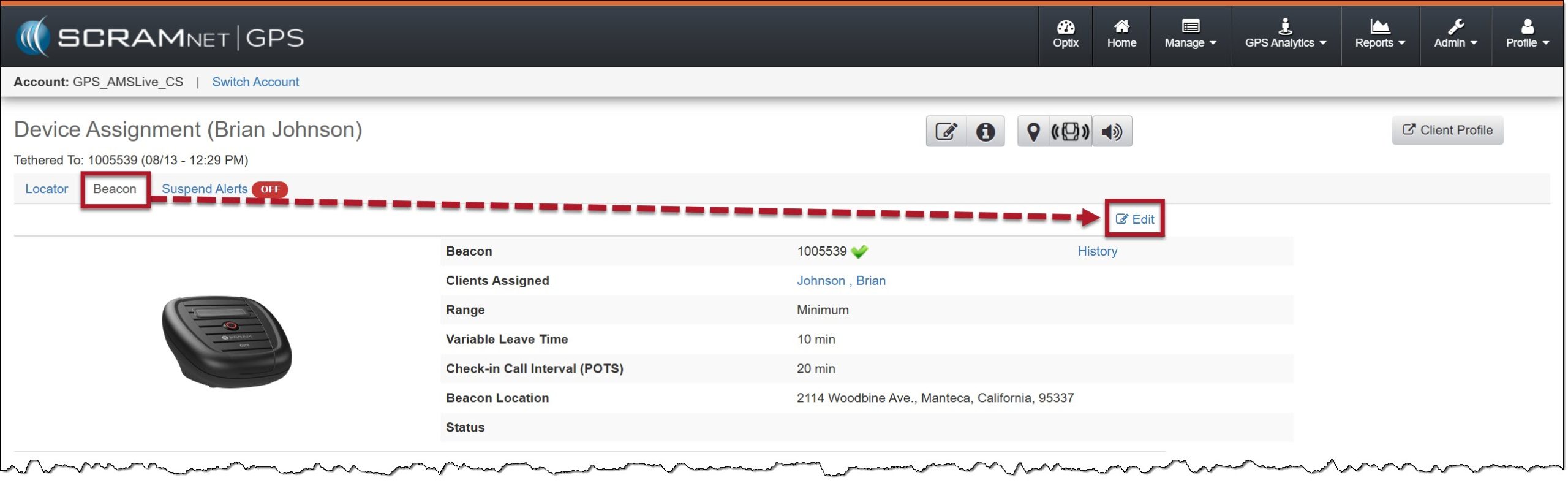
Beacon Device Assignment page – click to enlarge
- Select the Initiate Range Test button.
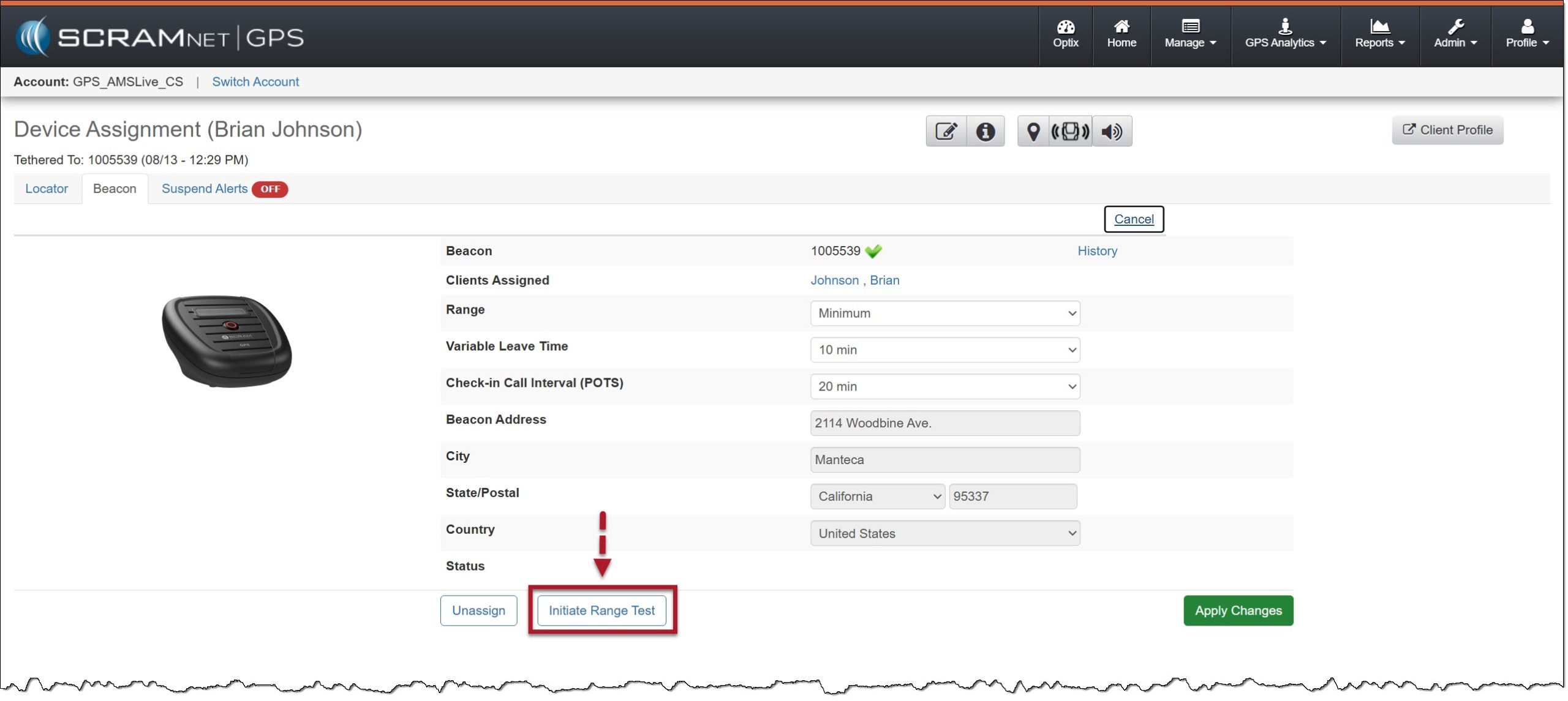
Initiate Range Test button – click to enlarge
- On the Range Test has been initiated – Pending beacon update pop-up window, select the Ok button.

Acknowledgement Pop-Up Window – click to enlarge
Actions to Take at the Client’s Home:
Once the range test has been initiated in SCRAMNET GPS, the command is communicated to the beacon. Once received (this may take several minutes):
- The screen on the beacon will update to “Press Button to Begin Range Check,” and the center button will flash red. Press the flashing red button.
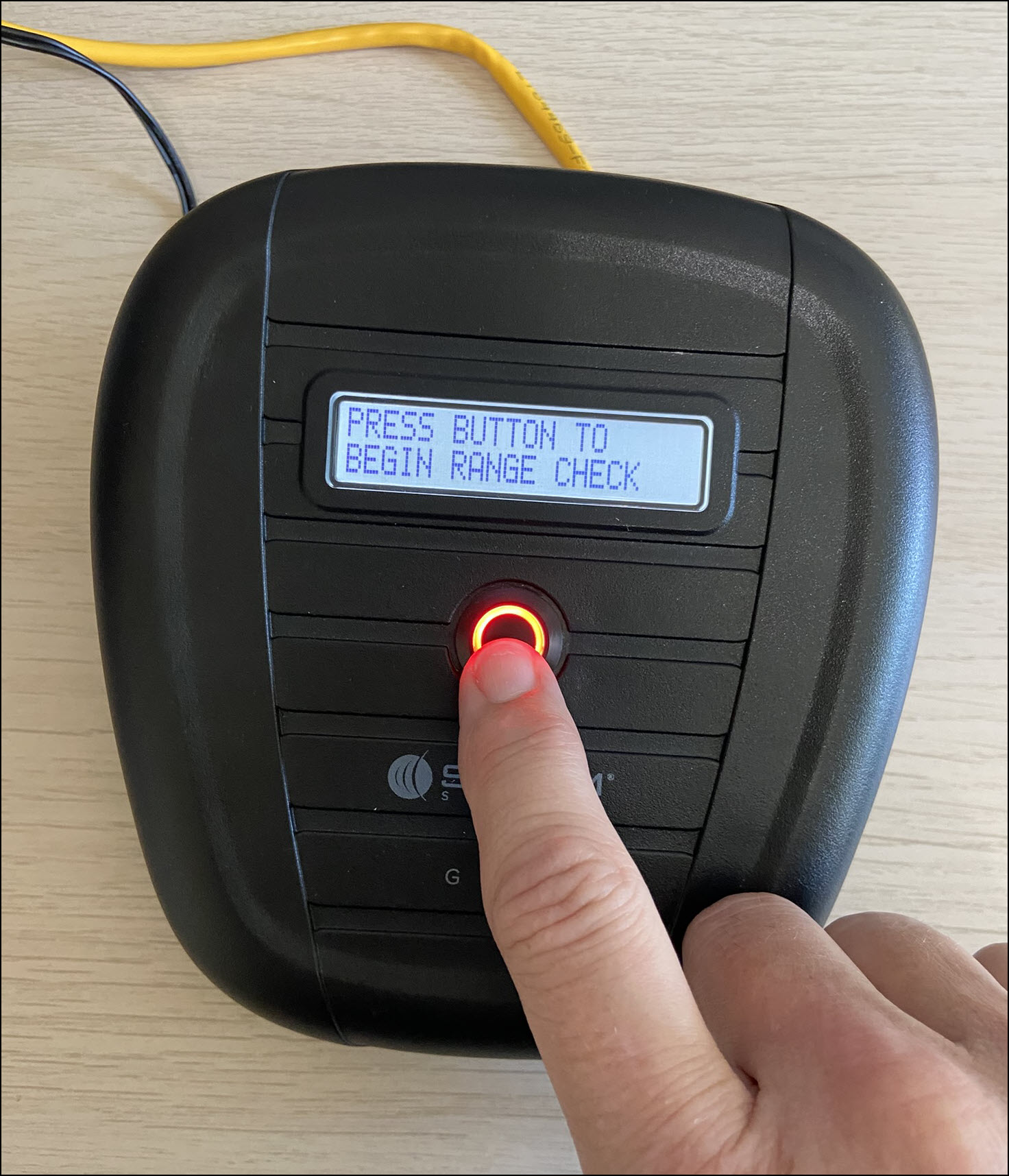
Beacon “Press button” Instructions – click to enlarge
- The beacon’s screen will update to Range Check in Progress and begin to emit an audible beep every second. This will continue for three (3) minutes.
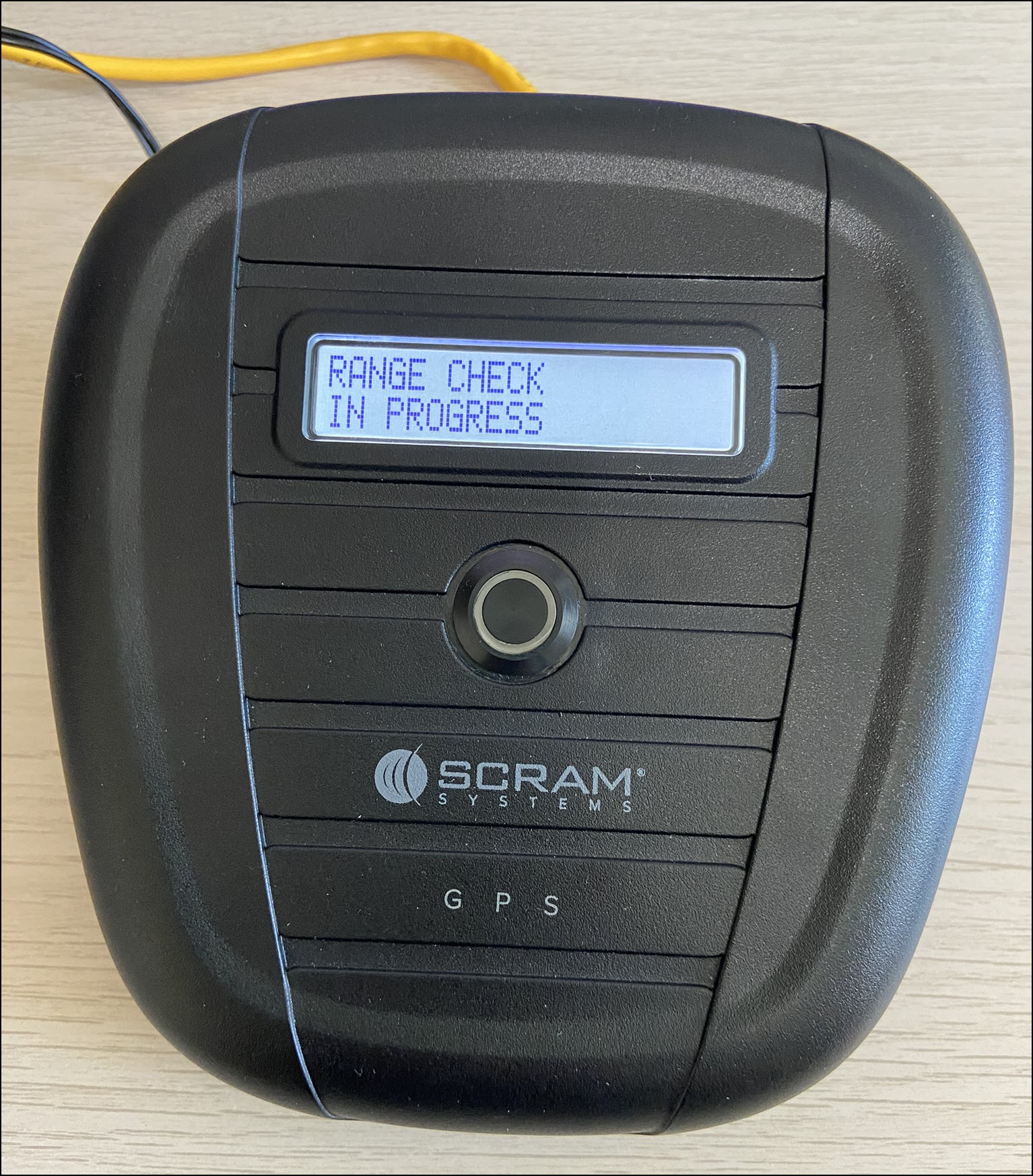
Beacon “Range Test in Progress” Message – click to enlarge
During the three-minute Range Test:
While you are monitoring the beacon and the beeping, have the client walk around the location. They should walk to the corners of all the rooms on each floor, into closets, and around all appliances. Additionally, have them stand in the shower or bathtub, and lie in their bed. Instruct them to orient their leg so that the SCRAM GPS bracelet is pointing away from the beacon.
- If at any point the beacon’s audible beeping stops, note these areas as “dead zones.” These “dead zones” are areas where the RF communication connection between the bracelet and the beacon is broken.
At the end of the three-minute window, the beacon will return to normal operations.
 |
Tip:
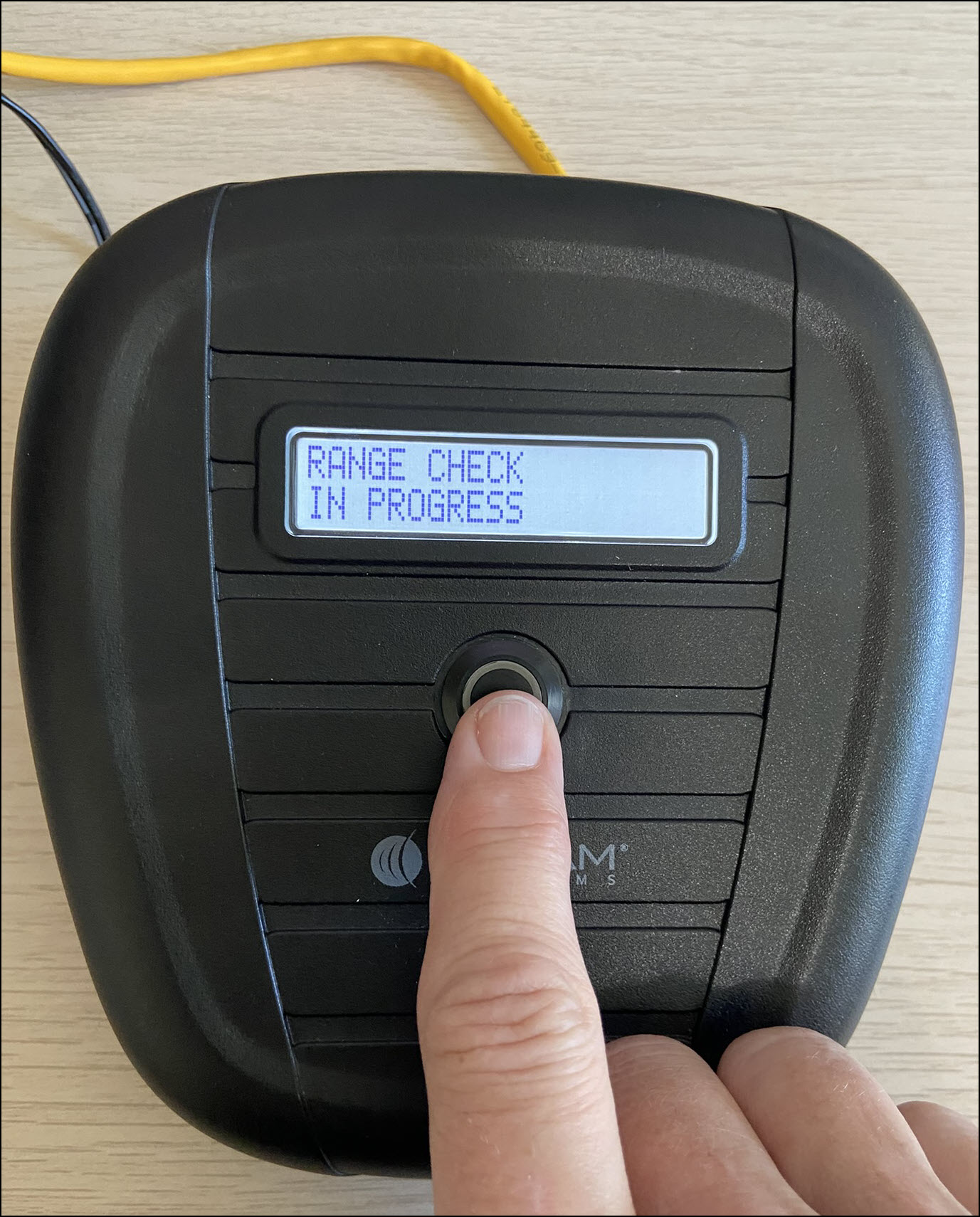
To end the range test before the three-minute timeframe has expired, press the button on the beacon. |
 |
Next Actions:
After completing the range test, depending on the results, you may:
- Relocate the beacon in the client’s home and then repeat the range test.
- Update the Range settings within SCRAMNET GPS and then repeat the range test.
- Or instruct the client not to linger in the “dead zone” areas for extended periods. As a best practice, document any “dead zones” and client instructions on the client’s Notes page in SCRAMNET GPS.