Notifications are set up at the account level, but after those are established, you may modify notifications at the individual client level.
To set up caseload-level notifications that apply to specific event types for all clients, as an Admin user:
- Select “Account Settings” from the Admin dropdown menu.
- Select the Account Notifications tab.
- Under the Locator Notifications sub-tab, check the checkboxes for the types of notifications that should go out for each event type, and whether or not the event should “AutoClear.”
 |
Tip: Ensure you select all the desired event notifications under each of the Critical, Serious, Warning, and Messages event type sub-tabs. |
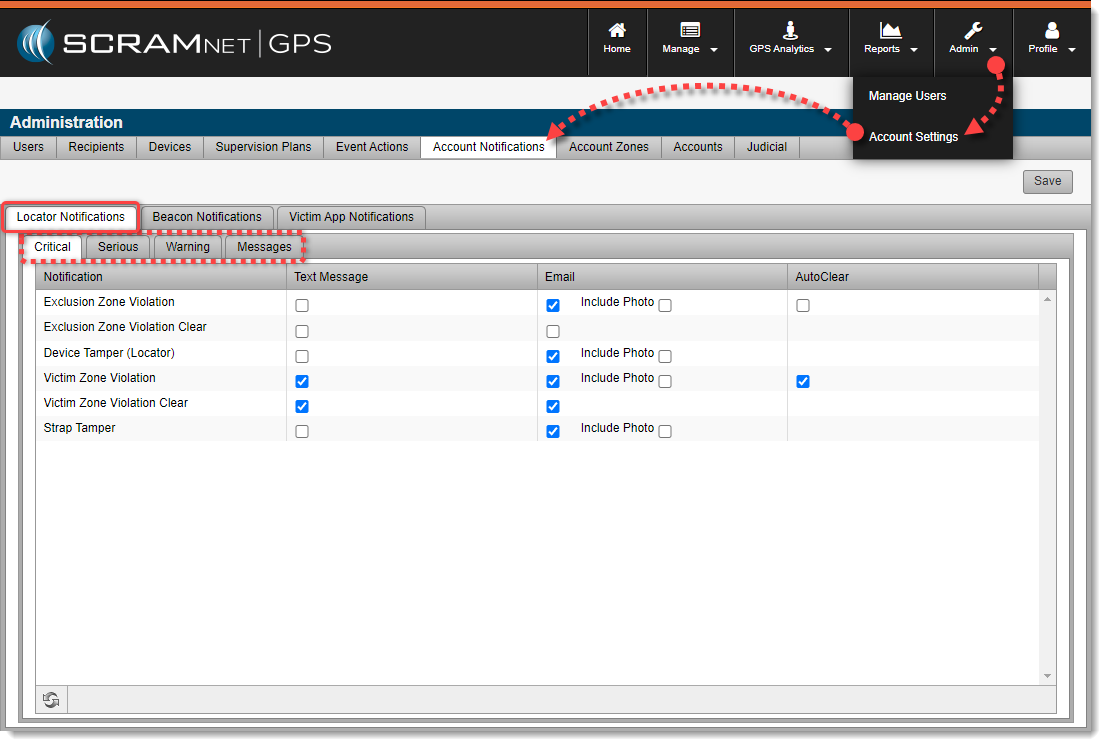
Account-Level Message Notifications Setup (click to enlarge)