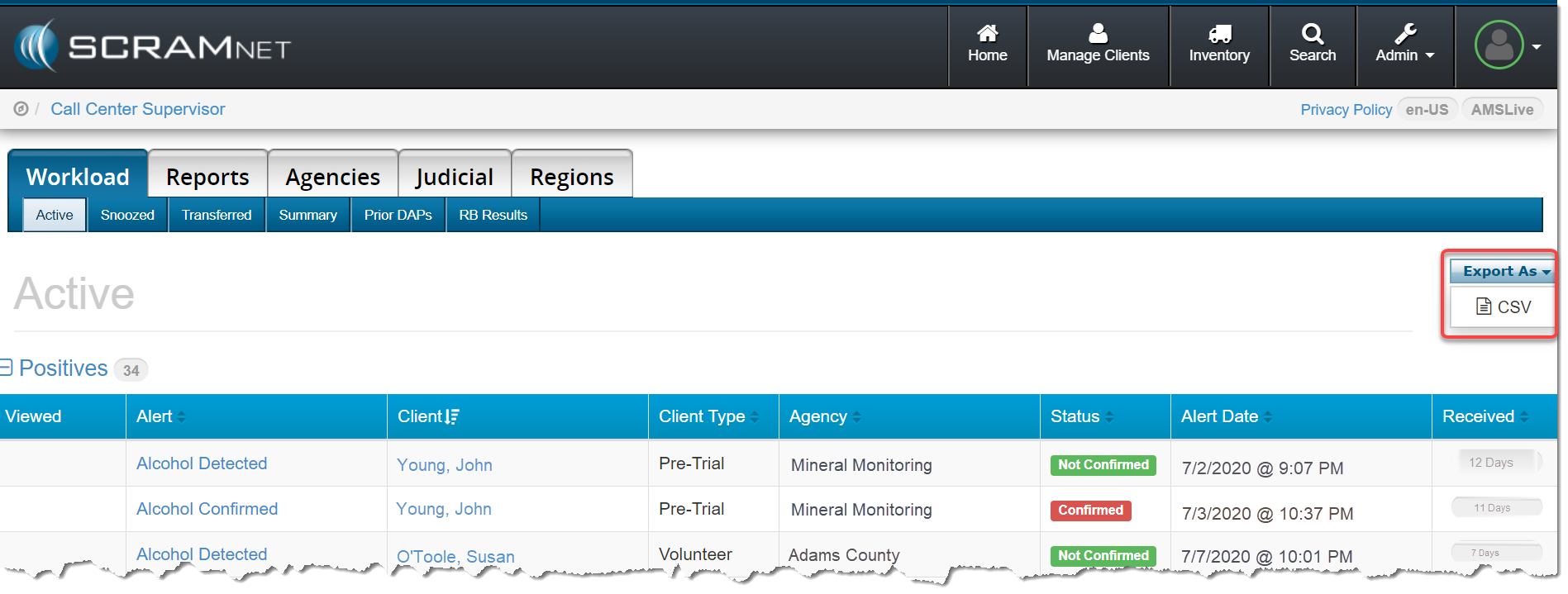
With this release, you can now export the data that appears on any Workload page in SCRAMNET® to a.csv-format spreadsheet file. To do this, click the Export As button then click the “CSV” option.
Reminder: A Workload page can be viewed in the following areas in SCRAMNET:
Call Center (Service Provider)
Region
Location
Caseload
Agent
Once the .csv file is downloaded to your computer, you can open the file in any popular spreadsheet editing program and easily modify the list as needed. Any comments entered for the case will appear in the “Comments” column.
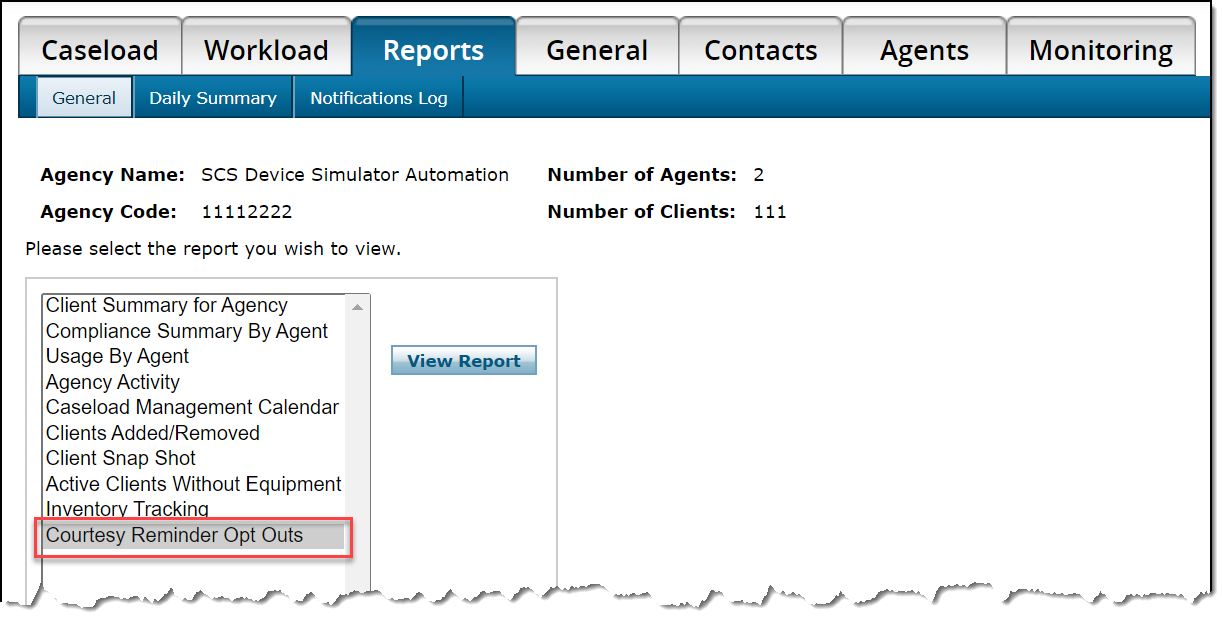
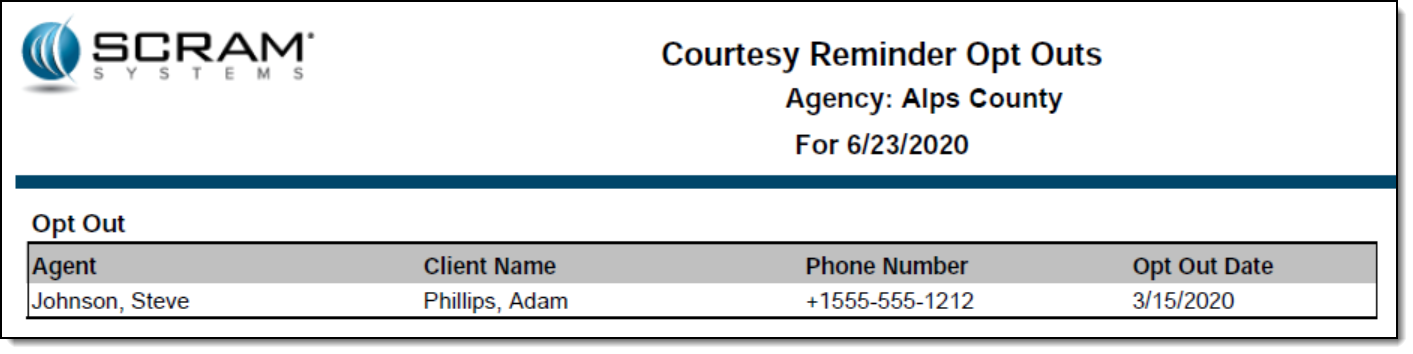
A new Courtesy Reminder Opt Outs report is now available for each caseload in SCRAMNET®. This report lists all SCRAM Remote Breath® clients who elected to opt out of receiving courtesy reminders that assist those clients with performing each breath test at the scheduled time.
To access the report:
Access the caseload in SCRAMNET.
Click the Reports tab.
Select the Courtesy Reminder Opt Outs option in the left report list.
Click the View Report button.
All active SCRAM Remote Breath clients in the caseload who have ever opted out of receiving courtesy reminders will appear on the report.
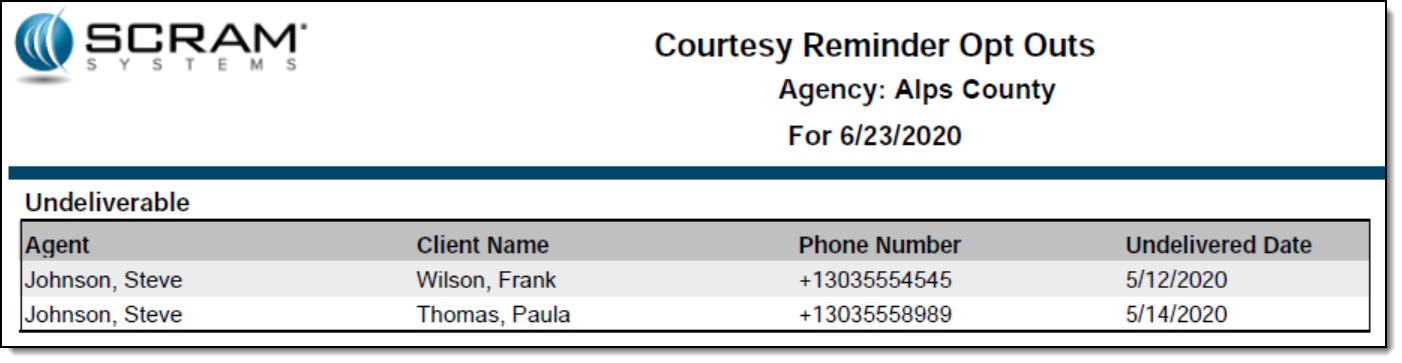
The second page of the report will list each client with an associated phone number that resulted in an “Undeliverable” message being generated when a courtesy reminder was sent.
Feedback
As always, please feel free to contact SCRAM Systems Customer Services at 1-303-785-7879 with any recommendations for system improvements.
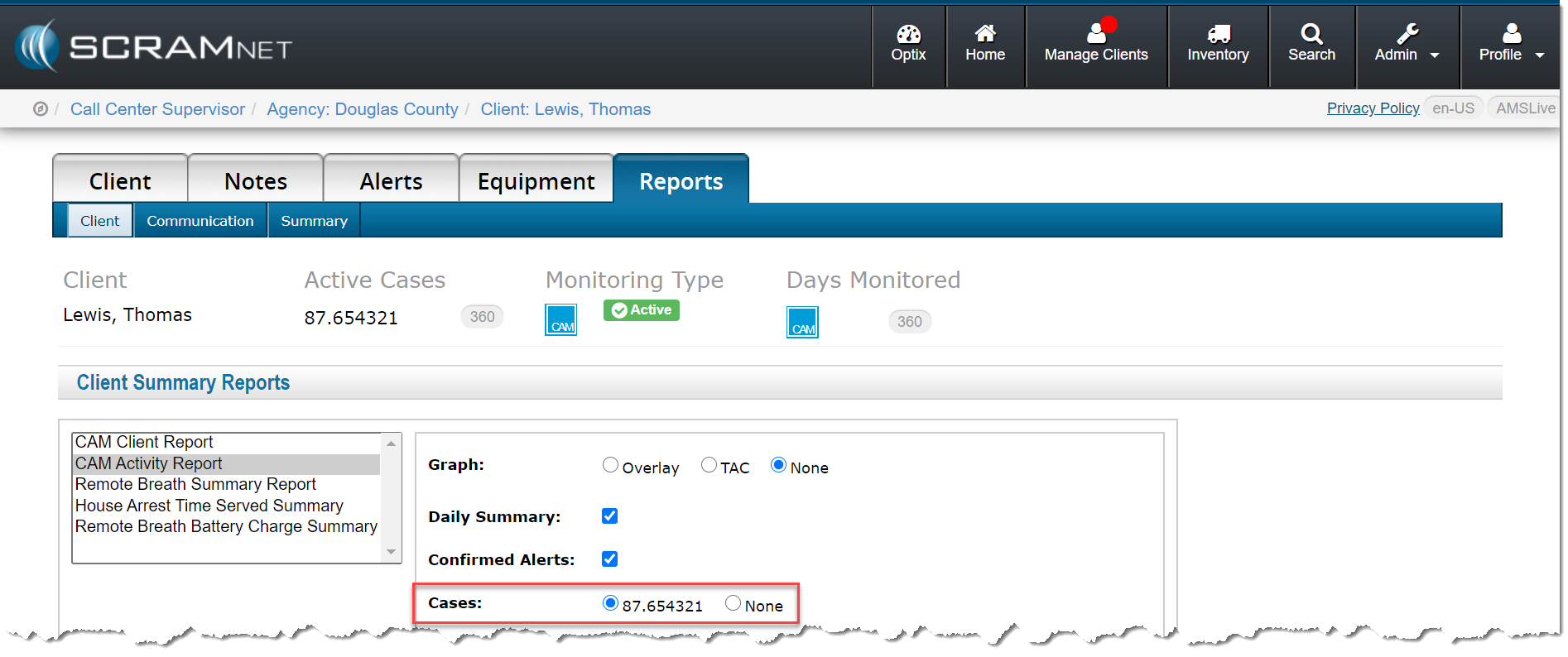
Today’s release allows you to include the case number assigned to a client when running a CAM Activity report in SCRAMNET®. To do that:
Locate the client in SCRAMNET.
Click the Reports tab.
Select the CAM Activity Report option in the left report list.
As shown below, you now have the option to select a case.
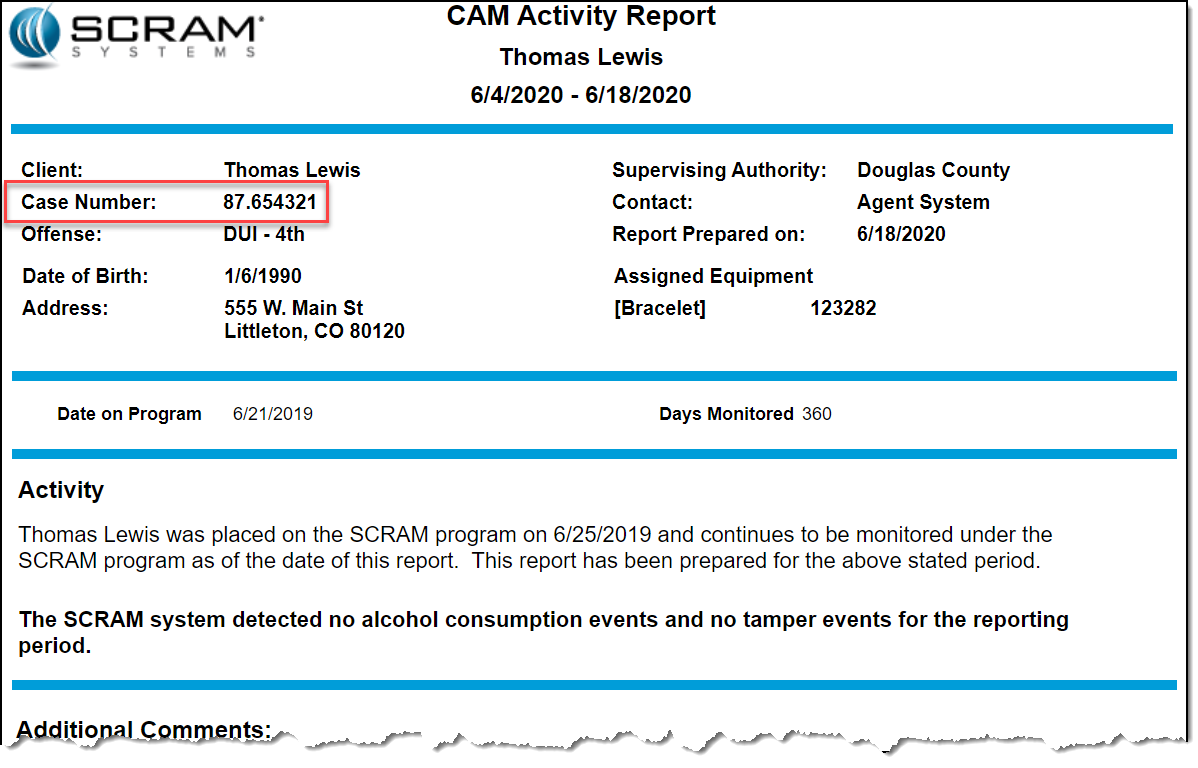
With the selection made, the case number appears in the top area when you run the report.
Microsoft Corporation discontinued support of
older versions of its Internet Explorer (IE) browser on January 12, 2016, which
impacted IE 10 and older versions. Although IE 11 is still being supported,
Microsoft itself is phasing out IE 11 in favor of a browser that better
supports today’s modern web capabilities.
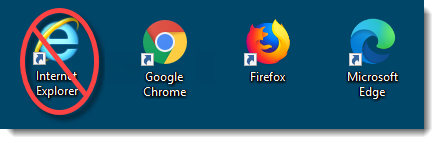
The SCRAM Systems platform utilizes leading-edge web technologies to deliver comprehensive and informative data and reports that enable you to monitor clients efficiently and effectively. Effective March 9, 2020, SCRAM Systems will no longer develop content or provide technical support for any version of IE. Instead, for the best possible experience utilizing SCRAM Systems’ monitoring platforms, we recommend switching to the Google Chrome, Mozilla Firefox, or Microsoft Edge browsers.
Browser icons
Please contact our Customer Service department at 1-303-785-7879 if you have questions or concerns regarding this change.
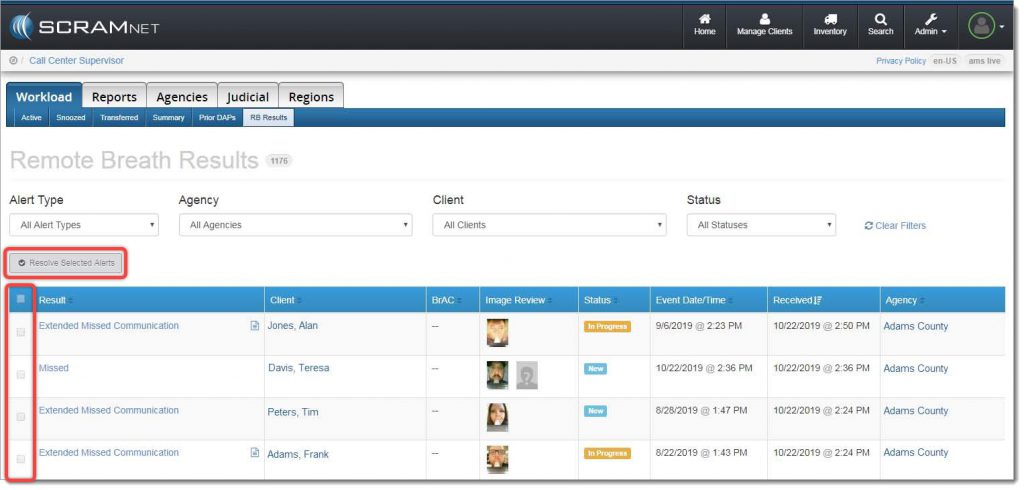
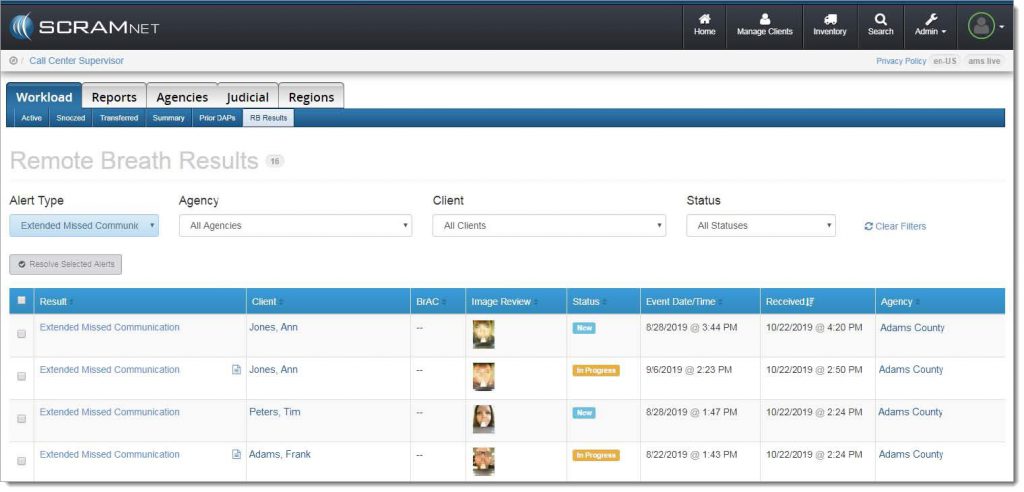
With the October 24, 2019 release, SCRAMNET® offers you a simple way to resolve multiple SCRAM Remote Breath® alerts in one action. A real time-saver when you are managing a heavy client caseload! To accomplish this, navigate to the RB Results page (shown below), and locate the new Resolve Selected Alerts button and checkbox column.
Remote Breath Results page
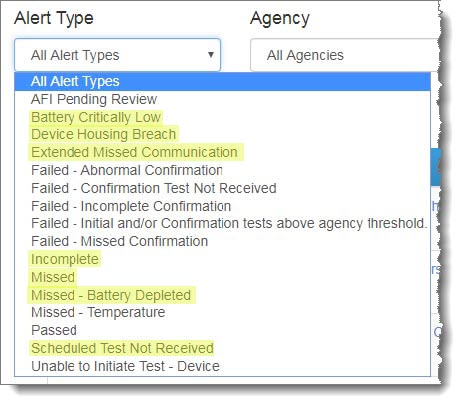
Next, select the specific type of alert you wish to bulk resolve from the Alert Type dropdown menu:
Alert Type dropdown menu
IMPORTANT: Bulk Resolve is only available for the following Alert Types:
Battery Critically Low
Battery Low
Device Housing Breach
Extended Missed Communication
Incomplete
Missed
Missed – Battery Depleted
Scheduled Test Not Received
The alert list will be filtered to display only the selected alert type:
Filtered results
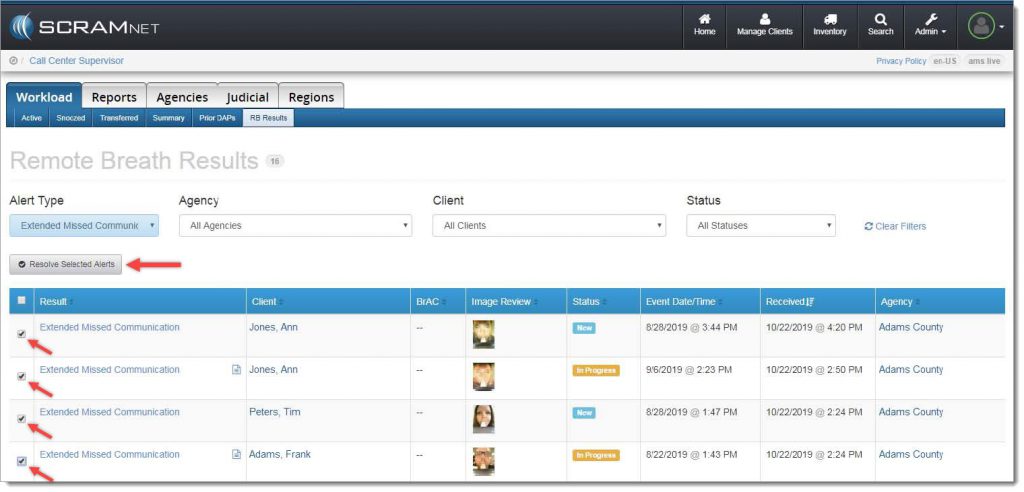
Select the checkbox for each individual alert to be resolved, or select the checkbox in the blue table header at the top of the list to select all alerts listed, and then click the Resolve Selected Alerts button.
Resolve the selected alerts
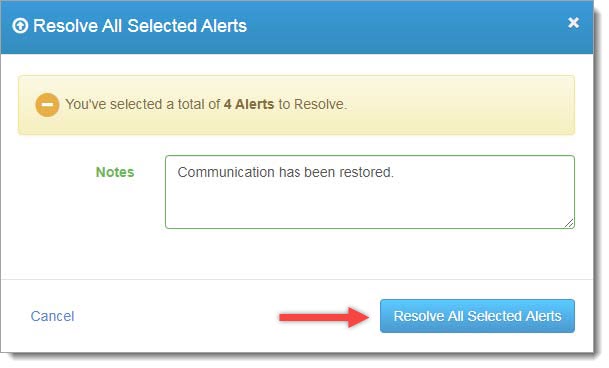
A confirmation pop-up window will appear as shown below. To complete the process, enter a note (required), and then click the Resolve All Selected Alerts button.
Confirmation pop-up window
The resolved alerts will no longer appear on the RB Results page.
Feedback
As always, please contact SCRAM Systems Customer Service at 1-303-785-7879 with any recommendations for system improvements.
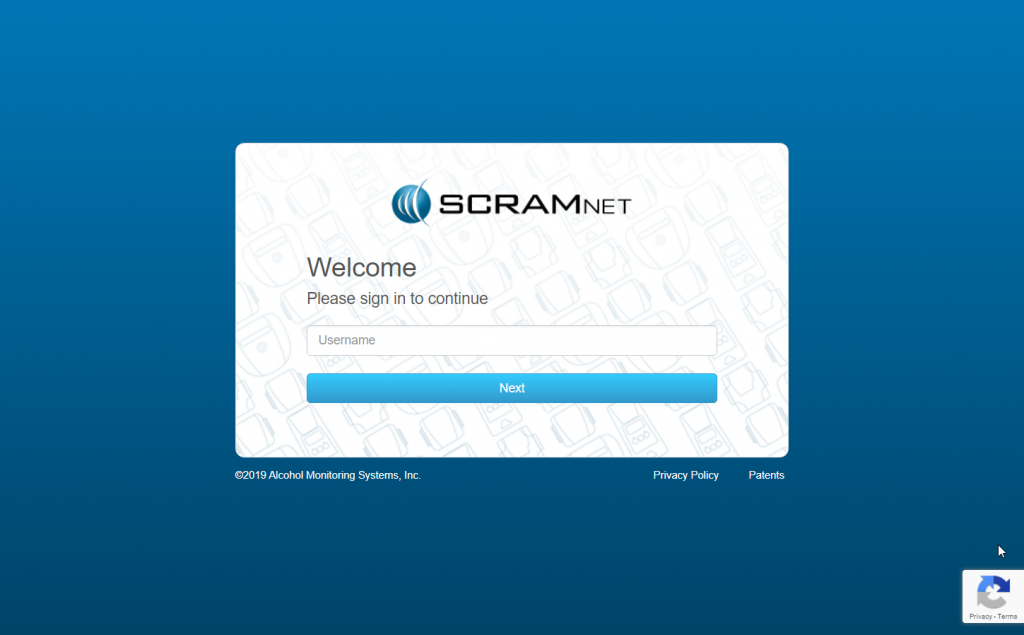
Starting this Wednesday, September 18, 2019, when
you log into any of our SCRAM client management systems, you will notice newly
designed login pages. Simply enter your user name, click the Next
button, enter your password, and click the Sign In button to access the
system.
The primary reason for notifying you regarding this
change is to ensure you that, when you see this new look-and-feel, you are actually
logging into the correct site and not a pirated or “spoofed” site.
SCRAM Systems is pleased to notify you that we are rolling out the second phase of the Daily Action Plan enhancements — Automated Transfers! With a release scheduled for Thursday, September 12, 2019 at 10:00 AM MDT, the system will automatically transfer high-priority alerts back to SCRAM Systems when additional information is needed, and a final disposition has not been determined (confirmed/not confirmed).
On August 29, SCRAM Systems will be deploying a new SCRAMnet feature that provides extensive enhancements to the Alert Management Console’s graphing and data visualization capabilities.
For SCRAMnet & SCRAM GPS customers who are managing clients across multiple SCRAM monitoring services, tomorrow at 2pm MST, SCRAM will be deploying a new client matching feature. Please review the attached quicksheets for details on this functionality.
Next week, SCRAM systems will be deploying new functionality designed to:
Provide CAM Customers with a better global view of Alerts and Caseloads
Self Management of Daily Action Plan and Subscription to the DAP
DAP Can Now Be Configured By Customer for Frequency and Time Preferences
This deployment is the first phase of upcoming new functionality designed to enhance the SCRAMnet experience for CAM customers. To learn more about how to best set up and use this new feature set.