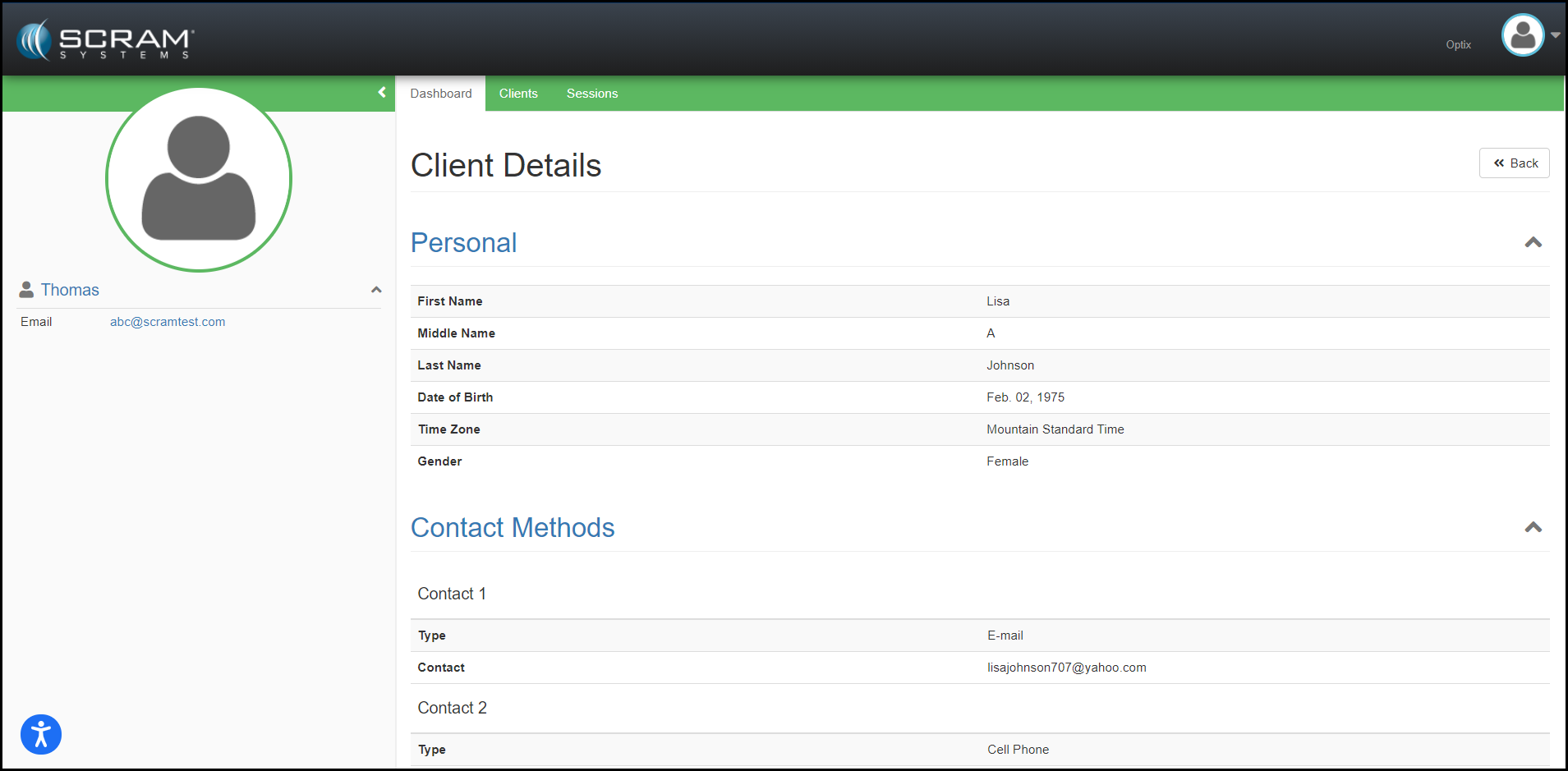
During the evening of July 27, 2022, SCRAM Systems® will deploy enhancements to the SCRAM Nexus Family and SCRAM Nexus Treatment Provider systems, including:
Suggested Activities for Nexus Family Case Plans
The Ability to Cancel a Session Series in the Nexus Treatment Provider Portal
Suggested Activities
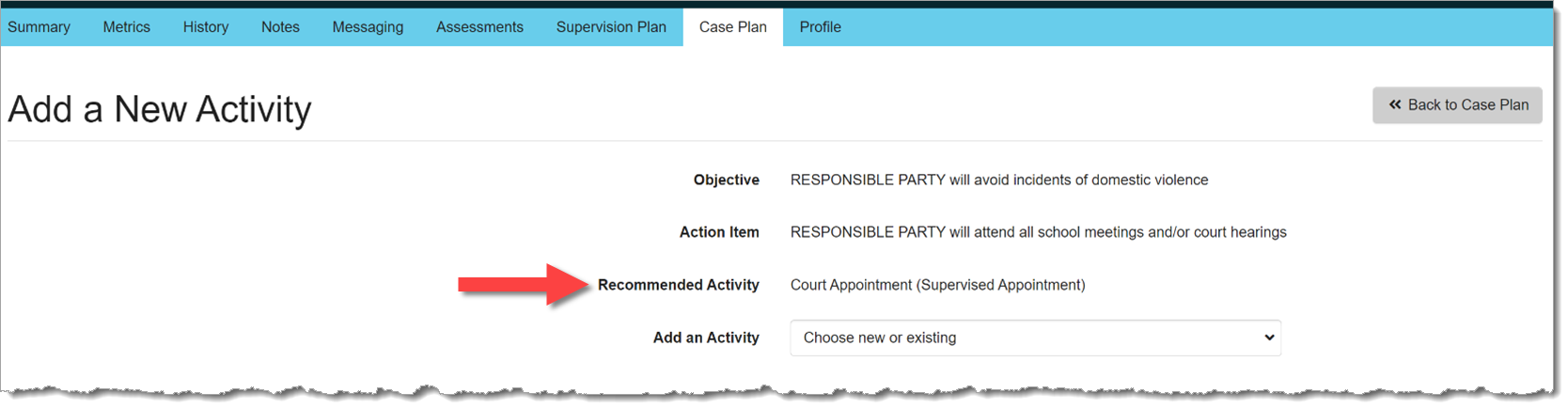
Based on configuration settings determined by your Administrator, with this release, Nexus Family will display Recommended Activities when a worker needs to add a new activity to an action item:
Recommended Activity (click to enlarge)
Cancel a Session Series
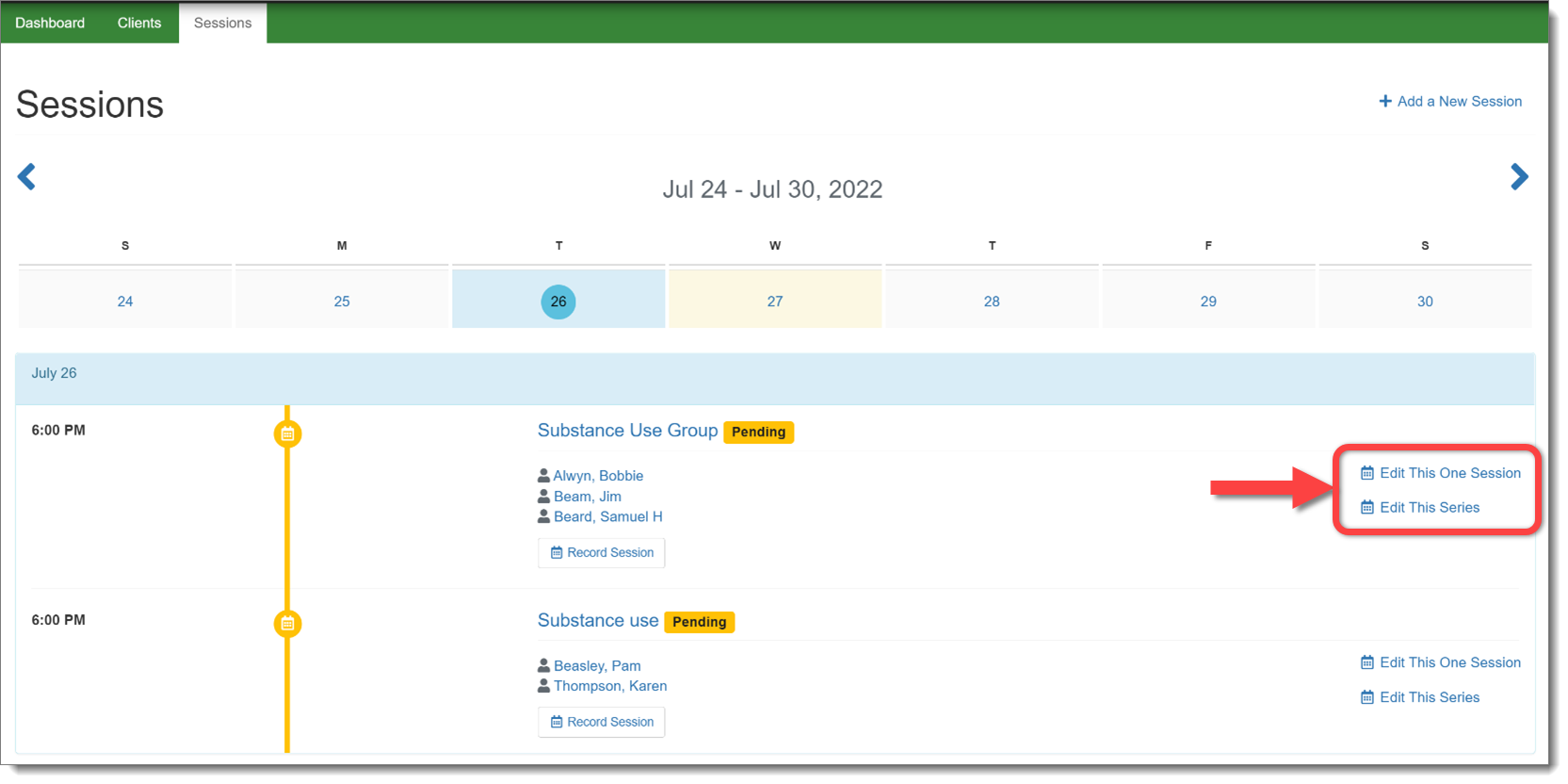
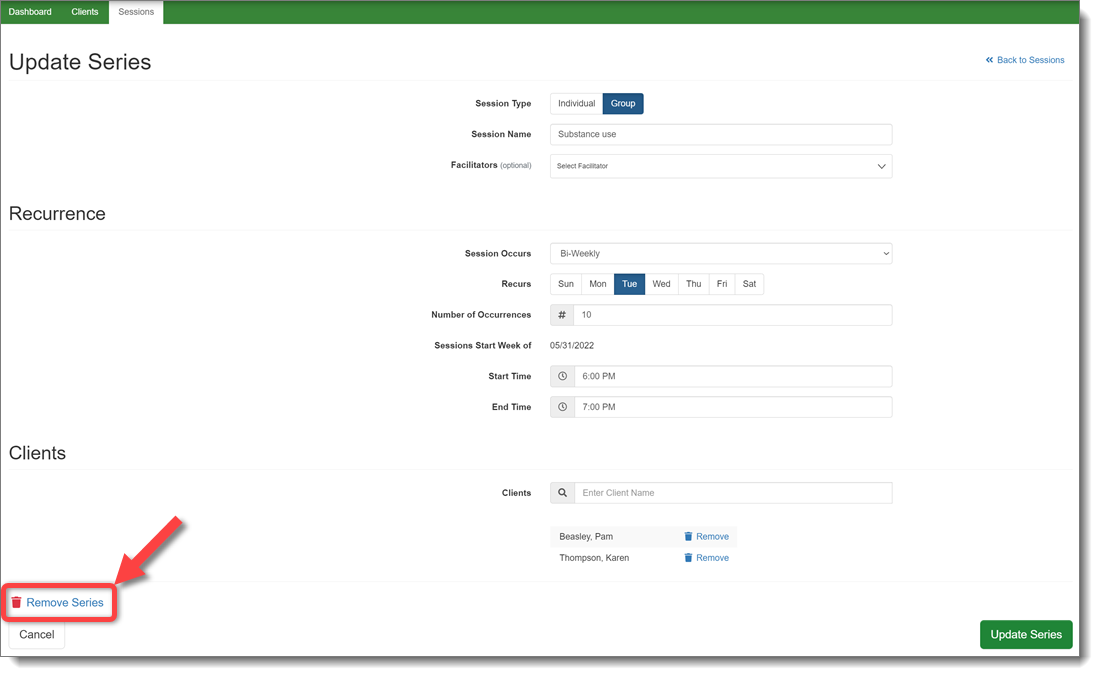
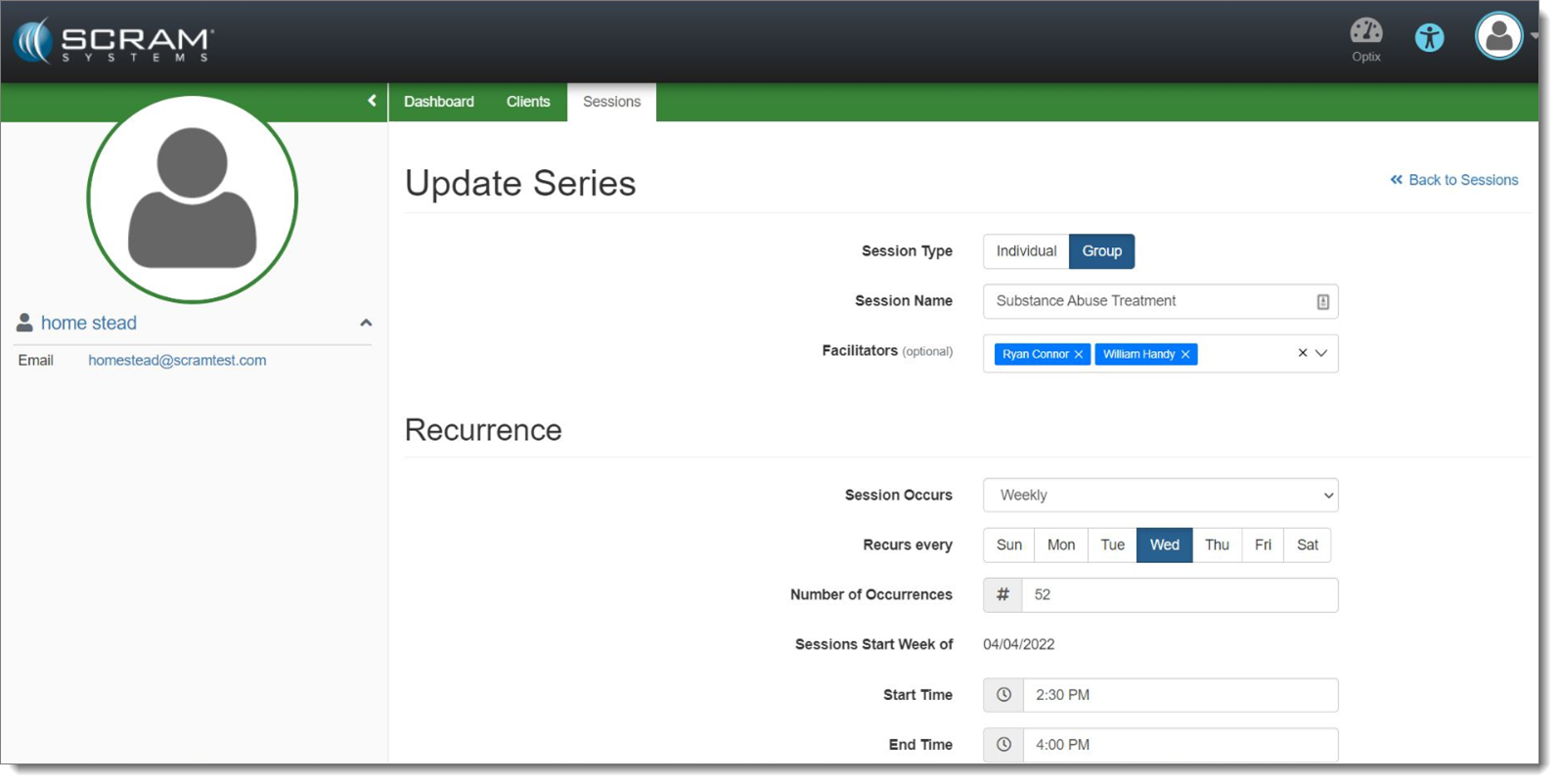
In the Nexus Treatment Provider portal, a provider will now have the ability to cancel an entire series of treatment sessions, rather than having to cancel individual sessions. This change will remove the session series from every client in the session.
Select the Appropriate Session Series to Edit (click to enlarge)Remove the Session Series (click to enlarge)
Note the additional updates designed to make it clear if the provider is editing one session or an entire session series.
During the evening of July 27, 2022, SCRAM Systems® will deploy a variety of Client Management and Supervisor-level enhancements to the SCRAM Nexus® system, including the ability to:
Add an Associate to a Client
Create Case Plans for a Client
Send an On-Demand Check-In to a Client Who is Enabled for TouchPoint Check-Ins
Approve Responses that Require Supervisor Approval (Supervisors and Administrators Only)
Cancel a Session Series in the Nexus Treatment Provider Portal
Client Management Enhancements
Add Associates to a Client Profile
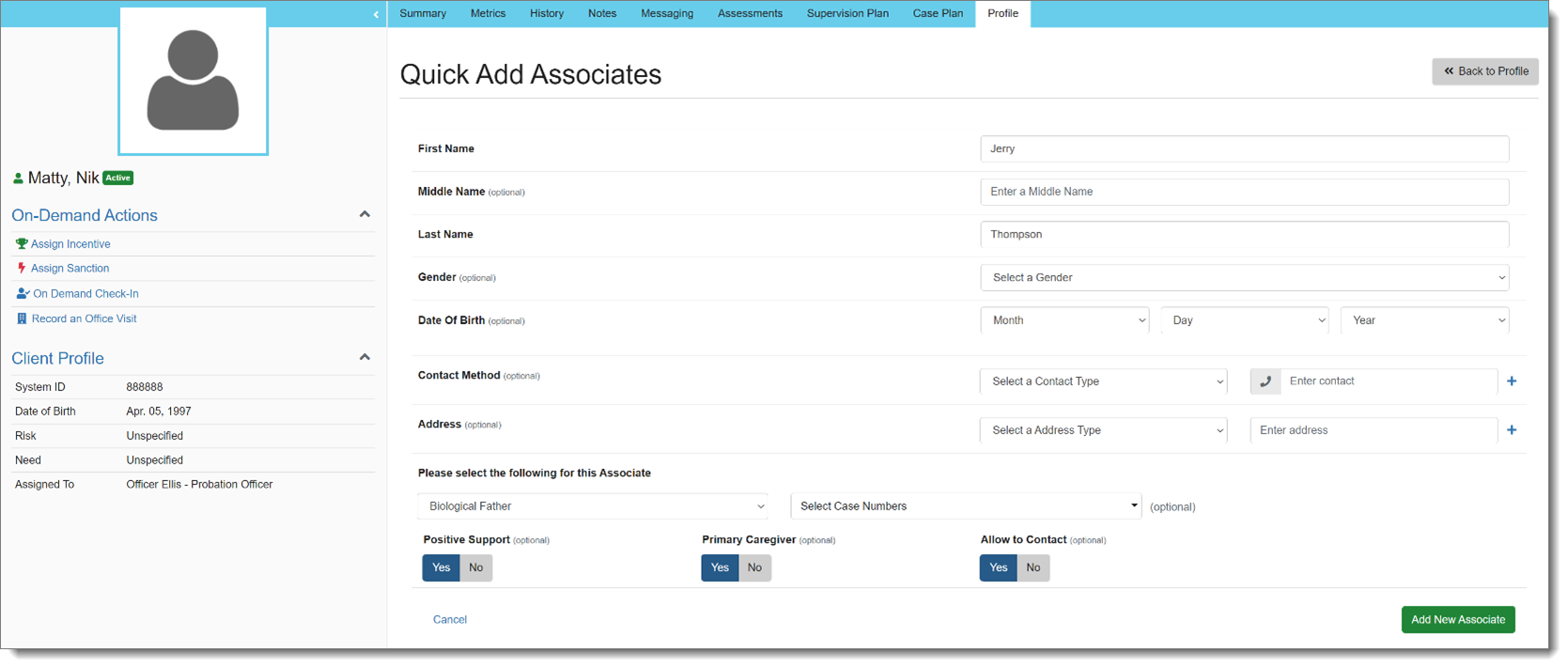
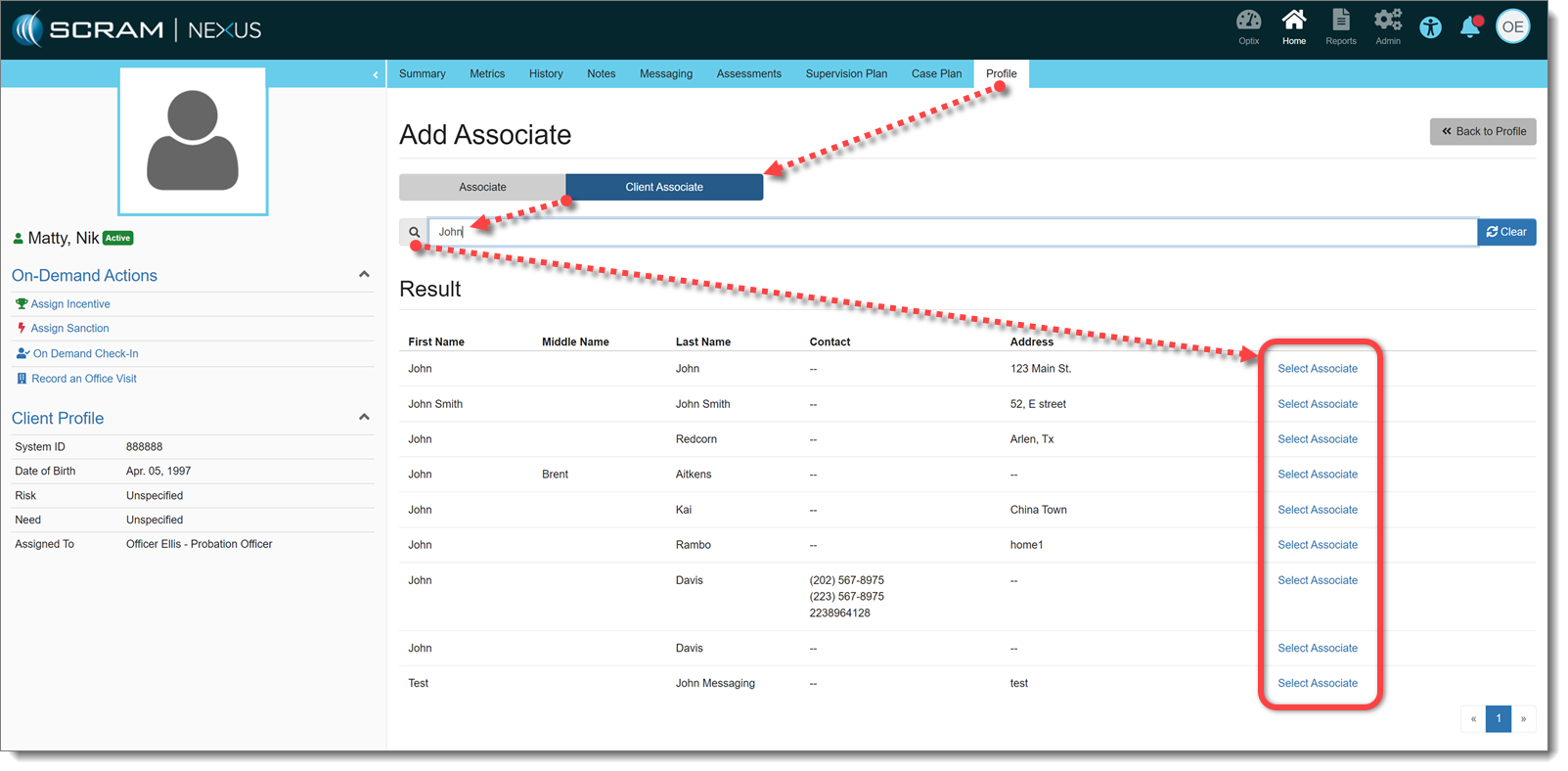
With this release, an Associate may be added to a client in Nexus. Associates are people who need to be added to the client for reference. Officers can search for existing Associates that have been added to other clients, or can quickly create a new Associate:
Quick Add Associate (click to enlarge)
Other clients can also be added as Associates, if needed. This will not add those clients to the Associates database, but rather make an association between clients:
Add Associated Client (click to enlarge)
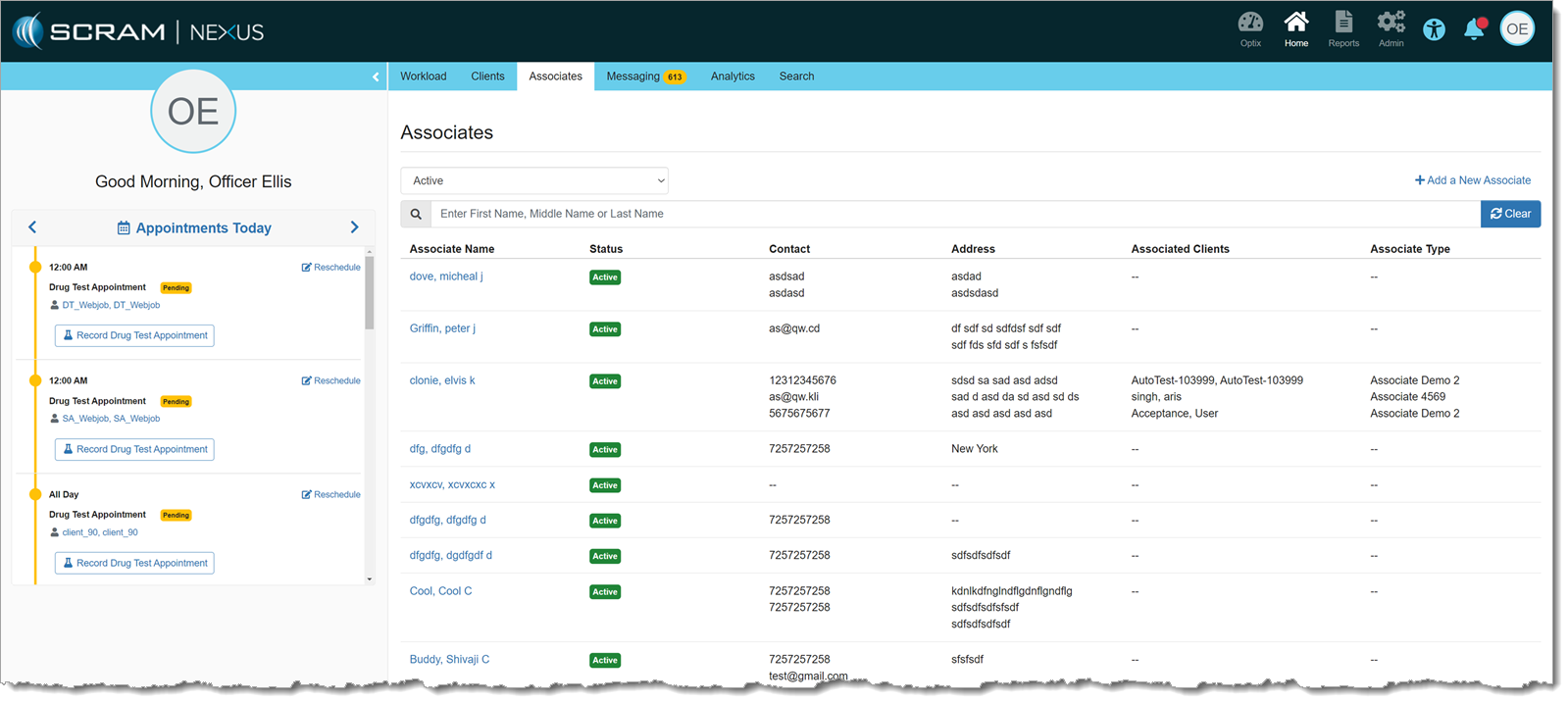
There is also a list of all Associates for a given customer on the main Officer page. Associates may be added and managed from this page as well. Clients cannot be added to an associate from this page, but clients can be removed from an associate, if needed:
Associates Page (click to enlarge)
Case Planning
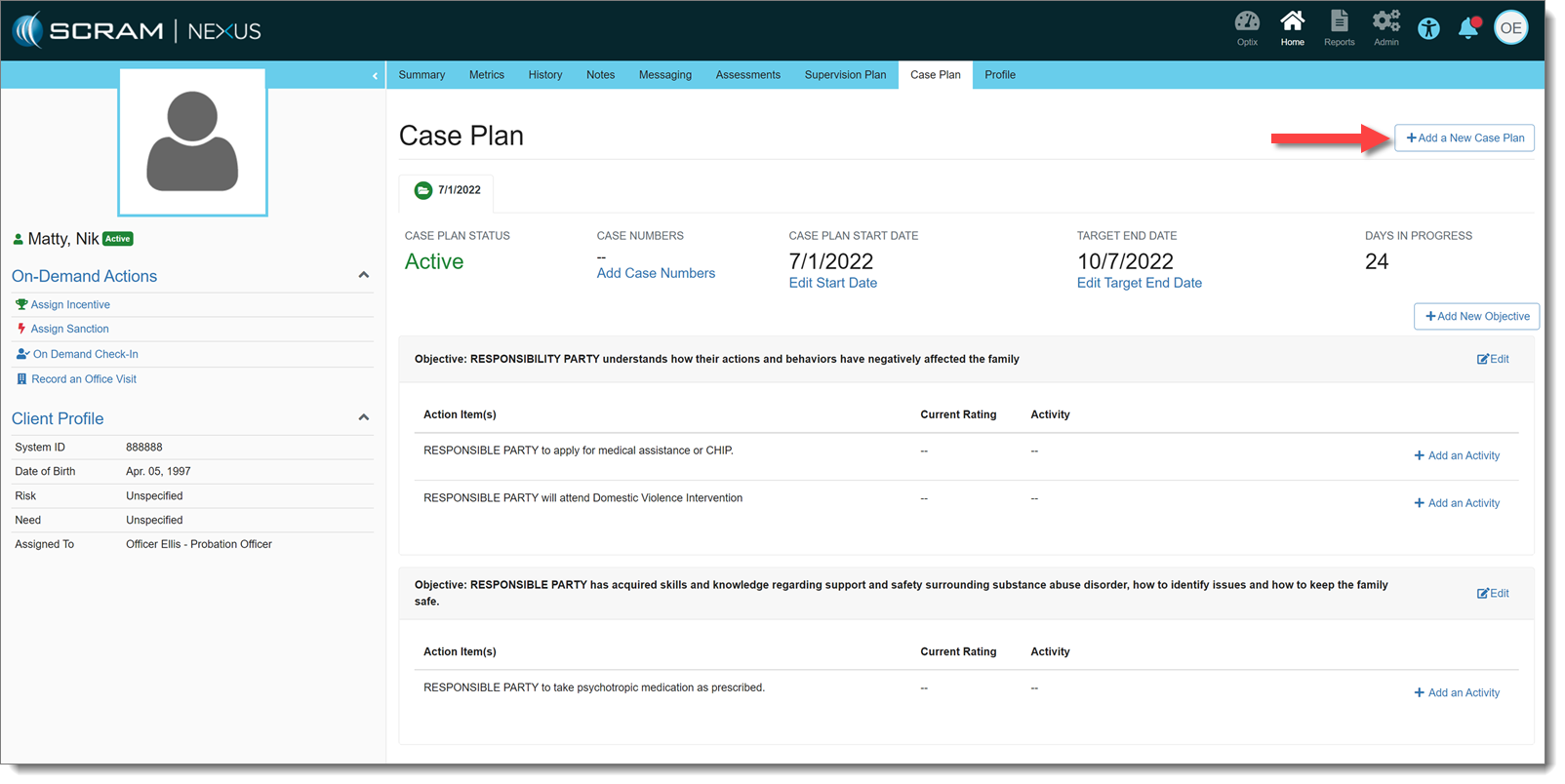
Also effective with this release, Officers may create Case Plans for a client. A Start Date and Target End Date may be entered for each Case Plan, individually. Objectives and Action Items to achieve those Objectives may be added to the Case Plan and, in turn, Activities may be added to Action Items to help track progress that the client is making on those items.
Case Plan (click to enlarge)
There can only be one Active Case Plan at a time.
Send On-demand TouchPoint Check-in
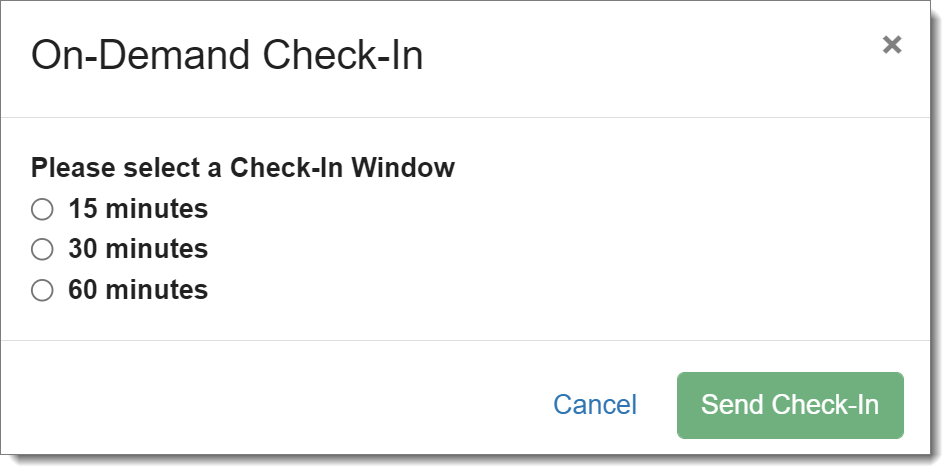
An officer can send an on-demand check-in to a client who is enabled for TouchPoint Check-Ins. There is a link on the client’s side profile that allows an officer to send a check-in to a client. The officer may select a 15-, 30- or 60-minute check-in window, during which the client must check-in before the check-in is marked as Missed.
On-Demand Check-In Window Choices (click to enlarge)
If there is already a scheduled check-in within that on-demand window, it will be auto-resolved once the client completes the on-demand check-in.
Supervisor Enhancement: Approve Responses that Require Approval
If a sanction or incentive response requires prior approval (as set forth in Admin Settings), Nexus will place that response in “Pending Approval” status.
Response Pending Approval (click to enlarge)
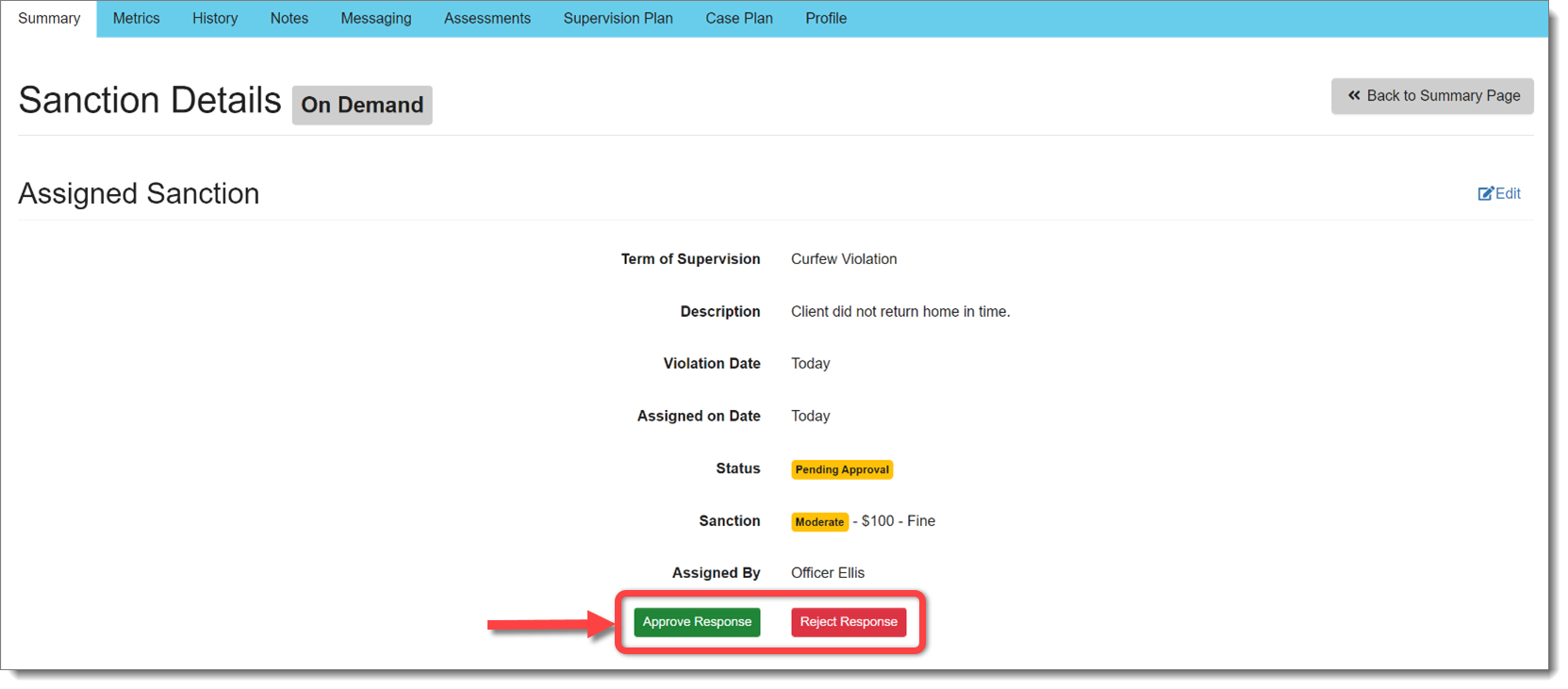
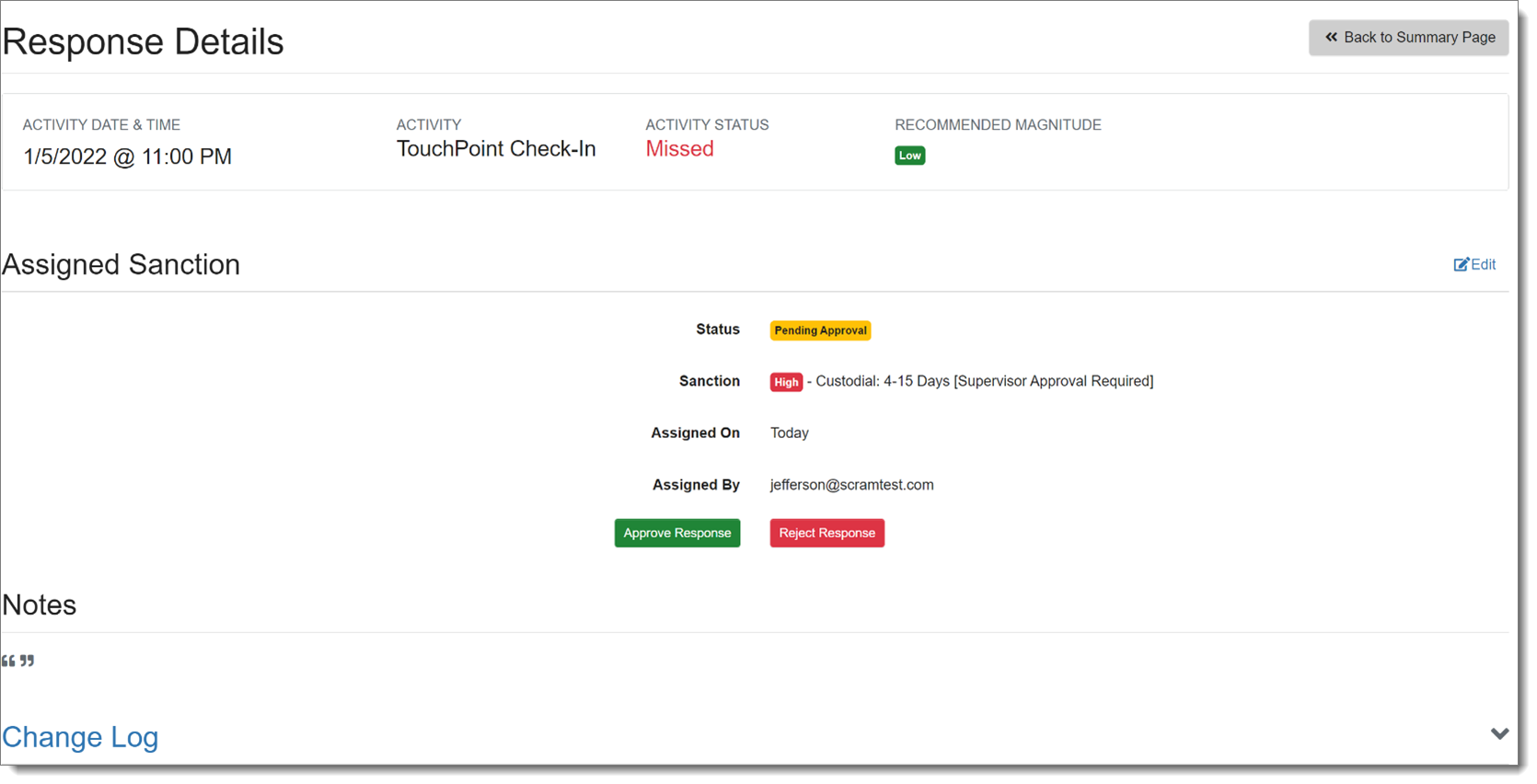
Supervisors and Administrators may Approve or Reject that response before it is assigned:
Approve or Reject Response (click to enlarge)
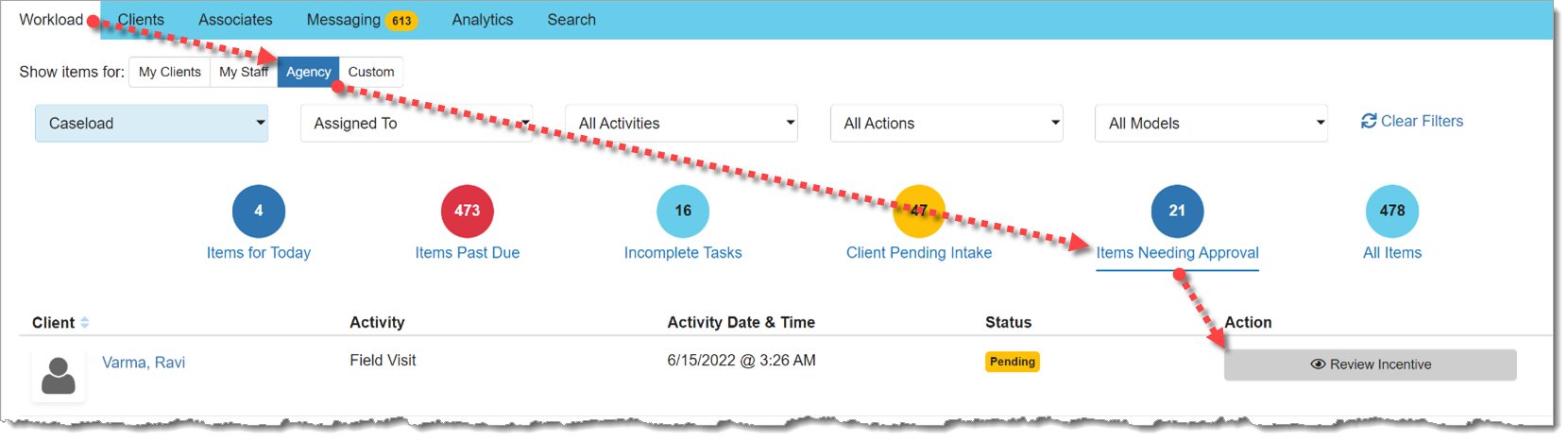
There is also a view for Supervisors on the Workload page that displays responses pending approval:
Items Needing Approval (click to enlarge)
Nexus Treatment Provider: Cancel a Session Series
In the Nexus Treatment Provider portal, a provider will now have the ability to cancel an entire series of treatment sessions, rather than having to cancel individual sessions. This change will remove the session series from every client in the session.
Select the Appropriate Session Series to Edit (click to enlarge)Remove the Session Series (click to enlarge)
Note the additional updates designed to make it clear if the provider is editing one session or an entire session series.
During the evening of June 16, 2022, SCRAM Systems® will deploy a variety of Client and Treatment-related enhancements to the SCRAM Nexus® system, including the ability to:
Limit the number of On-Demand Sanctions available to only those in the client’s Terms of Supervision
Deactivate ‘Expectancy’ for Activities
Require Supervisor approval on certain incentive or sanction responses
Add session facilitators to SCRAM Nexus Treatment Sessions
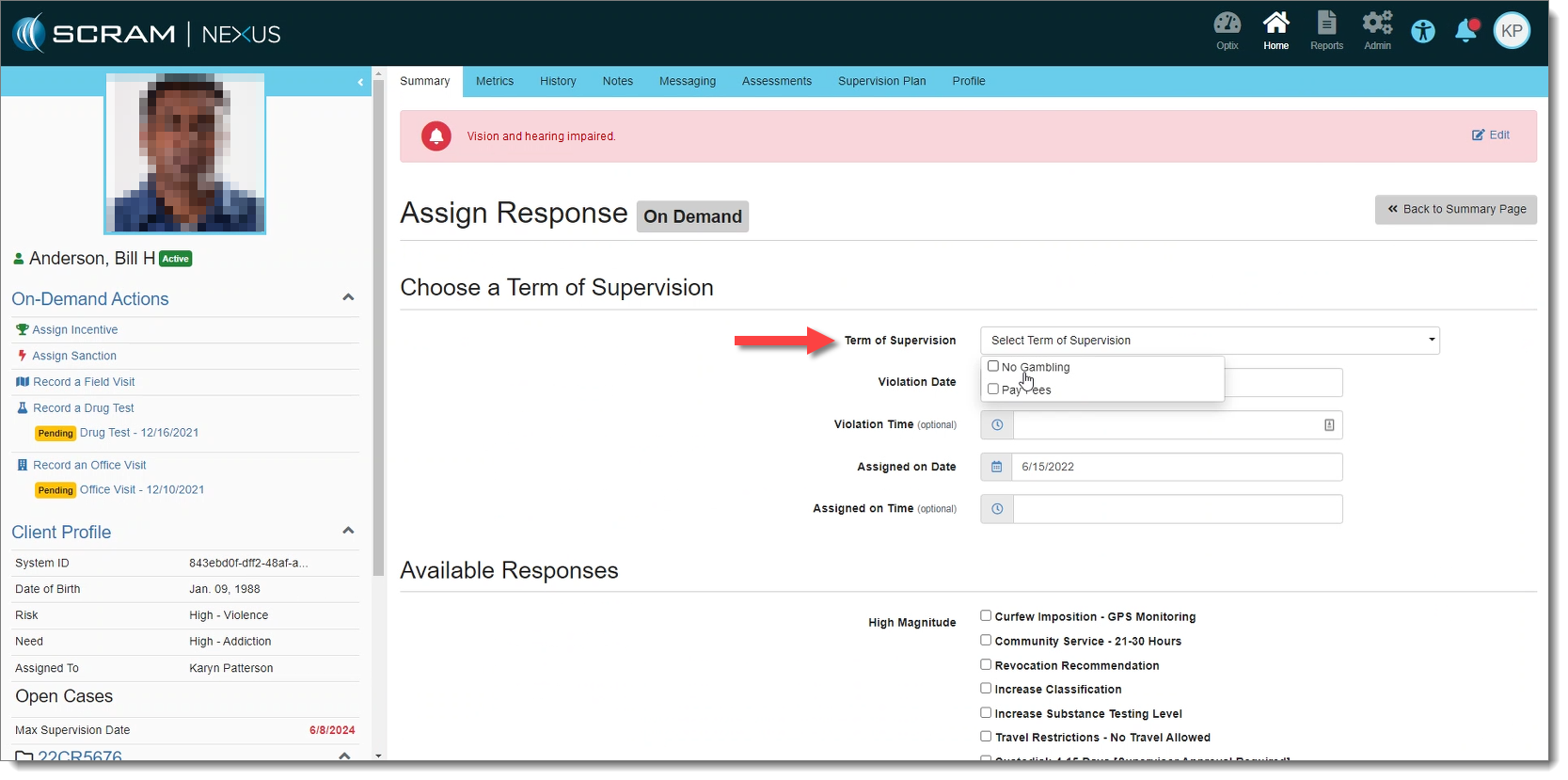
On-Demand Sanctions
With this release, when a user initiates an on-demand sanction, Nexus will only display the terms of supervision that apply to the client’s individual cases.
Terms of Supervision Applicable to Case (click to enlarge)
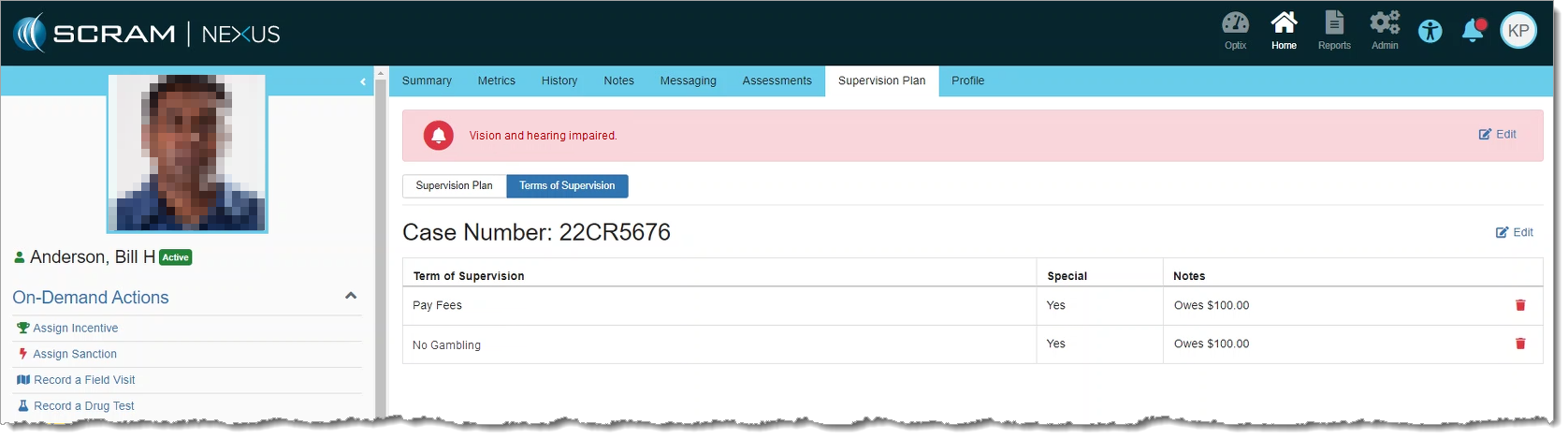
These can be viewed from the Supervision Plan tab:
Terms of Supervision on Supervision Plan Tab (click to enlarge)
If specific Terms of Supervision have not been selected for the client’s case, then all terms appear during an on-demand sanction, just as they did previously.
Activity Expectancy
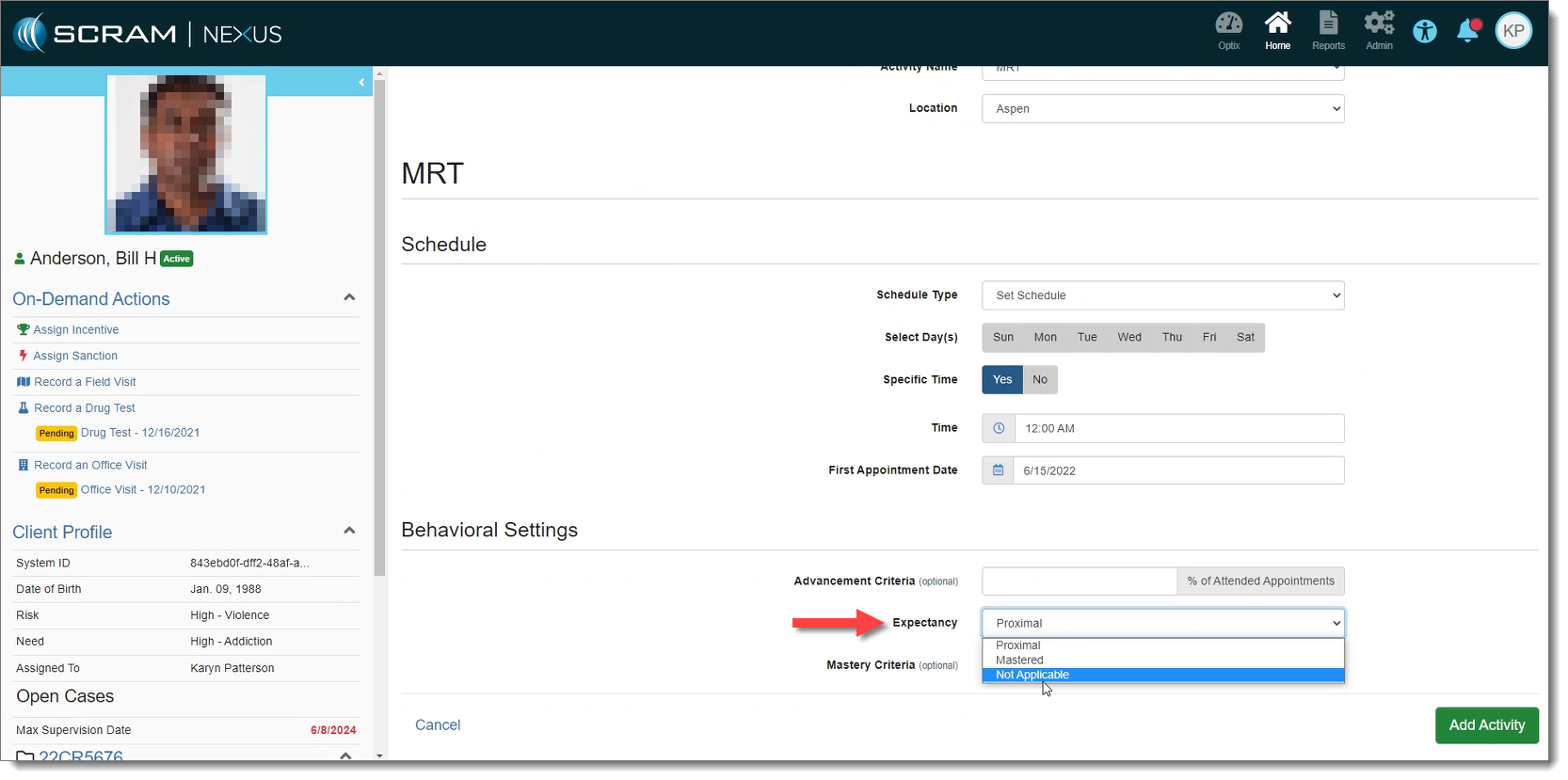
SCRAM Nexus includes a new “Not Applicable” option under Expectancy, for Conditions on the Model, and Activities on a client’s Supervision Plan. When selected, Nexus will not recommend a magnitude of response for that activity. This allows an agency to continue to use their own Response Matrix instead of the built-in SCRAM Nexus “Proximal / Distal / Mastered” logic.
Expectancy Set to ‘Not Applicable’ (click to enlarge)
Response Approval
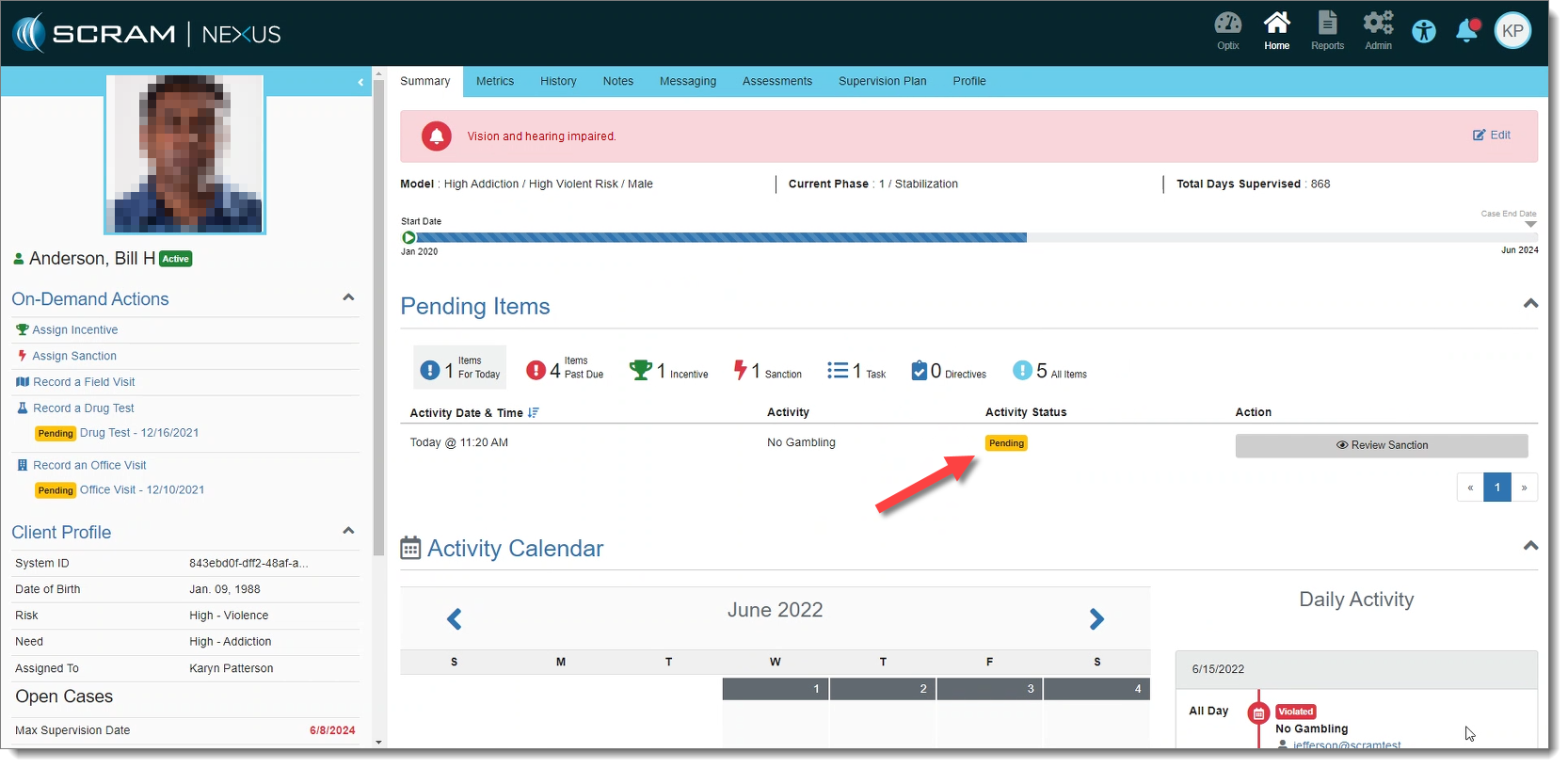
If a sanction or incentive response requires prior approval (as set forth in Admin Settings), Nexus will place that response in “Pending Approval” status if selected.
Response Pending Approval (click to enlarge)
Only supervisors may approve these responses. Once the response is approved, the status is changed to “Assigned.” If the response is rejected, Nexus changes the status of the response back to “Pending.”
Supervisor View of a Response Pending Approval (click to enlarge)
Coming Soon: A new view for Supervisors to see responses Pending Approval on the Workload page.
Session Facilitators – Nexus Treatment
With this release, Facilitators may now be assigned to a treatment session. This gives Treatment Providers the ability to select themselves and/or a co-facilitator from a dropdown menu when recording a session. The list of available facilitators is limited to only those treatment providers associated with the account. The assignment of facilitators is specific to each session and may be edited within the Session Details page.
Effective May 5, 2022 at 8:30 PM MDT, SCRAM Systems will release a variety of enhancements to the SCRAM Nexus case management system, as well as the SCRAM Nexus Treatment application. These enhancements include:
Nexus:
Changes to the Roster Report
New Case Fields
New Read-Only User Permissions
Nexus Treatment App:
Limit Session Series to 100 Occurrences
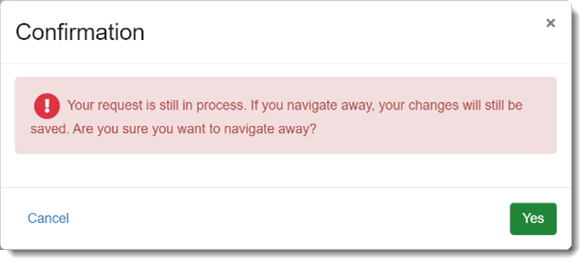
Session Changes Still-in-Process Warning
Nexus:
Roster Report
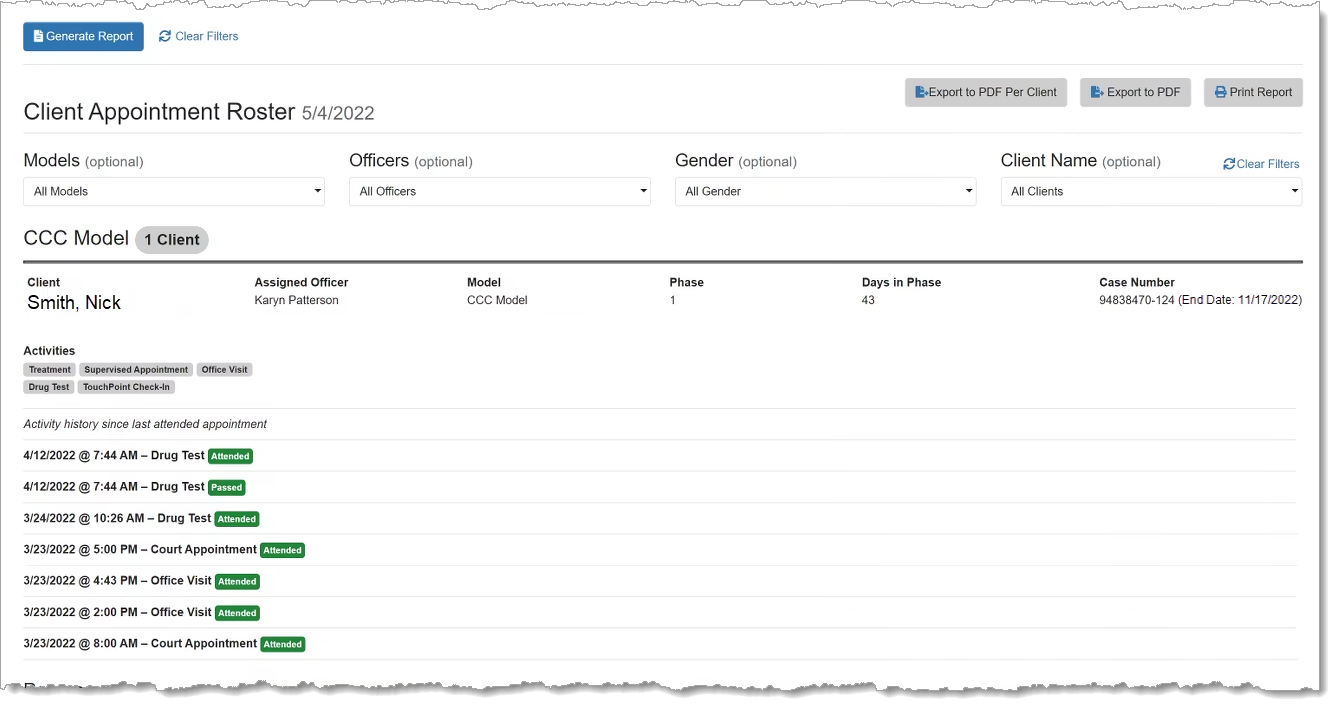
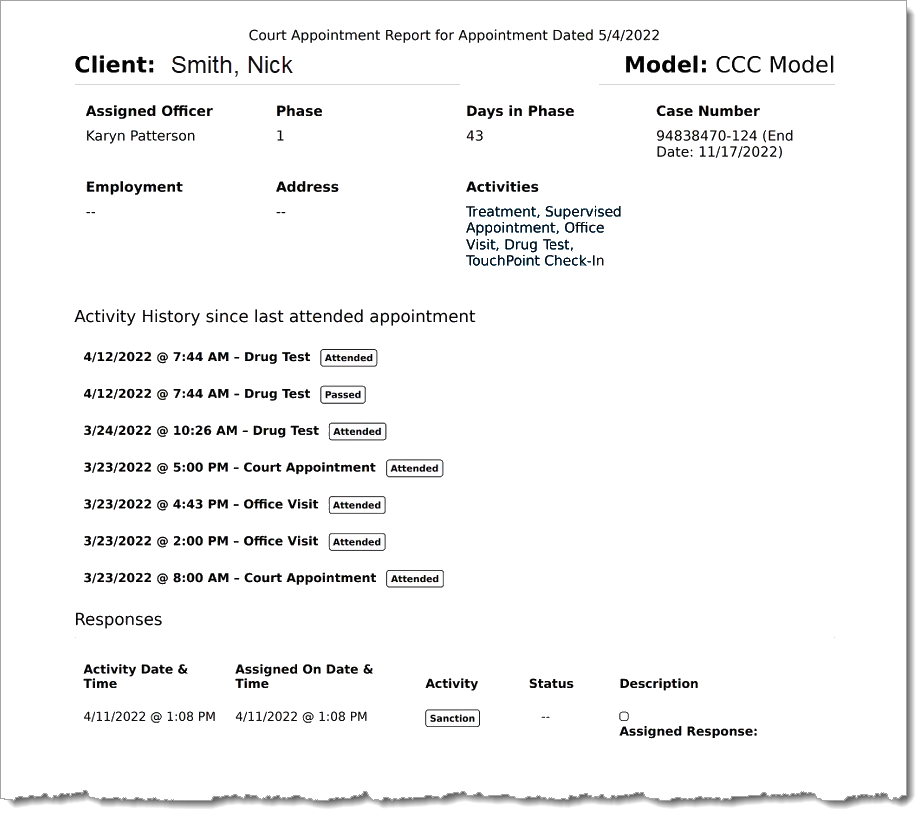
The Client Appointment Roster Report now displays active case numbers for a client in the report header. Closed cases will not display in the report.
Roster Report (click to enlarge)
Additionally, the font size in the Roster Report’s PDF output has been increased to make it easier to read for officers and court staff.
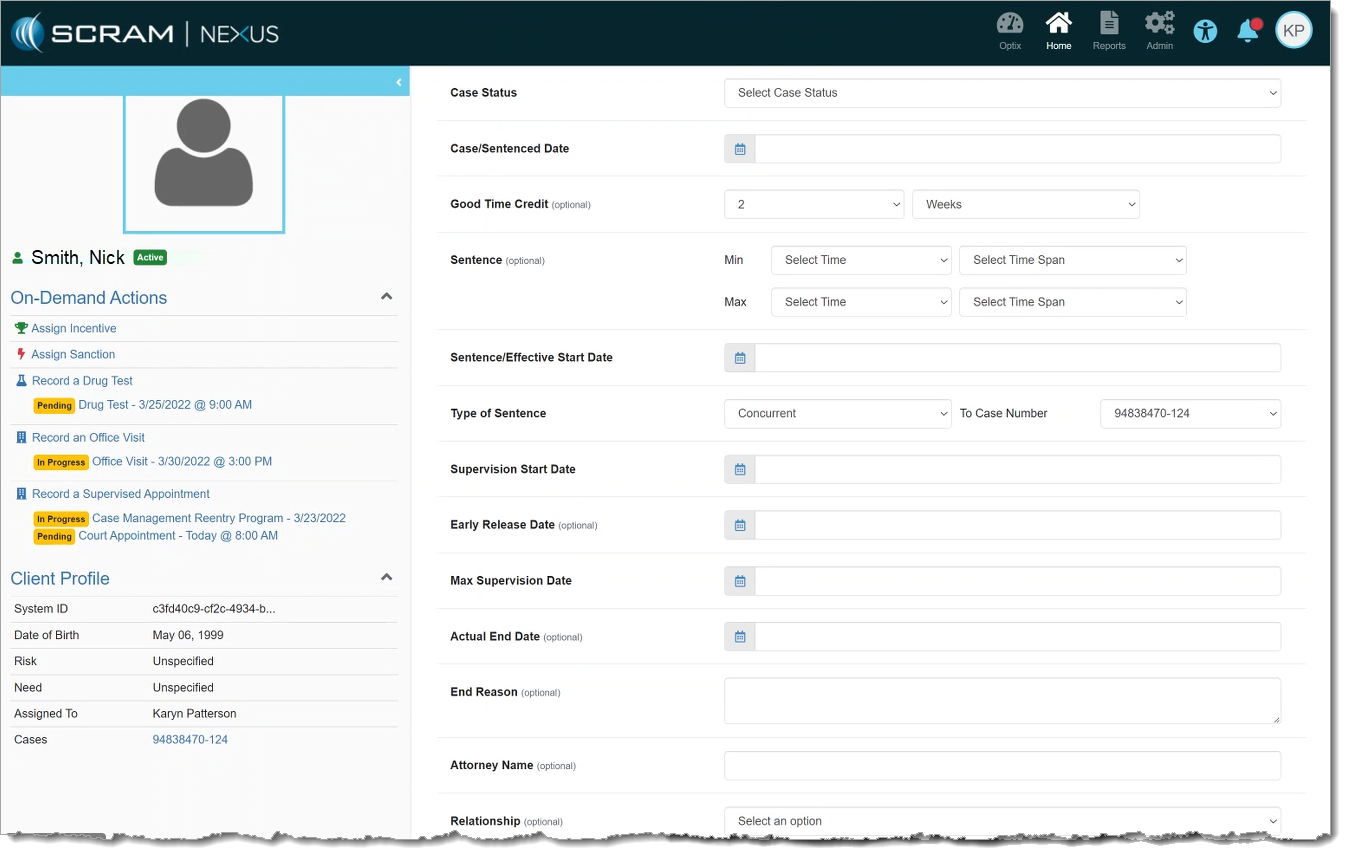
New Case fields have been added to SCRAM Nexus to facilitate the display of other information relevant to the case. These fields include:
Good Time Credit
Sentence Effective/Start Date
Sentence
Type of Sentence
The following fields have been renamed:
“Case Date” is renamed to “Case/Sentenced Date”
“Start Date” is renamed to “Supervision Start Date”
New Case Fields (click to enlarge)
These changes were made to enable the automatic calculation of the Max Supervision Date in a future release.
New Read-Only User Permissions
Users with Read-Only permissions will not be able to edit any area of Nexus. This includes Administrator settings, Officer pages, and Client pages. Users with Read-Only permissions can still view clients and client data, but cannot change anything.
Nexus Treatment App
Session Series Occurrences Limit
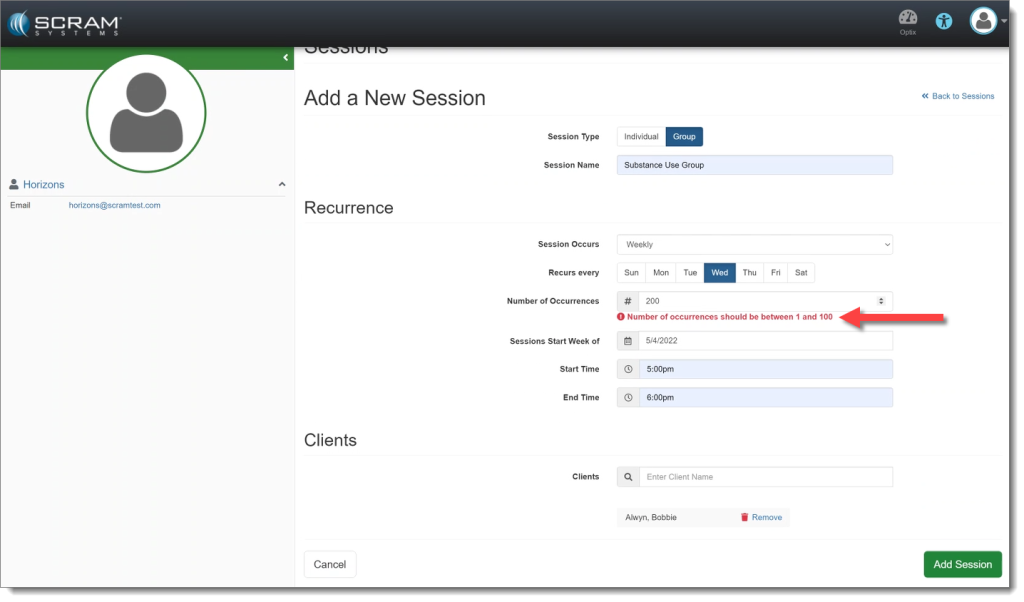
Treatment Sessions in the treatment application will now have a limit of 100 occurrences per session series. This prevents issues with too many appointments being scheduled into the future.
Nexus Treatment Sessions Limit Warning (click to enlarge)
Session Changes Still-in-Process Warning
If a Treatment Provider saves a Session series and then attempts to navigate away from the page, the provider will receive a warning that their changes are still in process. This warning is intended as a safeguard to prevent a Treatment Provider from creating a duplicate Session, or from making changes to the existing Session before the prior change is complete.
Warning: Session Changes Still in Process (click to enlarge)
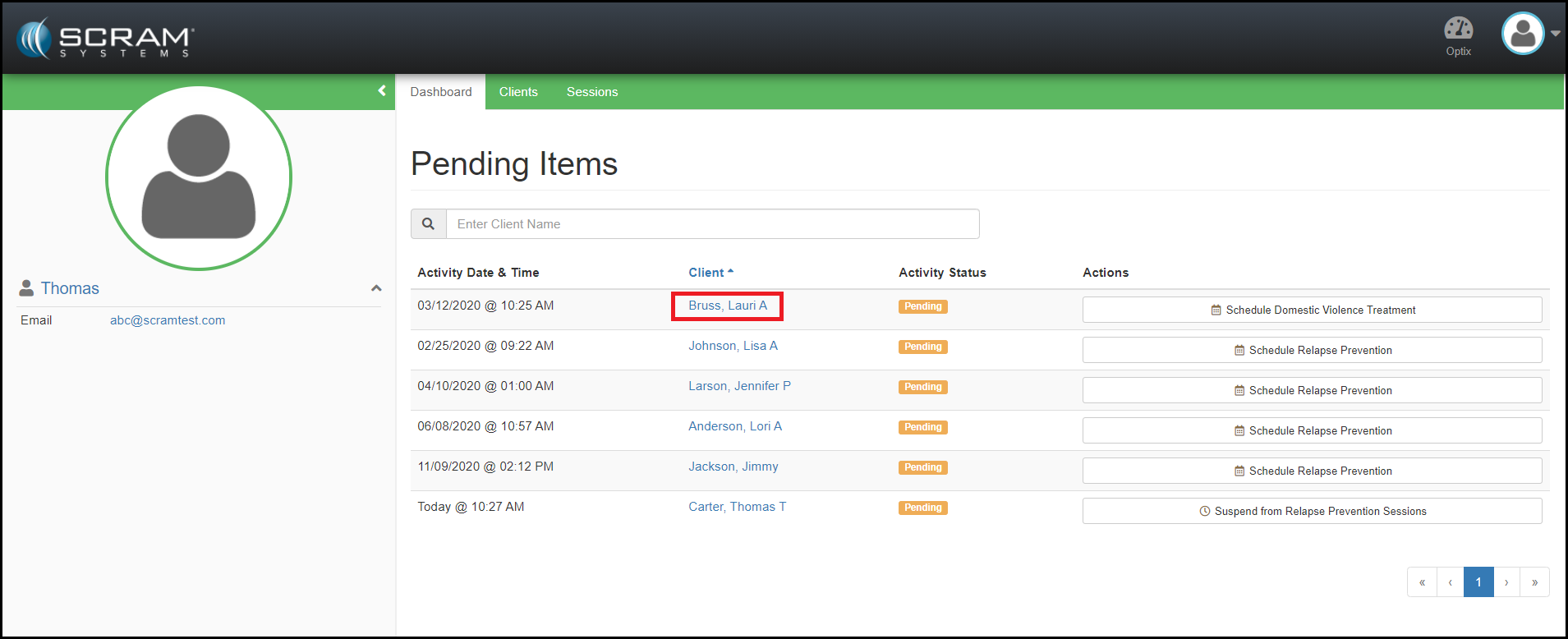
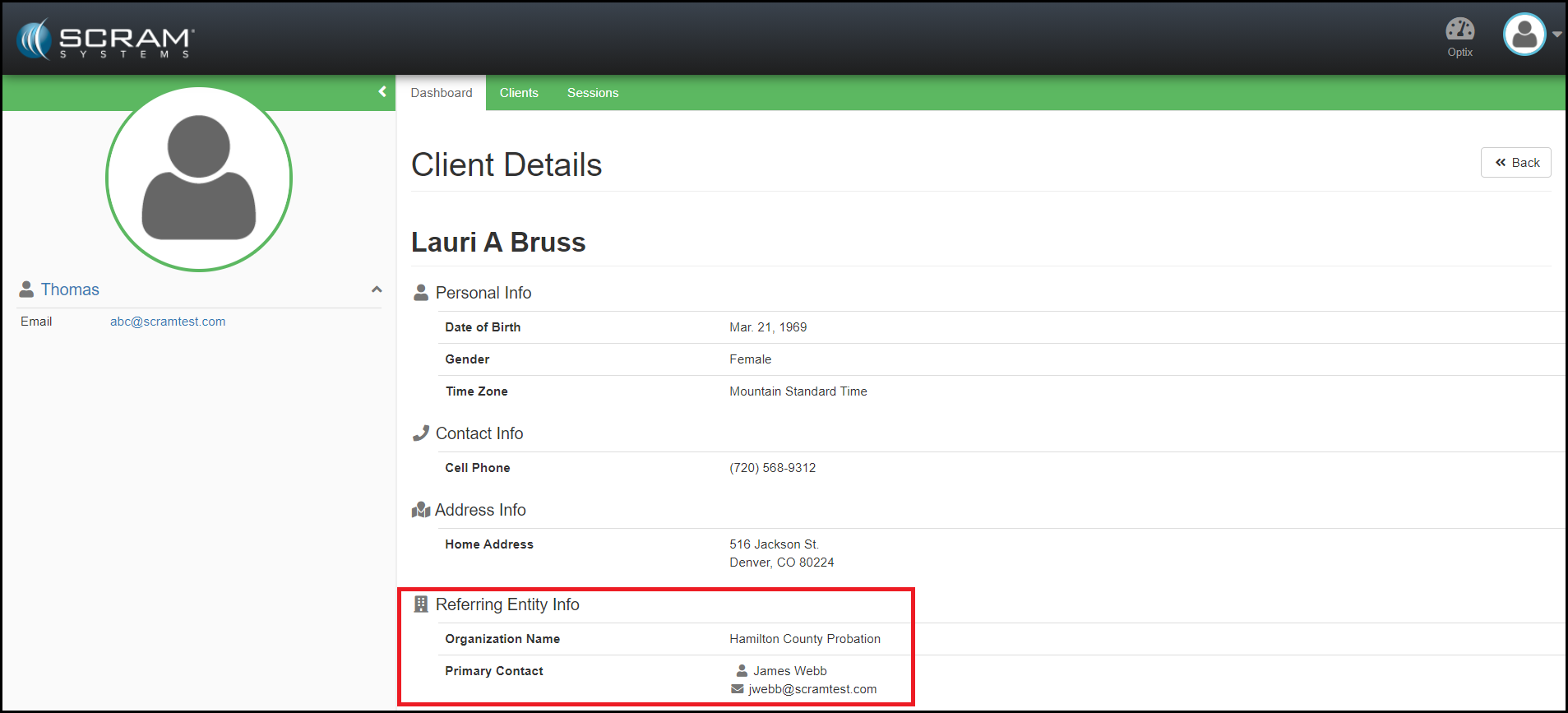
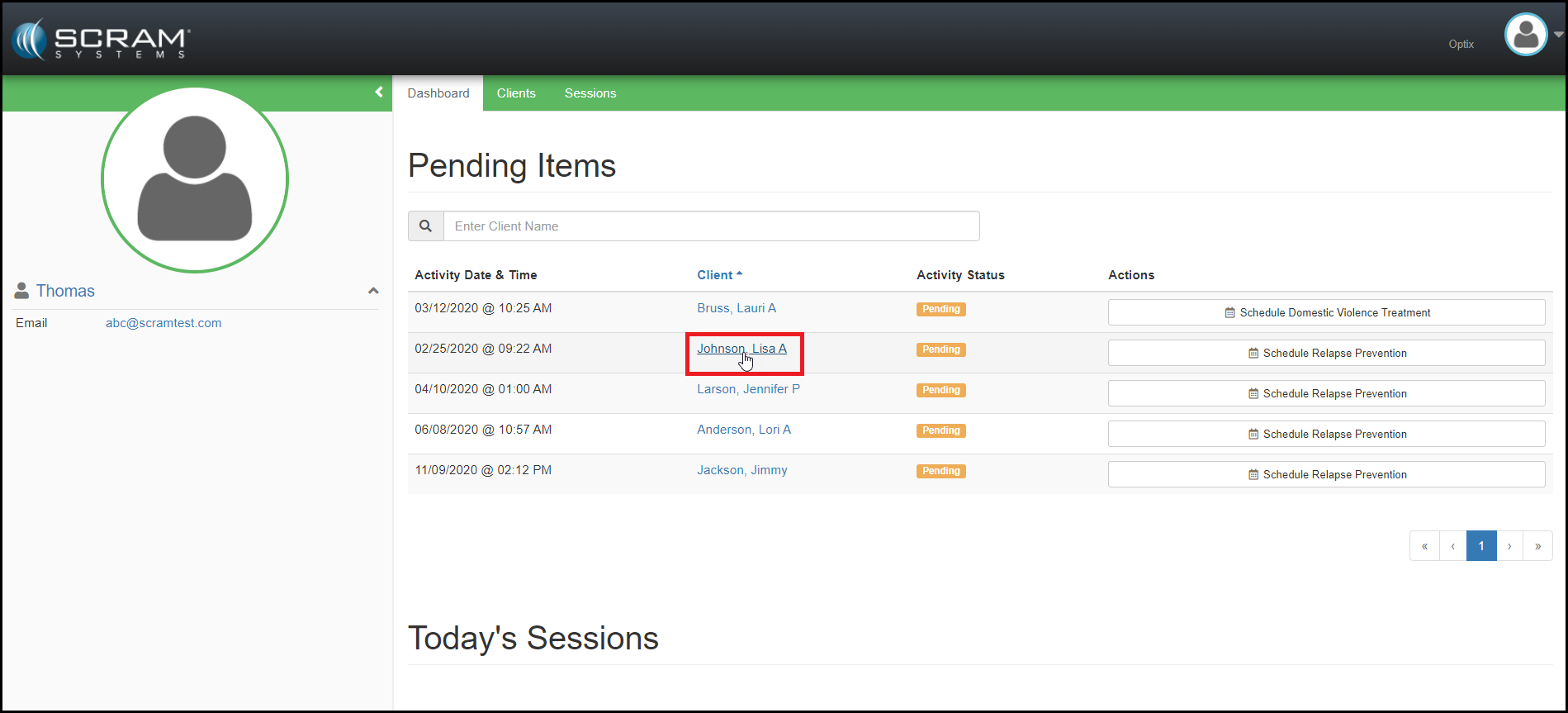
Provider: Display Client Account Information for Treatment Providers
With this enhancement, Treatment Providers can now see account information for the client. This provides the Treatment Providers the referral information they need in order to communicate with client and referral source. This information can be accessed by clicking on the name of the client.
Feedback:
As always, please contact SCRAM Systems Customer Services with any recommendations for system improvements.
Provider: Display Client/Officer Information on the Treatment App
Treatment providers can now view the client’s assigned Probation Officer and the client’s contact information in the Treatment App. This gives treatment providers the ability to contact the client prior to receiving the client referral paperwork.
Side note: The client’s personal information can only be updated in Nexus by the Probation Officer / Case Manager.
Feedback
As always, please contact SCRAM Systems Customer
Services with any recommendations for system improvements.
Microsoft Corporation discontinued support of
older versions of its Internet Explorer (IE) browser on January 12, 2016, which
impacted IE 10 and older versions. Although IE 11 is still being supported,
Microsoft itself is phasing out IE 11 in favor of a browser that better
supports today’s modern web capabilities.
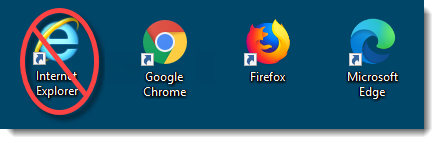
The SCRAM Systems platform utilizes leading-edge web technologies to deliver comprehensive and informative data and reports that enable you to monitor clients efficiently and effectively. Effective March 9, 2020, SCRAM Systems will no longer develop content or provide technical support for any version of IE. Instead, for the best possible experience utilizing SCRAM Systems’ monitoring platforms, we recommend switching to the Google Chrome, Mozilla Firefox, or Microsoft Edge browsers.
Browser icons
Please contact our Customer Service department at 1-303-785-7879 if you have questions or concerns regarding this change.