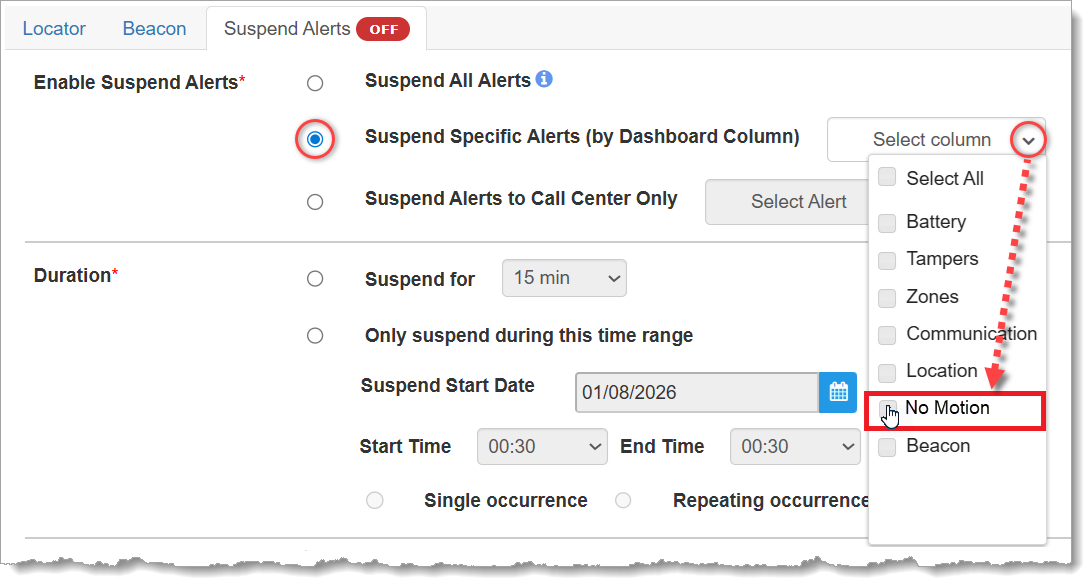
On 24 March 2026, SCRAM Systems deployed an enhancement to the Suspend Alerts facility in SCRAMNET GPS that allows for continuous suspension of alerts over a series of consecutive days.
Scenario
In some cases, it would be practical to suspend GPS alerts continuously across multiple days. For example, for a client on a monitoring program that allows the client to live at home and go to work during the work week, but the client must report to jail for incarceration through the weekend, it would be useful to be able to suspend alerts generated by the SCRAM GPS device for the weekend hours during which the client is incarcerated.
Pre-Enhancement
Prior to this enhancement, officers were able to schedule alert suspension for the desired days, but not continuously from a start-time on day one to an end-time on the last day. For example, if an officer wished to suspend alerts from Friday at 8 PM to Sunday at 4 PM with no gaps in between, the officer would complete the SCRAMNET GPS Suspend Alerts page as follows:
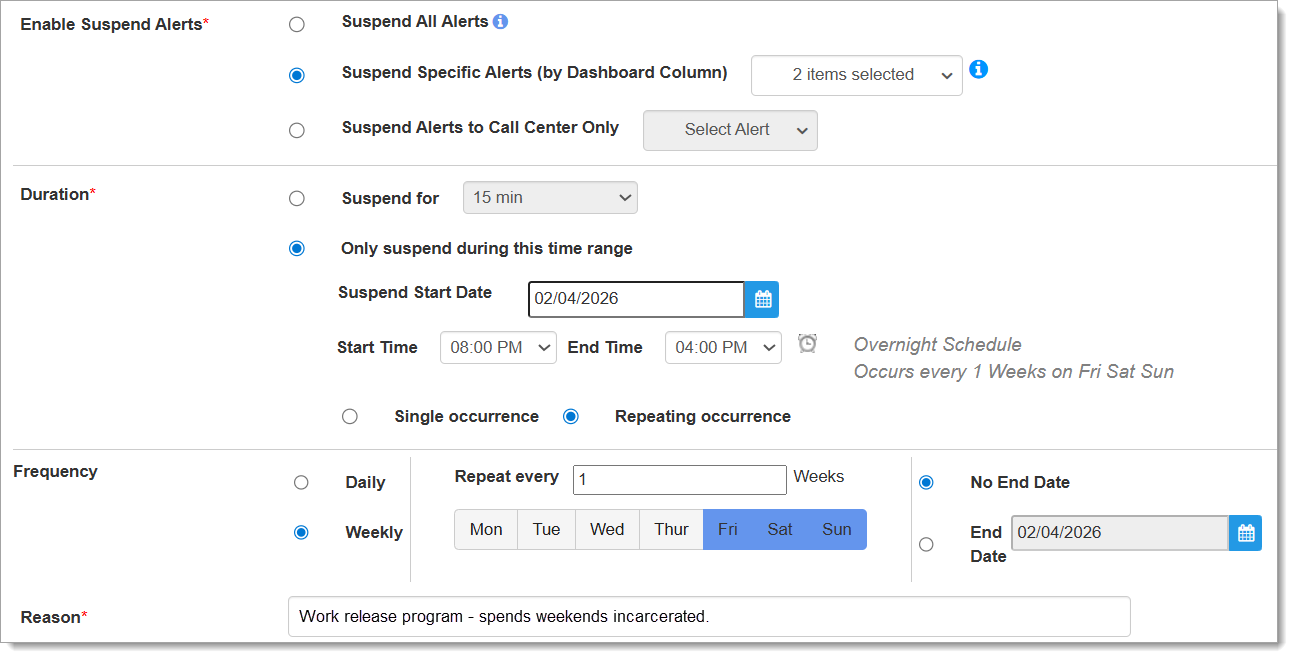
Instead of a continuous alert suspension through the weekend, however, this would result in GPS alerts being suspended from 8PM Friday to 4PM Saturday; then again from 8PM Saturday to 4PM Sunday. But from 4PM Saturday to 8PM Saturday, there would be a four-hour gap during which GPS alerts could generate while the client is still incarcerated.
Post-Enhancement
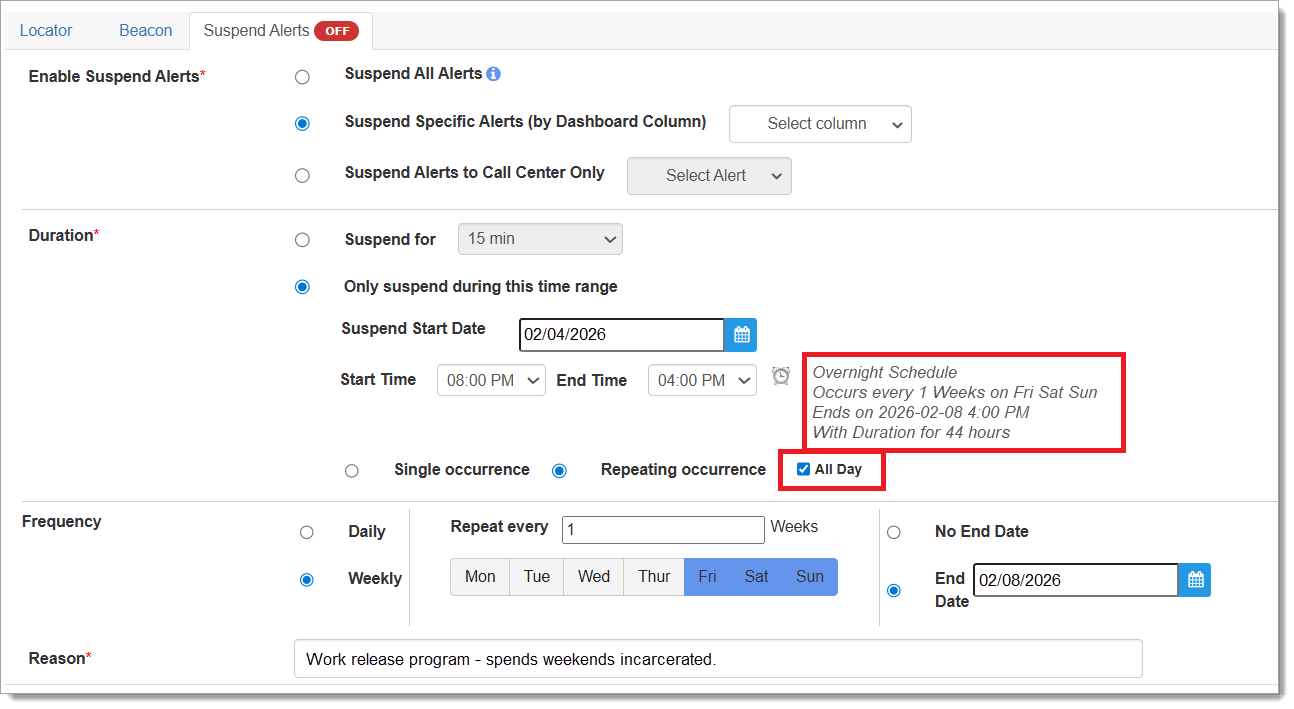
With the release of this enhancement, officers may now schedule an alert suspension not only for the desired days, but continuously from the desired start-time on the first day to the end-time on the last day. Using the same scenario as above, the officer would complete the SCRAMNET GPS Suspend Alerts page as follows, but now including the use of the new “All Day” checkbox:
Enhanced Confirmation Messaging
Updated messaging confirms the officer’s selections prior to saving, including a message about the total duration of the alert suspension. If a mistake is made in the configuration input by the officer, updated error messaging explains the mistake prior to saving as well:
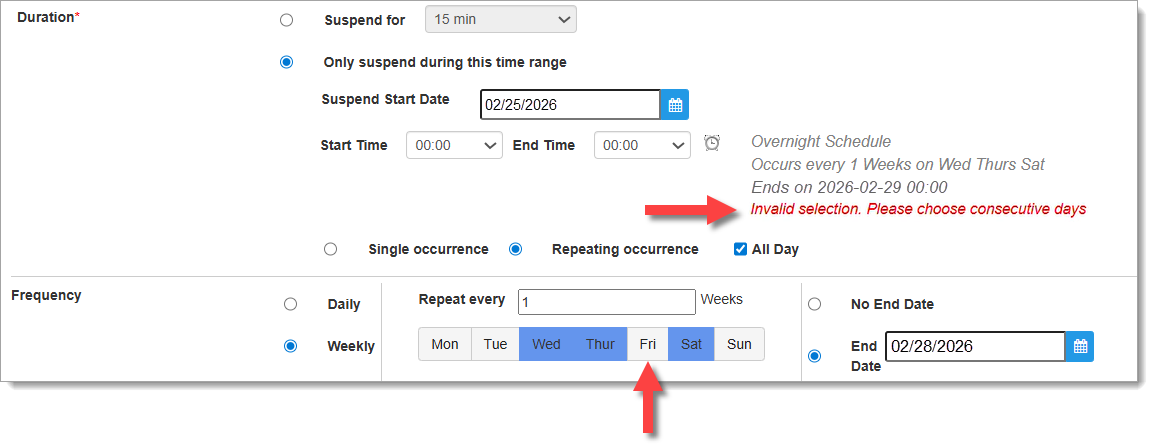
In the example above, the officer checked the “All Day” checkbox to indicate continuous alert suspension across multiple days, however, the officer also selected Wednesday, Thursday, and Saturday as the Weekly Frequency; Friday was not selected. The “All Day” feature only works if consecutive days are selected, and the error message indicates this in red text.