Update/Edit a TouchPoint Client’s Profile
While monitoring your TouchPoint caseload, you may have to update some of your clients’ profile information. You can update the client’s:
- First, middle and last name
- Address
- Phone number
- Employment
Please note, if the client is also an EM client, any profile updates you make in SCRAM Optix should be completed in the EM system of record for example, SCRAMNET® or SCRAMNET GPS, as well. Any changes made to the SCRAM Optix profile will not be reflected in the system of record, conversely any changes made in the system of record will not be reflected in SCRAM Optix.
Start by navigating to the client’s Profile page in SCRAM Optix.
- Expand the Client Profile section by selecting the down arrow.
- Select the Edit link to expand the section and make any updates/edits.
- Select the Save Changes button.
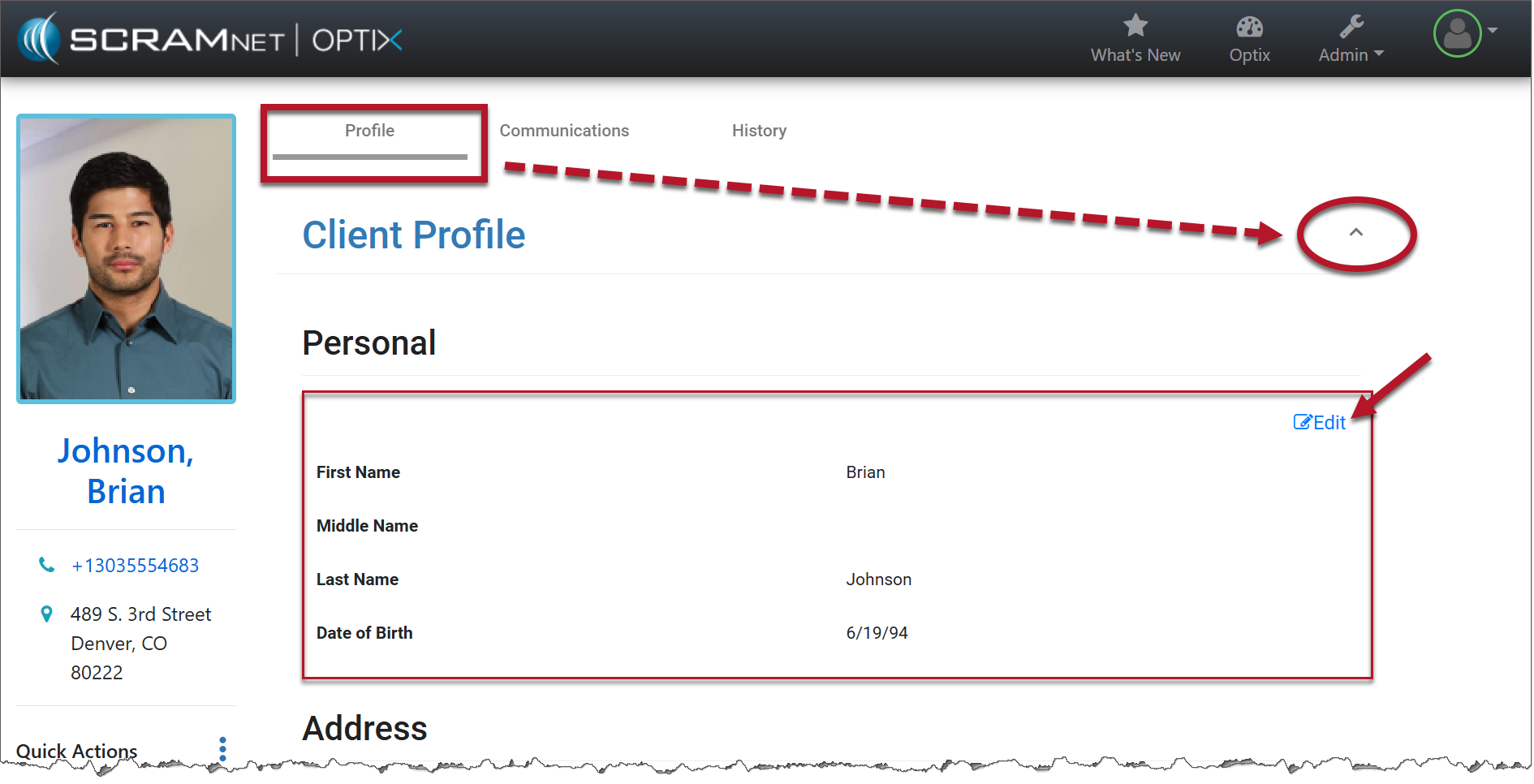
Client Profile (click to enlarge)
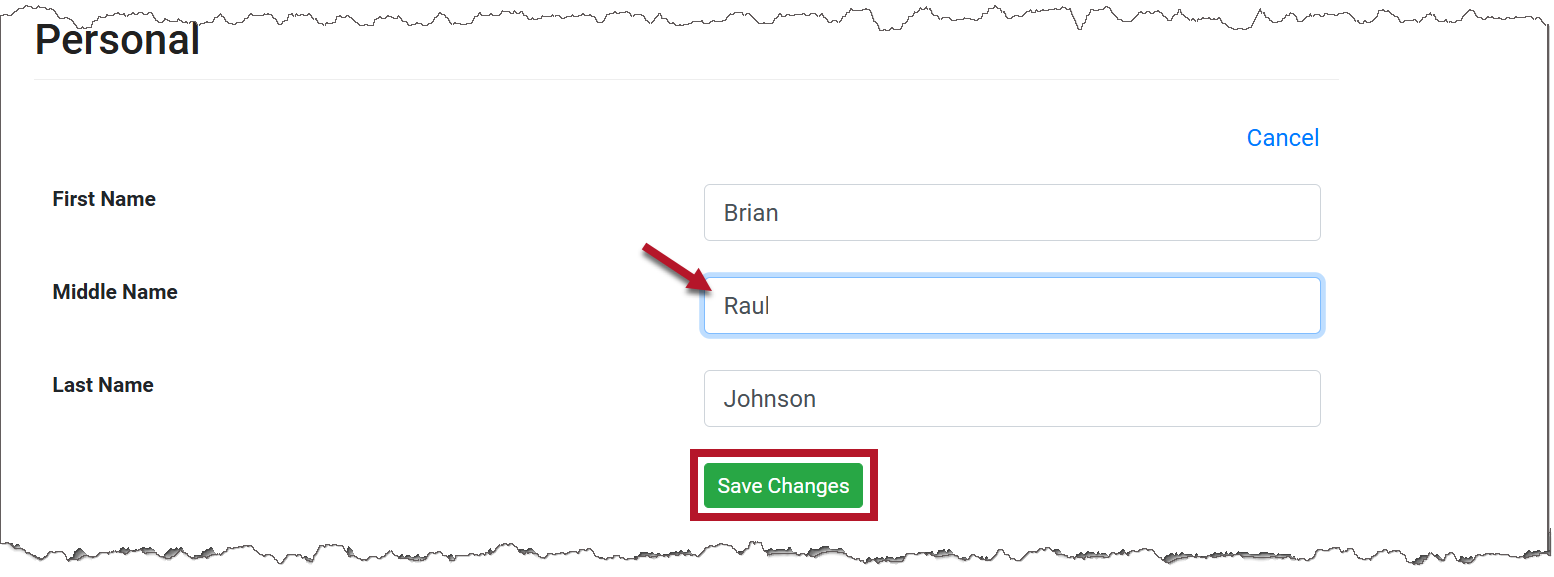
TouchPoint Client Profile page (click to enlarge)