EM Reminders are push notifications sent to clients being monitored on one of SCRAM Systems’ electronic monitoring devices. These reminders are triggered by events generated in SCRAMNET or SCRAMNET GPS. The EM reminders consist of generalized device communication and charging reminders with instructions for the client to follow.
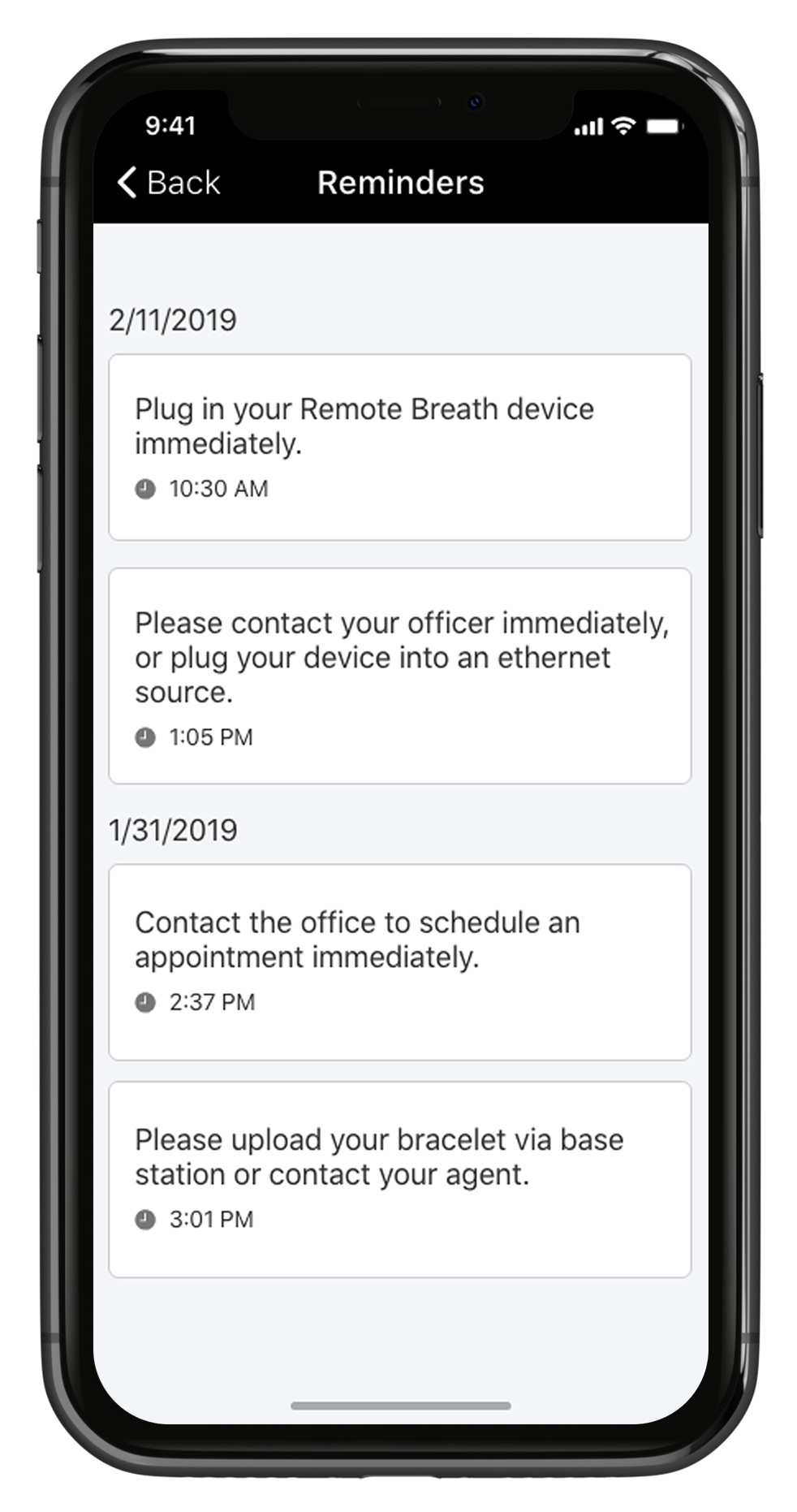
TouchPoint iPhone EM Reminders screen (click to enlarge)
Any active EM client can be enabled for this service. The EM reminders are:
For CAM Clients:
| Alert | EM Reminder |
| Critical Communication | Please upload your bracelet via base station or contact your agent. |
| Battery Low | Contact the Office to schedule an appointment immediately. |
| Maintenance Required | Contact the Office to schedule an appointment immediately. |
| Equipment Maintenance Required – Battery/Faceplate | Contact the Office to schedule an appointment immediately. |
| Low Base Station Battery | Please plug in your base station. |
| Base Station Battery Depleted | Plug in your base station. |
For Remote Breath Clients:
| Alert | EM Reminder |
| Battery Critically Low | Plug in your Remote Breath device immediately. |
| Extended Missed Communication | Please contact your officer immediately or plug your device into an Ethernet source. |
For GPS Clients:
| Alert | EM Reminder |
| Battery Critically (Locator) | Plug in your GPS device immediately. |
| Battery Low (Locator) | Plug in your GPS device. |
| Battery Low (Beacon) | Plug in your beacon. |
| Battery Critical (Beacon) | Plug in your beacon immediately. |
| AC Unplug (Beacon) | Check beacon power source. |
| No Communications (Beacon) | Check your connection line. |
Enable EM Reminders
Start by navigating to the Clients tab in Optix.
- Select the +Add TouchPoint Client button and complete the setup process. For help, visit Add a TouchPoint Client.
- If your client is already an active TouchPoint participant, select their name from the list.
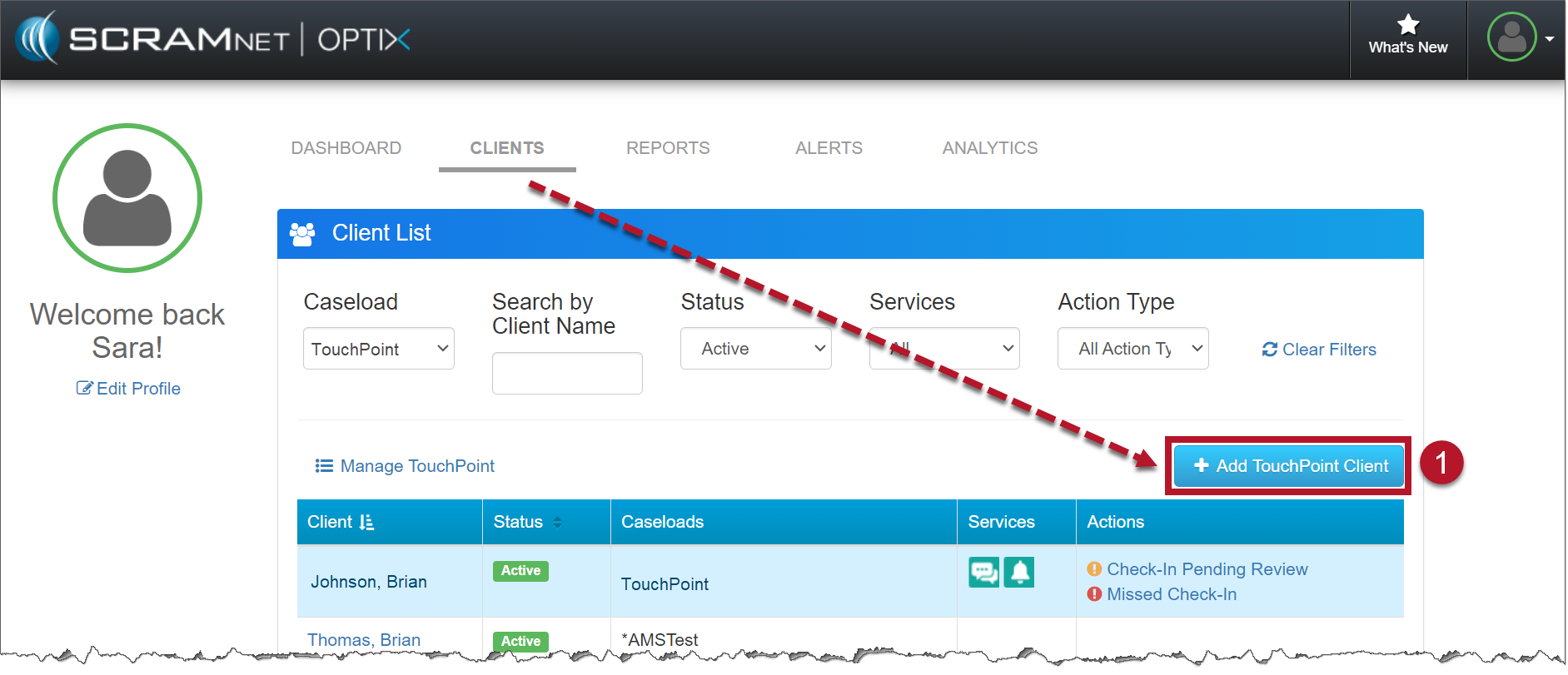
Optix Clients page (click to enlarge)
- Locate the Edit link in the EM Reminders section.
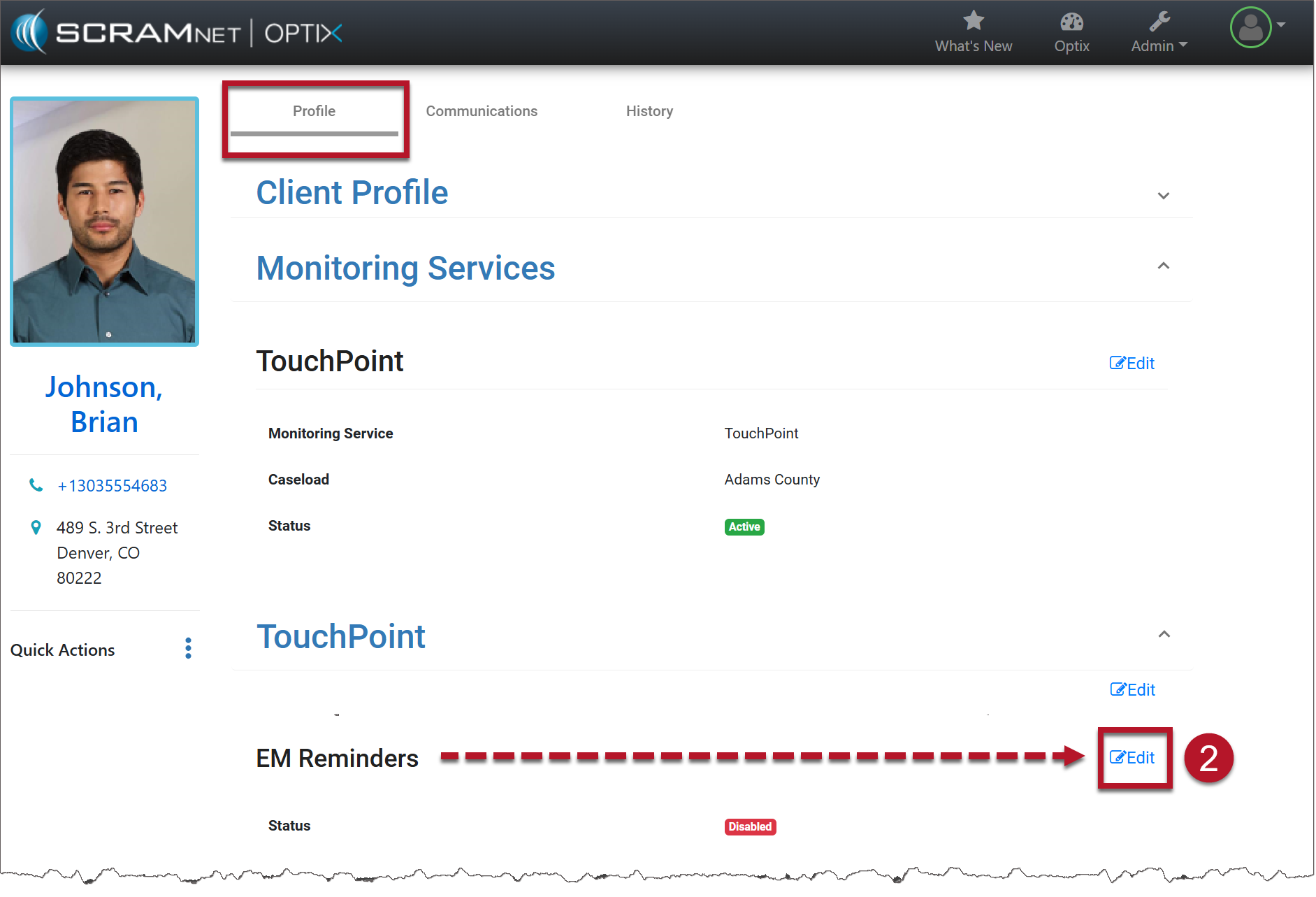
TouchPoint Client Profile page (click to enlarge)
- Toggle the button from Disabled to Enabled.
- Select the Save Changes button.
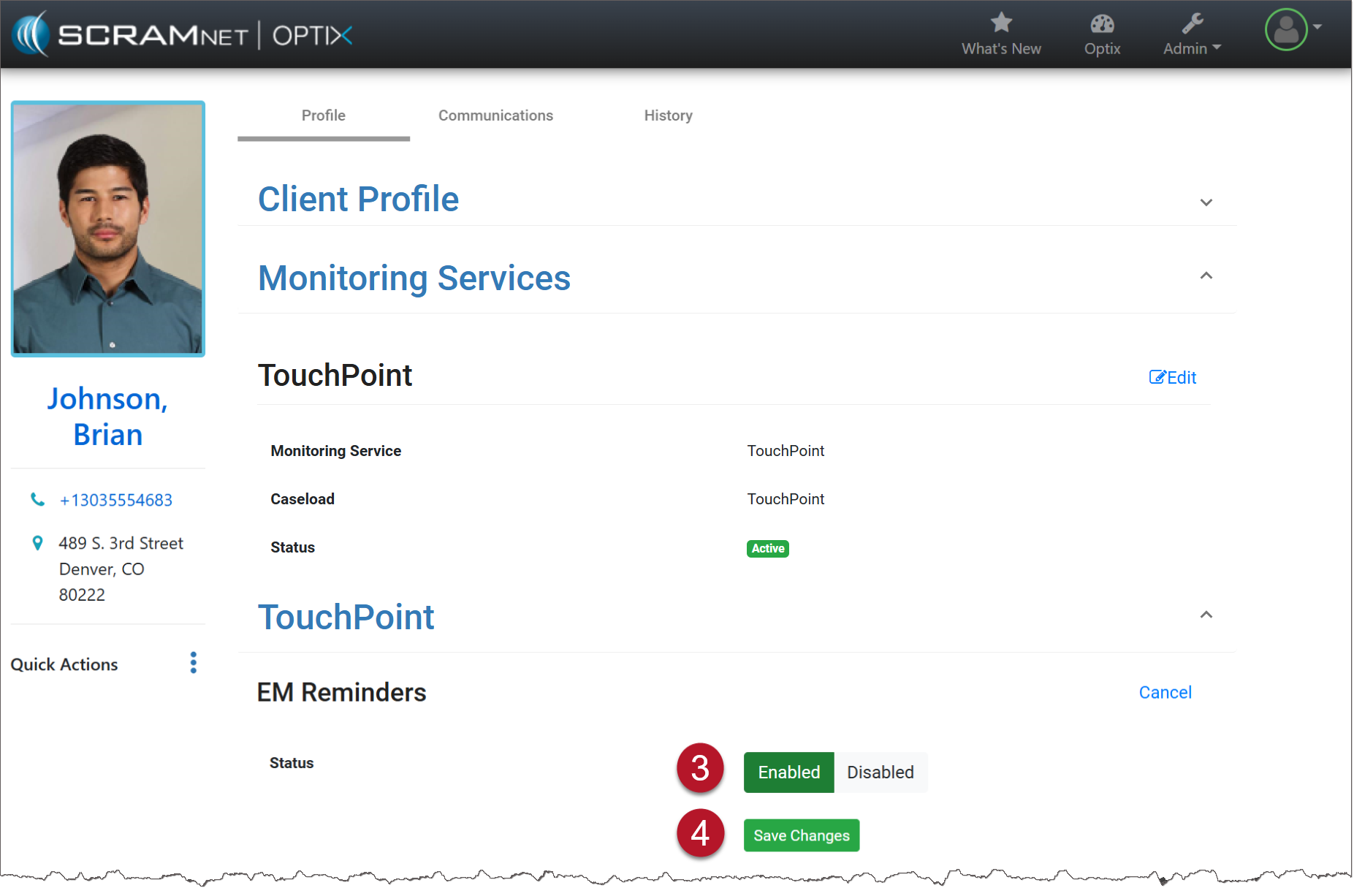
TouchPoint Client Profile (click to enlarge)
- Once the window has been refreshed, select the Communications tab. Open the Messaging ellipsis menu and choose Reminders to view the history of all EM Reminders that have been sent.
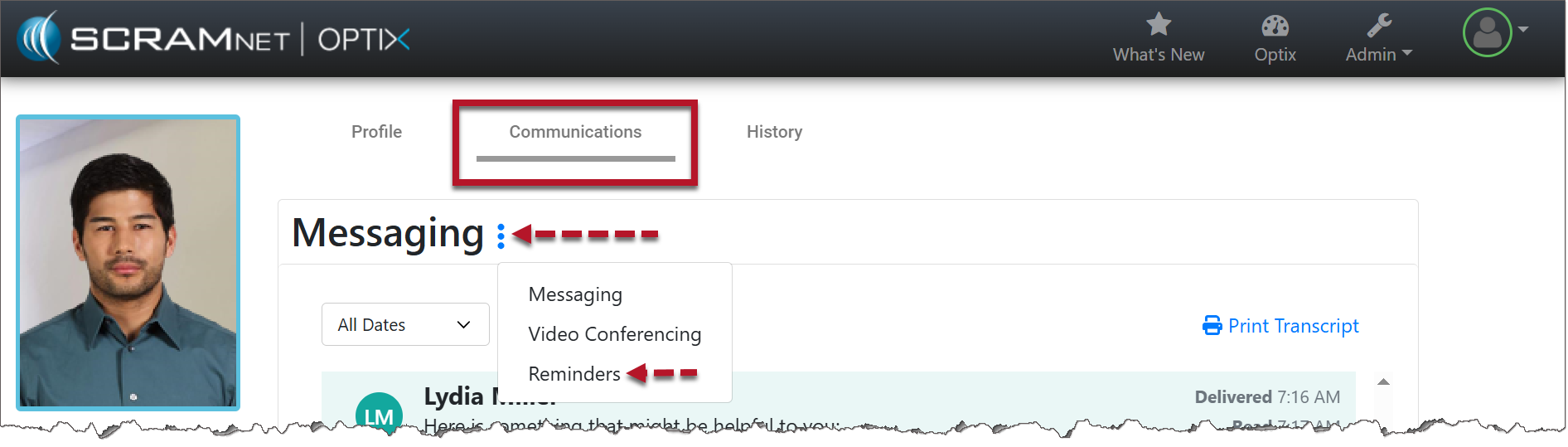
TouchPoint Communications Tab (click to enlarge)
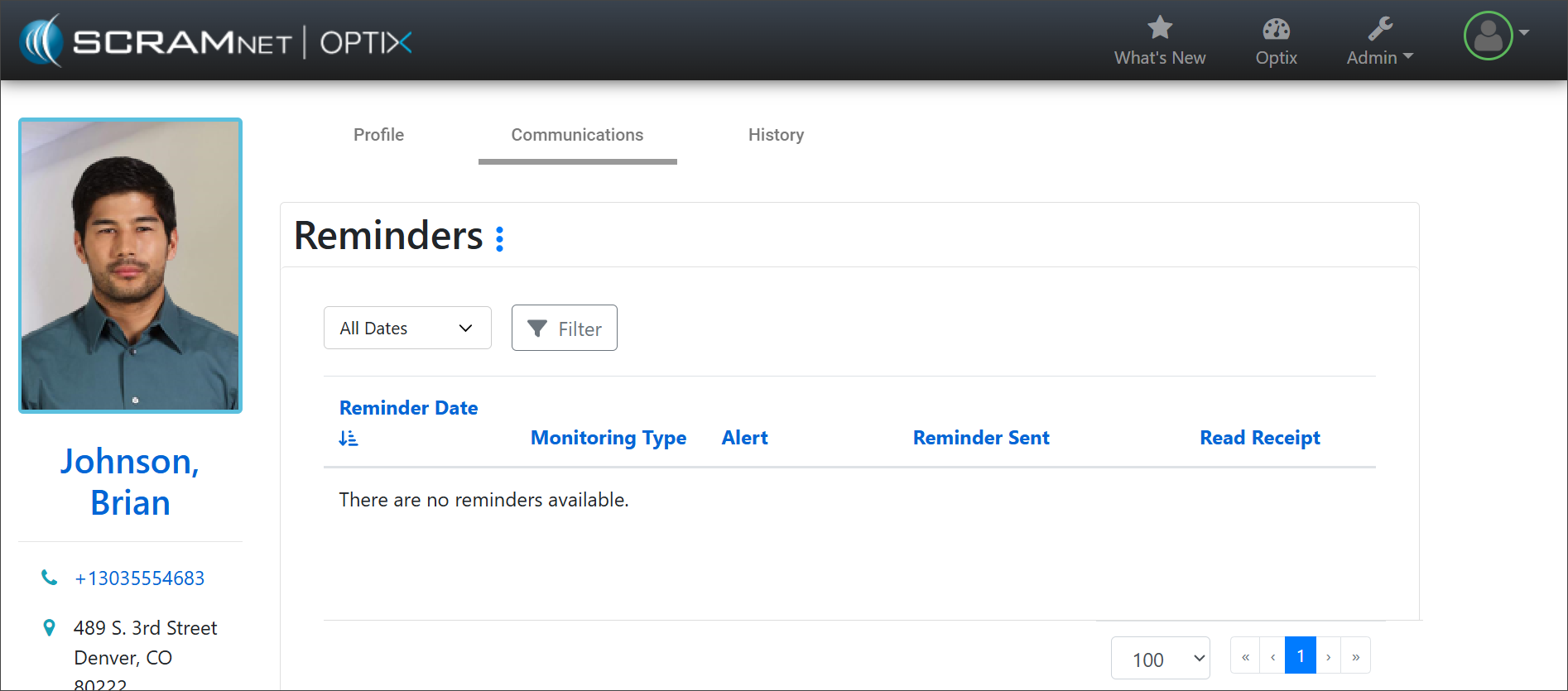
TouchPoint Reminders (click to enlarge)
Instruct the client to download the TouchPoint app on their smartphone. For help, view Client Instructions video and document.