As the Administrator, once your program has been enabled for SCRAM TouchPoint, you will need to add the TouchPoint account to all current and new users who will be maintaining a TouchPoint caseload.
Start by navigating to the Manage Users page.
For current users:
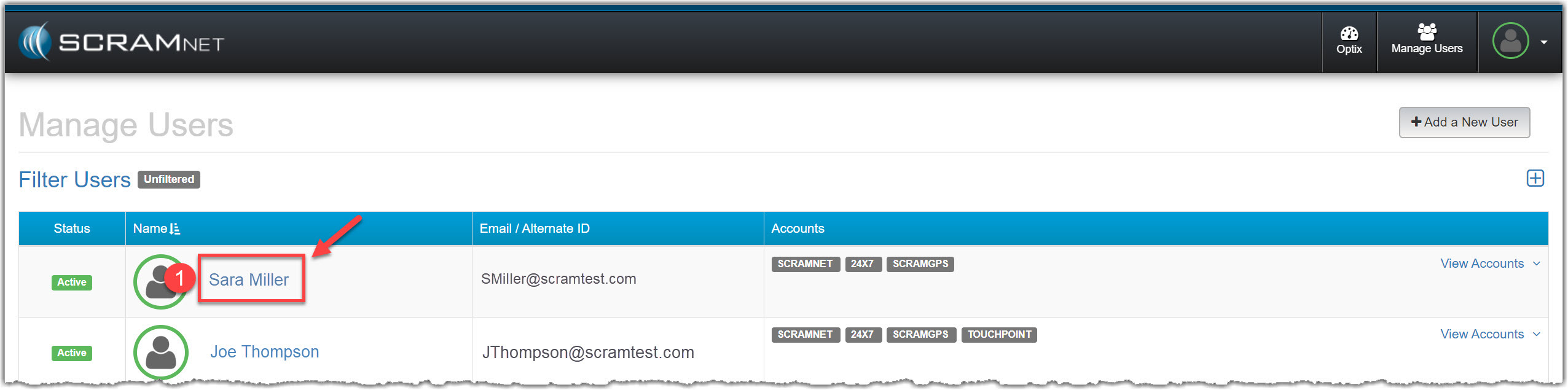
Manage Users page (click to enlarge)
- Click the user’s name from the list.
- On that user’s page, click the +Add a New Account link.
- Select the Account, Account Access and Permissions for the user.
- Ensure the Account Access is set to Access to Entire Account, and at least the Manage Client permission is selected for the user.
- Click the Add Account button.
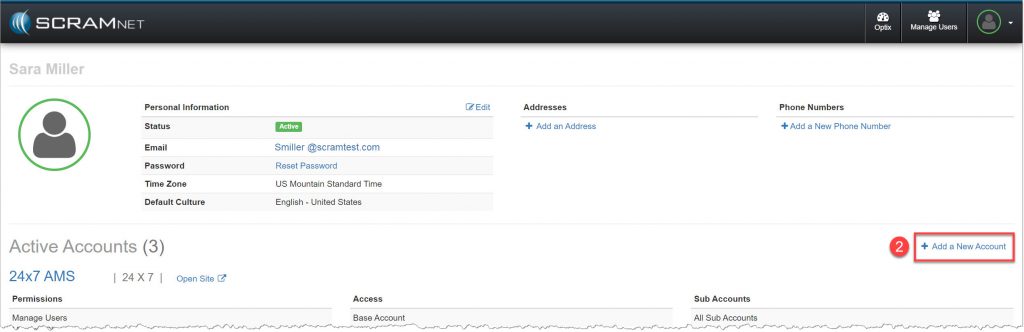
Manage Users page (click to enlarge)
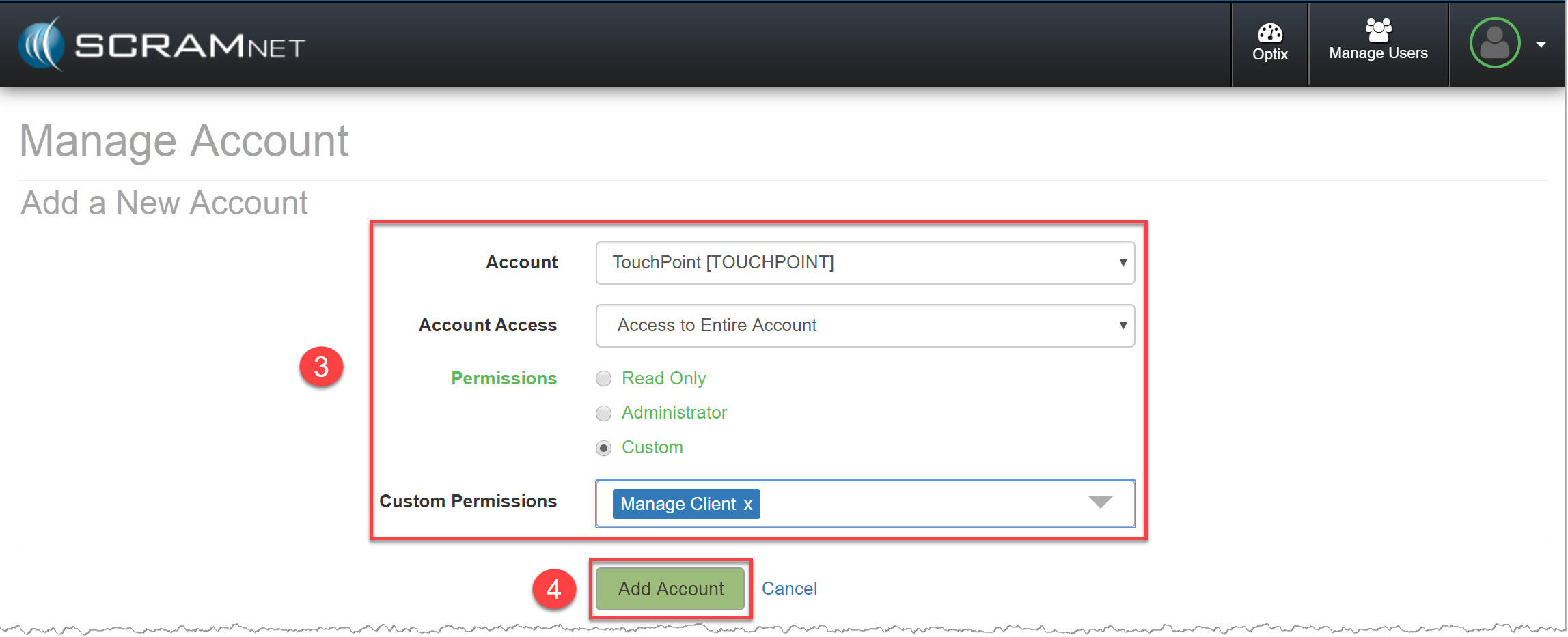
Manage Account Add a New Account page (click to enlarge)
For new users:

Manage Users – Add a New User page (click to enlarge)
- Click the +Add a New User button.
- On the Add a New User page, select the Account, Account Access and Permissions for the user.
- Ensure the Account Access is set to Access to Entire Account, and at least the Manage Client permission is selected for the user.
- Add the Personal Information.
- Click the Add New User button.
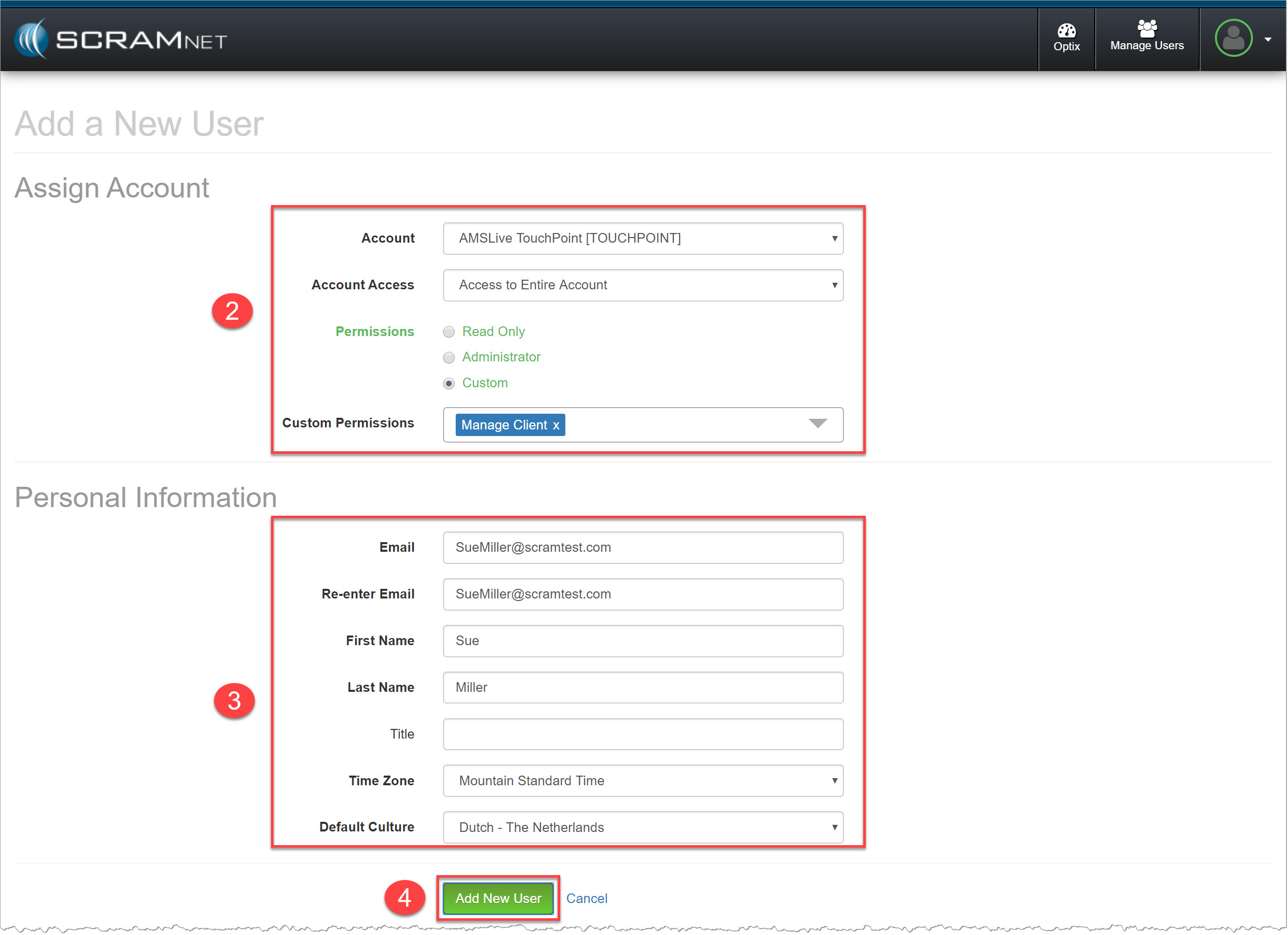
Manage Users – Add a New User page (click to enlarge)
The new user will receive an email with a link to set up a secure password. Be advised, the link in the email will expire after 24 hours. If that happens, click the Reset password link on that user’s page.
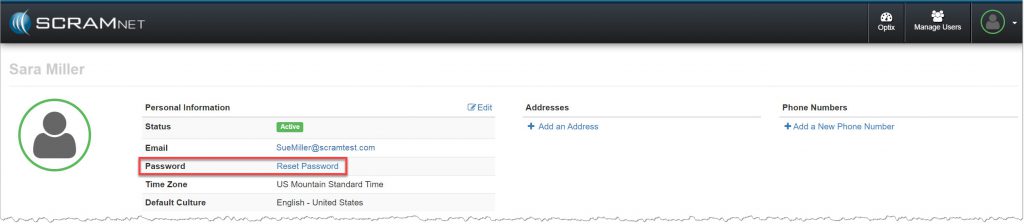
Manage Users page – User Profile page (click to enlarge)
The user’s profile is now updated with the TouchPoint account.

Manage Users page – TouchPoint Account (click to enlarge)