EM reminders originate in either SCRAMNET or SCRAMNET GPS. You manage the events that trigger the reminder in the appropriate system. View the reminders sent to your client and whether the client has viewed the reminders in the TouchPoint app by navigating to the client’s Reminders tab in Optix.
View EM Reminders Sent to the Client
The EM Reminders sent to the TouchPoint app can be viewed by navigating to the client’s profile in Optix, selecting the Communications tab, and then Reminders from the Messaging ellipsis menu.
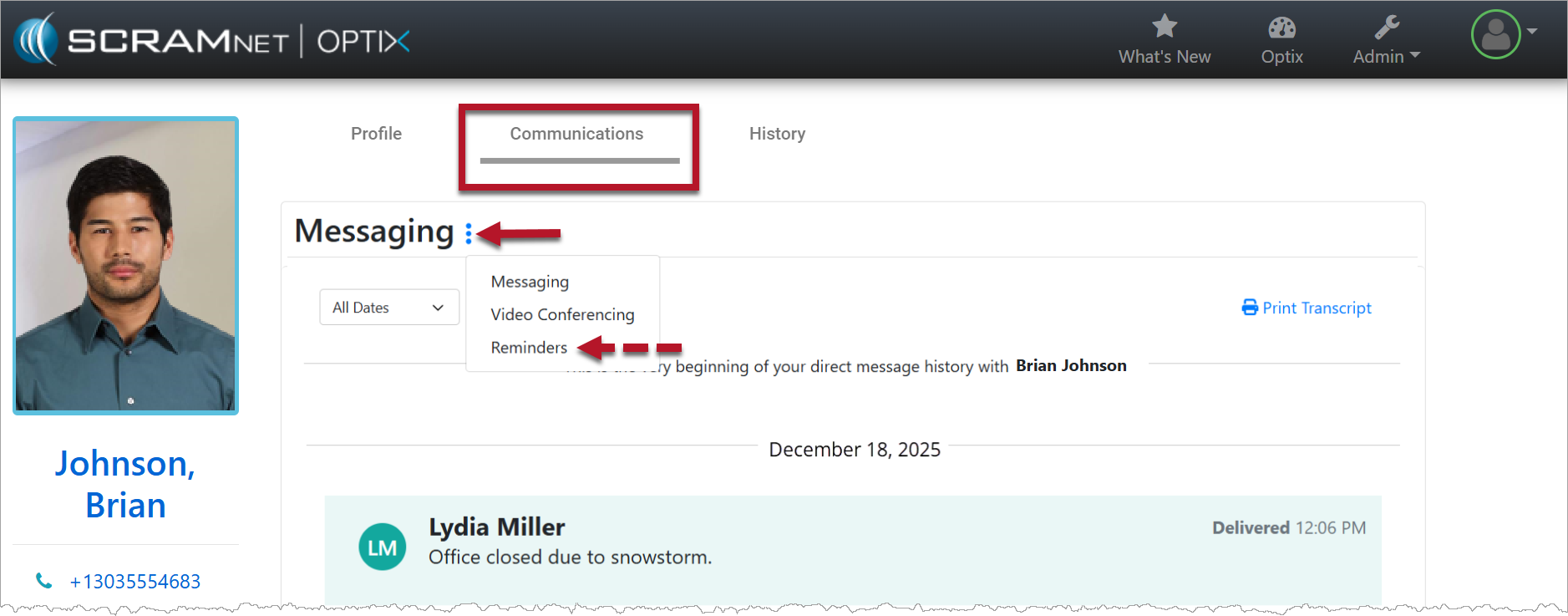
TouchPoint Communications Tab (click to enlarge)
On the Reminders page, view the alert information generating the EM reminder as well as the details of the reminder sent to the client. The Read Receipt column displays a date and time stamp indicating the client has viewed the EM Reminder in the TouchPoint App.
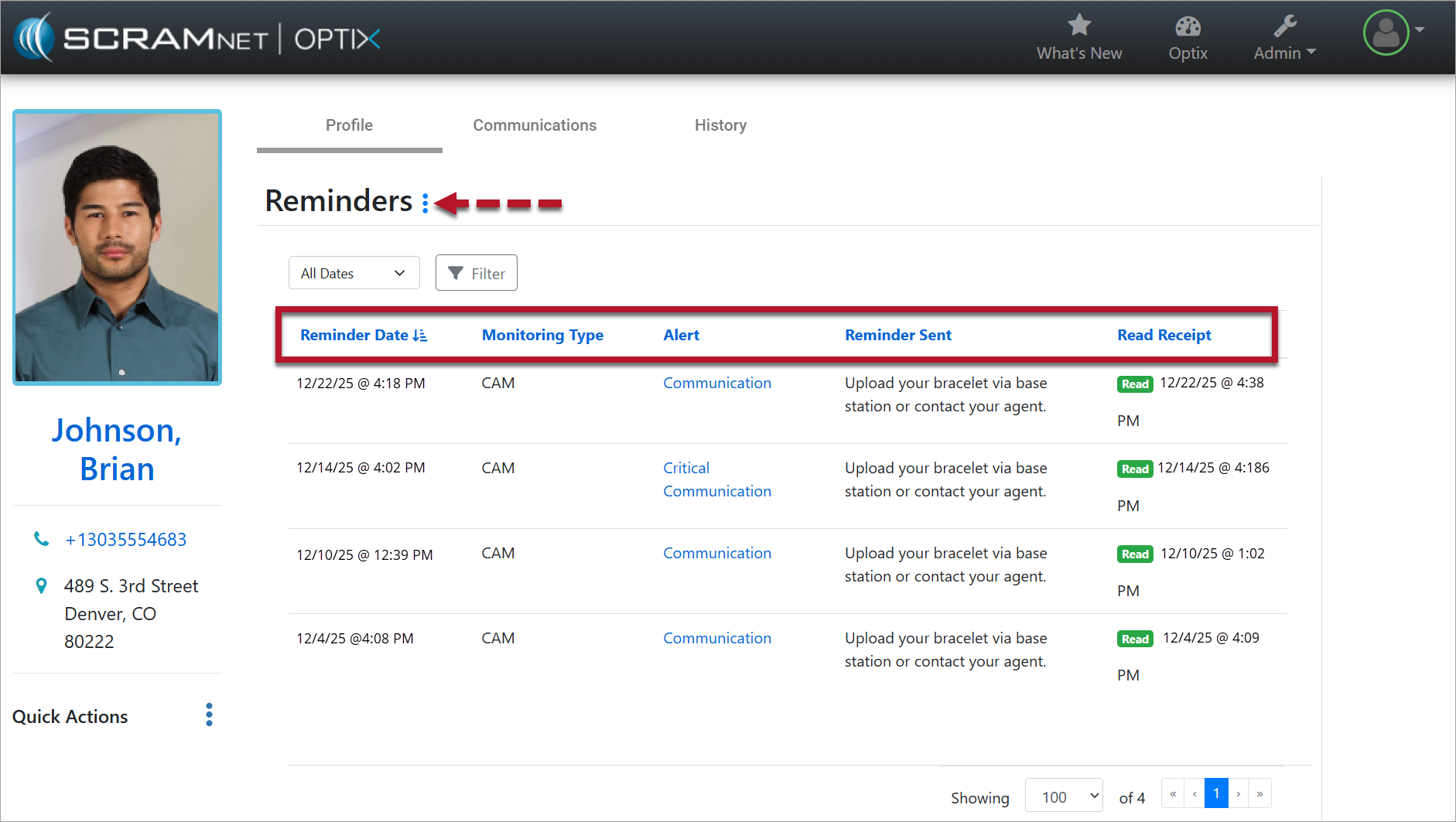
TouchPoint Client Reminders Page (click to enlarge)
The Alert hyperlink opens the Alert Management Console or the Event page in the appropriate monitoring system.
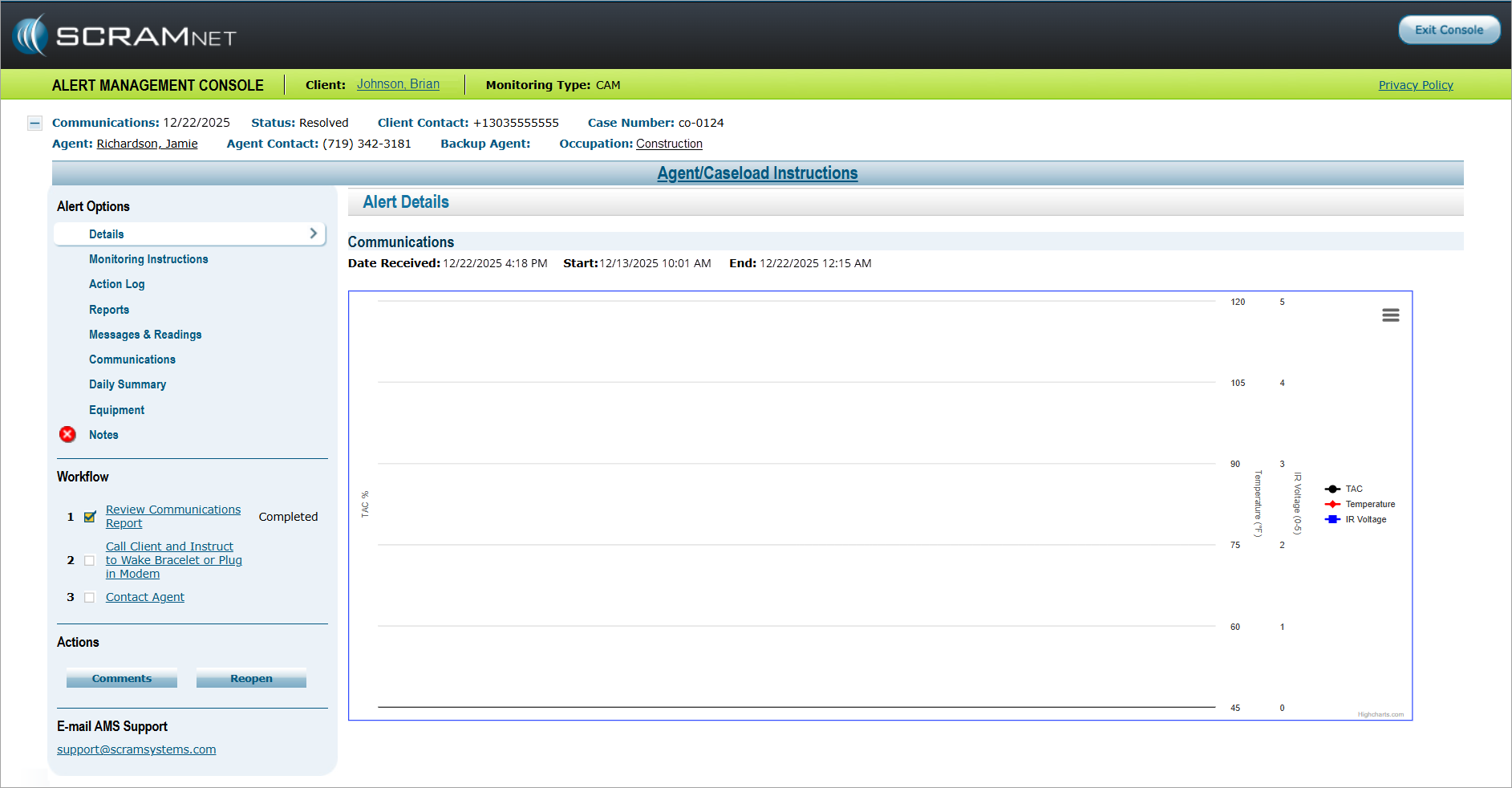
SCRAMNET Alert Management Console (click to enlarge)