SCRAM Nexus

This release, scheduled for tomorrow at 8:30 PM MT, includes updates to the Action Item catalog, client metrics, and treatment portal scheduling.

Case Worker: Show Action Item Ratings Chart by Compliance and Behavior

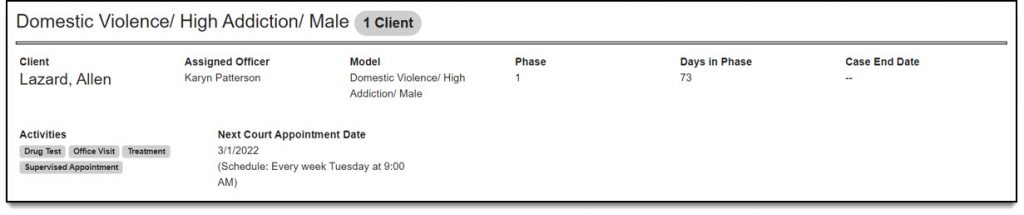
The Action Item Ratings chart can now be viewed by Progress Type.
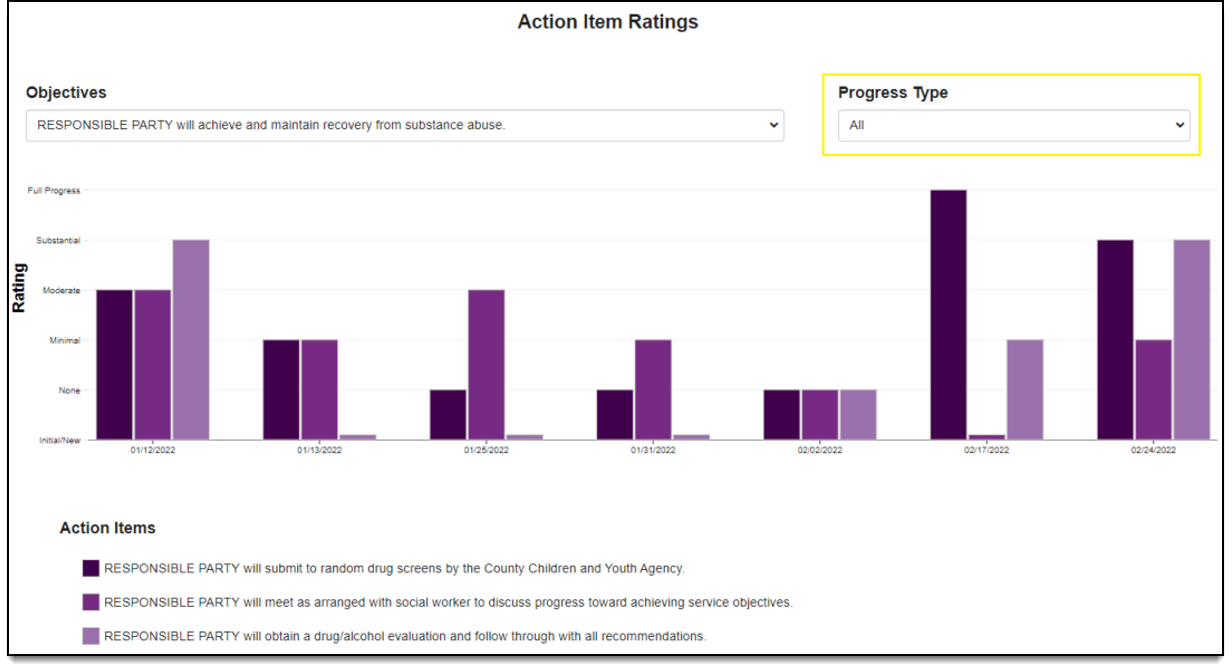
Caseworkers can look at the ratings by compliance action items, behavioral action items, or both (all). The default view will be ‘All’. The Progress Type is set in the Action Items catalog.

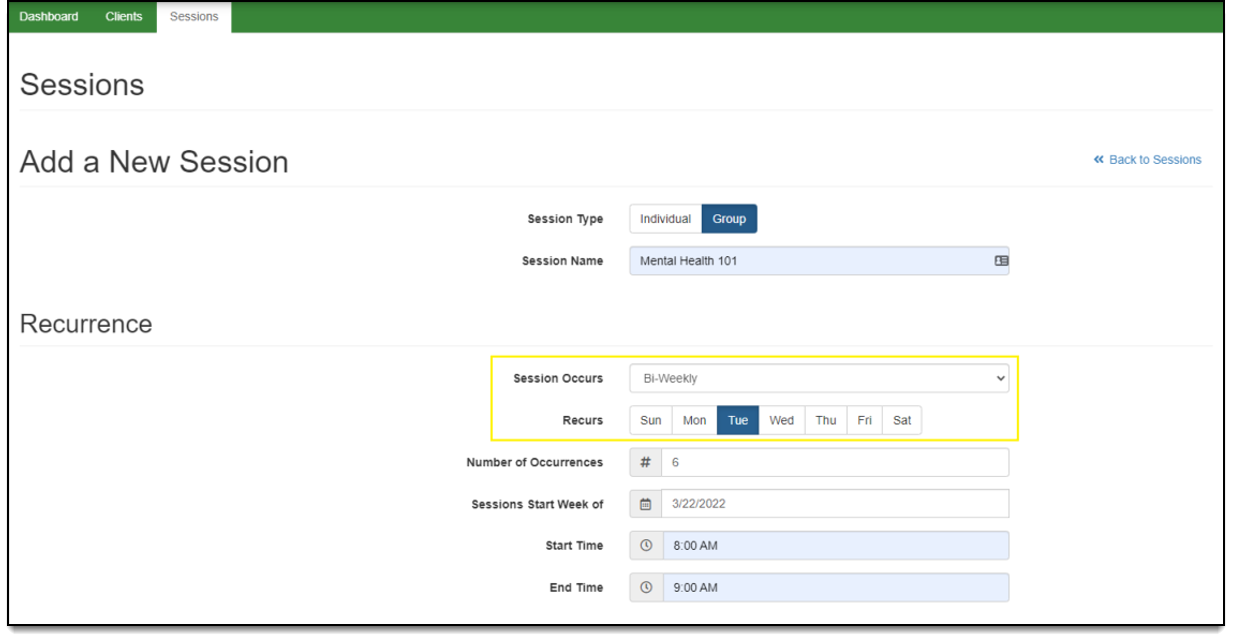
Treatment Provider/Visitation Worker: Add Bi-Weekly as a Recurrence Option in the Treatment Portal

A treatment provider and/or visitation worker can now add bi-weekly sessions in the Treatment Portal. The schedule types now include: Once, Weekly, Bi-Weekly, and Monthly. All other scheduling functionality remains the same.
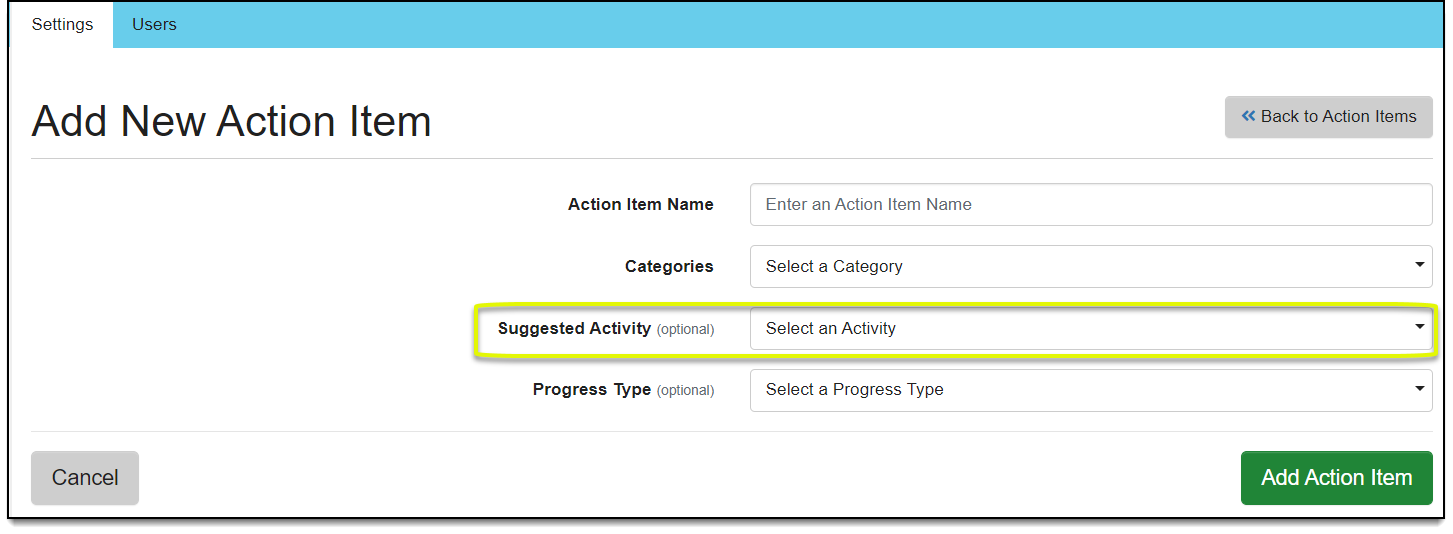
Administrator: Add ‘Suggested Activity’ to Action Items Catalog

The ‘Suggested Activity’ field is now included in the Action Items catalog. When adding or editing an action item, an administrator can include a ‘suggested activity’. The suggested activity will eventually be displayed on the case plan to help guide the caseworker when adding activities to the plan. This field is optional and there is no limit on the number of suggested activities that can be added to each action item.
Continue Reading

At 8:30 PM MT tonight, Tuesday, March 1, 2022, exciting new features are being introduced in SCRAM Nexus. These features include enhancements to the Roster report, as well as more compound options for Administrators to choose from when creating drug test types.

Roster Report Enhancements

Include Next Appointment Date

On the Roster report, an officer has the option to include the next appointment for selected appointments/activities. The report will also display the schedule type next to that appointment date on the report.

Table

Description automatically generated
Click to enlarge

Allow for Different Date Ranges on Additional Data Elements

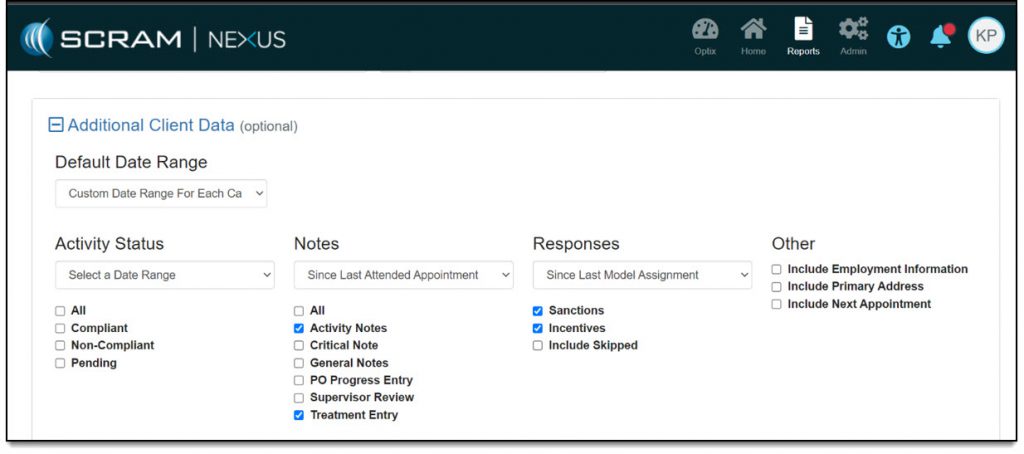
An officer may choose to have different date ranges for each reporting category on the Roster report. For example, in the report an officer may elect to include only specific types of ‘Notes’ since the last attended appointment, as well as include all types of ‘Responses’ since the last model assignment.

Graphical user interface, text, application

Description automatically generated
Click to enlarge

Administrator: New Drug Testing Compounds

An administrator may now select any of the following compounds when creating a new drug test type:

  • BrAC (Breath Alcohol)
  • EDDP (Methadone Metabolite)
  • Gabapentin (GAB)
  • Propoxyphene (PPX)
  • Tricyclic Antidepressants (TCA)
  • Ethanol (ETOH)

Continue Reading

Two new Officer features are being introduced in SCRAM Nexus as part of a release scheduled for February 8, 2022 at 8:30 PM MT. These include:

  • The ability to include new Note types in the Roster Report
  • SCRAM TouchPoint Services default to “On” when adding Check-in to the supervision plan

Include New Note Types in the Roster Report

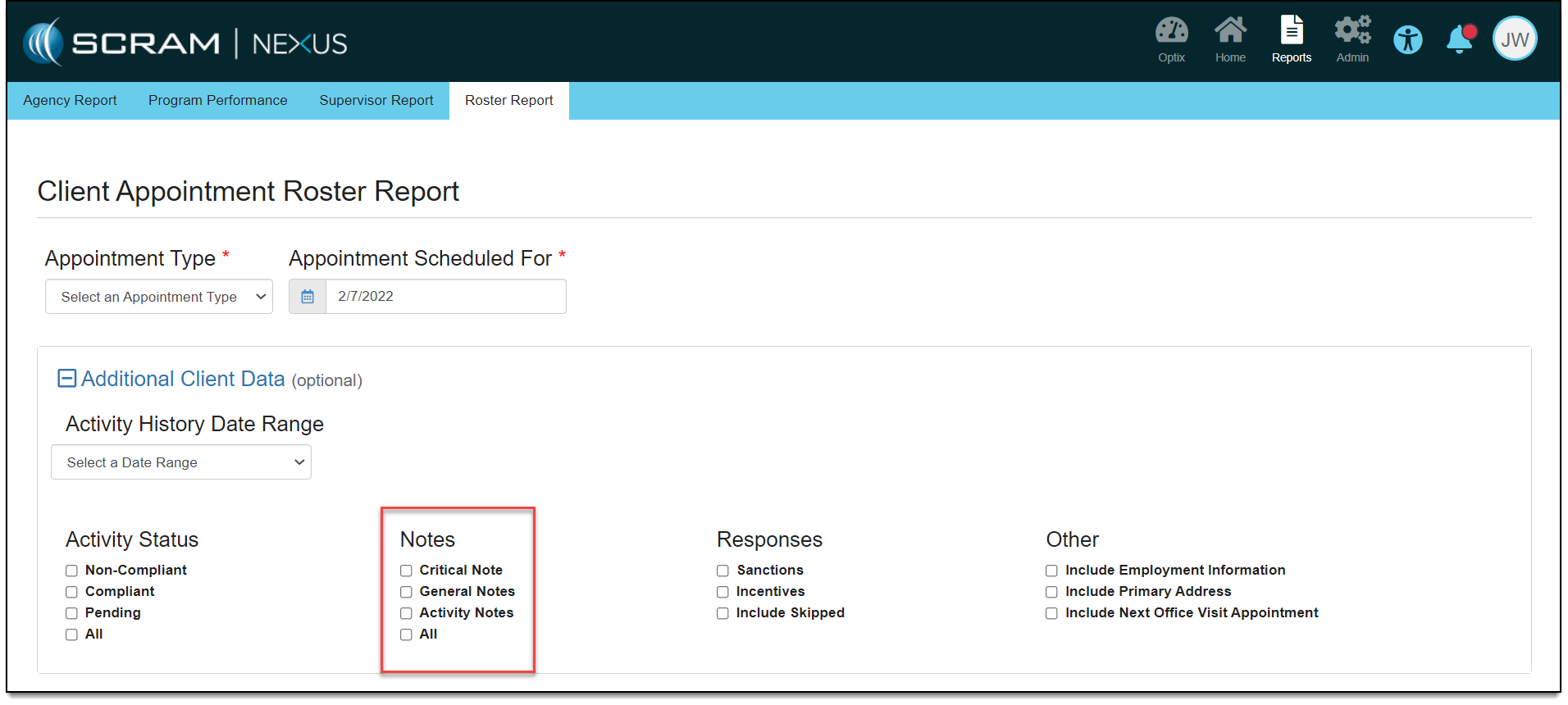
New note types that are added to an account can be included in Additional Client Data area for the Roster report. The new note types are available for selection in the Notes section of the report, as shown below.

New Note Types (click to enlarge)

SCRAM TouchPoint Services Default to “On” When Adding Check-in to the Supervision Plan

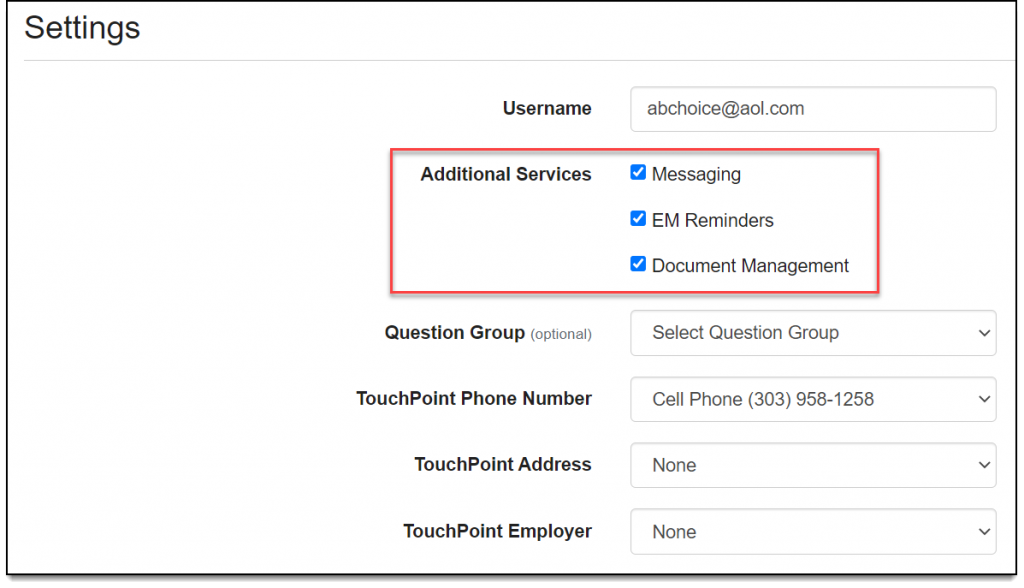
All SCRAM TouchPoint Services now default to “On” when adding the TouchPoint Check-In activity to a client’s supervision plan. These features include:

  • Messaging
  • EM Reminders
  • Document Management
Additional Services selected by default

Continue Reading

With a release scheduled for the evening of January 18, 2022, two new features are being introduced in SCRAM Nexus.

Schedule Recurring Officer Tasks

With this release an officer may select a recurrence schedule for a task that they are responsible for completing. The recurrence schedule types include:

  • No Schedule
  • One-time
  • Daily
  • Weekly
  • Monthly

These tasks then display on the calendar based on the due date. All tasks are in a “Not Started” status until a user changes the status to “In Progress” or “Completed.”

Display Upcoming Tasks on Workload Page

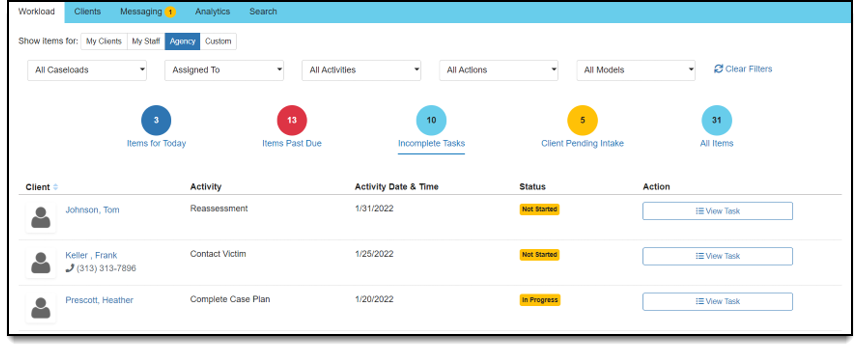
Also with this release an officer can indicate how far in advance of the due date they would like to see a task appear on their Workload page. Having this capability helps an officer stay ahead of their tasks and prepare for that upcoming due date.

Continue Reading

Tomorrow evening, Thursday, December 9, 2021, exciting new features are being introduced in SCRAM Nexus. These enhancements include subscribing to SCRAM Nexus reports and receiving an emailed link to those reports, as well as Roster report enhancements.

Administration/Officer: Subscribe to SCRAM Nexus Reports

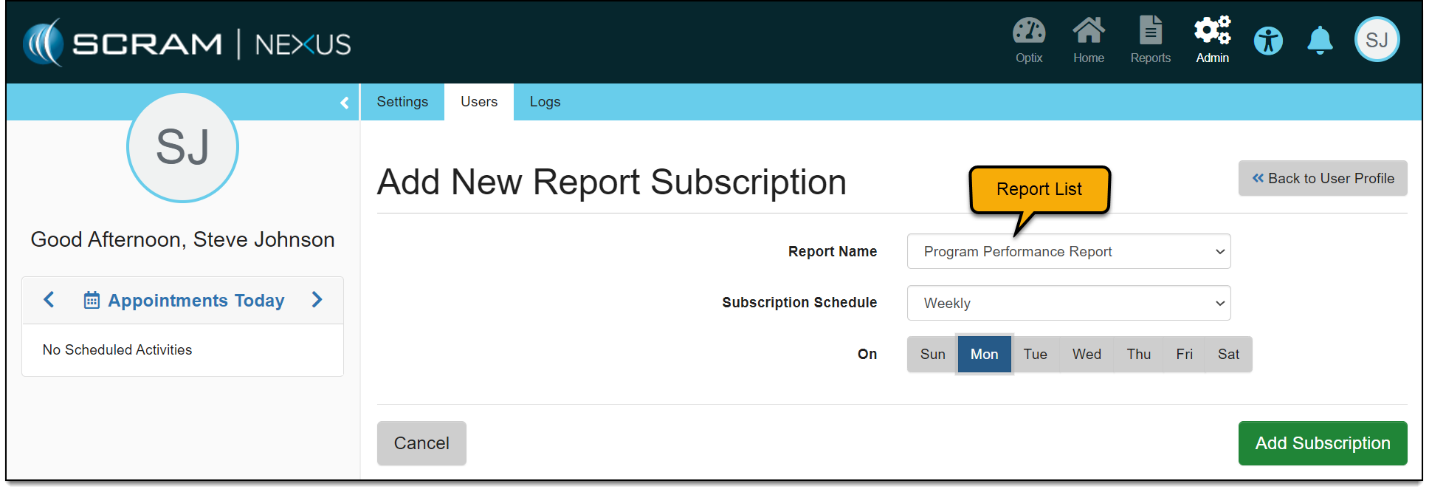
SCRAM Nexus users can subscribe to reports in SCRAM Nexus. If a user subscribes to a report, an email is sent to their email address with a link to the report. Users can specify how often they want to receive the link to the report (daily, weekly or monthly).

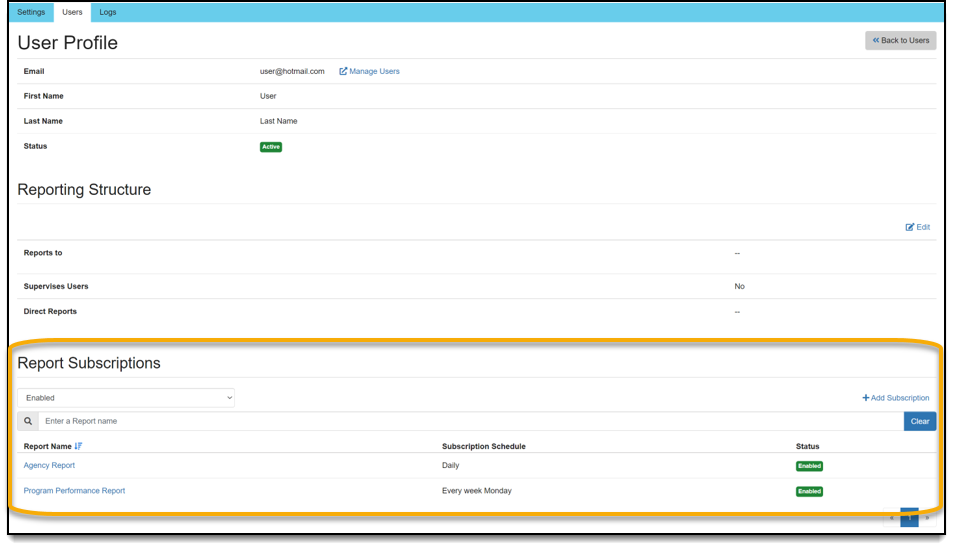
All report subscriptions for specific user are listed on that user’s User Profile page, as shown below.

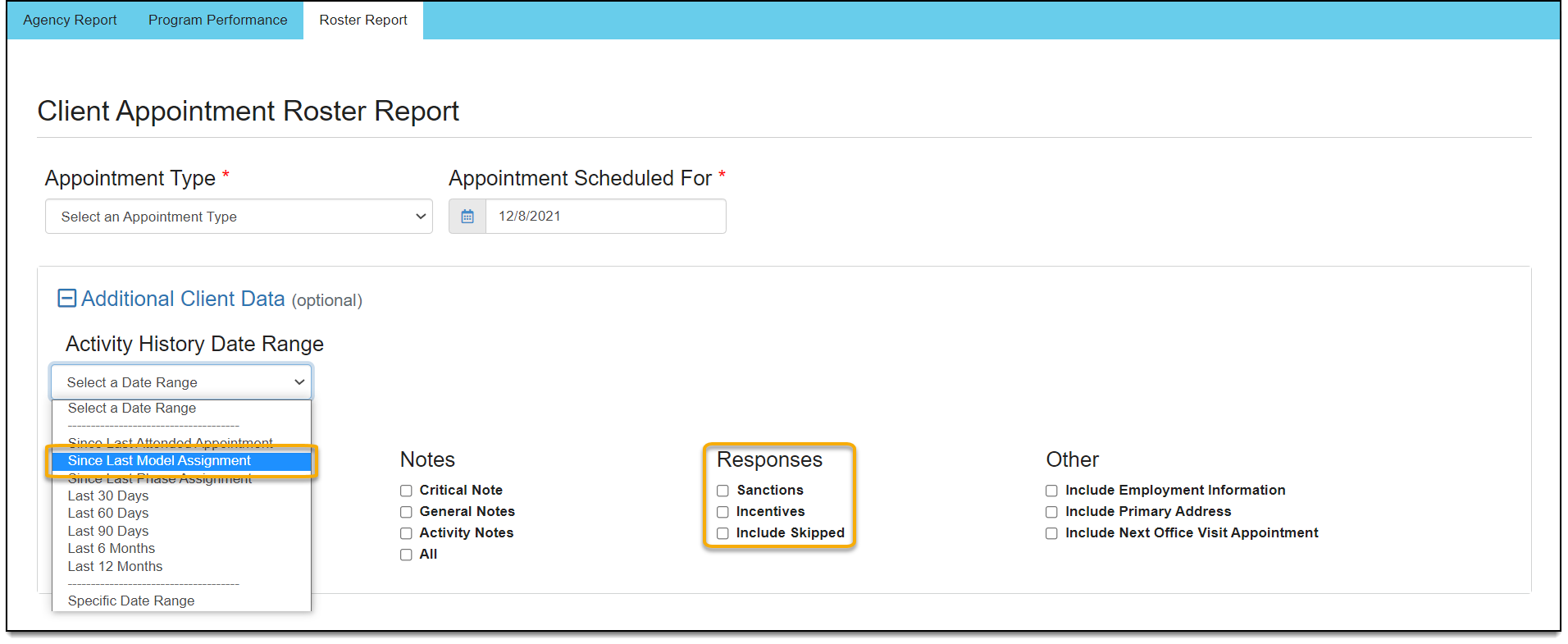
Officer: Roster Report – Since Last Model Assignment

On the Roster report, there is an option to show data since the client’s last model assignment. Clients can switch models based on the program they are in, so this new option allows for users to only see data on the report that is related to their current program.

Officer: Roster Report – Include Responses

There is an option to include responses (sanctions and incentives) on the Roster report. If an officer chooses to include responses, a separate section lists the responses and their details. The officer can also choose to include skipped responses in the report.

Continue Reading

A release scheduled for this evening, November 16, 2021, includes case worker-related enhancements to the home visit and case plan areas in SCRAM Nexus.

Ability to Initiate an On-Demand Home Visit

A case worker can now record an unscheduled home visit through an on-demand action. The type of visit defaults to “Unscheduled” for on-demand appointments. The remaining functionality is the same as a scheduled home visit.

Replace Individual Note Sections with Pop-Up Notes in Home Visit

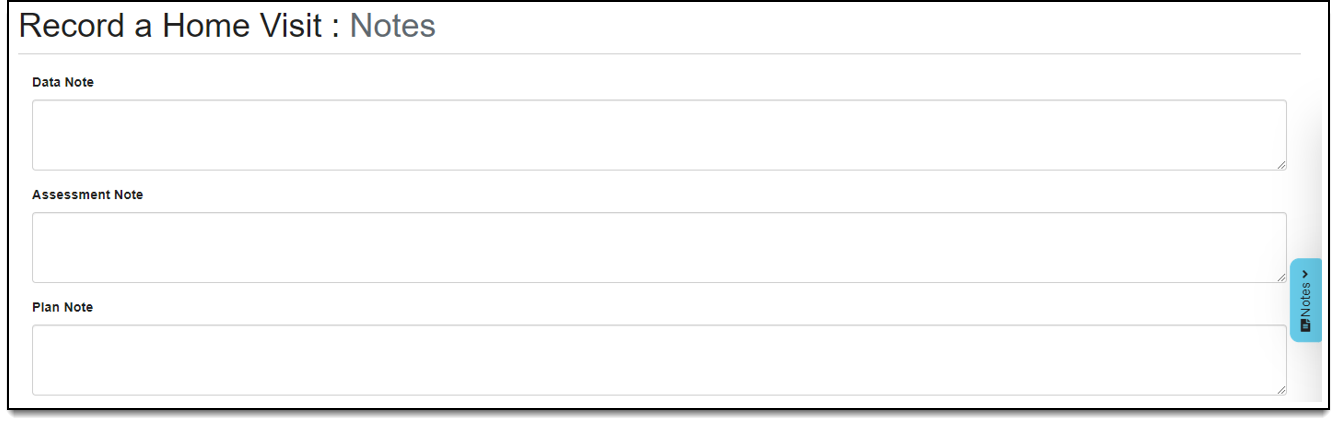
Rather than having individual note sections on each page of the home visit, there is now a Notes pop up that can be accessed at any time while recording the home visit. Notes entered in the pop up feed into the corresponding notes sections on the Notes page. Pop up notes are automatically saved.

Add Notes Page to the Home Visit

The Data, Assessment, and Plan Note sections have been moved from the client’s Evaluation page to a Notes page within the home visit. Notes entered on the Notes page feed into the corresponding floating Notes sections. The Note sections are configurable by customer.

Display Home Visit Notes on the Notes Page

Notes entered during a home visit are now displayed on the general Notes page. Home visit notes are only displayed for clients that were expected to attend the home visit. Notes are not displayed for clients that were not expected to be at the home visit appointment.

Add Objective and Action Item to Add a New Activity Page

Both the objective and action item are now displayed when adding an activity to an action item. Making these items visible to the case worker ensures that the case worker is clear as to which action item the activity is being added.

Continue Reading

This evening, October 26, 2021, SCRAM Systems is introducing several new features in SCRAM Nexus. Those features include:

For Officers and Case Managers:
  • Recording/Rescheduling Tasks with a Start/Due Date
  • Filter Selections Remain on Client History
  • Remove Default Option for Search During Field Visit
  • Only Display Known SCRAM TouchPoint Check-Ins in SCRAM Nexus History
For Administrators:
  • Default Time on Model/Phase for Tasks

For Officers & Case Managers:

Recording/Rescheduling Tasks with a Start/Due Date

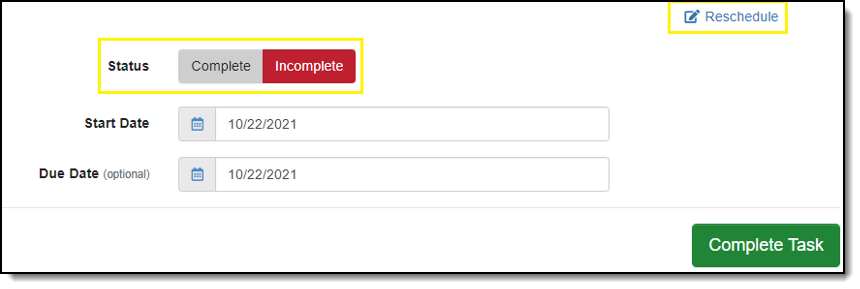
Tasks can now be recorded and rescheduled. When recording a task, an officer may mark the task as Complete or Incomplete. When marked as Complete, the officer is required to enter a Completion Date. When the status is Incomplete, tasks may be rescheduled from both the client calendar activity stream and from within the task itself.

Filter Selections Remain on Client History

Filters set in the client history now remain selected until the user clears the filters. All filters applied to the client history are highlighted in blue to make it more apparent which data is being filtered. Filters are remembered when moving between pages and during a page refresh. The filter(s) are cleared once the user logs out and back in. At that point, the client history displayed is unfiltered.

Remove Default Option for Search During Field Visit

Officers must now select whether the premises may be searched when adding the field visit activity to the supervision plan. The ‘Search Premise Allowed’ field no longer has a default value of ‘Yes.’

Only Display Known SCRAM TouchPoint Check-Ins in SCRAM Nexus History

The SCRAM Nexus history and client calendar now only display SCRAM TouchPoint client check-ins that occur when the activity is active on a client’s supervision plan. Check-ins no longer appear if the SCRAM TouchPoint check-in activity is enabled in SCRAM Optix and is not on the supervision plan. If there are pending check-ins when the SCRAM TouchPoint check-in activity is removed from the supervision plan, SCRAM Nexus does not remove those pending check-ins.

For Administrators:

Default Time on Model/Phase for Tasks

Administrators can now enter an expected timeframe for tasks in the model setup. The timeframe in which that the task must be completed will set the due date for the task. The timeframes may be expressed as days, weeks, months, or years.

Click to enlarge

Continue Reading

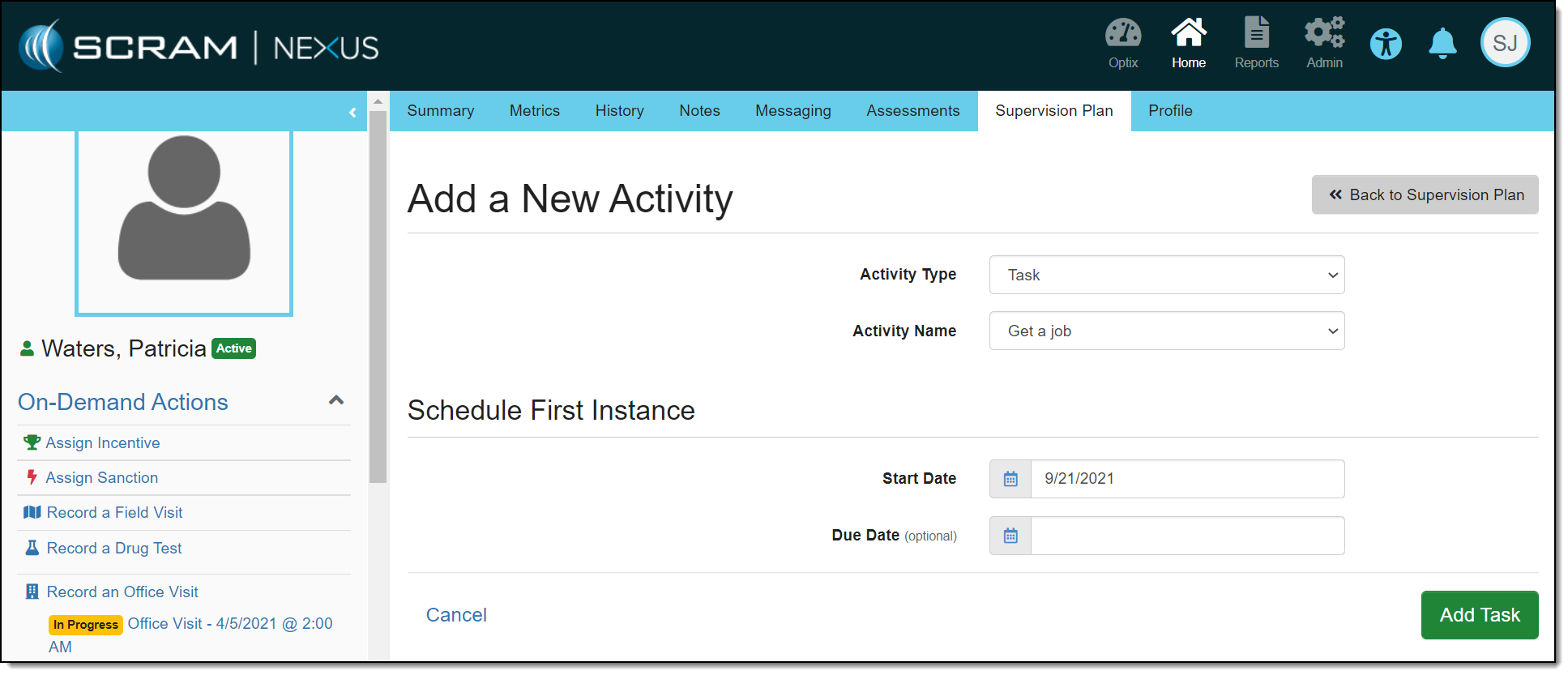
When creating a task in SCRAM Nexus, a start date is now required with the option to enter a due date, as shown below. If a due date is established for a task, the task will appear on that date on the calendar. The task will also appear on the Workload page under “Items for Today” and “Items Past Due.” These dates can be changed on the Task Details page in the Supervision Plan area.

Click to enlarge

In a future release, task dates can be changed from the Summary page or calendar.

Continue Reading

A new, powerful performance analytics tool is being introduced in SCRAM Nexus on September 20, 2021 at 8:30 PM MT. The data presented allows you to evaluate if client drug tests that are scheduled and attended are meeting your established internal policies. Data categories include:

  • Drug Tests Scheduled
  • Drug Test Pass Rates

To learn more, visit Nexus Performance Analytics Help.

Continue Reading

The Analytics tab on the SCRAM Optix dashboard provides you with a wealth of interactive data visualizations that display client and program activity and performance statistics for your department’s usage of SCRAM technology. Based on your licensed products, a series of report templates may be accessed via the Available Reports dropdown menu. Check back often – new reports are being added all the time!

Continue Reading