SCRAM Nexus

At 9:30 PM MDT on July 13, 2020, SCRAM Systems® will introduce several new enhancements to the SCRAM Nexus® caseload management system that make it easier to use. These enhancements include:

  • A new Pending Intake status and associated filter for client management
  • New “Alert” and “Success” banners
  • Updated labels on the Office Visit screen tabs
  • An increase to the ‘Note’ size to 10,000 characters
  • The ability to change past appointment dates
  • A new “My Staff” view on the Supervisor Report tab (for supervisors)

New ‘Pending Intake’ Status

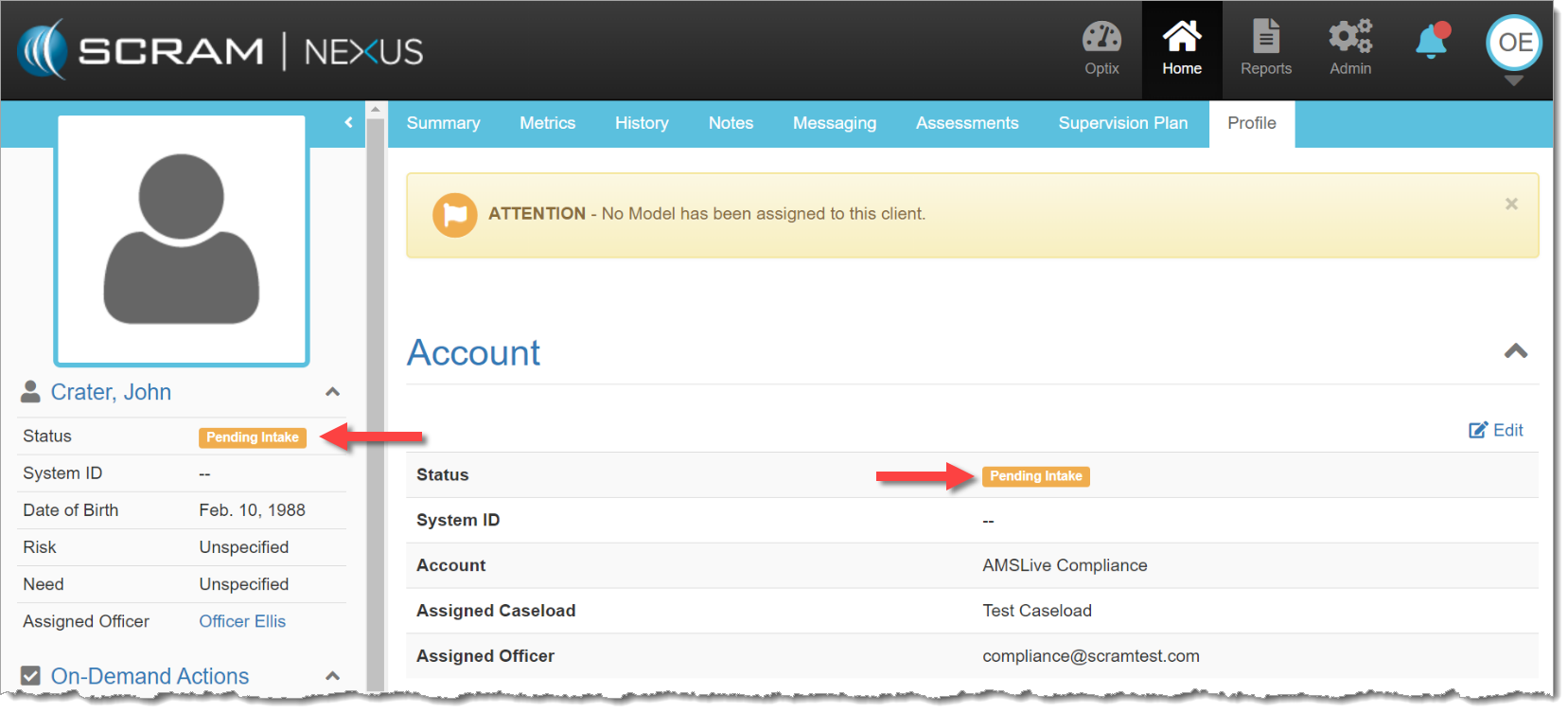
Clients who are active in Nexus but not assigned to a model will now be listed as ‘Pending Intake,’ and will be separate from active clients who are being monitored, as well as inactive clients who are no longer being supervised. This helps officers organize their clients and better represents the status of each client. This new status will appear both as a filter on the officer’s Clients tab, as well as a status on client’s Profile tab.
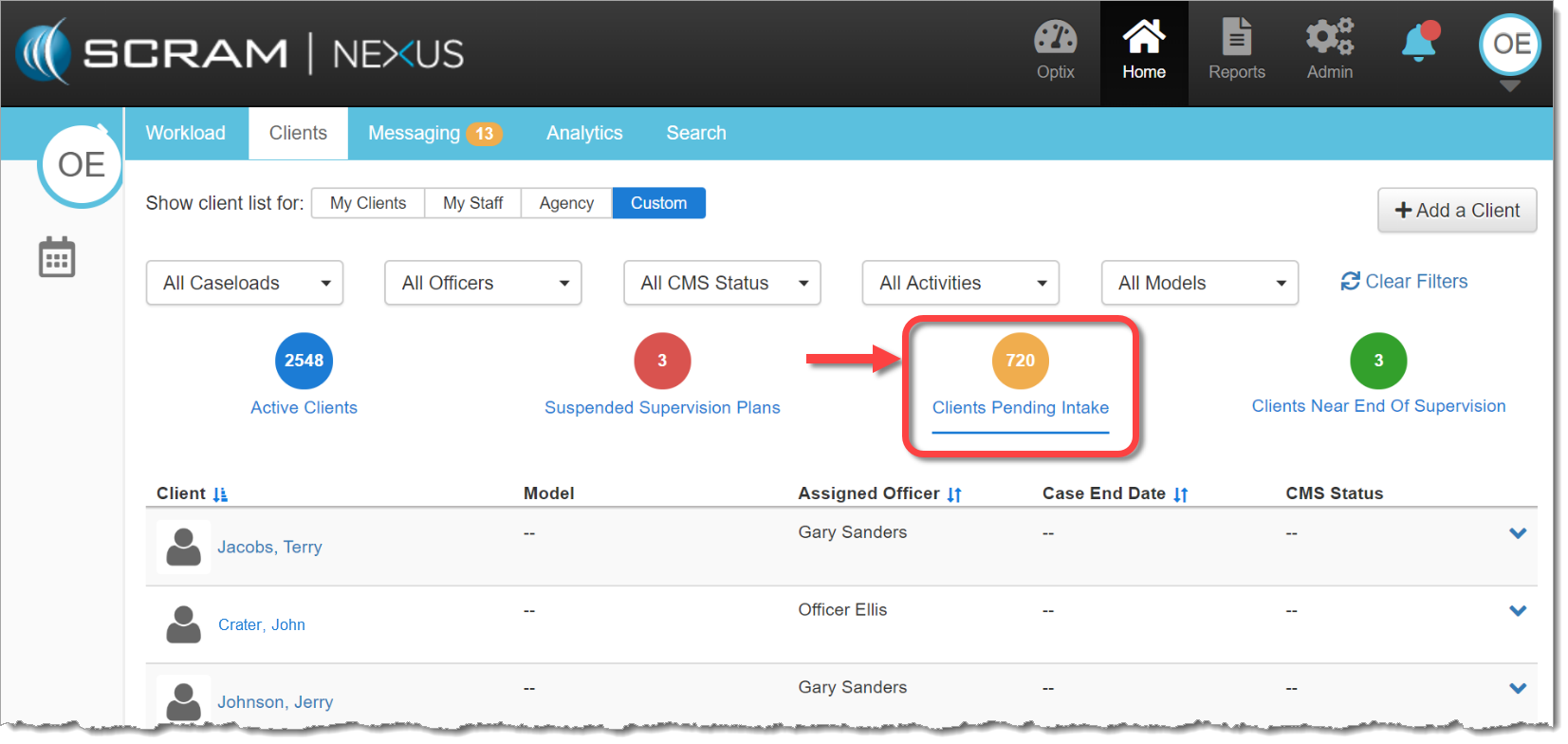
Clients Pending Intake filter on Clients tab (click to enlarge)
Pending Intake status on client Profile tab (click to enlarge)

New “Alert” and “Success” Banners

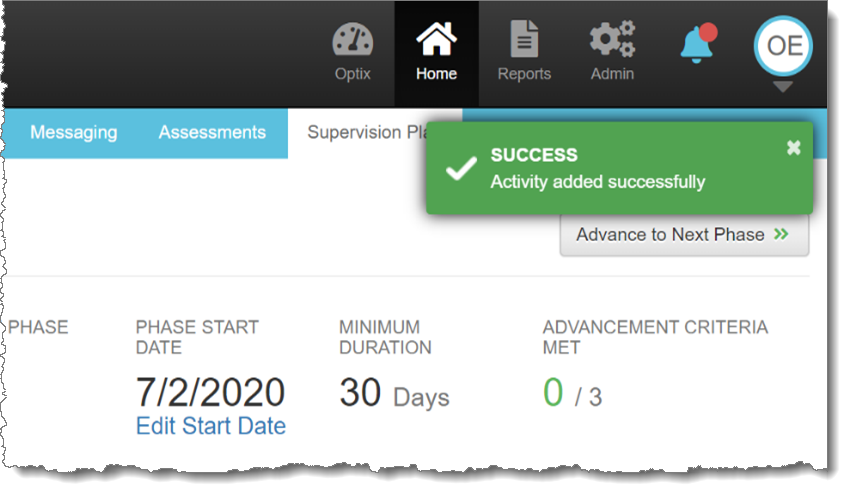
New Alert and Success banners will display in the top-right corner of the screen after an action is completed. Alert (or Error) banners will disappear automatically after 30 seconds. Success banners will show for five seconds before disappearing automatically. Hovering your mouse pointer over either banner will cause them to remain on-screen longer.
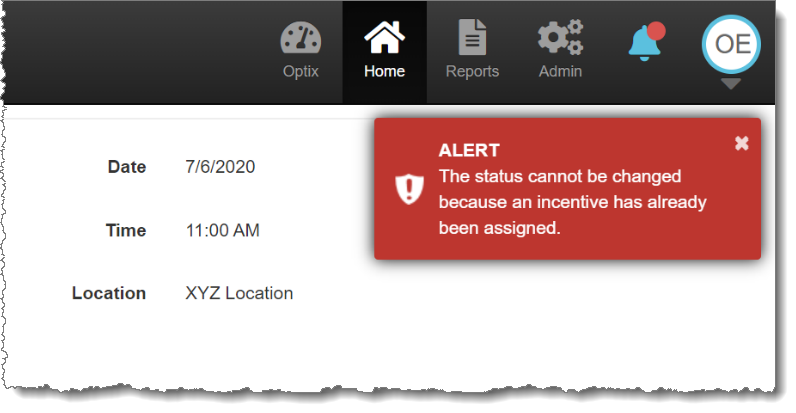
Alert / Error banner
Success banner

Updated Tabs on the Office Visit Screen

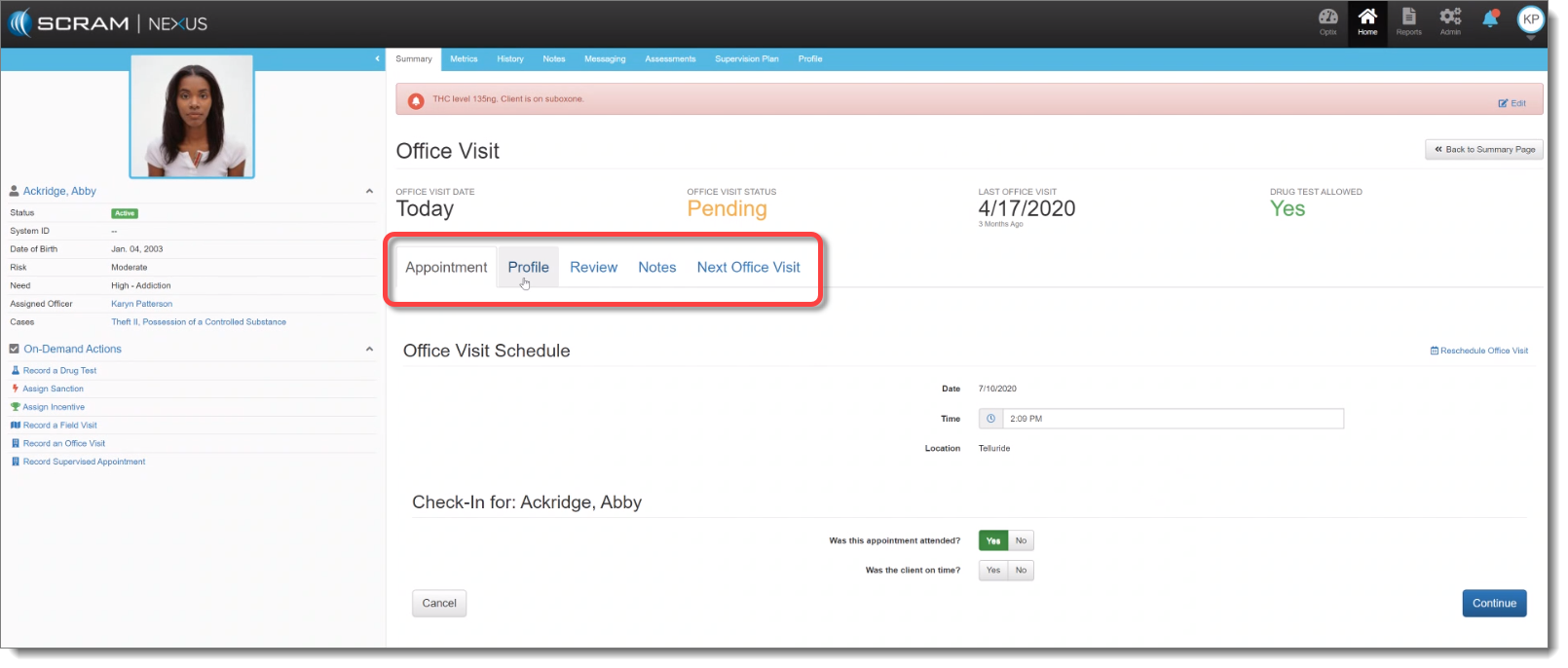
The tab labels on the Office Visit screen now align better to the structure of an actual office visit.
Screen capture
Updated tab labels (click to enlarge)

The updated tabs are:

  1. Appointment: Allows you to select attendance options.
  2. Profile: Provides option to review and edit client information with the client.
  3. Review: Shows list of pending client actions as well as “Activity Progress.” Will surface items completed since last visit.
  4. Notes: Provides officer open text box to capture meeting narrative as well as displays prior notations made for that client.
  5. Next Office Visit: Automatically populates with the scheduled next appointment date, though all the fields are editable, so the client and officer can confirm or reschedule a different time for the next meeting

Additional Client Enhancements:

  • Longer Notes – up to 10,000 characters in length – are now supported in Nexus. This includes notes on Activities, Treatment Provider Notes, Sanction/Incentive Notes, and General Notes. Critical Notes are still limited to 500 characters.
  • Record/Change past appointment dates: When an officer records an on-demand appointment (Drug Test, Office Visit, Supervised Appointment, Sanction, or Incentive) the officer may select any date for that appointment between Jan 1, 1900 and today’s date.

New ‘My Staff’ View on the Supervisor Report

Supervisors who access the Supervisor Report will now have a My Staff view that will filter the officer data to show only their direct reports . If a Supervisor wishes to see more data than their immediate staff, the Supervisor can go to the ‘Agency’ view and data will be displayed for all officers.
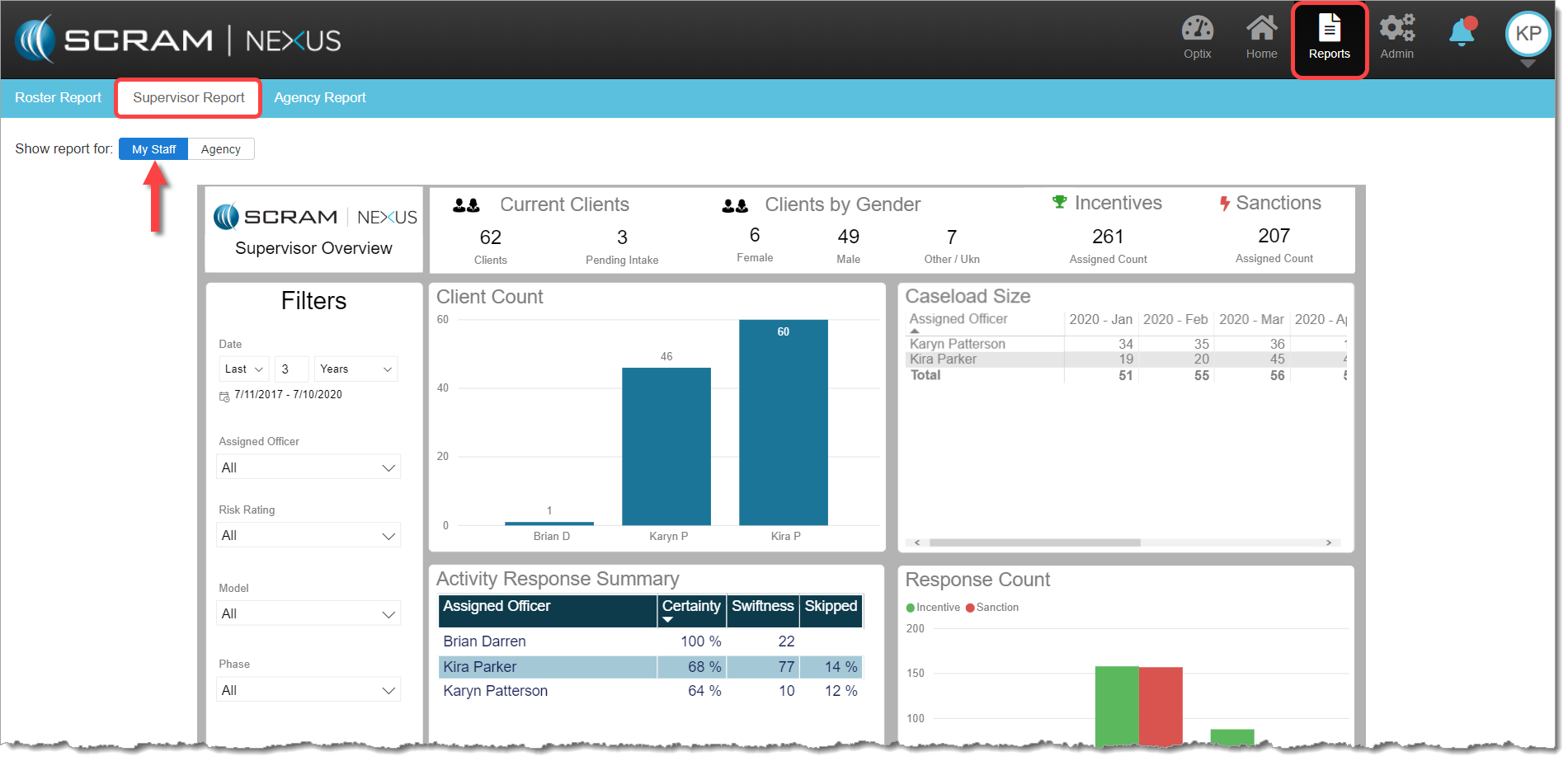
My Staff view (click to enlarge)

Feedback

Please contact our Customer Service department at 1-303-785-7879 if you have questions or recommendations for system improvements.
Continue Reading

Overview:

This Release includes a couple of very exciting new features:

  • Browser Notifications for SCRAM TouchPoint™ Messages
  • The addition of Client Directives

Officer: TouchPoint Message Browser Notifications

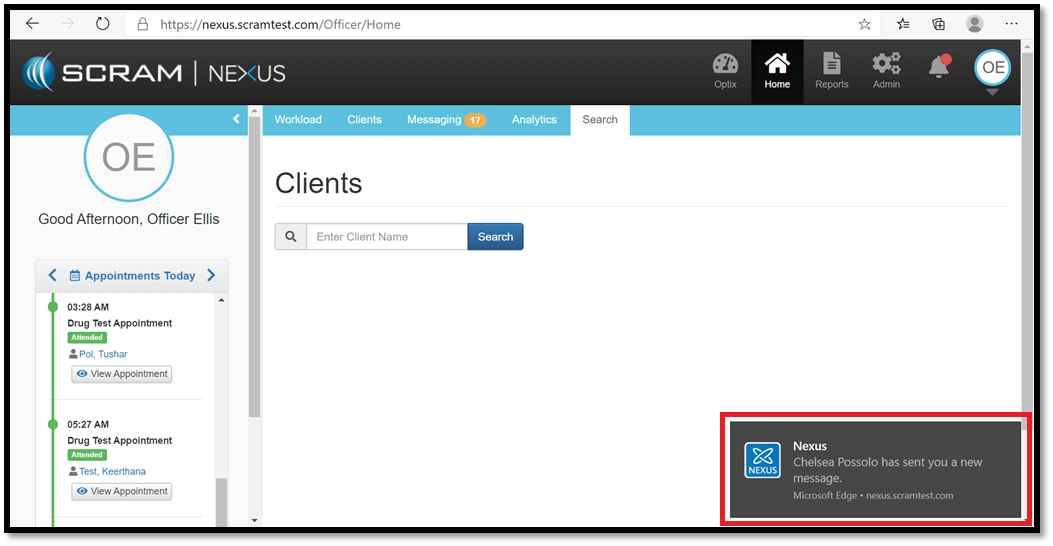
As an officer, you now can opt-in to receive Browser Notifications from SCRAM Nexus®. This will allow you to be notified when you have new TouchPoint messages, even if you do not have Nexus visible on a screen.

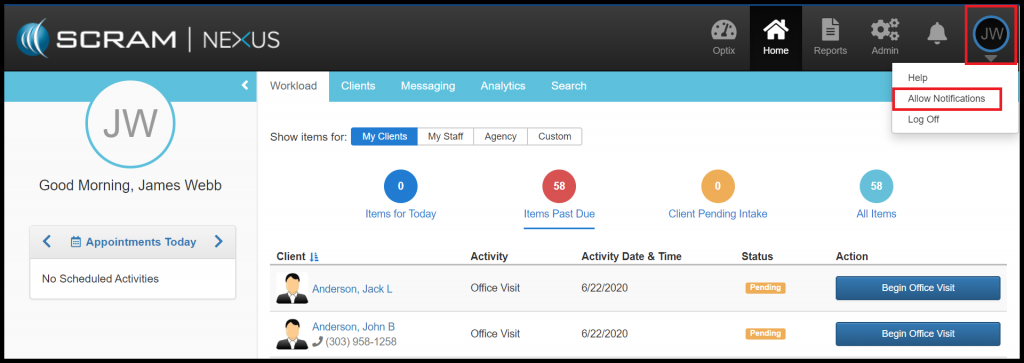
The next time you log into Nexus, you will be asked to “Allow” notifications on the browser that you are logged in with. This feature works on all modern browsers (Chrome, Firefox, and Edge to name a few). If you are not prompted to “Allow” notifications, you can manually do this by clicking on your user initials in the upper right corner and select “Allow Notifications”.

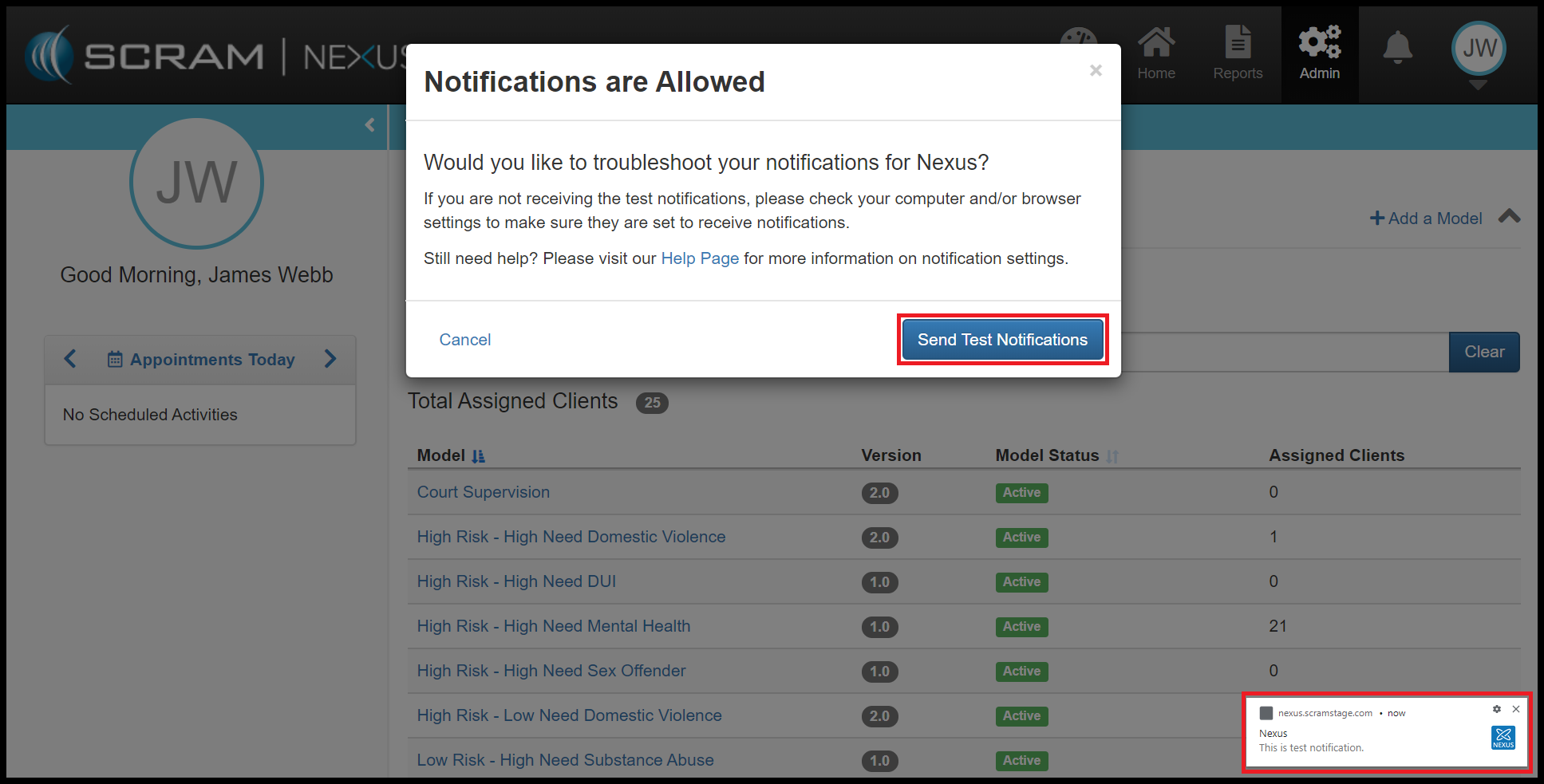
Once the notifications are enabled, you can send yourself a test message.

Client: Track Client Directives

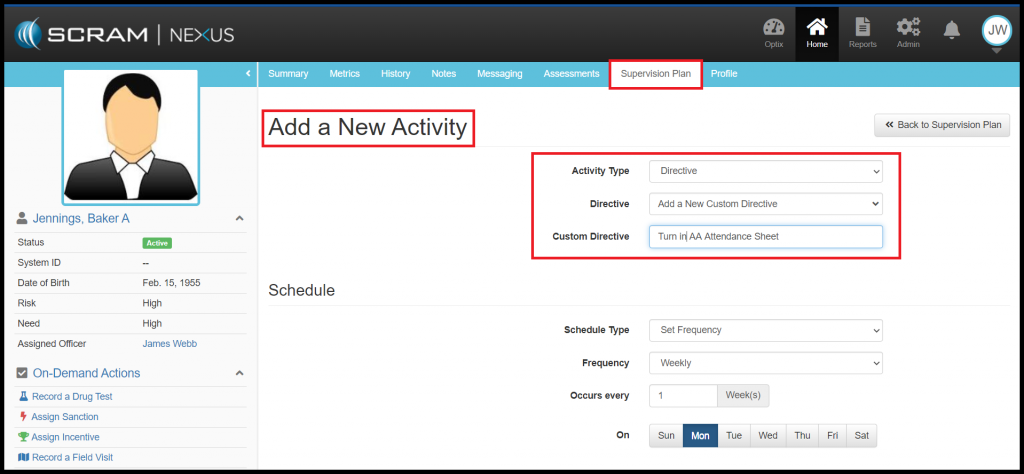
As an Officer, you now can assign Client Directives. Client Directives differ from Client Tasks in that directives can be used to easily track recurring instructions. For example, “Bring in your time-sheet every 2 weeks” or “Turn in AA Attendance Sheet”. Directives have a start dates, due dates, and can track when the client successfully completed or failed to complete the directive.

Administrators of Nexus can add Directives to the Condition Catalog and to a Model. Directives can then be assigned to a client through the Supervision Plan. An Officer can add a Directive to a Client’s Supervision Plan from the Activity list, or they can create a Custom Directive for the client. The officer will need to indicate whether the directive will be a one-time or a recurring event and enter in a date that the directive is due. Officers can also indicate whether the directives will require a behavior response based on the outcome of the directive. If a response is required, Nexus will automatically recommend an incentive or sanction upon completion (or incompletion) of the Directive.

Feedback

As always, please contact SCRAM Systems Customer Service at 1-303-785-7879 with any recommendations for system improvements.
Continue Reading

Microsoft Corporation discontinued support of older versions of its Internet Explorer (IE) browser on January 12, 2016, which impacted IE 10 and older versions. Although IE 11 is still being supported, Microsoft itself is phasing out IE 11 in favor of a browser that better supports today’s modern web capabilities.

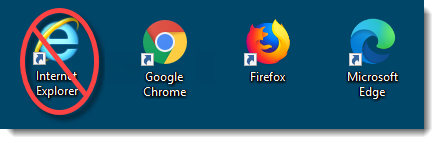
The SCRAM Systems platform utilizes leading-edge web technologies to deliver comprehensive and informative data and reports that enable you to monitor clients efficiently and effectively. Effective March 9, 2020, SCRAM Systems will no longer develop content or provide technical support for any version of IE. Instead, for the best possible experience utilizing SCRAM Systems’ monitoring platforms, we recommend switching to the Google Chrome, Mozilla Firefox, or Microsoft Edge browsers.

Browser icons
Browser icons

Please contact our Customer Service department at 1-303-785-7879 if you have questions or concerns regarding this change.

Continue Reading