Starting this Wednesday, September 18, 2019, when
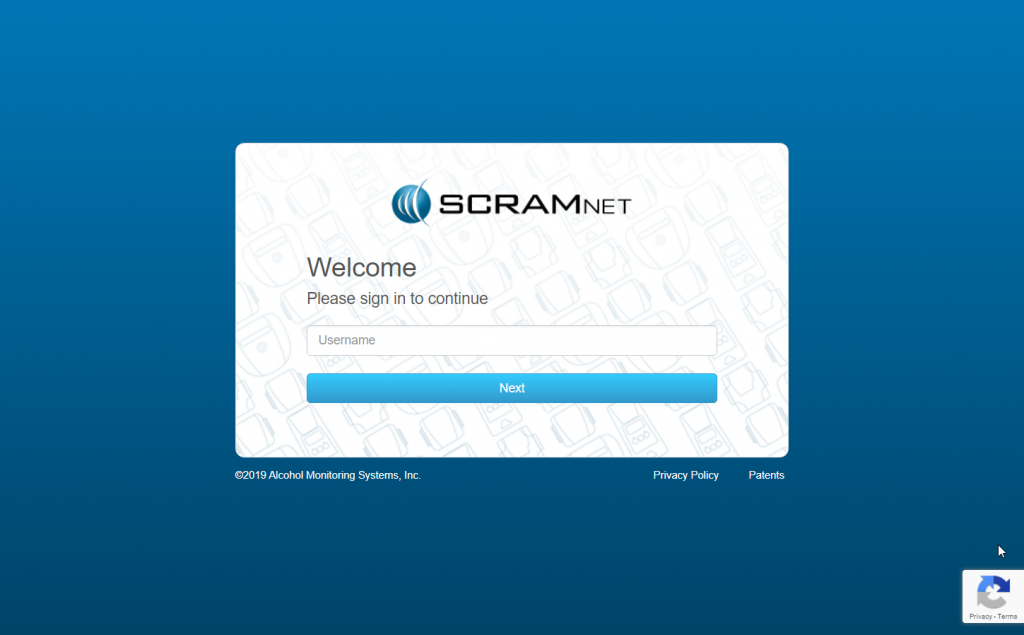
you log into any of our SCRAM client management systems, you will notice newly
designed login pages. Simply enter your user name, click the Next
button, enter your password, and click the Sign In button to access the
system.
The primary reason for notifying you regarding this
change is to ensure you that, when you see this new look-and-feel, you are actually
logging into the correct site and not a pirated or “spoofed” site.
SCRAM Systems is pleased to notify you that we are rolling out the second phase of the Daily Action Plan enhancements — Automated Transfers! With a release scheduled for Thursday, September 12, 2019 at 10:00 AM MDT, the system will automatically transfer high-priority alerts back to SCRAM Systems when additional information is needed, and a final disposition has not been determined (confirmed/not confirmed).
This GPS video demonstrates workflows and guidelines on how schedules can be created and managed to include: connection to inclusion zones, comprehending travel times, prioritizing overlapping schedules, and other calendaring steps.
On August 29, SCRAM Systems will be deploying a new SCRAMnet feature that provides extensive enhancements to the Alert Management Console’s graphing and data visualization capabilities.
On August 29, the SCRAM GPS team will be deploying a new release to the SCRAMnet GPS platform which will include new Low Battery Alert diagnostic features among other system and user enhancements. To learn more, the following quicksheet is available to view or print.
Released on August 20th, the SCRAM GPS team introduced a new series of enhancements that are designed to provide officers with more Schedule Exception flexibility when clients standard schedules need to be superseded for special activities. Additionally, AMS has also published a new Start of Service report that is available from the SCRAMnet GPS reporting menu. To learn more about these new features click on the attached quick sheet.
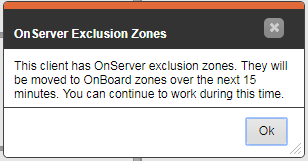
Changes have been introduced to allow customers to “set and forget” OnBoard exclusion zones. To learn more about how to use this feature, please reach out to your SCRAM Systems support representative.
The Charging Event Report (located in the Reports menu) shows a list of all charge times for the selected client (Charging Details section), a daily summary of charging activity (Daily Summary section), and a summary of charging activity for the report date range (Report Summary section).
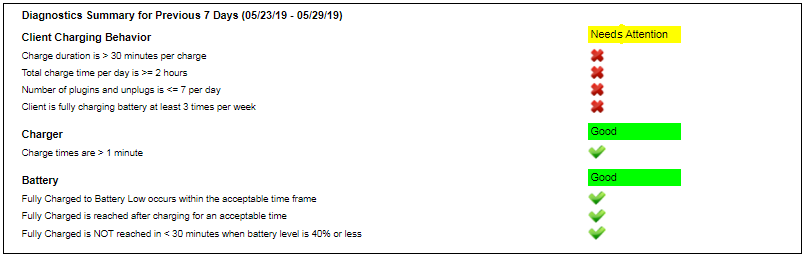
A new Diagnostics Summary section has been added to the report to show key performance indicators (KPI) for three categories:
Each KPI is evaluated over a 7-day period and is indicated as passed or failed. For the Charger and Battery sections, a failed KPI does not necessarily mean the bracelet is not operating correctly. Use these indicators as a guideline and please contact Customer Service for more assistance.
New No Motion Alert Feature
The SCRAM GPS Bracelet will now generate a “No Motion” alert to indicate the client has not moved in a specified period of time. This alert can be used to determine when a client might need medical assistance or has somehow removed the device.
To learn more about this feature, please reach out to your customer support analyst.
New GPS Charger Design Available
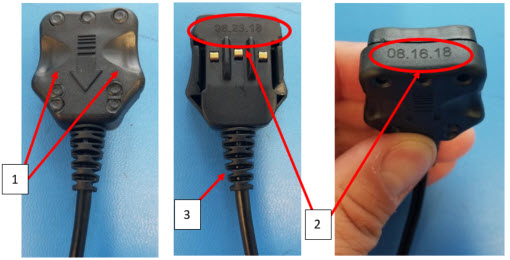
SCRAM Systems has recently made mechanical changes to the GPS charger to increase its life by 3X to a 1 year life expectancy. The updated charger plugs can be differentiated by 3 features as shown below:
There are two large scallops visible on the top of the plug assembly.
The date code marking has been simplified and enlarged to only represent the date of manufacture.
A new longer flex relief has been added to the cable for improved protection and flex of the cable.
For SCRAMnet & SCRAM GPS customers who are managing clients across multiple SCRAM monitoring services, tomorrow at 2pm MST, SCRAM will be deploying a new client matching feature. Please review the attached quicksheets for details on this functionality.