For SCRAMnet & SCRAM GPS customers who are managing clients across multiple SCRAM monitoring services, tomorrow at 2pm MST, SCRAM will be deploying a new client matching feature. Please review the attached quicksheets for details on this functionality.
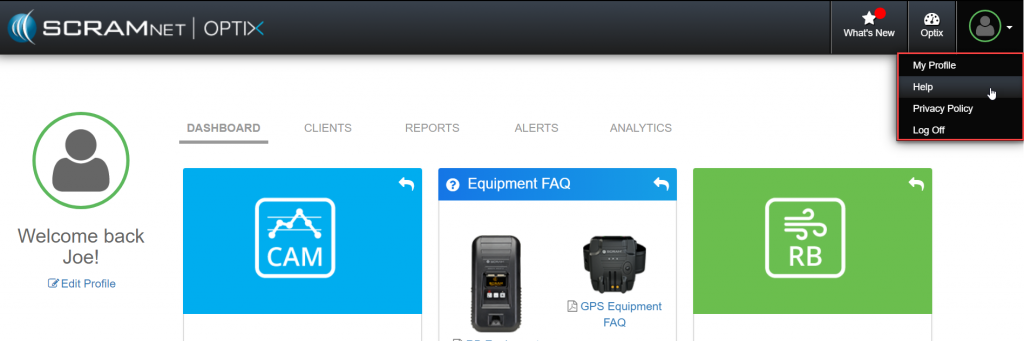
SCRAM Systems is pleased to announce the availability of a new OPTIX help and video system. Accessible through the Help drop down in the upper right corner, this resource is designed to provide OPTIX users with an overview of the features available from OPTIX as well as educational resources for SCRAM customers who are actively managing clients and caseloads on SCRAM monitoring products and the TouchPoint client mobile applications.

SCRAM CAM Device, SCRAM Training, SCRAMNET
CAM Customers – New Daily Action Plan Subscription Workflow
Next week, SCRAM systems will be deploying new functionality designed to:
- Provide CAM Customers with a better global view of Alerts and Caseloads
- Self Management of Daily Action Plan and Subscription to the DAP
- DAP Can Now Be Configured By Customer for Frequency and Time Preferences
This deployment is the first phase of upcoming new functionality designed to enhance the SCRAMnet experience for CAM customers. To learn more about how to best set up and use this new feature set.
| SCRAM Systems is pleased to announce that, beginning Monday, May 13, 2019, a new version (v6.0.1) of SCRAM GPS Bracelet firmware is being introduced. All bracelets shipped after Monday will include this new firmware. The firmware in your current inventory of bracelets will be updated to the new firmware on an incremental basis.
In addition, new features will be available in SCRAMNET GPS. They are:
See attachment for details on these important updates. SCRAMNET GPS Release May 13 2019 As always, please feel free to contact SCRAM Systems Customer Services at 1-303-785-7879 with any recommendations for system improvements. |
SCRAM Systems has released a new update to our 24/7 Sobriety Program management software which includes major enhancements to the scheduling, activity management, and calendar display features of the system. For more details, please review this quicksheet:
FAQ Questions from Webinar:
- How do I change future Drug Patch appointments to appear on Thursdays when they are scheduled for Fridays? Example, I have a Drug Patch Client who currently is scheduled to replace their Drug Patch every 14-days and is currently coming in on Fridays. Her work schedule is changing and she will now need to come in on Thursdays. How do I make her future appointments appear on Thursdays?
- Future appointments are Projected Appointments and are based on the next scheduled appointment. To make the Projected Appointments appear on Thursdays, I simply need to change the next scheduled appointment when recording a Replace/Remove Appointment to appear on a Thursday and the future Projected Appointments will now appear on Thursdays with a frequency of every 14-days.
- Can I Reschedule a Drug Patch Appointment not being the enrolling site?
- The answer is Yes. As long as you are listed as a Courtesy Testing site, there are no limitations on Rescheduling that appointment. We have verified this behavior in the site and cannot reproduce a scenario where it is preventing us from rescheduling this appointment. If this behavior continues for you, please contact me at nrusovick@scramsyststems.com and we can trouble shoot together.
- Is it possible to get an Indefinite Button for Suspending Activities?
- This information has been passed along to the design team to research.
- I noticed that with this latest release that when I suspended an Activity for a Client, the current days appointments are not being suspended. Only future appointments (not today) are removed. Is this by design?
- The answer is Yes. This a byproduct of the new scheduling features and is related to the creation and cancellation of appointments. In this scenario, you will need to open the appointments and either Excuse or Miss the appointment to clear it from the Calendar. We know that this is not the most convenient way for this feature to behave and we plans to release an update the will address this behavior.
This video is a review of suggested best practices for removing a CH bracelet strap from a CAM bracelet.
SCRAM Systems will be deploying a new release to the SCRAMnet GPS platform today at 6pm MDT that includes a new workflow for adding clients to the system. This video will walk you through the changes you will see. Please click on this link for further documentation on this deployment 03282019 – SCRAMNET GPS Release.
This new video walks you through the SCRAMNET software steps to remove monitoring equipment (CAM, HA) from your clients including some recommended best practices.