Once an alcohol, tamper, or removal alert is confirmed by a Data Analyst, a Client Non-Compliance Report can be provided to the supervising authority. This report is immediately available in an easy-to-print Word or PDF format.
The Non-Compliance Report includes:
- The alert confirmation criteria
- The Manufacturer’s Description of Technology
- A Data Interpretation Summary
- Your organization’s name on the cover page as the preparer of the report
- The client’s data interpretation for each confirmed event selected
Access the Non-Compliance Page
Option One:
From the Alert Management Console:
- Start on the Active Workload page.
- Click the confirmed alert hyperlink located under the Alert column.
- On the Alert Management Console, select the Reports option under the Actions column.
- Locate the Client Non-Compliance Report section and click the Go To Client Non-Compliance Report button.
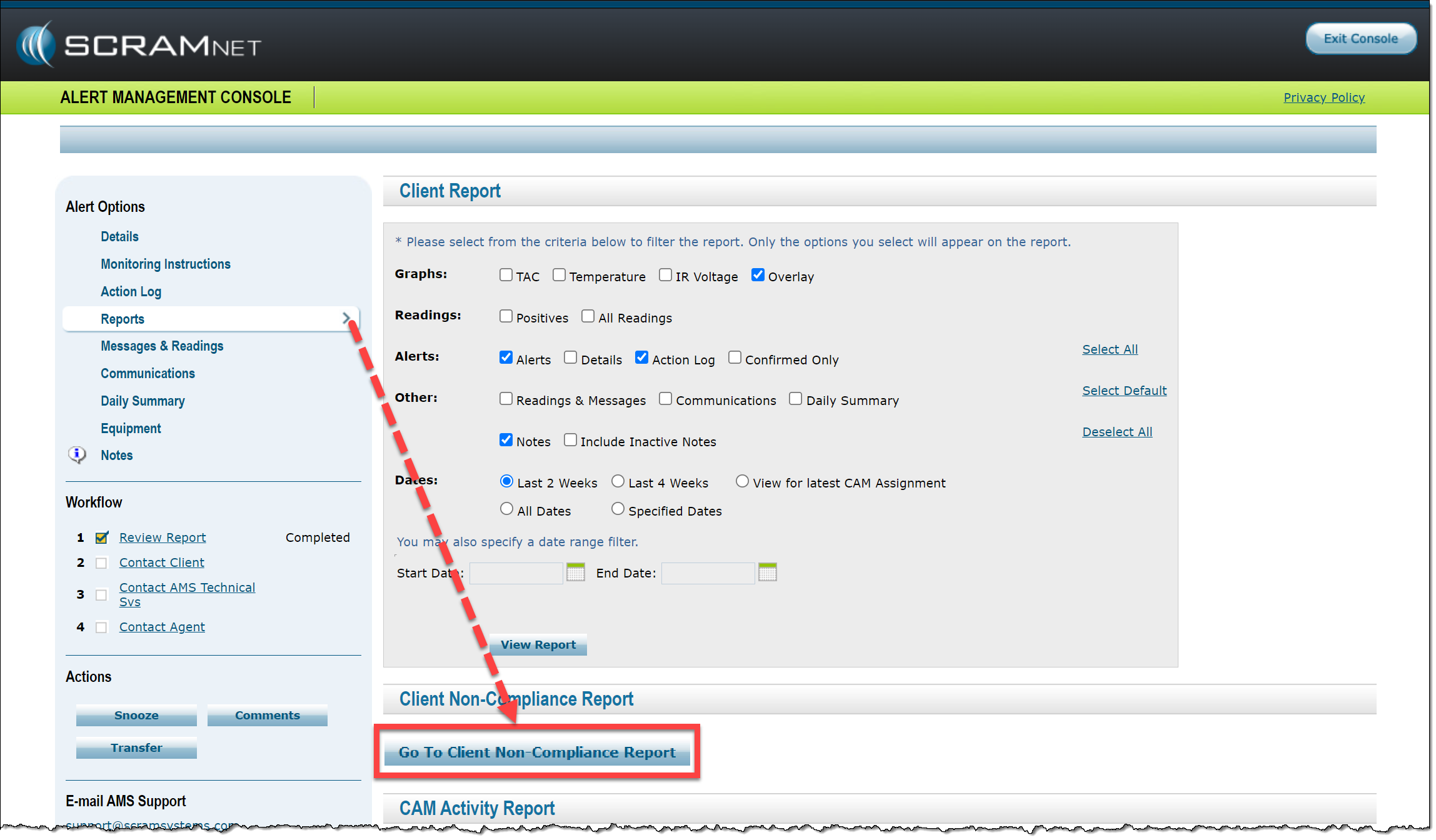
Select the button from the Alert Management Console (click to enlarge)
Option Two:
From the Client page:
- Click the Reports tab.
- On the Reports page, click the Non-Compliance sub-tab.
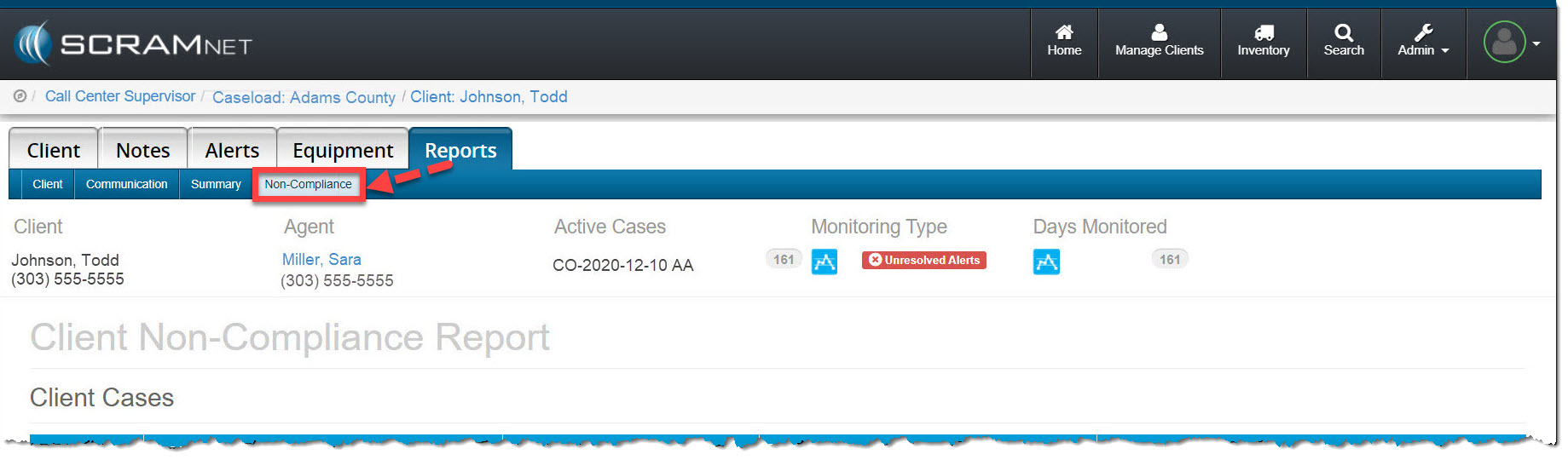
Select the Non-Compliance sub-tab (click to enlarge)
On the Non-Compliance page:
- In the Client Cases section, select the checkbox to the left of the appropriate case number(s).
- In the Alerts section, select the checkbox in the column heading or select each alert individually.
 |
|
- Once all selections are made, click either the Download Report in Word or Download Report in PDF button.
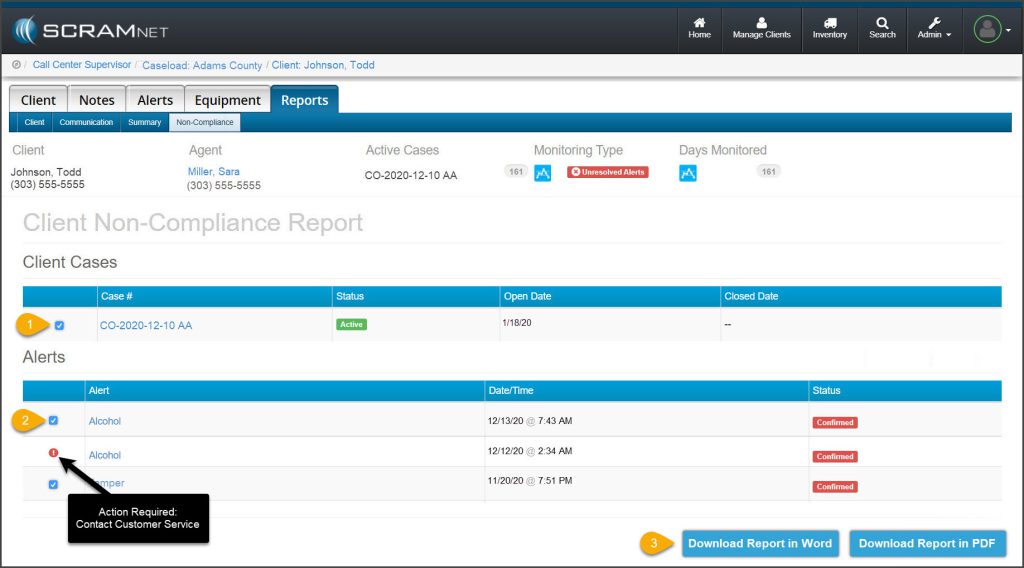
Make Selections and Choose the Report Output (click to enlarge)
The report is now ready for your review and distribution as needed.
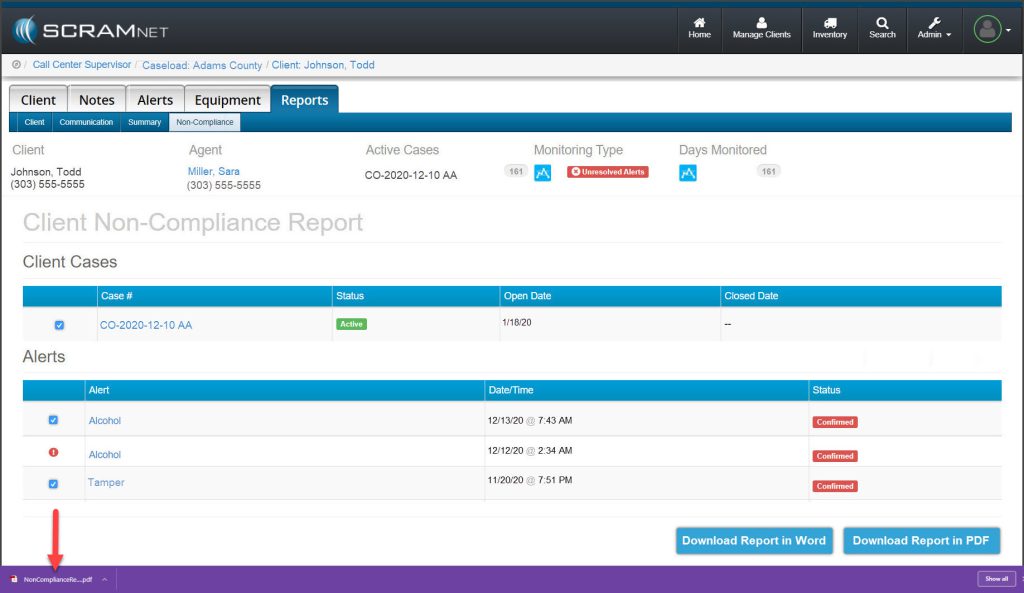
Open Your Report (click to enlarge)
View an example Client Non-Compliance Report (PDF).