When a client is being removed from the SCRAM Program, you can check in equipment in one of two ways…depending on whether or not the equipment is available.
When you click the Stop Monitoring button on the client’s Equipment page, you will be asked if you have the equipment with you. If you answer “Yes”, the equipment will be set to the Pending Removal status and will remain in that status until Direct Connect is used to complete the check in and return the equipment into inventory. If you answer “No”, the equipment will be set to the Awaiting Return status and will remain in that status until:
- The equipment is retrieved and Direct Connect is used to return the equipment to In Inventory.
- An Inventory Manager or individual with the proper permissions elects to set the equipment status to Lost.
Below is a comparison of the two inventory statuses:
| PENDING REMOVAL | AWAITING RETURN |
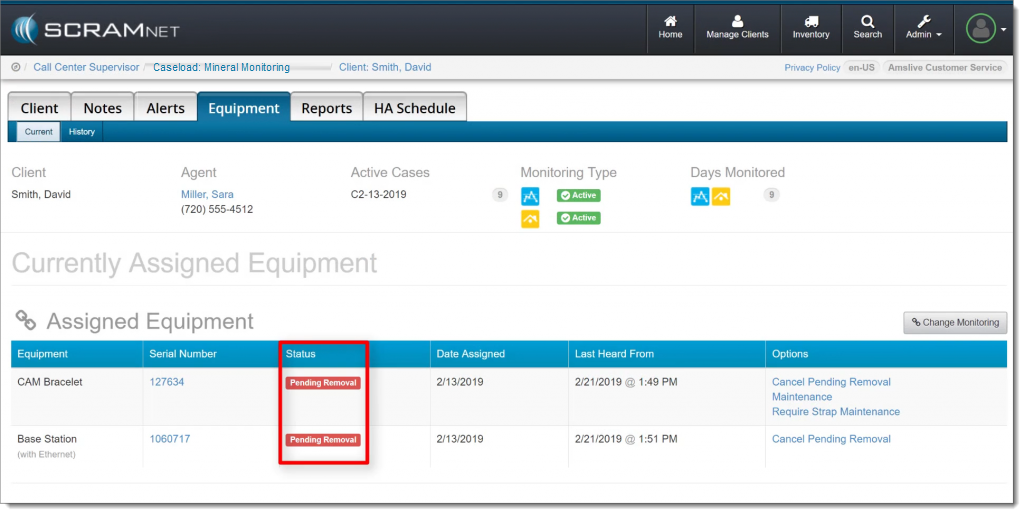 Click to enlarge |
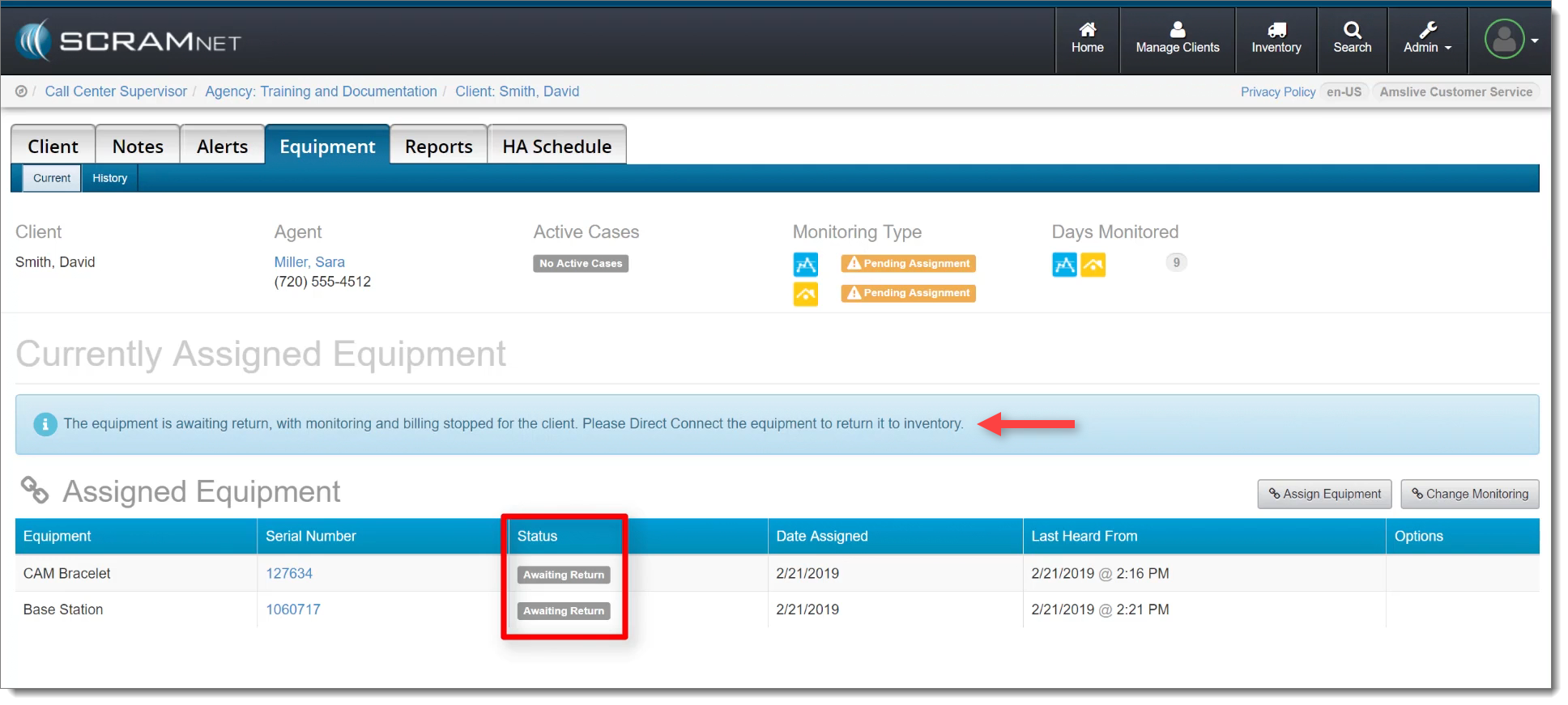 Click to enlarge |
|
|