Purpose
Use this page to help you remove and check in the SCRAM CAM device for a client who is being removed from the SCRAM Systems Monitoring Program.
If the bracelet is NOT on hand, click the Stop Monitoring button and complete the Stop Monitoring process to set the status to Awaiting Return.
What you will need:
- Bracelet assigned to client
- Direct Connect device with USB cable
- Shear Cutter
- Bracelet Buckle Torx Screwdriver
- T10 Screwdriver
- Magnet
- Faceplate Removal Tool
- Brush
- Cloth
Procedure
When Client Arrives
Perform the following steps when the client arrives to be removed from the SCRAM Systems Program.
- Set SCRAM CAM Bracelet to Pending Removal:
- Access the client’s Equipment page.
- Click the Stop Monitoring button.
- With the Stop Monitoring now and check in Equipment now radio button selected, click the Complete Stop Monitoring button.
The status of the bracelet is set to Pending Removal.
- Open the Direct Connect application.
- Connect the Direct Connect device to the Direct Connect application:
- Plug the small (mini-B type) USB connector into the Direct Connect device.
- Plug the large (A type) USB connector into a USB port on your computer.
The red and blue lights on the Direct Connect device blink for approximately 5 seconds then both remain on.
Bracelet status in Direct Connect Application: Waiting for Bracelet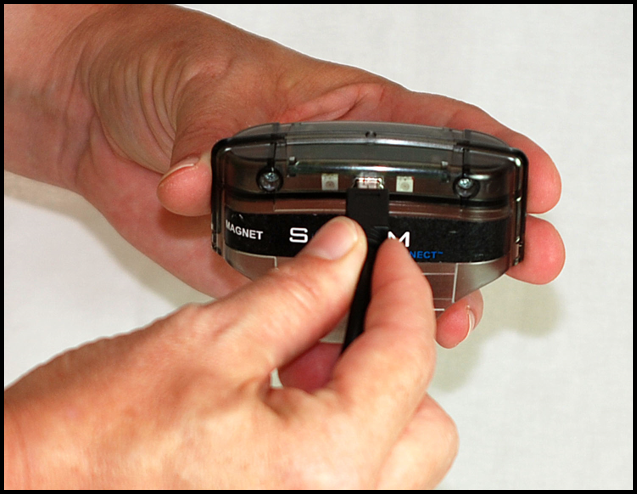
Connecting USB Cable to Direct Connect Device
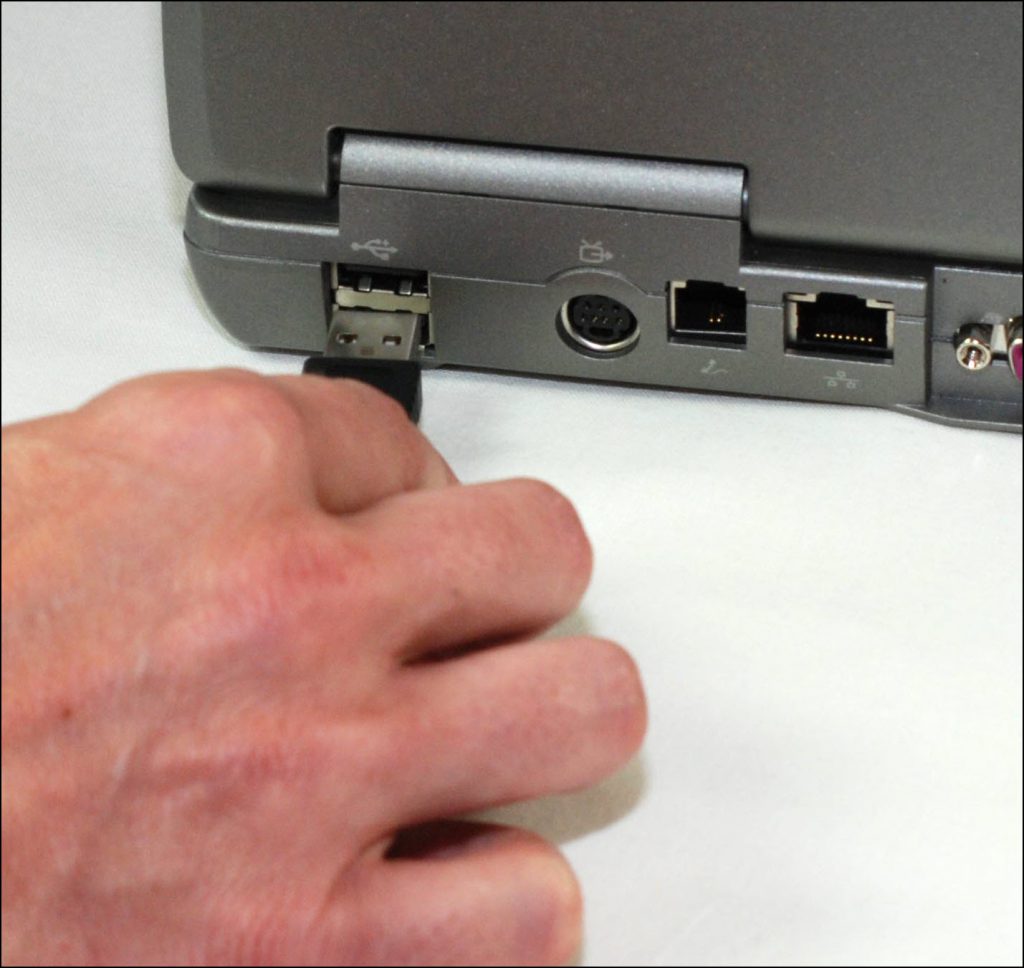
Connecting USB Cable to Your Computer
- Attach the Direct Connect device to the bracelet:
- Align the Direct Connect device with the top of the bracelet.
- Slide the Direct Connect device down over the bracelet.
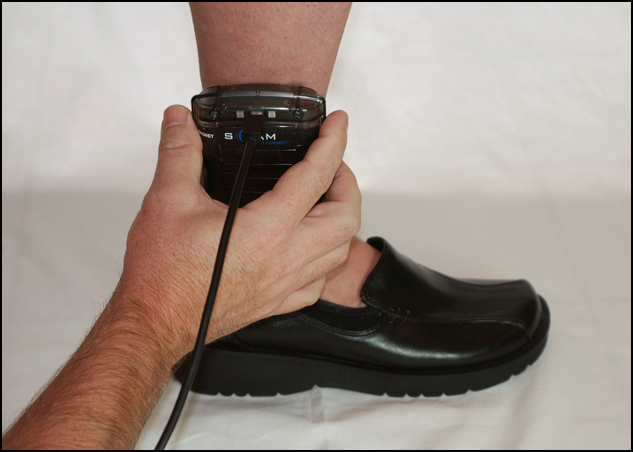
Attaching Direct Connect Device
- Wake Up the Bracelet:
- Momentarily place the magnet on the Direct Connect device where the word “magnet” appears.
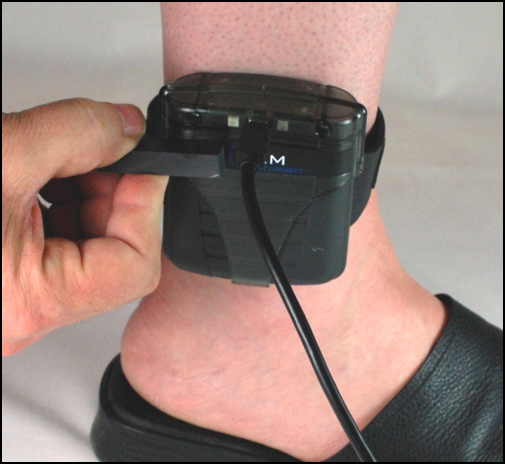
Placing Magnet on SCRAM CAM Bracelet
At this time:
- Bracelet status in Direct Connect application: Communicating
- On the Direct Connect device, the red light turns off while the blue light remains on.
- Any remaining data is transferred from the bracelet to SCRAMNET.
- The bracelet software is checked and updated, if necessary.
When complete:
Between 30 seconds and two minutes later…- The blue light turns off for approximately 5 seconds then both lights turn back on.
- Bracelet status in Direct Connect application: Communication Complete
After another minute, the status changes to: Waiting for Bracelet
The bracelet is now back in inventory and available for use on another client after being cleaned. - Momentarily place the magnet on the Direct Connect device where the word “magnet” appears.
- Unplug the USB cable from the Direct Connect device and remove the Direct Connect device from the bracelet.
- Remove the Bracelet:
- Place the shear cutter on the center line where the two pieces of the tamper clip meet.
- Press down firmly with one point of the shear cutter until the point breaks through the plastic.
- Press down firmly with the other point of the shear cutter until that point breaks through the plastic.
- Squeeze the shear-cutter handles until the plastic center breaks and the two pieces separate from the buckle cover.
- Using the T10 screwdriver, loosen the two retaining screws.
- Pull the strap back through the buckle, removing the bracelet from the client’s ankle.
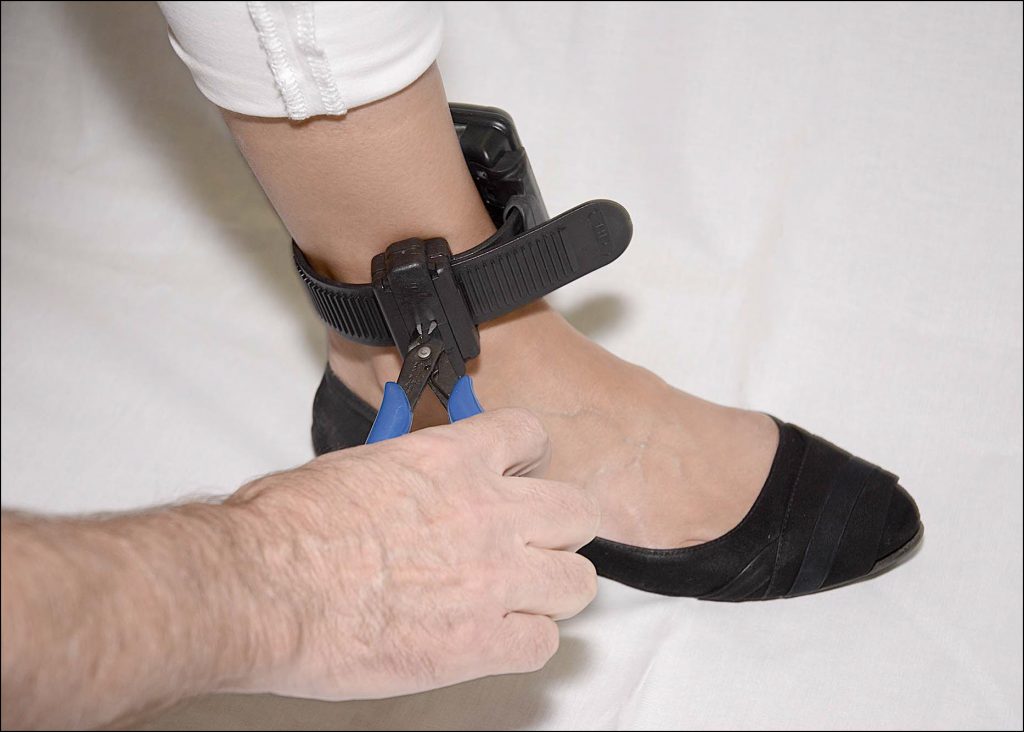
Breaking Through the Tamper Clip Plastic
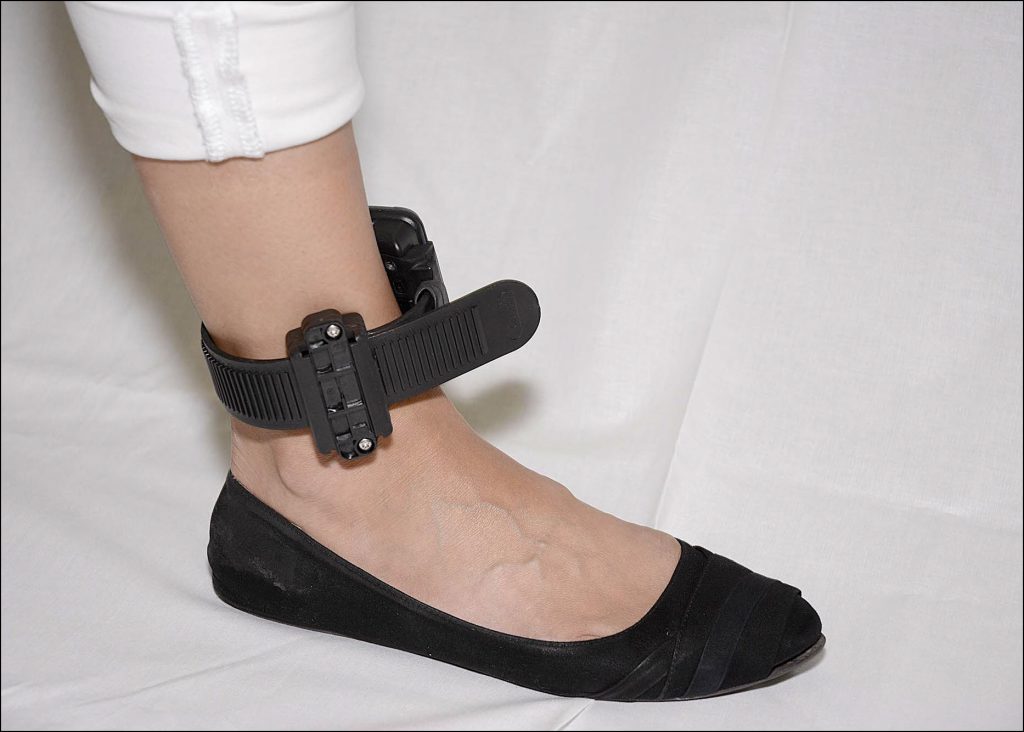
Buckle with Clip Parts Removed
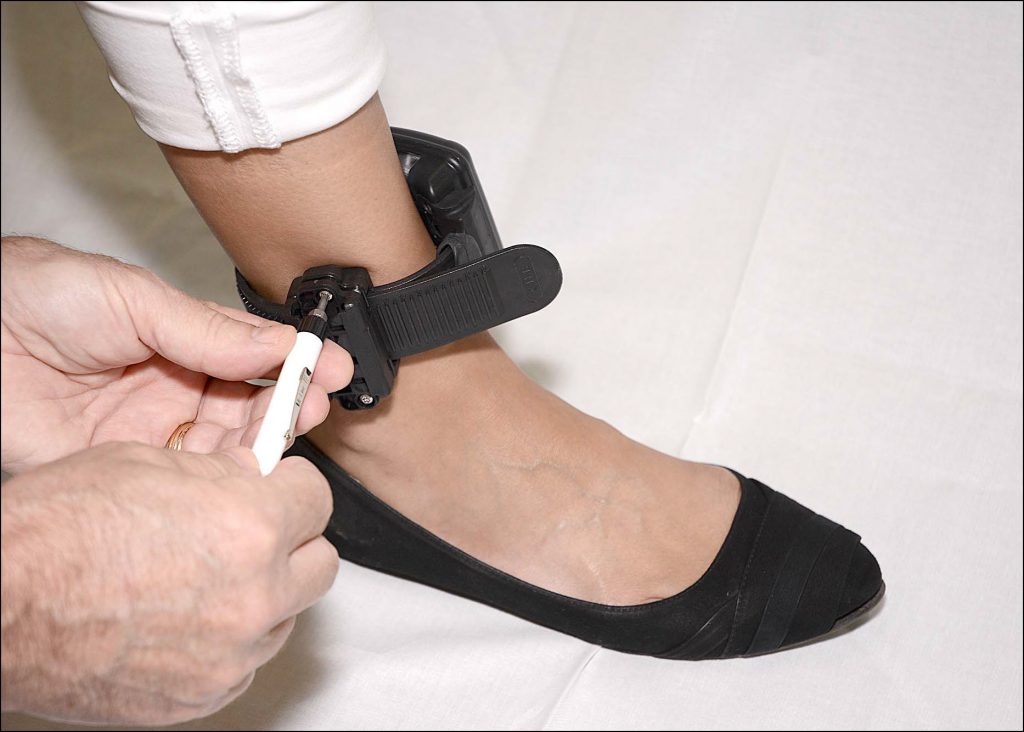
Loosen the Retaining Screws
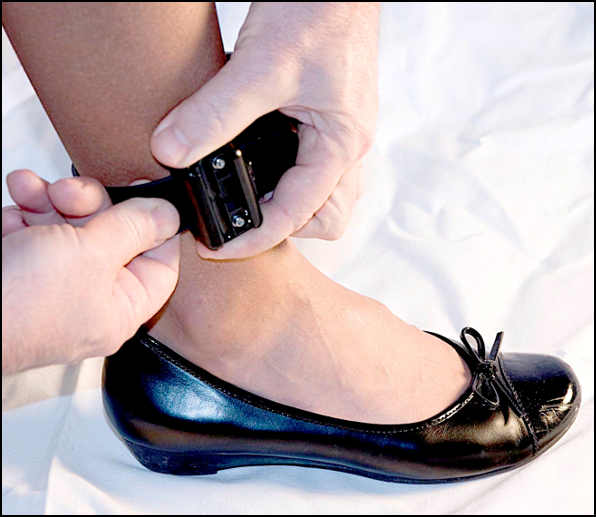
Remove SCRAM CAM Bracelet
Check In the Client’s Base Station
If a base station was a part of the client’s monitoring, follow the instructions on the Check In Standard Base Station and Wireless Base Station Help article.
After Client Leaves
Perform the following tasks when the client has left the office.
- Notify the Agent that the removal is complete.
Is the bracelet being shipped back to SCRAM Systems?
Perform the following steps if the bracelet is being returned to SCRAM Systems. If not, proceed to step 3.
-
- Contact Us to obtain an RMA number, or complete the SCRAMNET RMA Request Form that is available on the SCRAM Systems Help & Support home page.
- Place in box and ship.
Note: If you feel that a piece of SCRAM Systems equipment may pose a specific health hazard and decide to not clean or reuse the device, dispose of the device in a sealed plastic bag. DO NOT return the device to SCRAM Systems. Refer to your individual state and/or local guidelines for specific electronic equipment disposal instructions. Contact SCRAM Systems Customer Services at (303) 785-7879 or support@scramsystems.com with the serial number of the device being removed and/or decremented from your inventory.
- Disinfect the Bracelet.
- Remove the Faceplate:
- Insert the Faceplate Removal Tool into the slots on the right side of the bracelet.
- Press the tool in until the faceplate disengages.
- Remove the faceplate.
Note: Discard the faceplate.
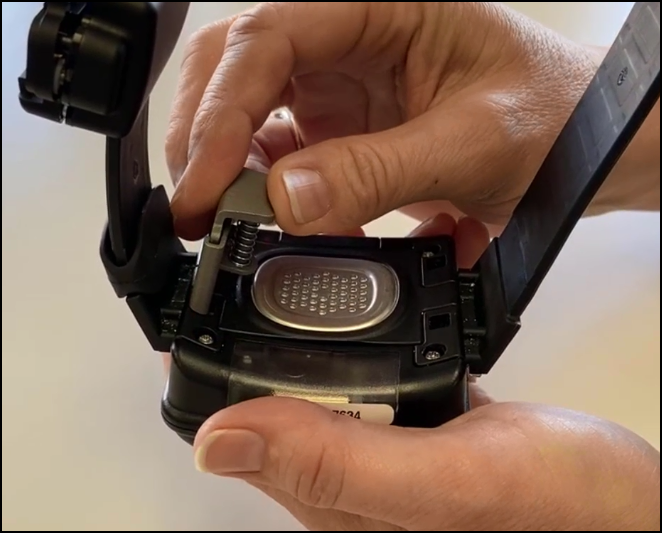
Inserting the Faceplate Removal Tool
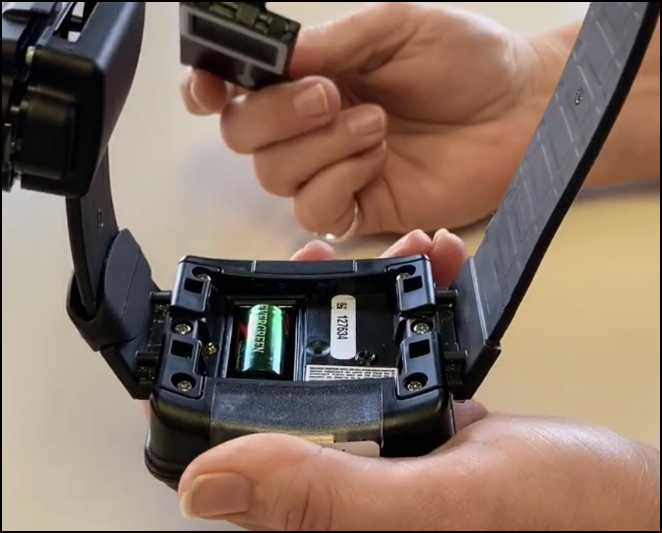
Faceplate Removed
- Remove Battery.
To remove the battery:- Place your finger tip on the edge of the negative side (flat) side of the battery.
- Pull up on the battery, removing it from the bracelet.
Note: Discard the battery.
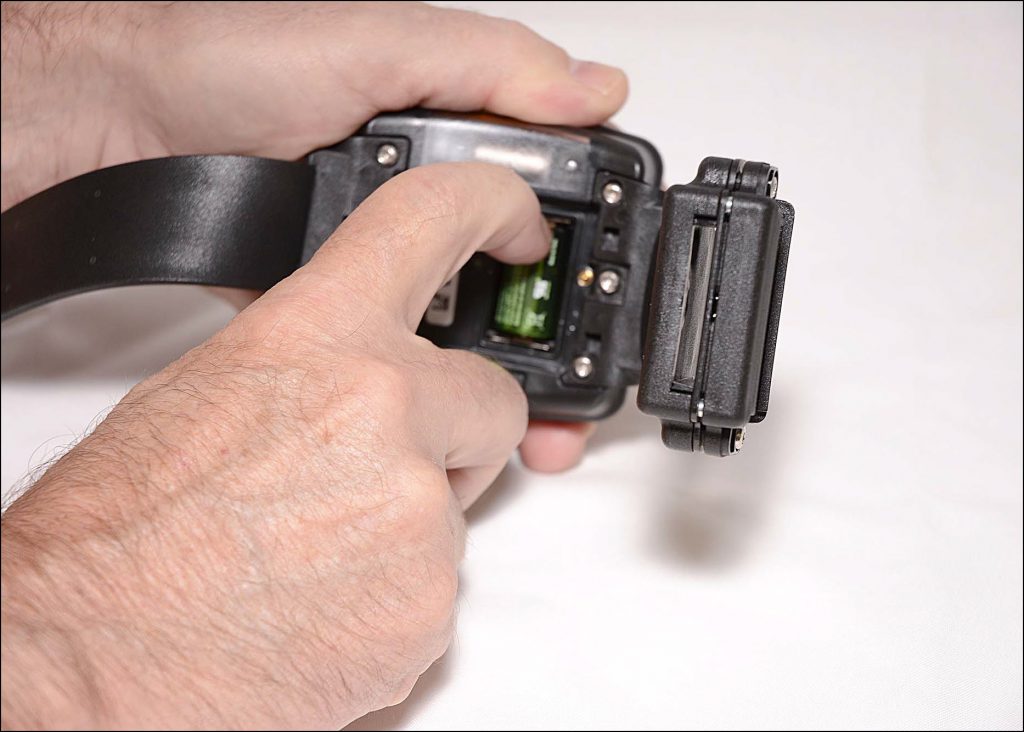
Removing the Battery
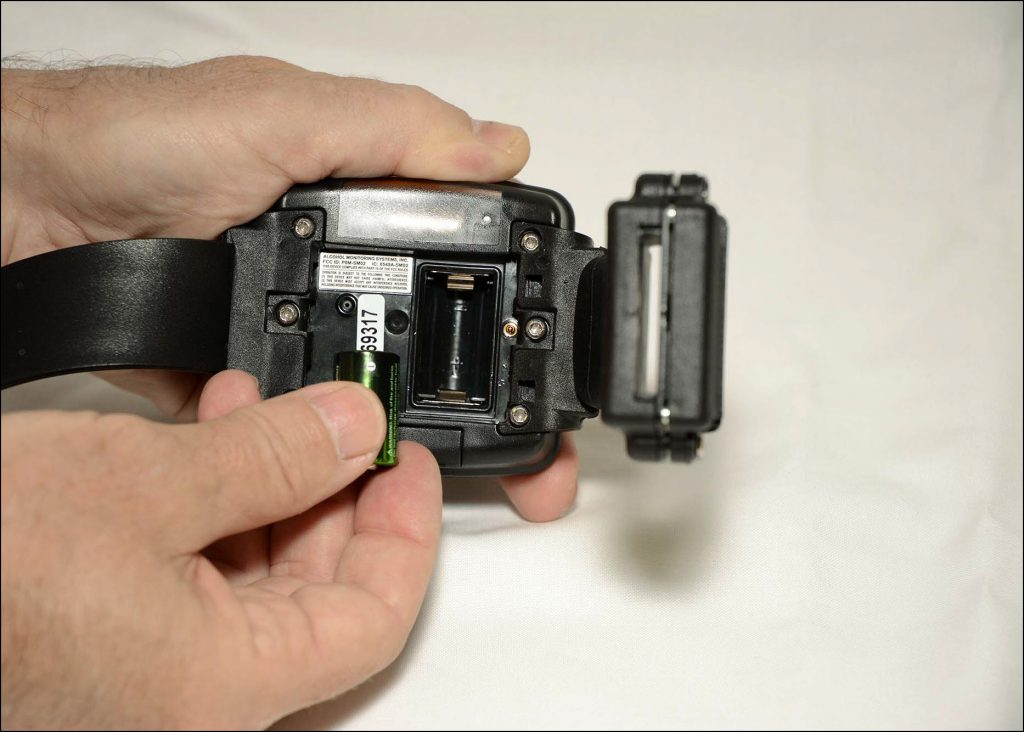
Battery Removed
- Clean Pogo Pins.
To clean the pins using a fine-bristled brush and microfiber cloth:- Scrub the pins.
- Use the cloth to wipe away any debris.