Add the client’s profile to SCRAMNET
In SCRAMNET click the Manage Clients icon.
- On the Manage Clients page, click the +Add New Client button to navigate to the Create New SCRAMNET Profile page.
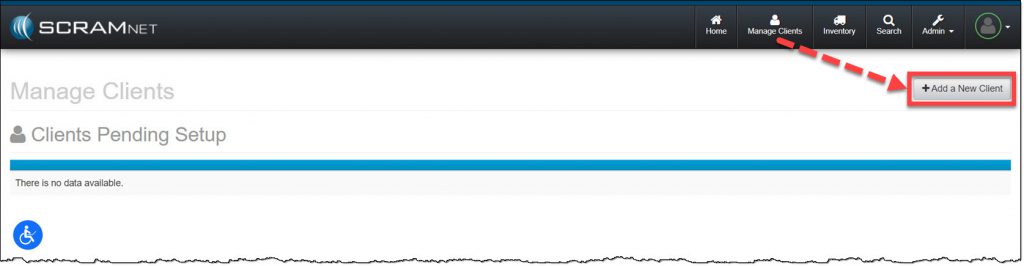
SCRAMNET Manage Clients page (click to enlarge)
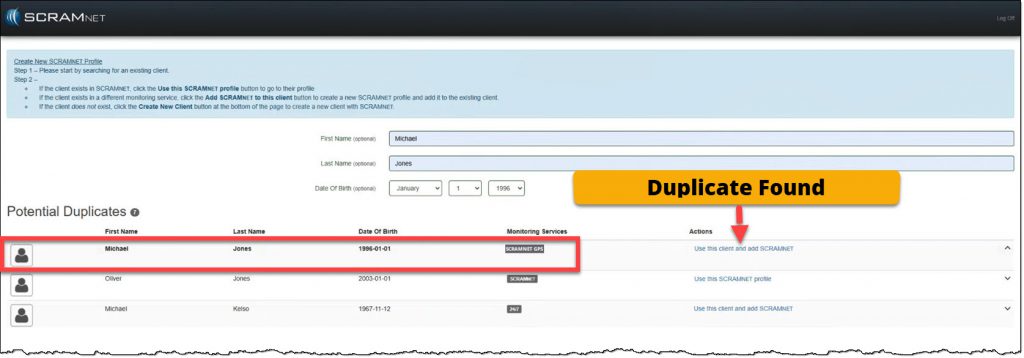
- Enter in the client’s name and date of birth.
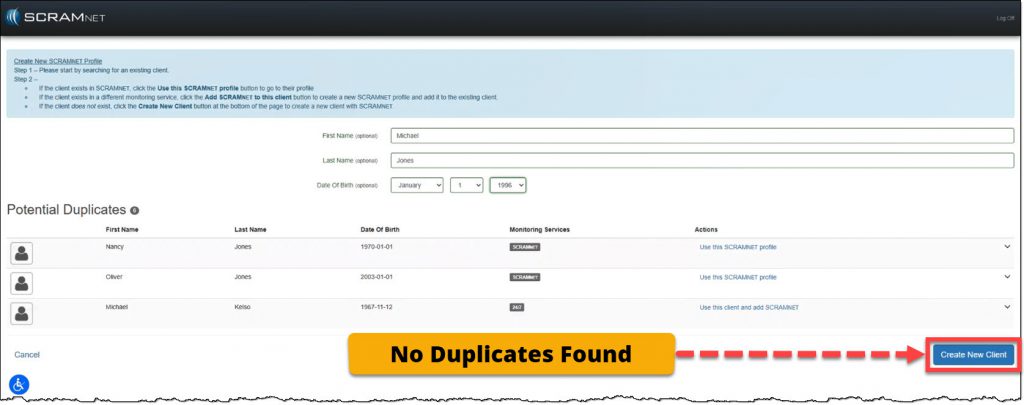
- If the client’s information does not appear in the Potential Duplicates list, select the Create New Client button.
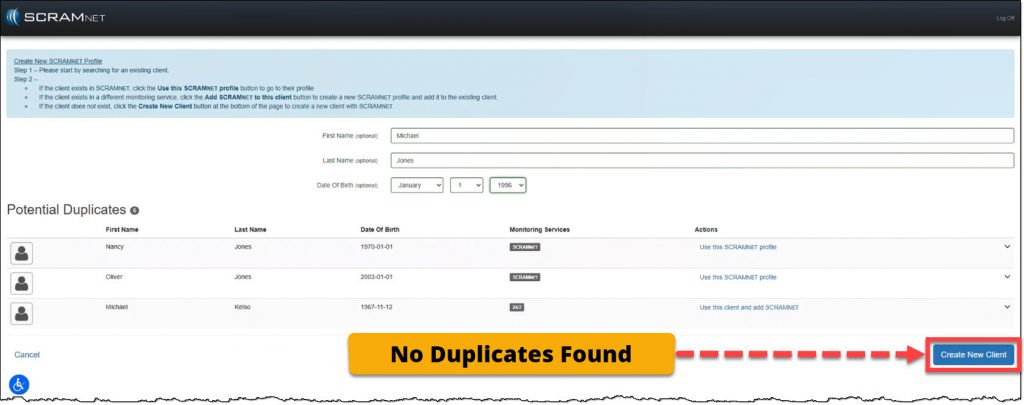
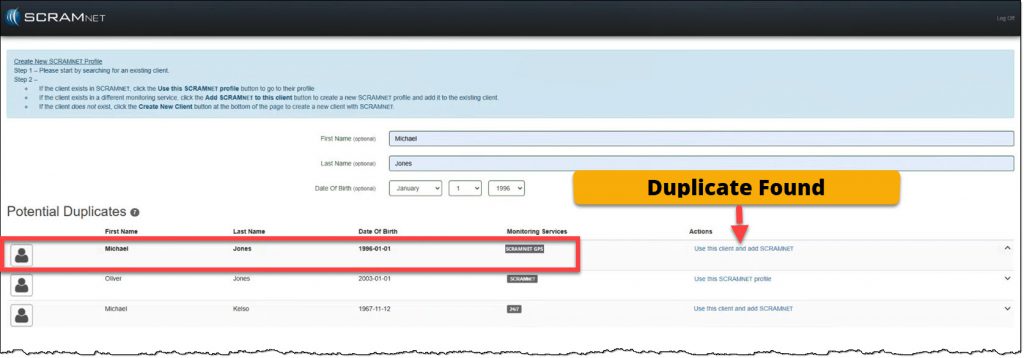
- If the client’s information displays but is associated with a different Monitoring Service on the Potential Duplicates list, select the Use this client and add SCRAMNET link to create a SCRAMNET profile for the client.
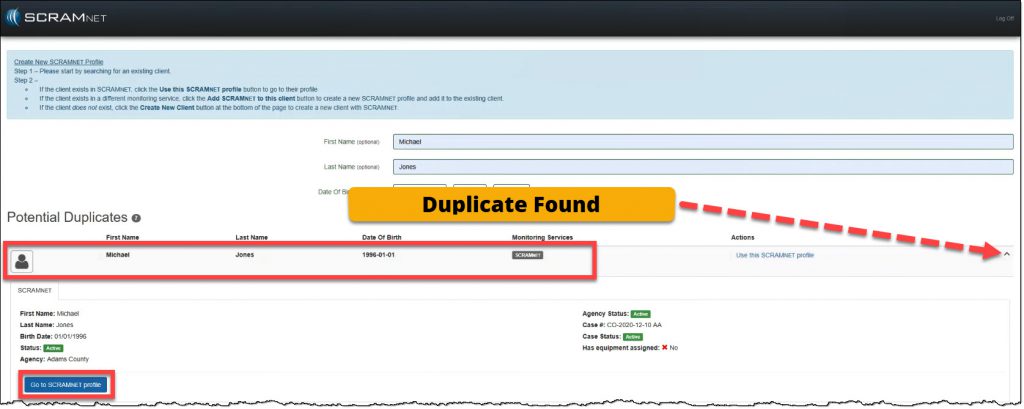
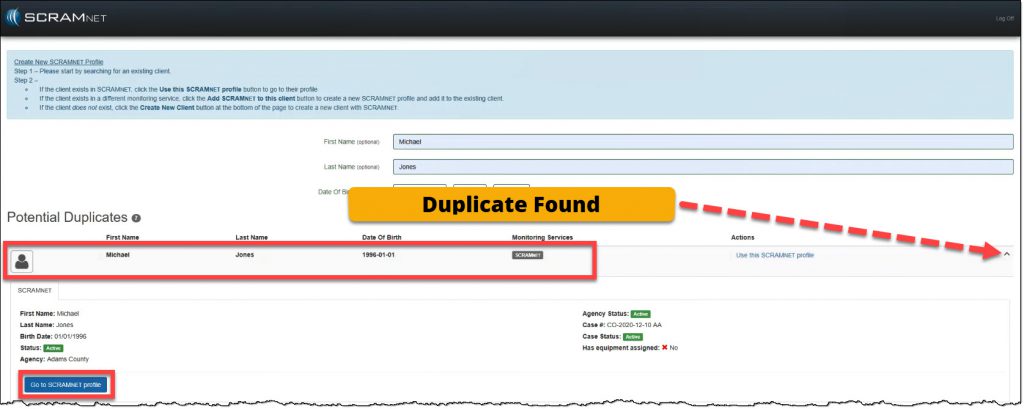
- If SCRAMNET is showing as a monitoring service for the client, expand the node and click the Go to SCRAMNET profile button to view or edit the profile.
- If the client’s information does not appear in the Potential Duplicates list, select the Create New Client button.
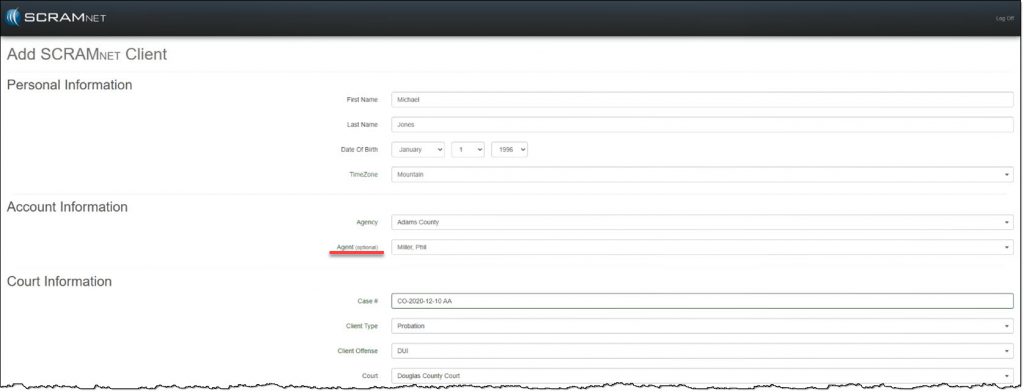
- Complete the Add SCRAMNET Client All fields are required unless marked optional.
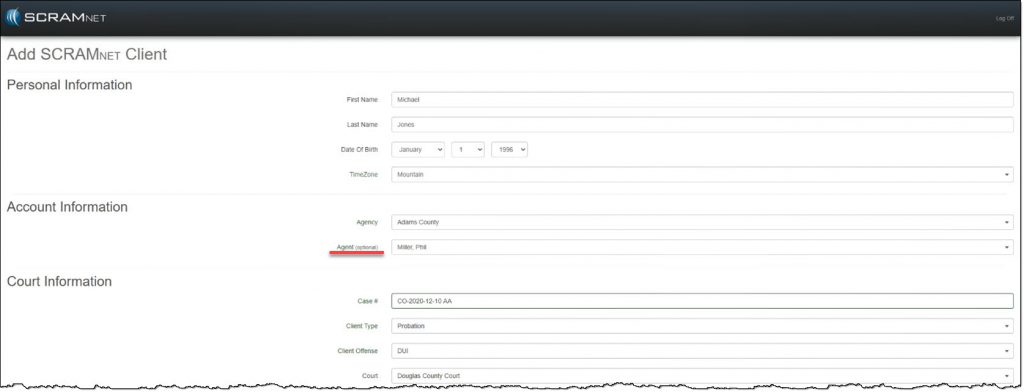
Add SCRAMNET Client page part one (click to enlarge)
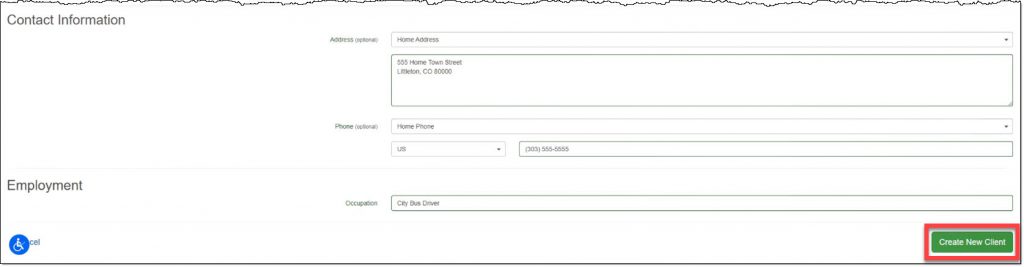
- Click the Create New Client button.
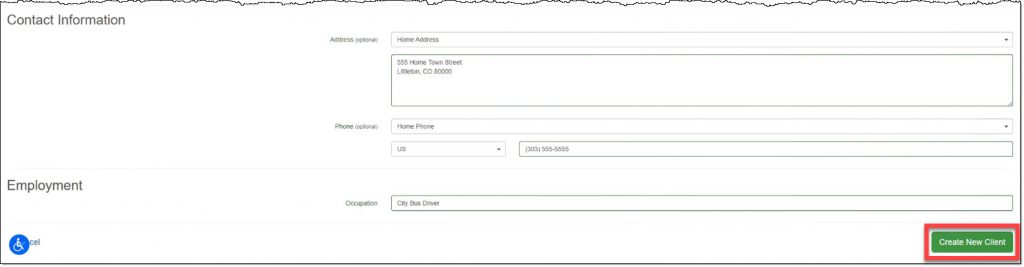
Add SCRAMNET Client page part two (click to enlarge)
- On the decision pop-up, select one of the three available options:
- Add Another Client to SCRAMNET and return to the Manage Client page.
- Return to SCRAMNET
- Assign Equipment to continue setting up the current client for monitoring.
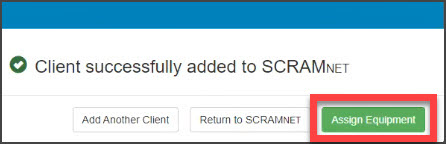
Client Successfully added to SCRAMNET decision pop-up (click to enlarge)
Set the Client’s Monitoring Type
On the client’s Equipment page, the next step is to select the monitoring type for the client.
- Click the Assign Monitoring button.
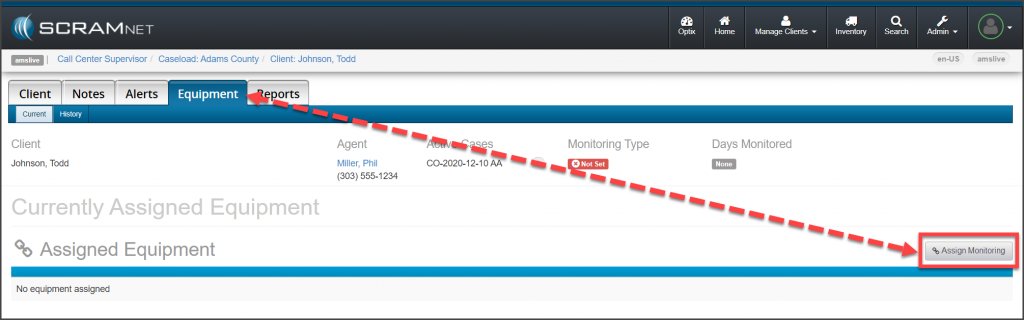
SCRAMNET Client’s Equipment page: No Monitoring Type Set (click to enlarge)
- On the Change Monitoring page, on the Monitoring Type menu, select the CAM
- Click the Change Monitoring button.
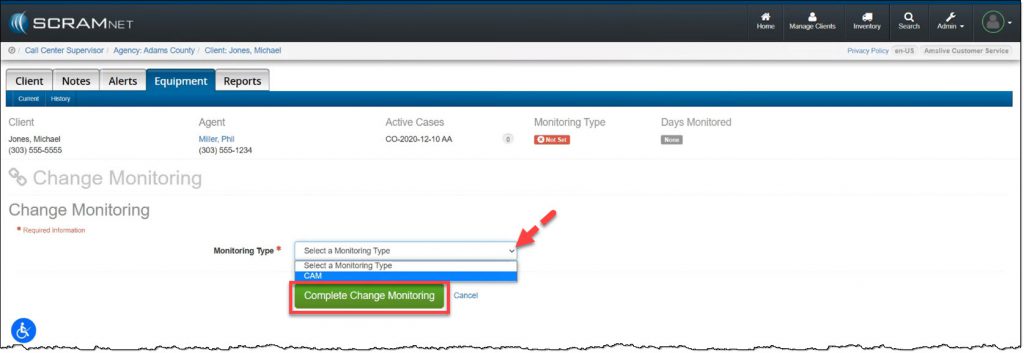
SCRAMNET Change Monitoring page, CAM selected. (click to enlarge)
The next step is to add the equipment information into SCRAMNET.