SCRAMNET and SCRAMNET GPS support the following browsers and versions:
| Browser Name (Vendor) |
Version Policy | Currently Supported Versions (as of June, 2017) |
| Internet Explorer (Microsoft) | No longer supported | No longer supported |
| Firefox (Mozilla) | Versions last 6 months | 37 to current version |
| Chrome (Google) | Versions last 6 months | 50 to current version |
At AMS, we are committed to delivering full-function and reliable web applications that meet our user’s needs. Our development teams make use of new capabilities available in modern, up-to-date browsers. That is why we are only able to support current browsers which provide improved performance and security.
Our two client management sites, SCRAMNET and SCRAMNET GPS, use a variety of modern browser techniques including JavaScript. This functionality must remain enabled in the browser for the application to function correctly. Although all reasonable efforts are made to test application changes on a variety of browsers, AMS cannot guarantee the look, performance, or functionality of either site on any specific browser version beyond the explicitly stated browsers and versions. The following message will appear if you attempt to access either site using an outdated browser.

Finding Browser Versions for Mozilla Firefox and Google Chrome
Mozilla Firefox
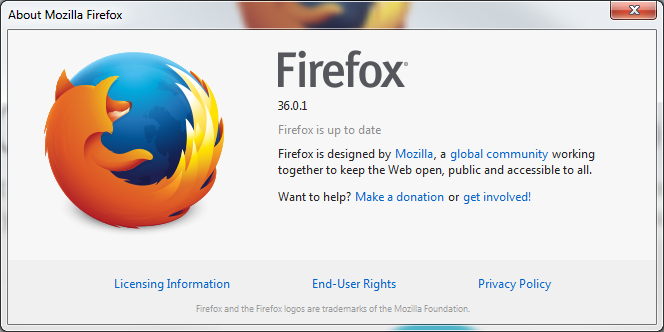
- Open Firefox Mozilla.
- Click the Orange tab labeled Firefox at the top, right-hand corner for a drop-down box.
- Hover over the Help option.
- Select the About Firefox option.
The version will be displayed as below.
Google Chrome
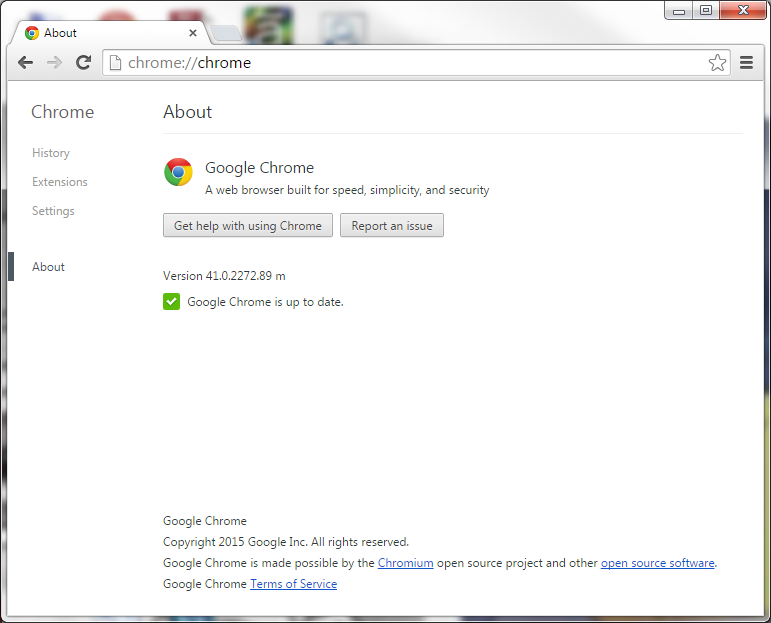
- Open Google Chrome.
- Click the three lines icon located in the top right corner of the page.
- Select the About Google Chrome option.
The version will be displayed as below.