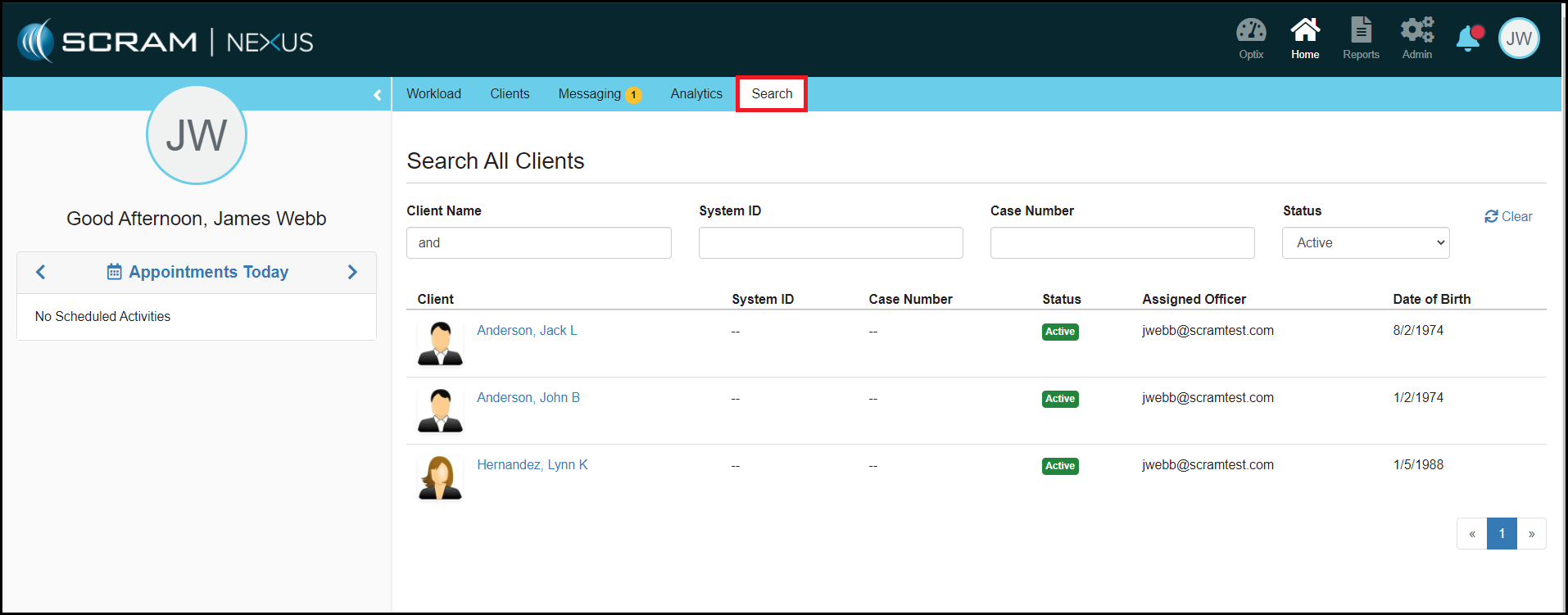
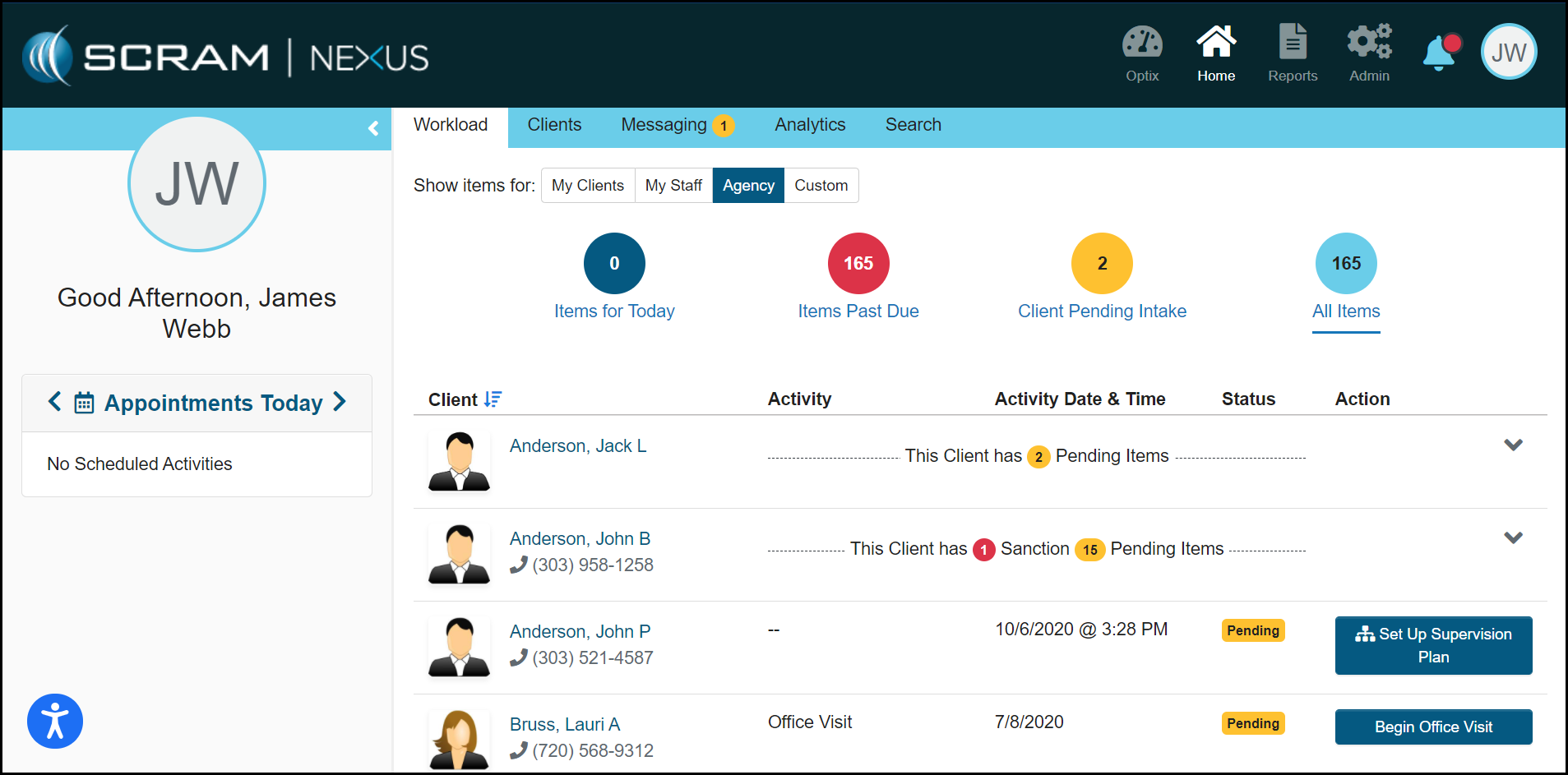
With this enhancement, an officer can now use a partial name to complete a client search. For example, typing in “and” in the name field will return “Anderson” and “Hernandez”.
Client: Notes
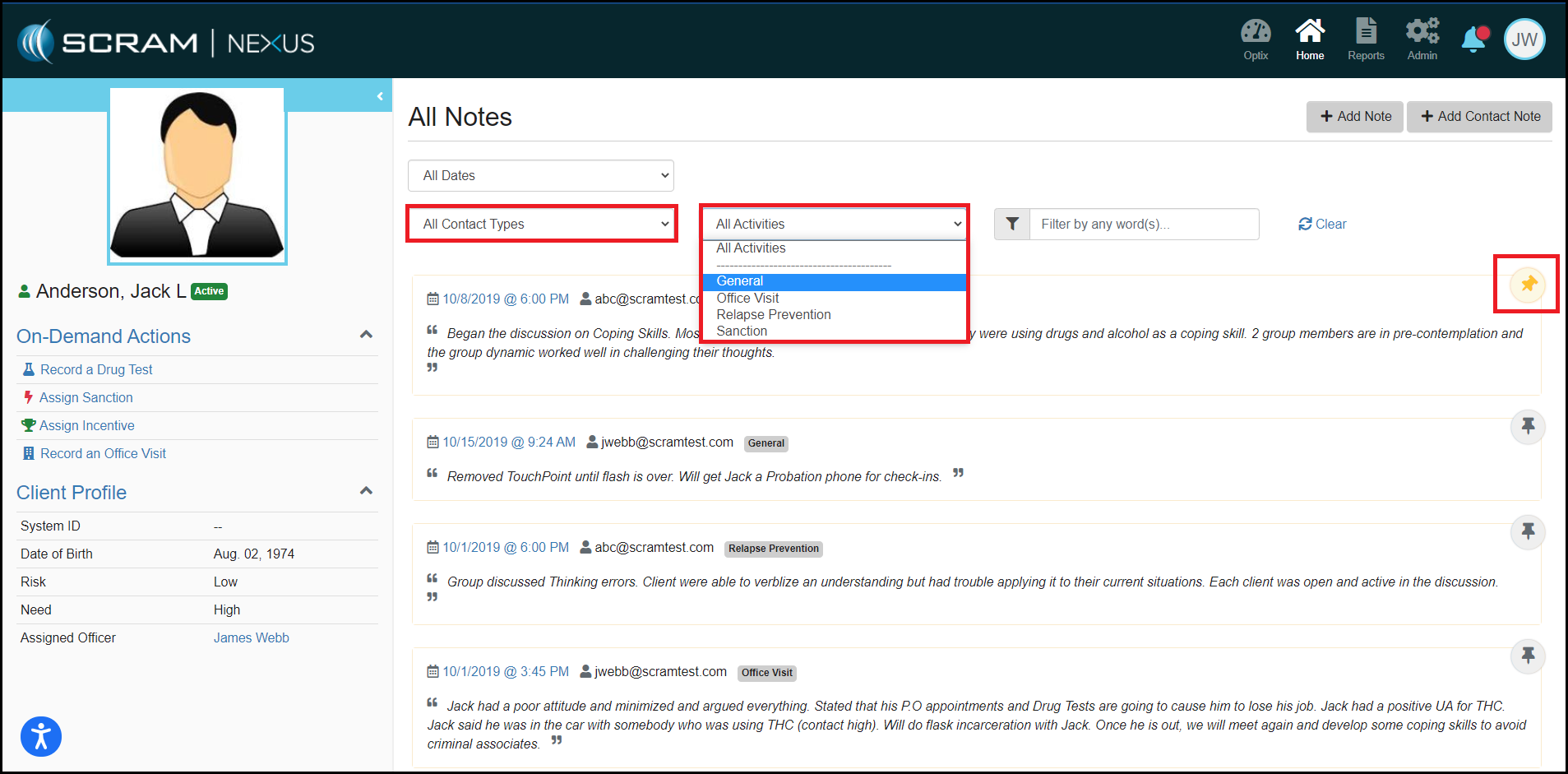
In addition to the existing date filter, the Client Notes list can now be filtered by the activity type and or the contact type. This redesign has added a search field to allow an officer to filter by a key word or words and also pin notes to the top of the list for quick reference.
Feedback
As always, please contact SCRAM Systems Customer Services with any recommendations for system improvements.
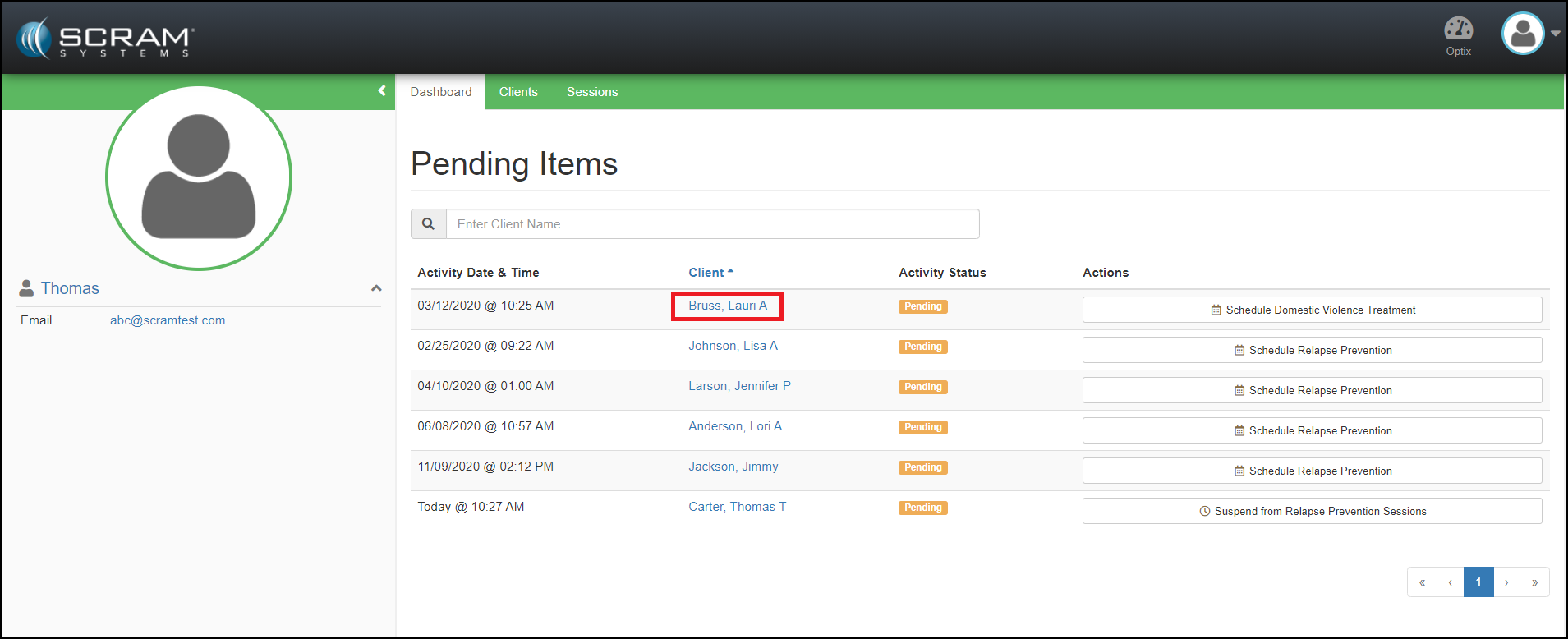
Provider: Display Client Account Information for Treatment Providers
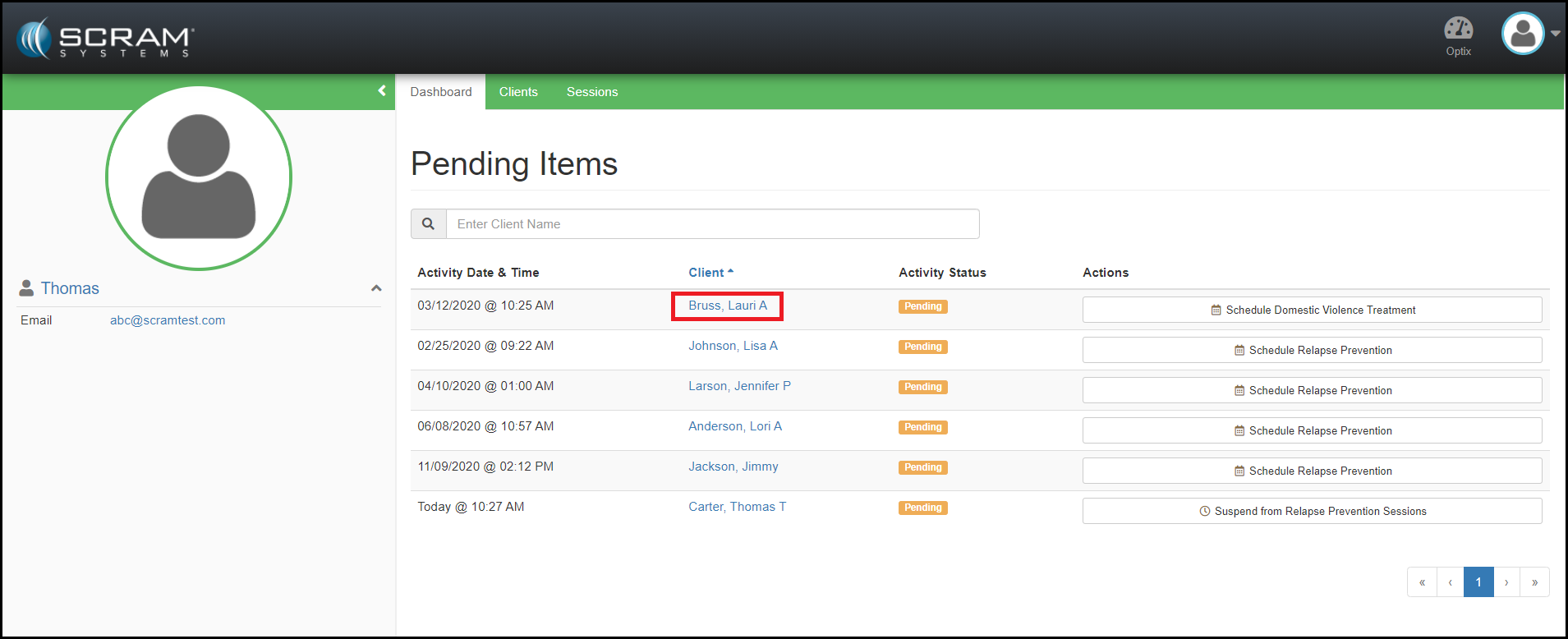
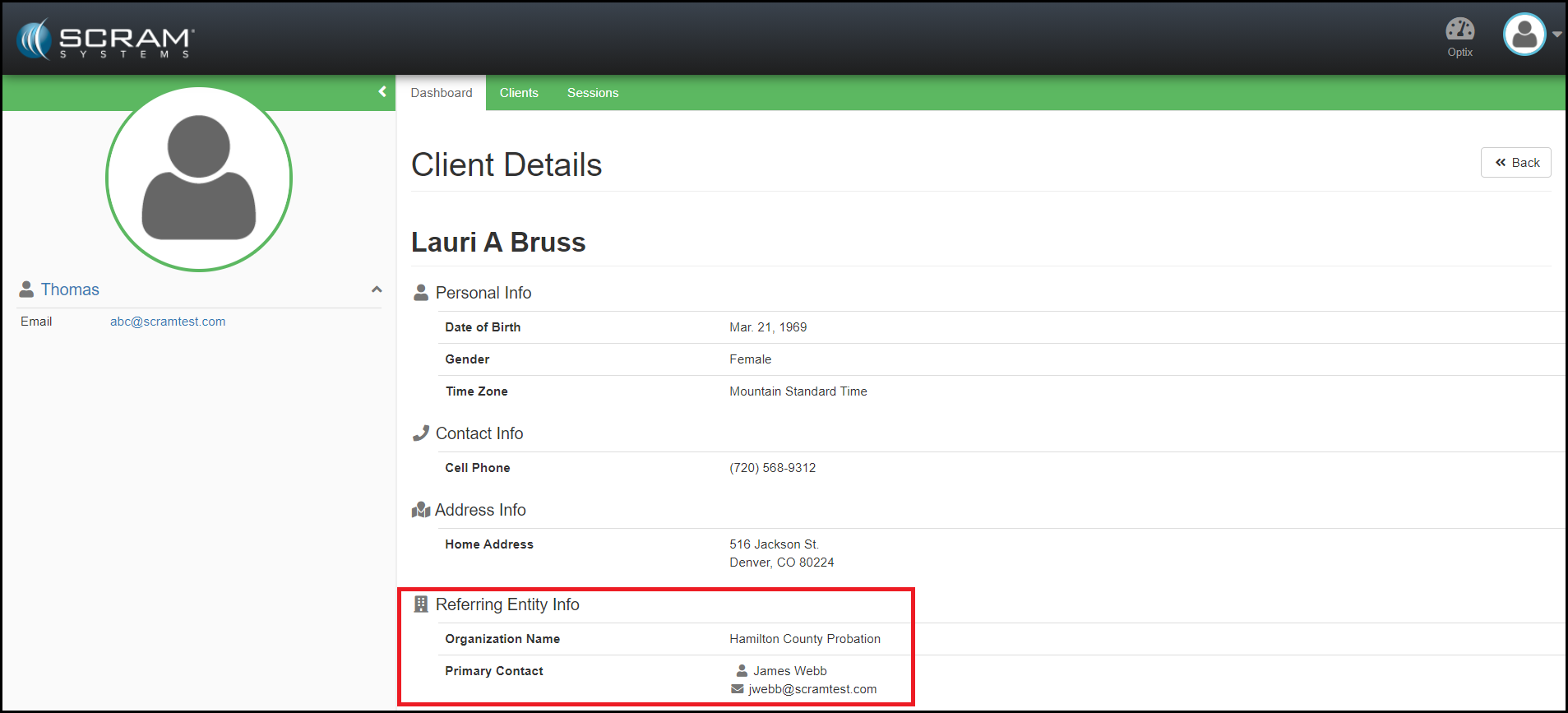
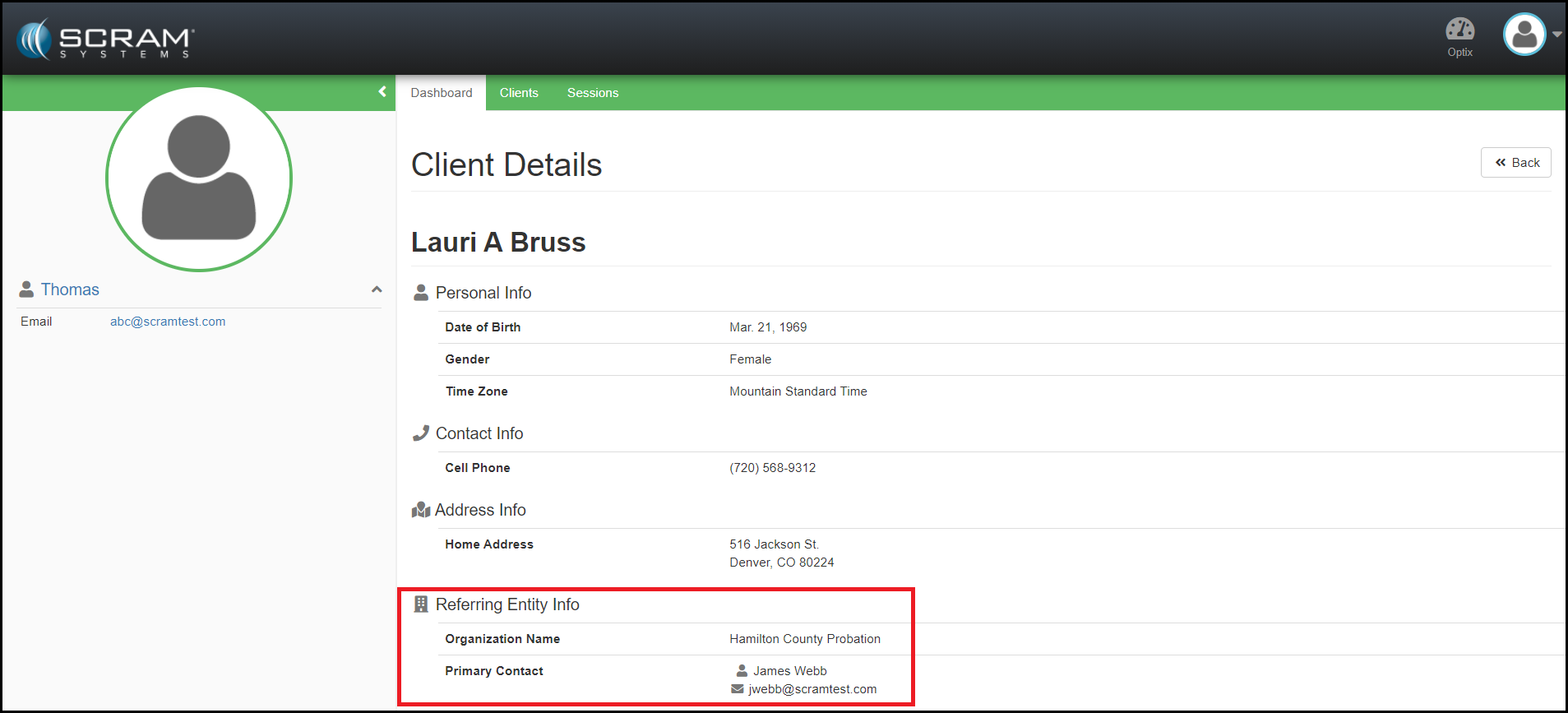
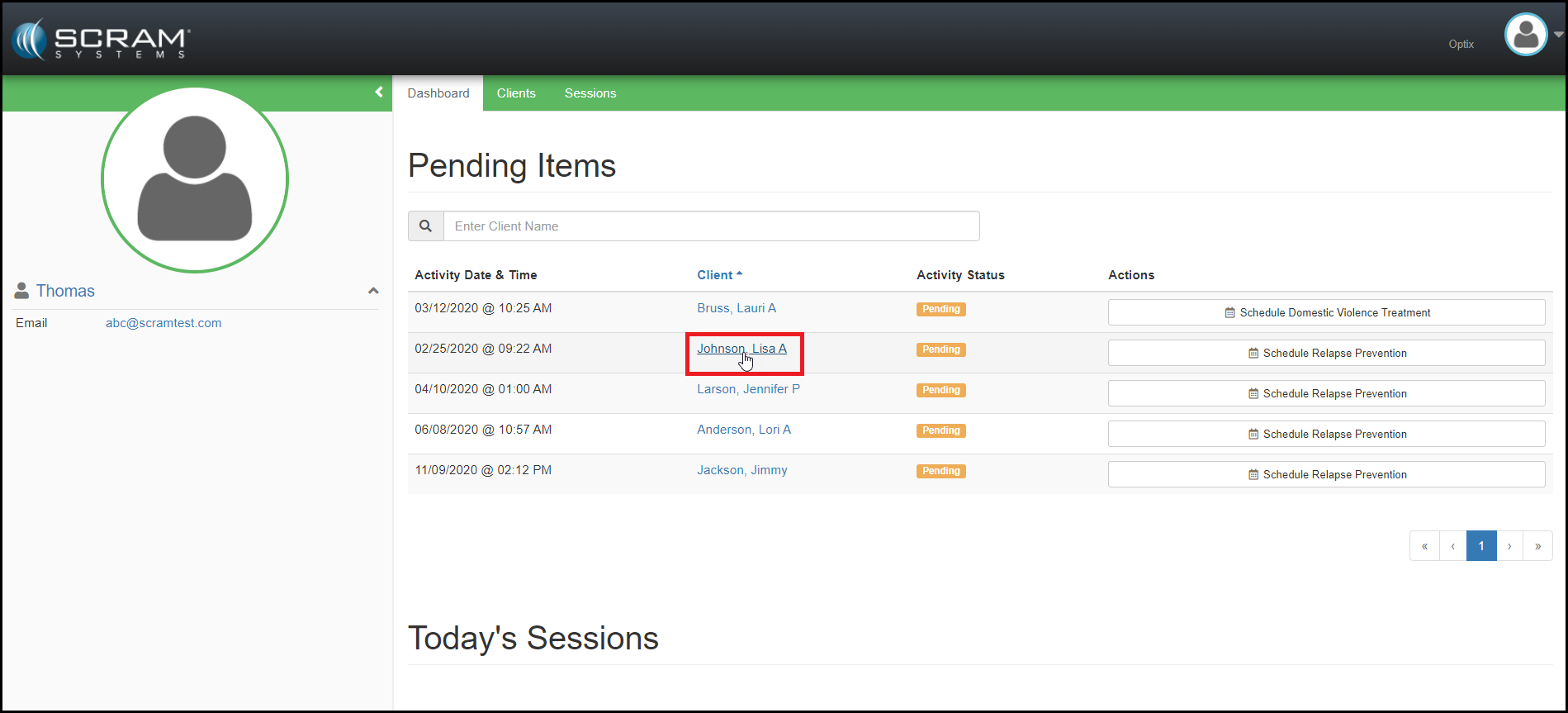
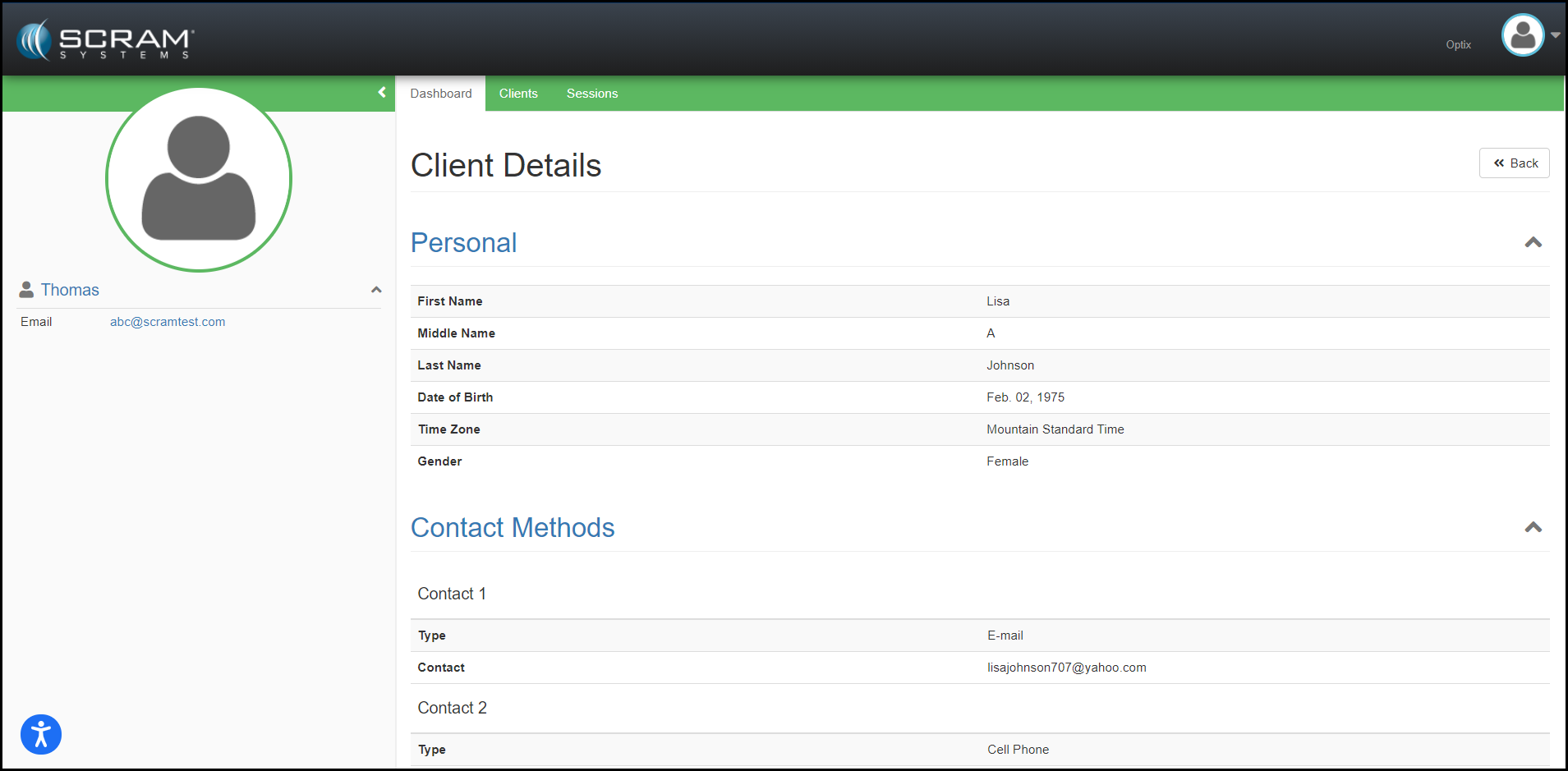
With this enhancement, Treatment Providers can now see account information for the client. This provides the Treatment Providers the referral information they need in order to communicate with client and referral source. This information can be accessed by clicking on the name of the client.
Feedback:
As always, please contact SCRAM Systems Customer Services with any recommendations for system improvements.
Display Client Account Information for Treatment Provider
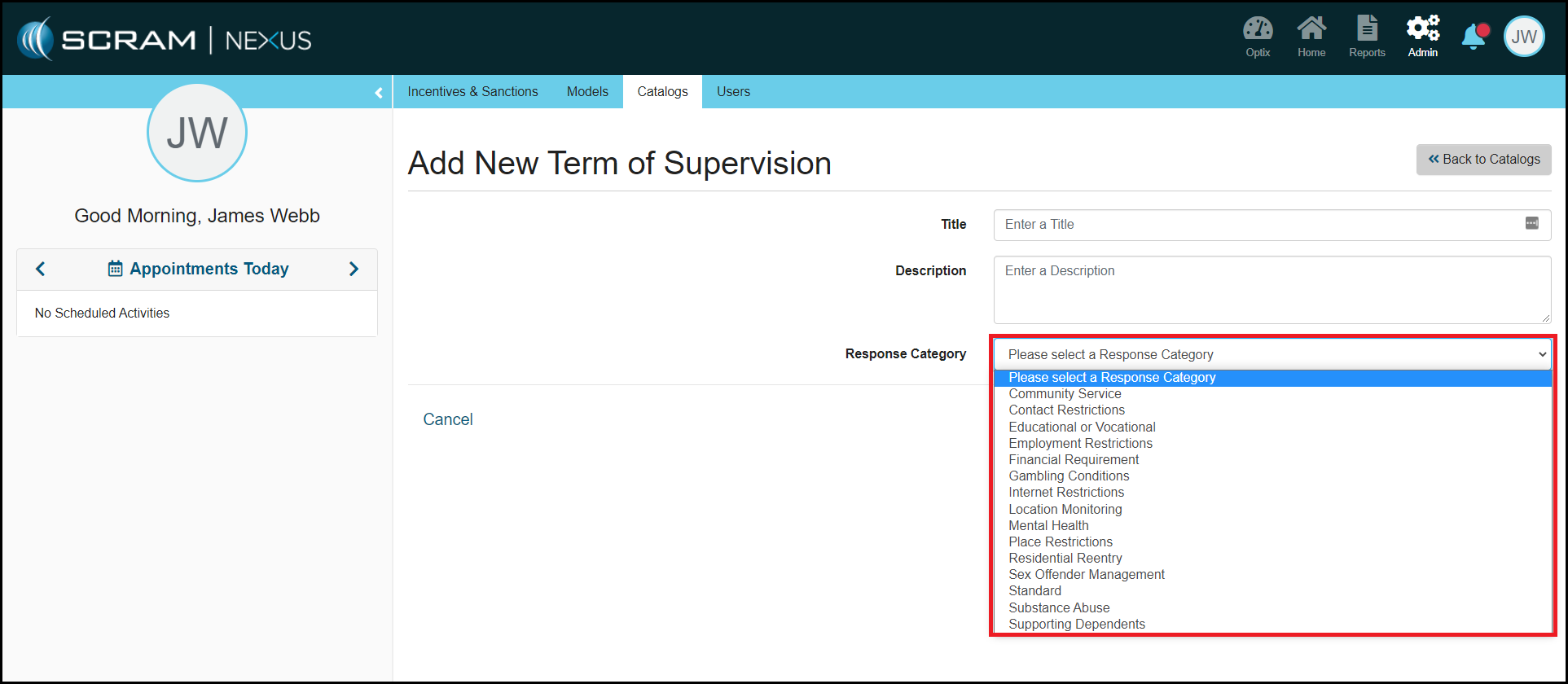
Admin: On Demand Response Categories
Administrators can now select a Response Category that applies to each Term of Supervision and Incentive Reason. This enhancement will be used to improve future analytics and reporting.
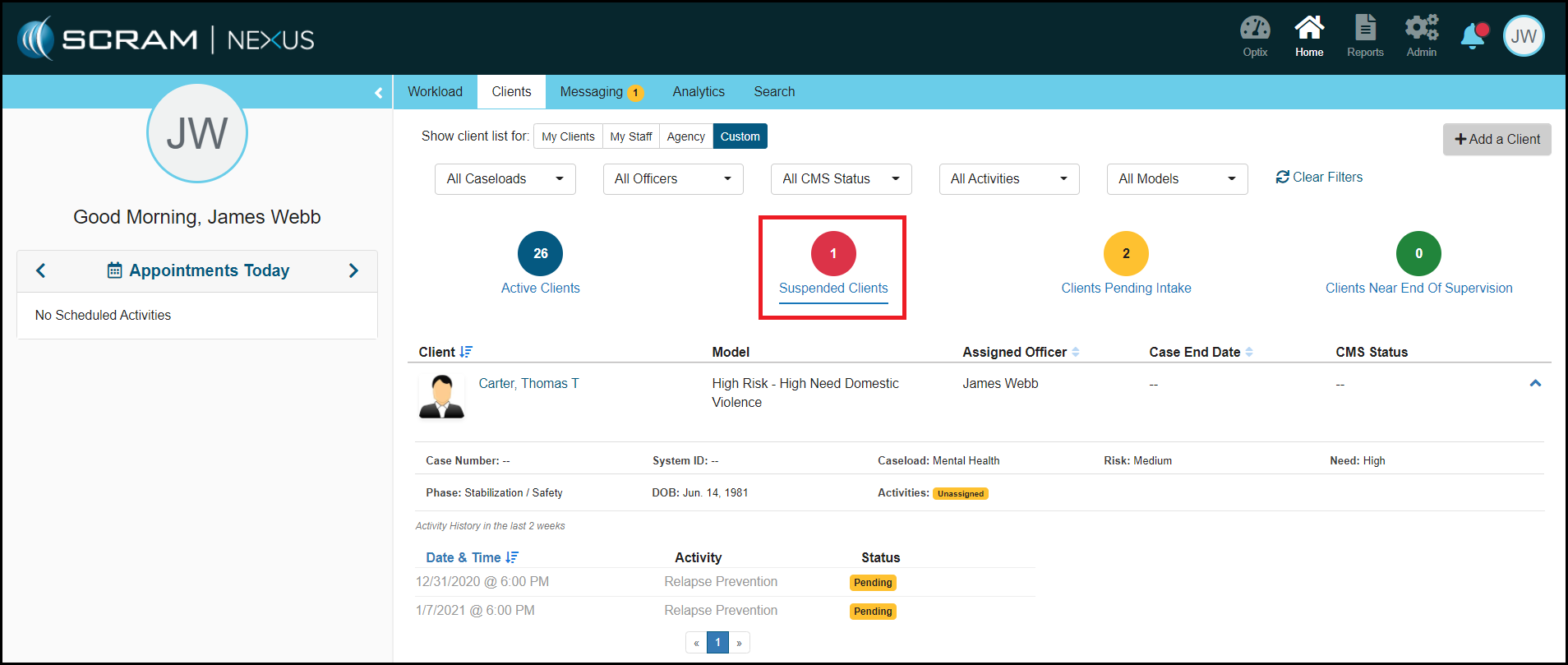
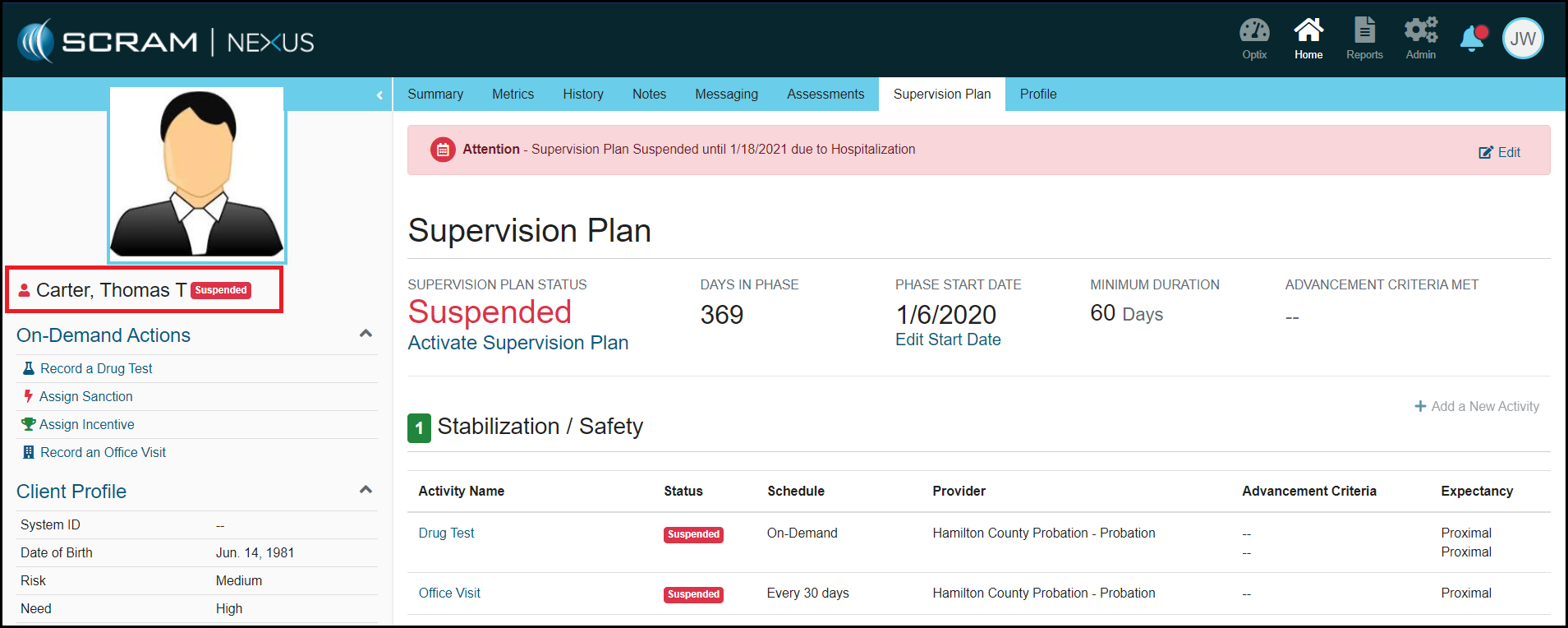
Client: Suspend Status Indicator
When a Supervision Plan is suspended for a client, the client’s overall status will be changed to Suspended. These clients will not be included in the Active client list but will appear in the “Suspended Clients” list.
Provider: Display Client Account Information for Treatment Providers
With this enhancement, Treatment Providers can now see account information for the client. This provides the Treatment Providers the referral information they need in order to communicate with client and referral source. This information can be accessed by clicking on the name of the client.
Feedback:
As always, please contact SCRAM Systems Customer Services with any recommendations for system improvements.
Provider: Display Client/Officer Information on the Treatment App
Treatment providers can now view the client’s assigned Probation Officer and the client’s contact information in the Treatment App. This gives treatment providers the ability to contact the client prior to receiving the client referral paperwork.
Side note: The client’s personal information can only be updated in Nexus by the Probation Officer / Case Manager.
Feedback
As always, please contact SCRAM Systems Customer
Services with any recommendations for system improvements.
Redesign of the Reassign to a New Model and Phase Advancement Workflows
Display Client/Officer Information in the Treatment App
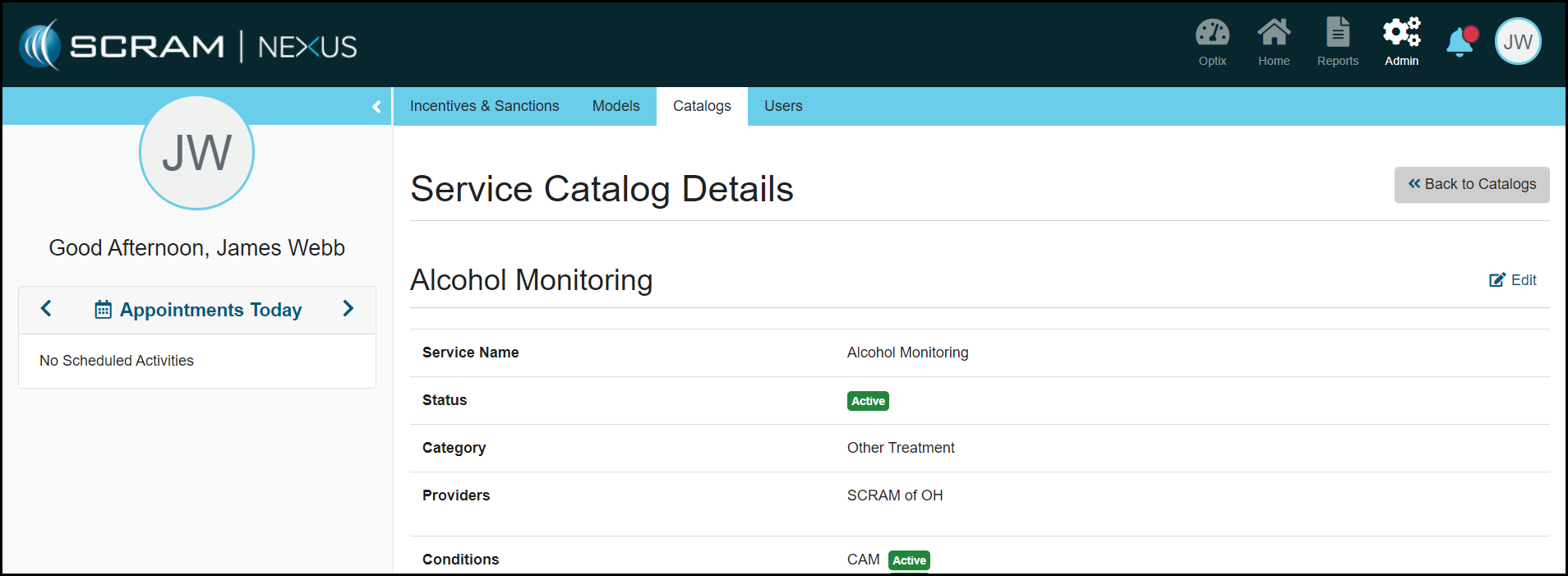
Admin: Services Catalog
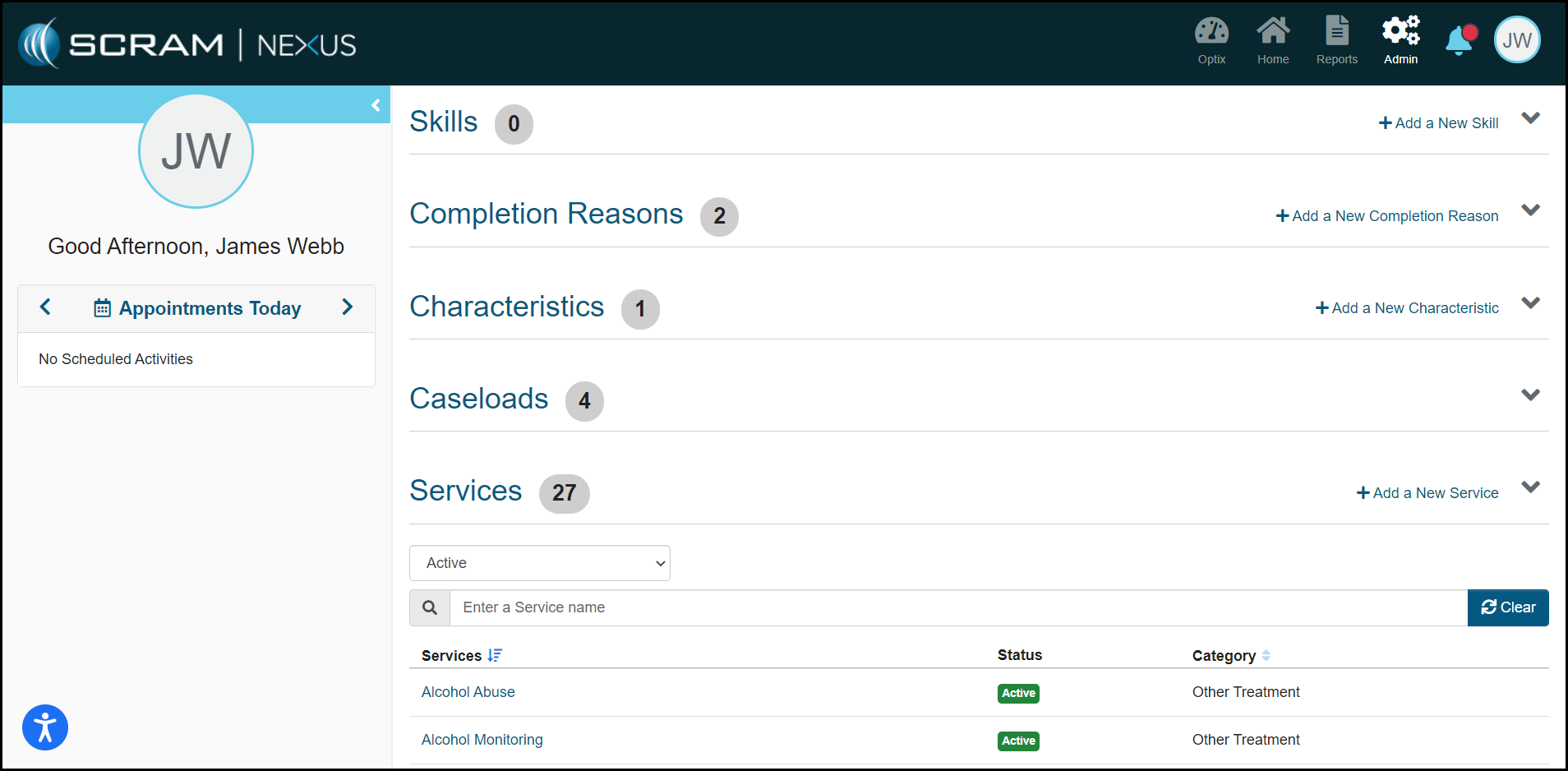
Administrators can now manage and maintain the Services catalog within Nexus. The Services catalog controls the list of services provided by Probation and Treatment Providers. Each service has its own list of approved conditions.
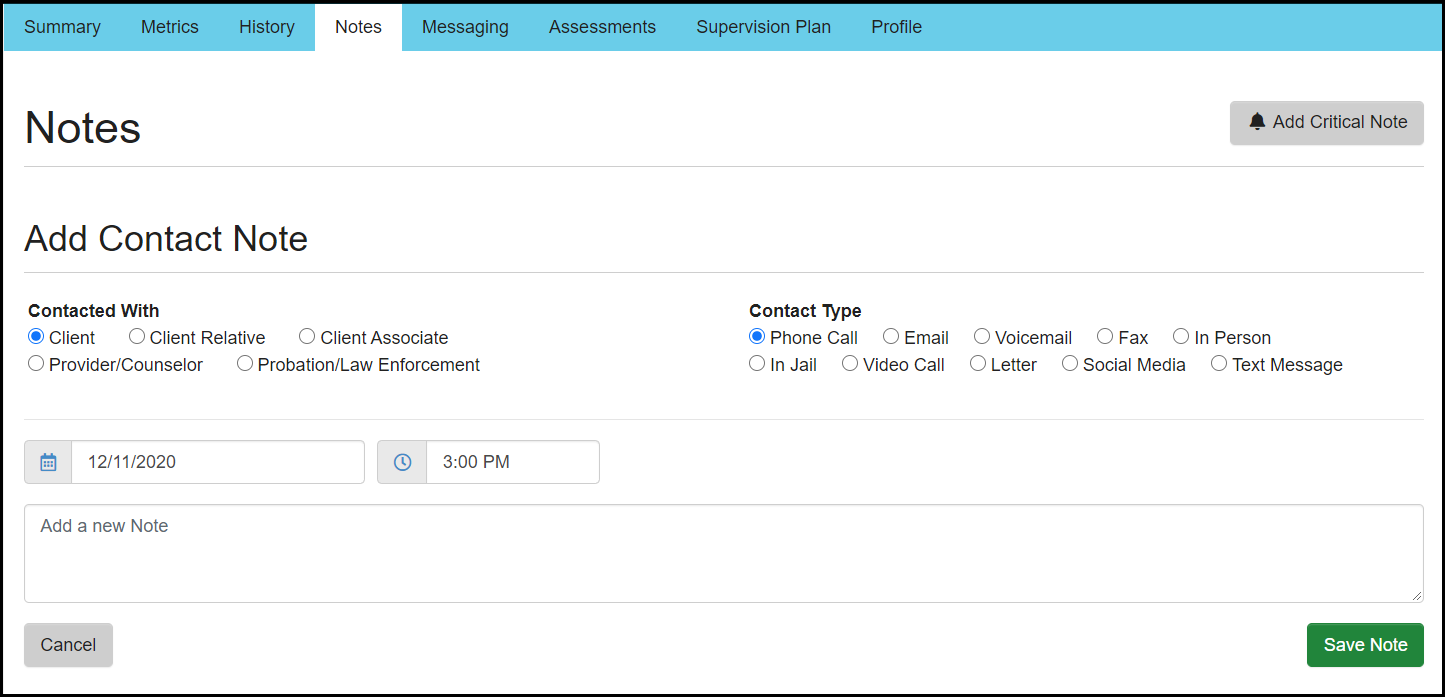
Officer: Contact Notes
An officer can now record a Contact Note in Nexus for all
unscheduled interaction with the client, or any contact with a
person/organization associated to that client. Along with adding a specific
note, the officer can indicate with whom they had contact and how the contact
was made (phone, email, text etc.).
Side note: Contact notes are separate from General and
Activity notes.
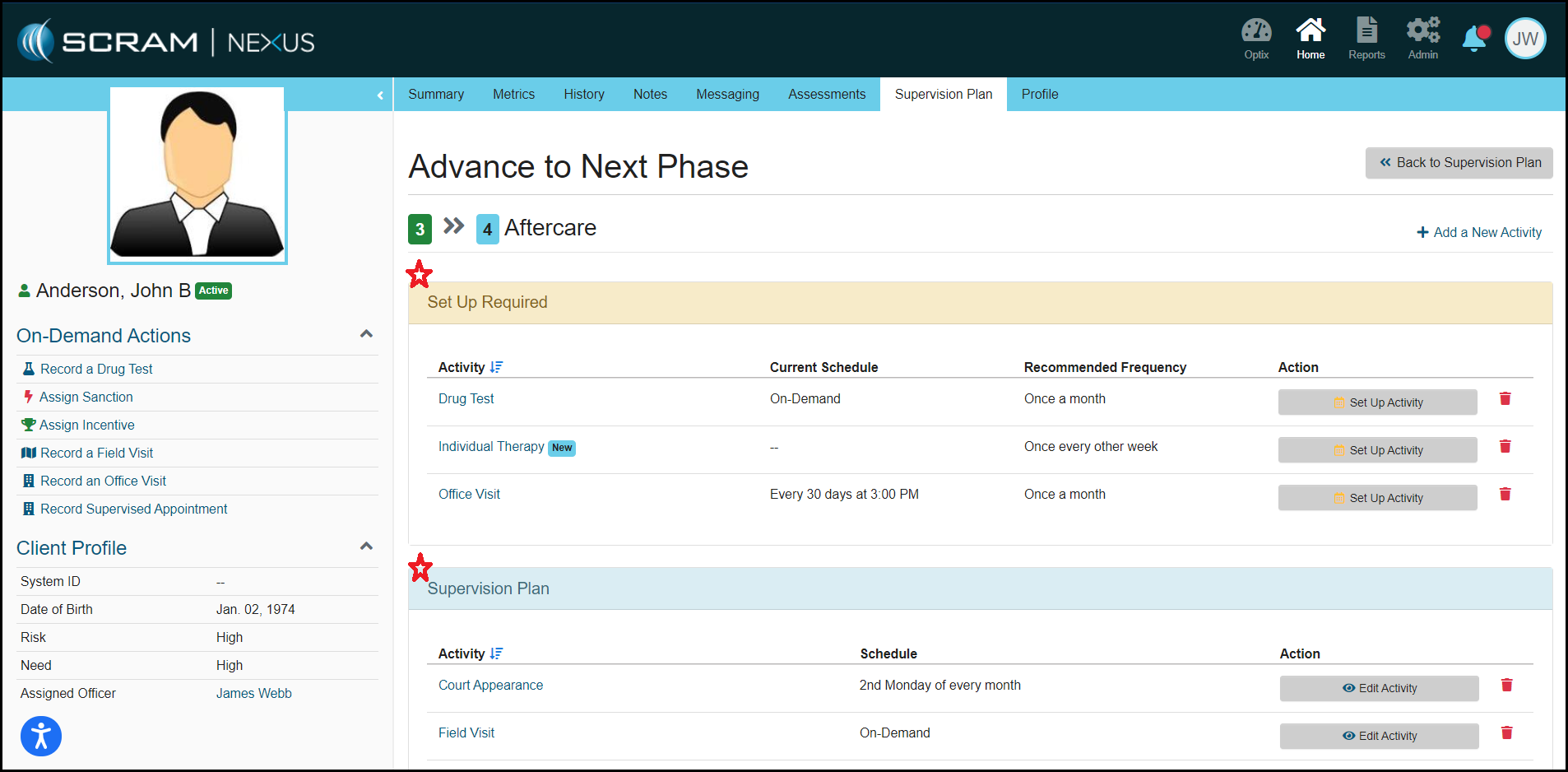
Officer: Redesign of the Reassign to a New Model and Phase Advancement Workflows
Advancing a client to a new phase or re-assigning a client to a new model, is now a simpler process. With this enhancement, Nexus is now displaying which activities will be removed, which activities need a schedule change or a new schedule set, and which activities need no action or change. Officers can easily choose to retain the current schedule, when reviewing recommended schedule changes.
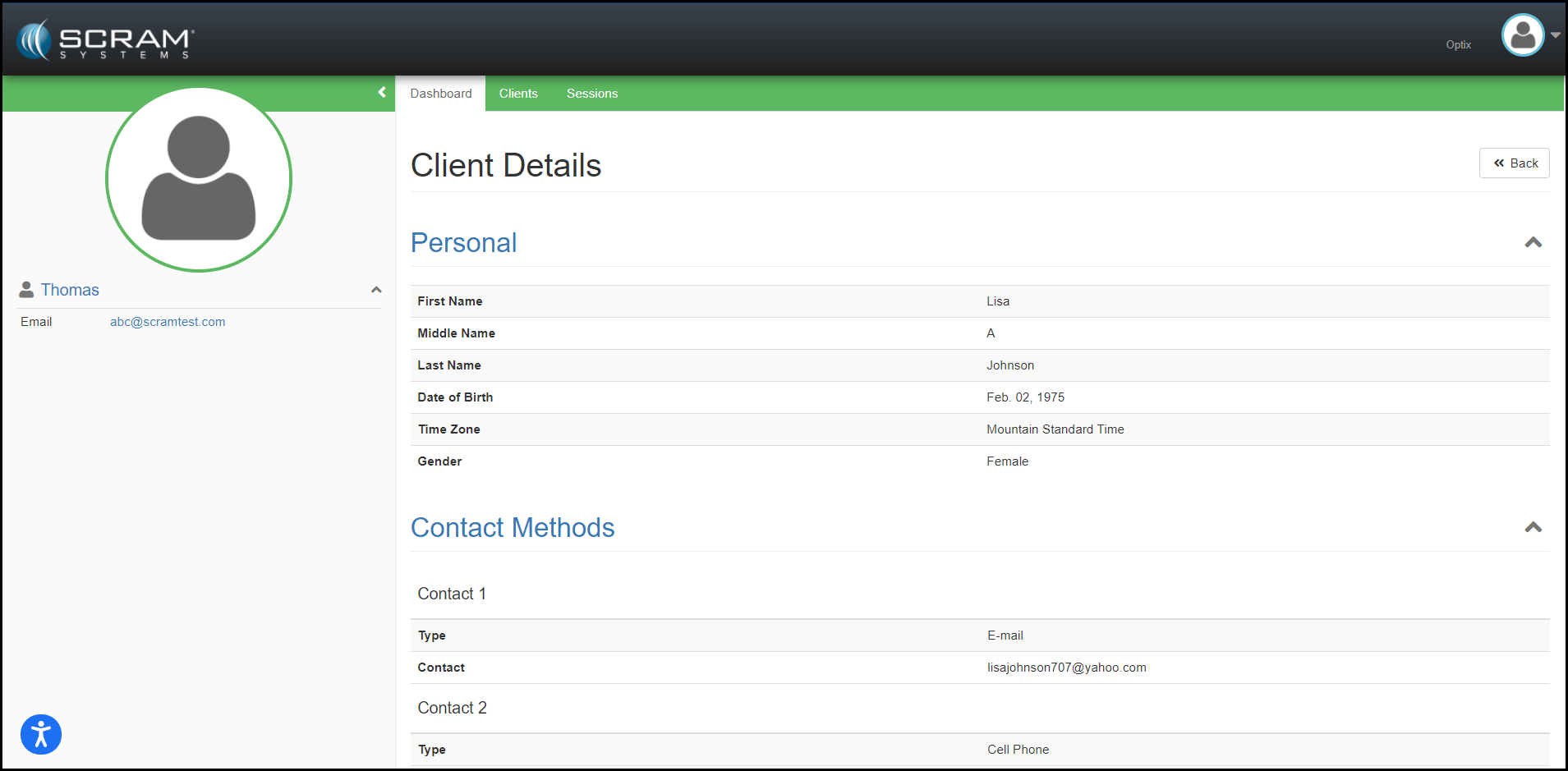
Provider: Display Client/Officer Information on the Treatment App
Treatment Providers can now
view the client’s assigned Probation Officer and the client’s contact
information in the Treatment App. This gives treatment providers the ability to
contact the client prior to receiving the client referral paperwork.
Side note: The client’s personal information can only be updated in Nexus by the Probation Officer / Case Manager.
The SCRAM Nexus interface has been updated to make content more accessible and usable. You will notice a marked improvement in the consistency of buttons, labels, and page layouts. This is a huge step toward Nexus adhering to Web Content Accessibility Guidelines.
Click to EnlargeClick to Enlarge
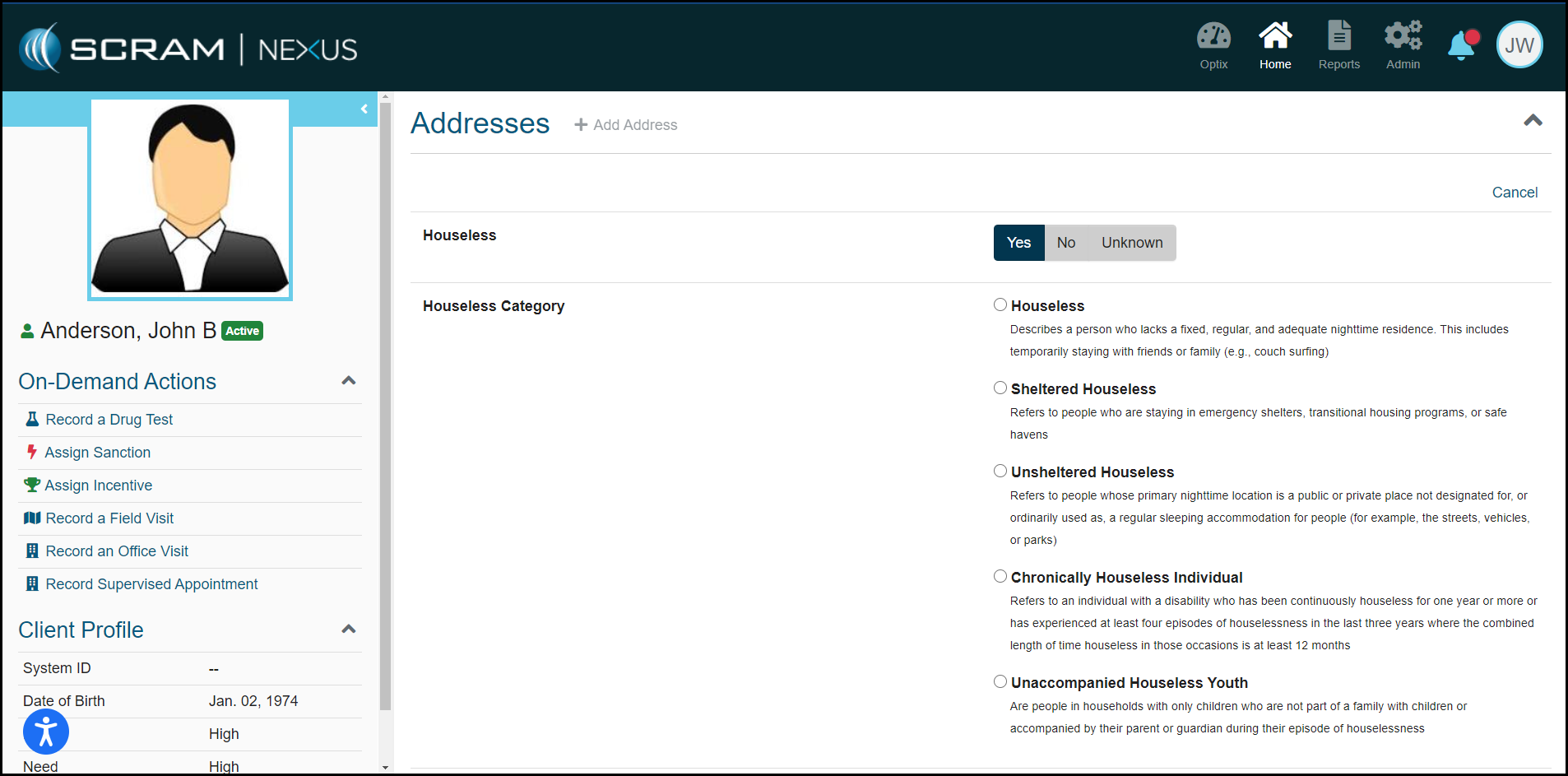
Client: Houseless Indicator
An officer can now indicate if a client is experiencing
houselessness or housing instability. There are five categories that an officer
can choose from in the address section of the Client Profile. The categories
and definitions in this section were defined by the U.S. Department of Housing
and Urban Development. This indicator will provide insight for which clients may
need more assistance in achieving stability and or permanent housing.
Houseless: Describes a person who lacks a fixed, regular, and adequate nighttime residence. This includes temporarily staying with friends or family (for example, couch surfing).
Sheltered Houseless: Refers to people who are staying in emergency shelters, transitional housing programs, or safe havens.
Unsheltered Houseless: Refers to people whose primary nighttime location is a public or private place not designated for, or ordinarily used as, a regular sleeping accommodation for people (for example, the streets, vehicles, or parks).
Chronically Houseless Individual: Refers to an individual with a disability who has been continuously homeless for one year or more or has experienced at least four episodes of houselessness in the last three years where the combined length of time homeless in those occasions is at least 12 months.
Unaccompanied Houseless Youth: People in households with only children who are not part of a family with children or accompanied by their parent or guardian during their episode of houselessness.
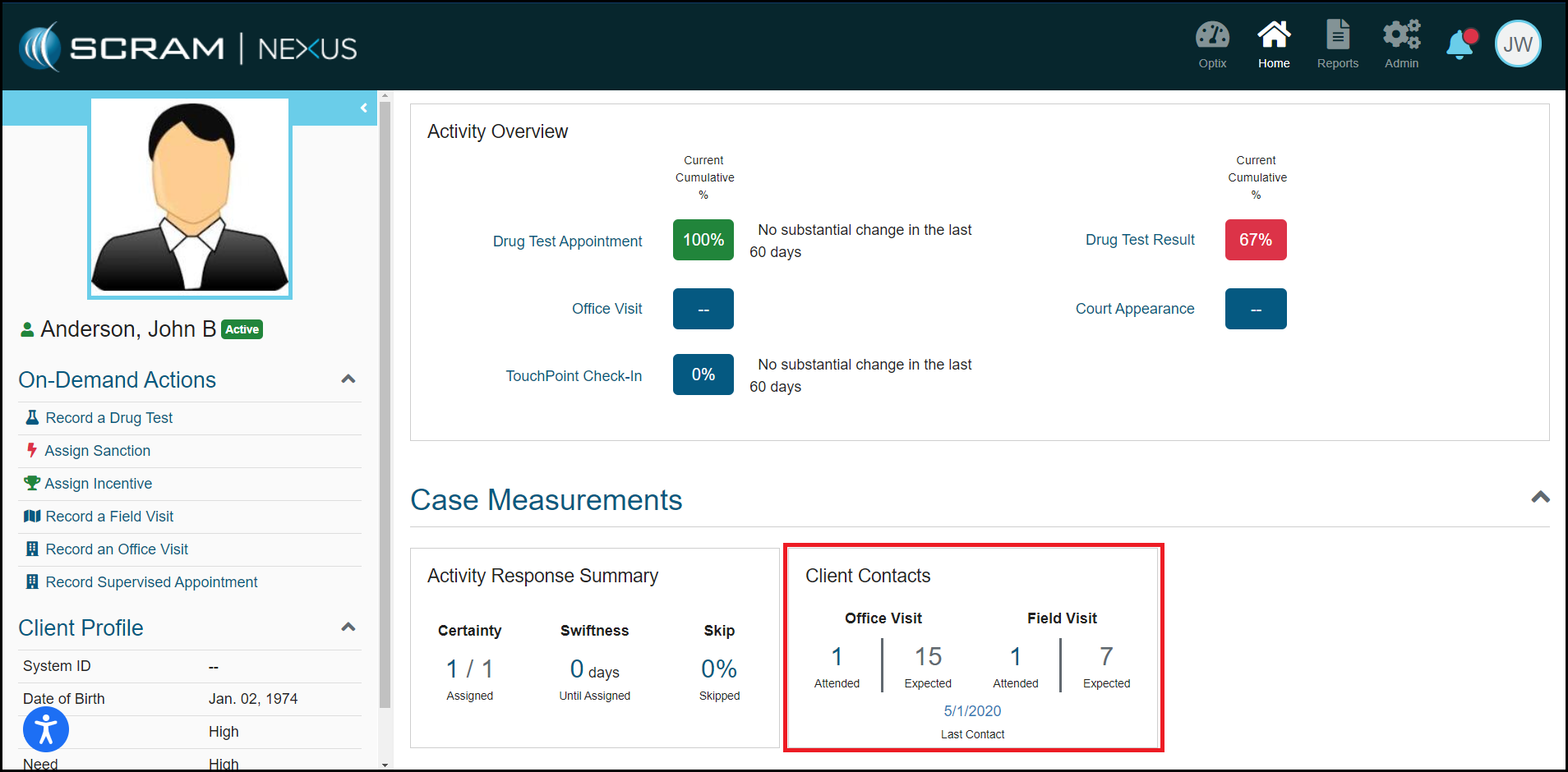
Client: Contact Standard Metrics
The Contact Standard metric for clients has been updated to reflect actual contacts compared to the model requirements. Nexus will report on the number of office visits and field visits that were attended in the current phase and compare it to the number expected to be attended according to model requirements. The activity must be in that phase of the model in which the client is assigned in order to determine an expectancy.
The October 2020 release includes the following enhancements:
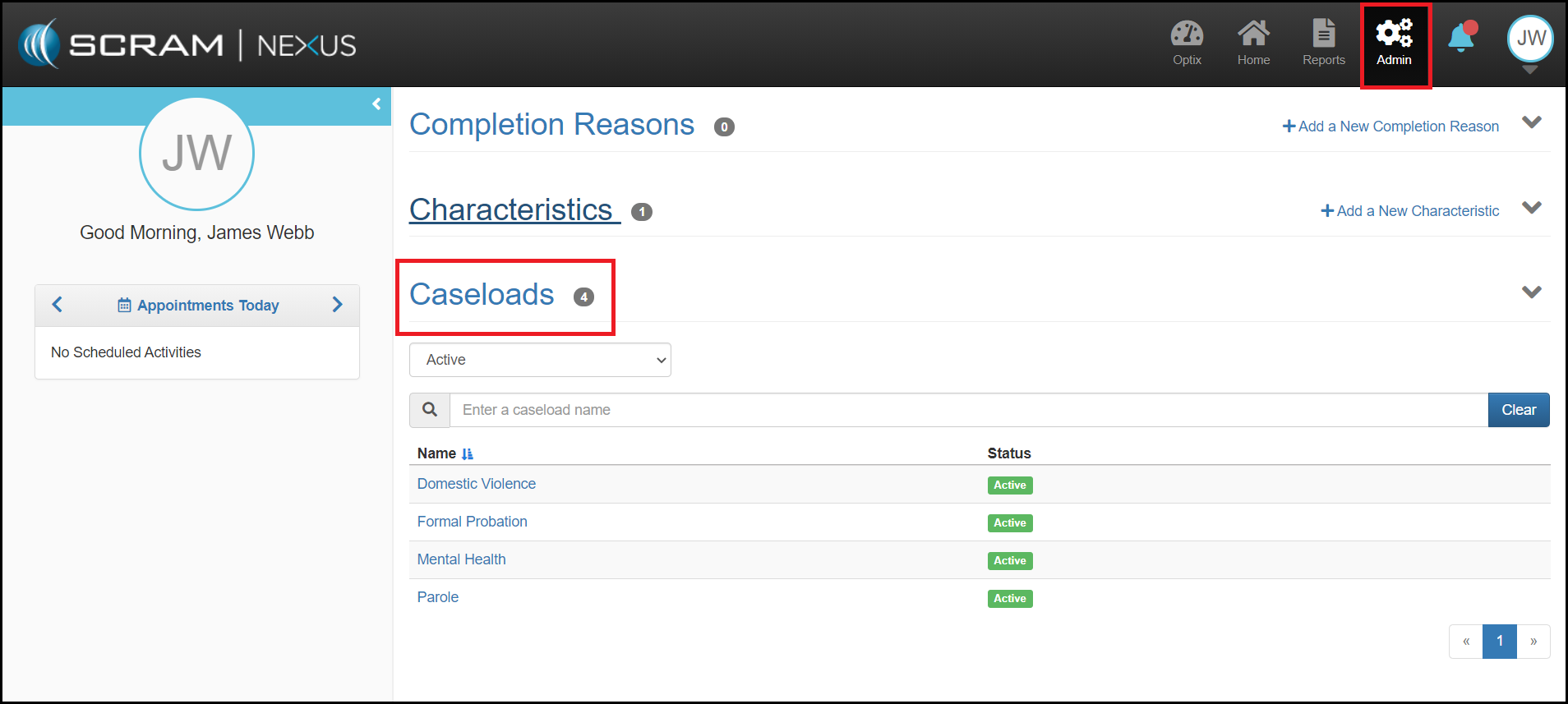
View Caseloads for Admin Users
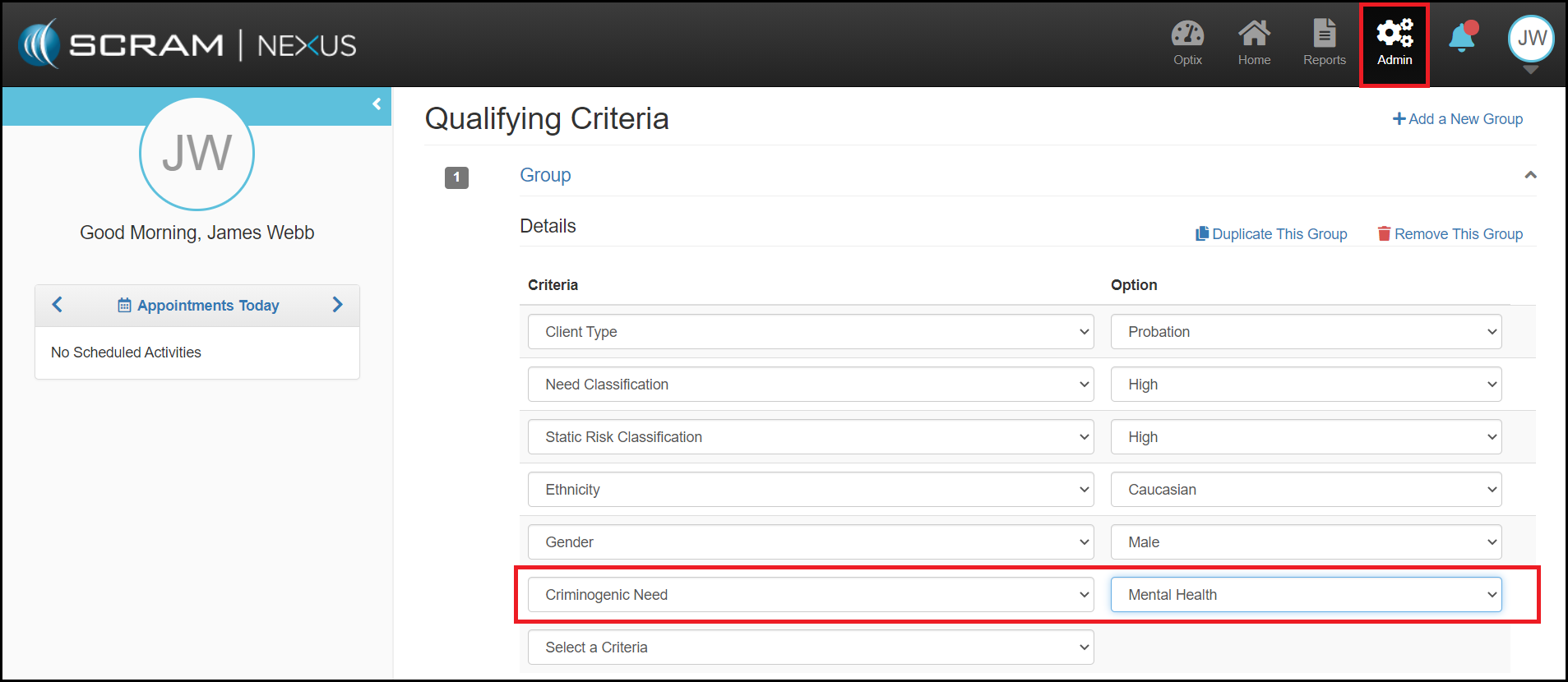
Admins may Add Client Characteristics to Model Qualifying Criteria
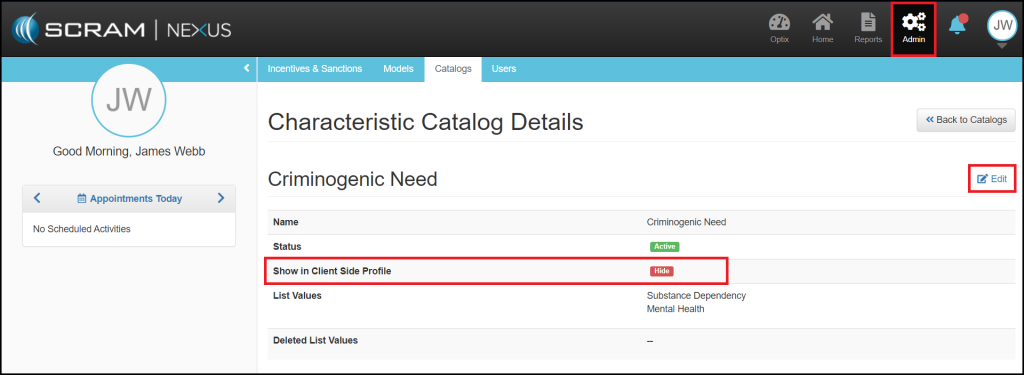
Display Client Characteristics in Side-Profile
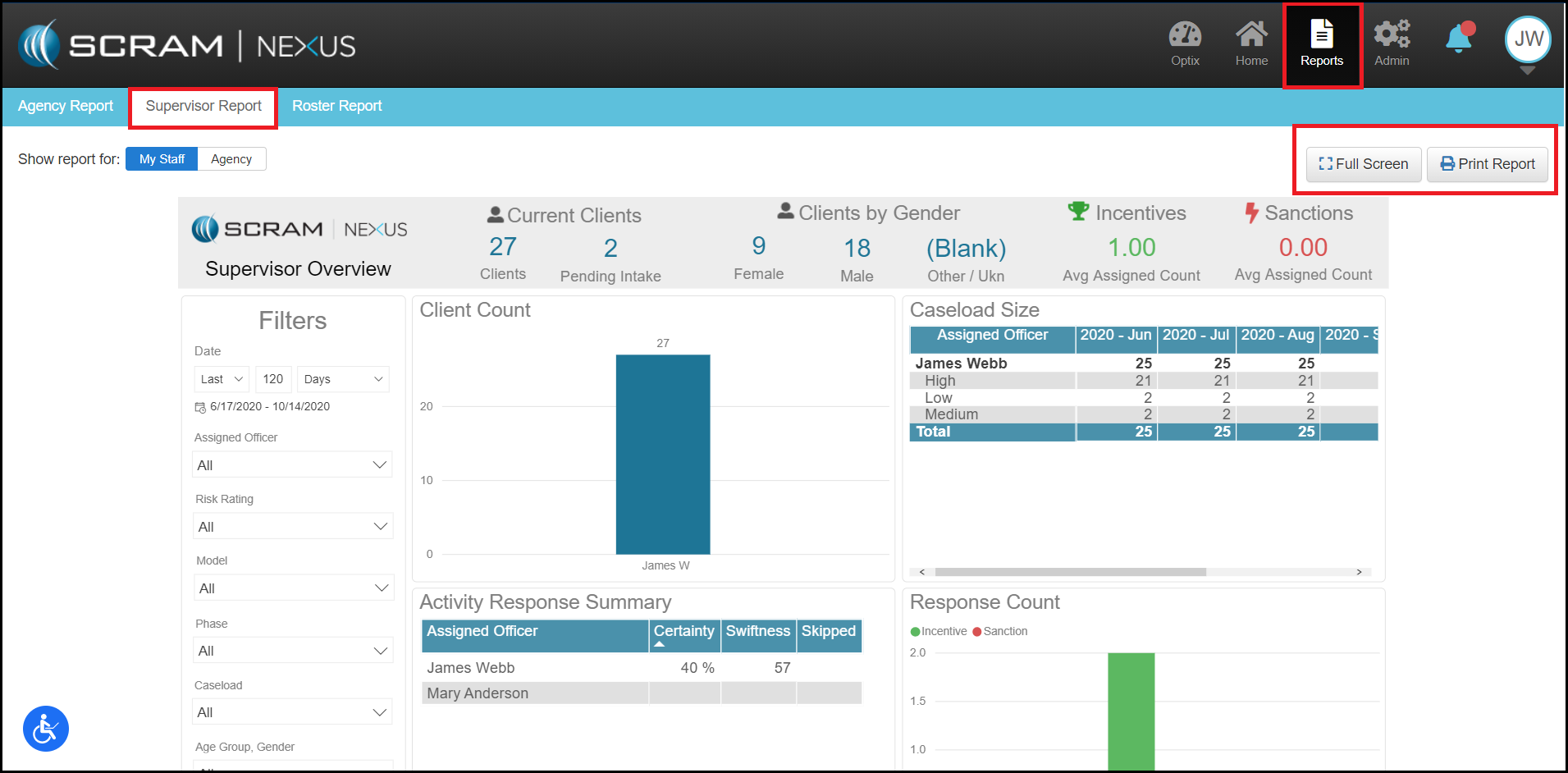
Print Supervisor/Agency Reports
Full Screen Mode for Supervisor/Agency Reports
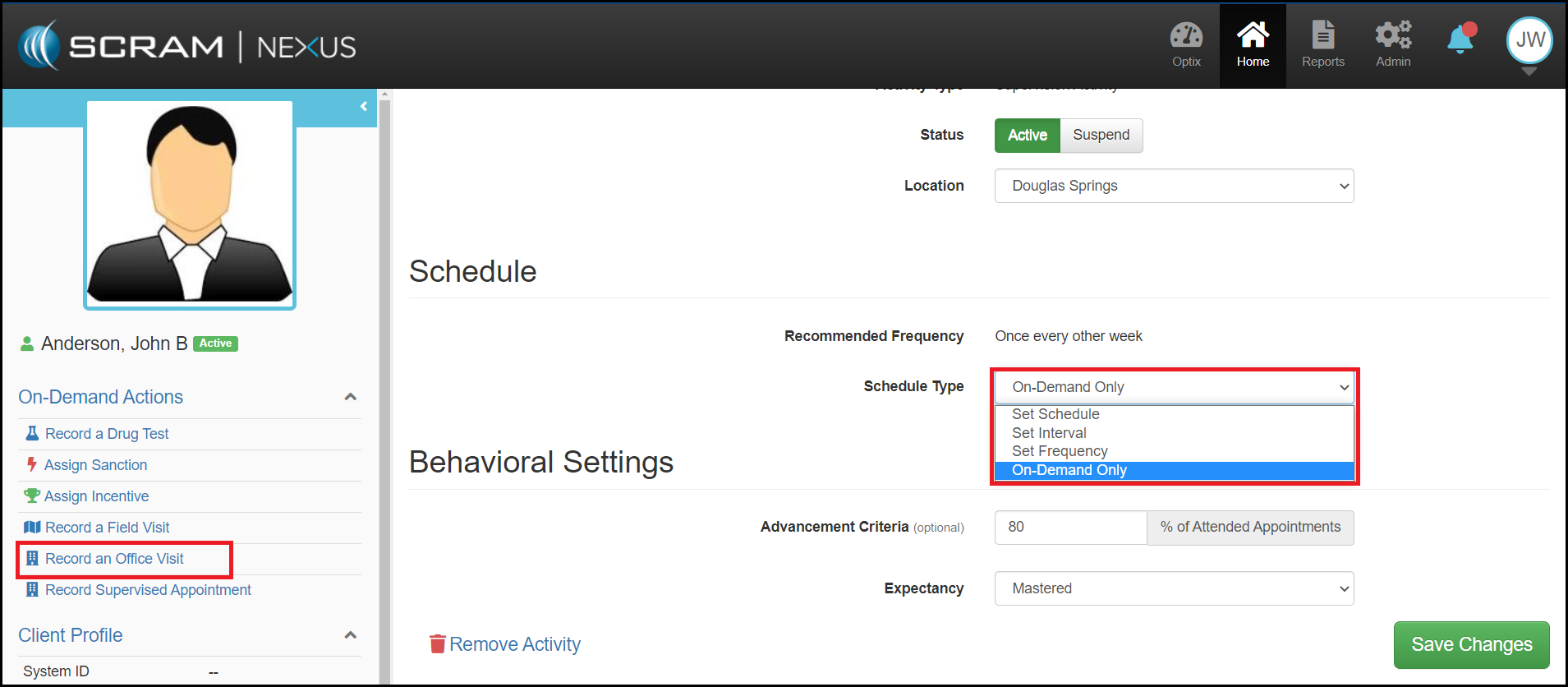
On-Demand Schedules for Office Visits and Supervised Appointments
Admin: View Caseload
Administrators may now view Caseloads and the status of those Caseloads for their account. Administrators may only view Caseloads and may not edit or manage these Caseloads at this time.
Admin: Client Characteristics in Model Qualifying Criteria
Administrators may now add Client Characteristics to a Model’s Qualifying Criteria. When a new client is added or a client is reassigned to a new model, Nexus will now recommend a model that factors in these Client Characteristics.
Admin: Display Client Characteristics in Side-Profile
An Administrator may now choose to display client characteristics in the client-side profile. When that option is enabled for a specific characteristic, then that specific characteristic will display for every client that has been assigned that characteristic.
Supervisor: Print and Full Screen Mode for Supervisor/Agency Reports
The Supervisor and Agency reports can now be printed from Nexus and users may go into Full Screen mode on the Supervisor and Analytics reports in order to fully focus on the data from the report.
Client: On-Demand Schedule for Office Visits and Supervised Appointments
An On-Demand Only schedule can now be selected for office visits and supervised appointments. This Schedule Type does not place appointments on the calendar in advance. In order to record an appointment, the user must use the On-Demand Record Office Visit action in the client’s side-profile.
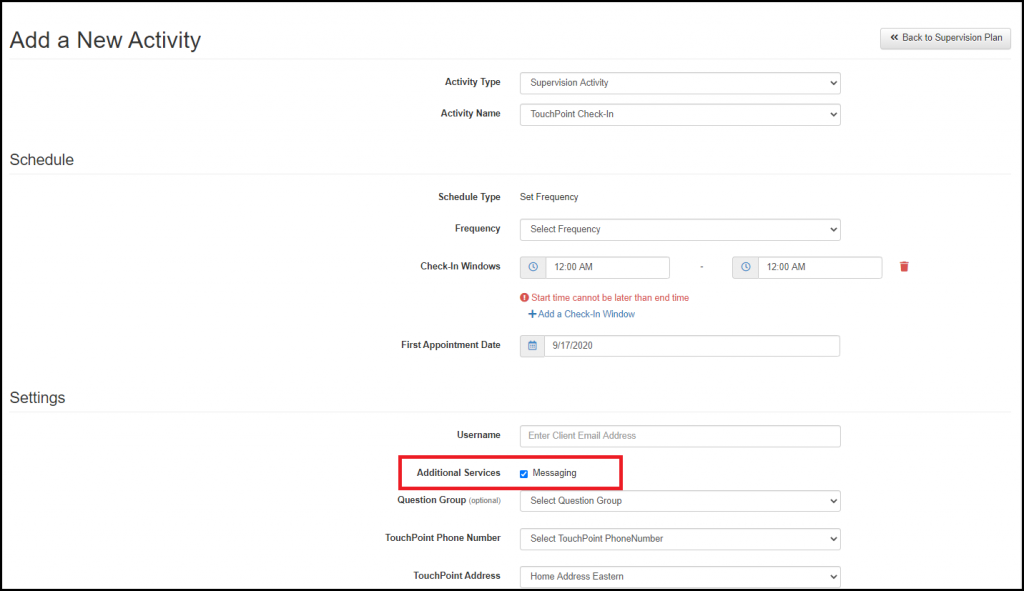
Enabling TouchPoint Messaging from the Check-In Activity
Additional Activity Overview Details
Officer: Enhanced Search Criteria
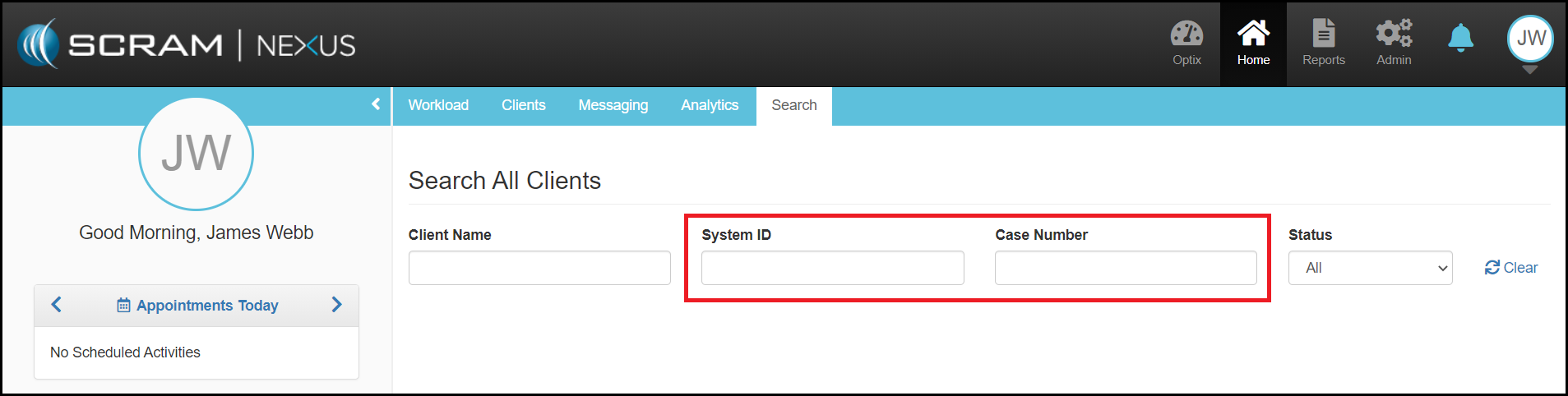
SCRAM Nexus® users now have the option of searching for a client using the System ID and/or the client’s Case Number. As you enter information into the search fields, Nexus will start returning information immediately. With this enhancement, you will no longer need exact matches to populate information. For example, if searching for “John Smith”, search results would include possible alternative spellings or potential misspellings (i.e. “Smyth” or “Simth”) to provide a comprehensive search.
Client: Configurable Characteristics
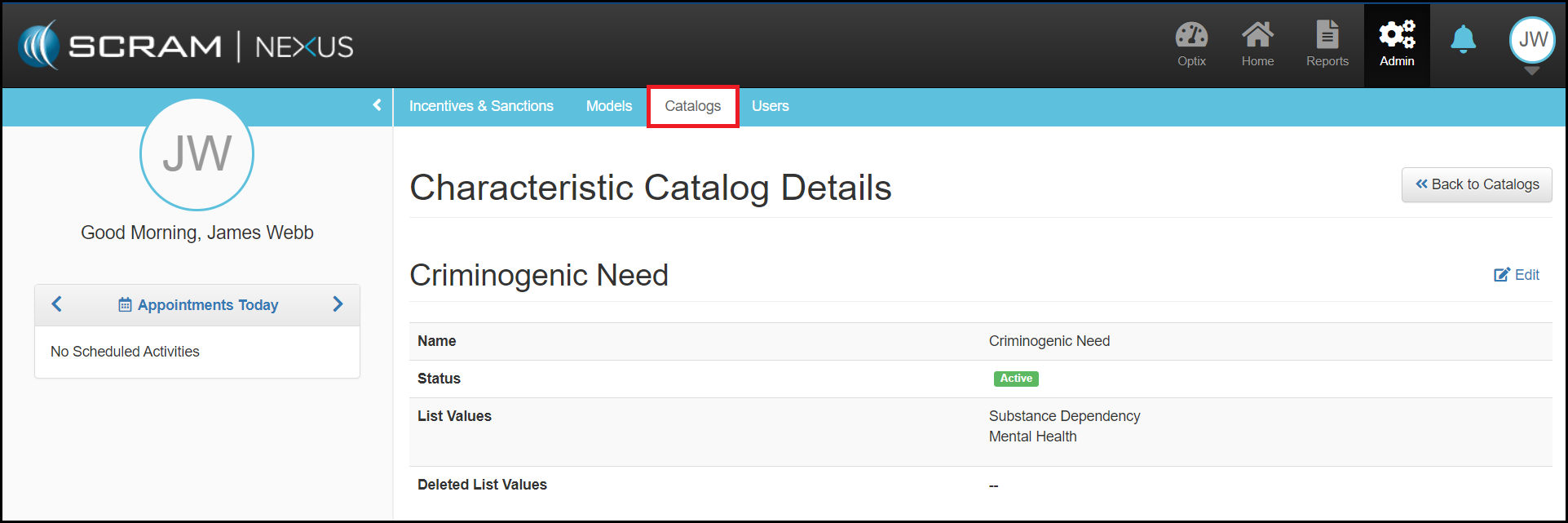
An Administrator in Nexus can add and manage client characteristics that are critical to their organization. For example, if the organization would like to see what the top criminogenic need is of the client, the Administrator can add that as a new characteristic of “Criminogenic Need” with list values of “Substance Dependency”, “Mental Health”, etc. Once the characteristic is added, the officer can view the characteristic in the client profile and select the appropriate value for that client.
Client: Enable Messaging from TouchPoint Check-In
When a client is required to check-in using TouchPoint, TouchPoint messaging is often needed as well. You can now easily enable or disable TouchPoint Messaging from the TouchPoint Check-In Activity. Messaging will be enabled by default, but you can disable it if needed.
Client: Activity Overview Details
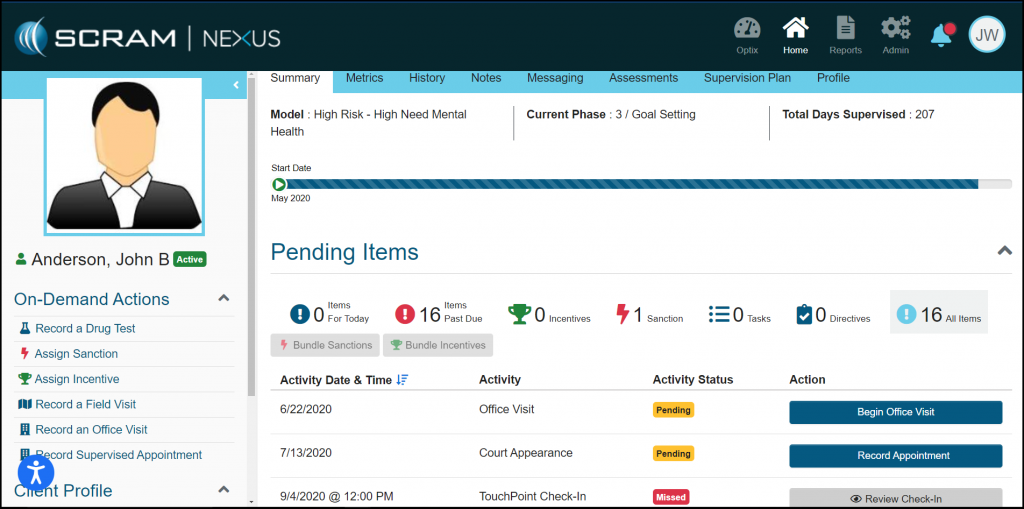
You can now view all the details that go into the individual client metrics by clicking on the activity name within the Client Metrics tab. This section will show trends through calendar and list views.
Feedback
As always, please feel free to contact SCRAM Systems Customer Services at (303) 785-7879 with any recommendations for system improvements.
The August 31, 2020 SCRAM Nexus® release includes the following features:
Completion Reason and Supervision Plan
Suspension Reason
Select Client Information to Synchronize with
TouchPoint
‘Positive – Allowed’ Drug Test Result
Client: Completion Reason
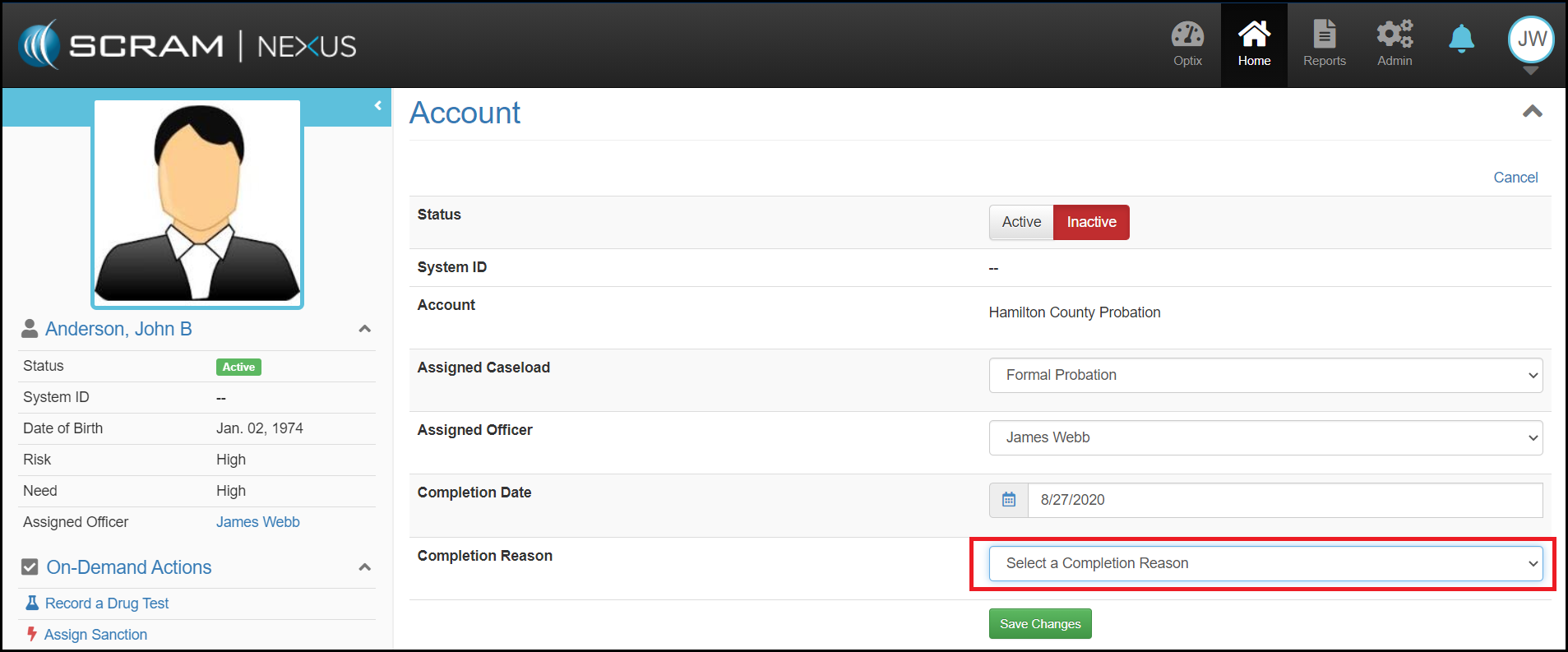
Now when a Client is inactivated in Nexus, you will be required to select a reason for the inactivation and enter an end date. The Completion Reason catalog can be customized by an administrator, and allows an officer to select the outcome results for that reason ranging from ‘Very Positive’ to ‘Very Negative’. This additional information will be used to drive future analytic enhancements.
Client: Supervision Plan Suspension Reason
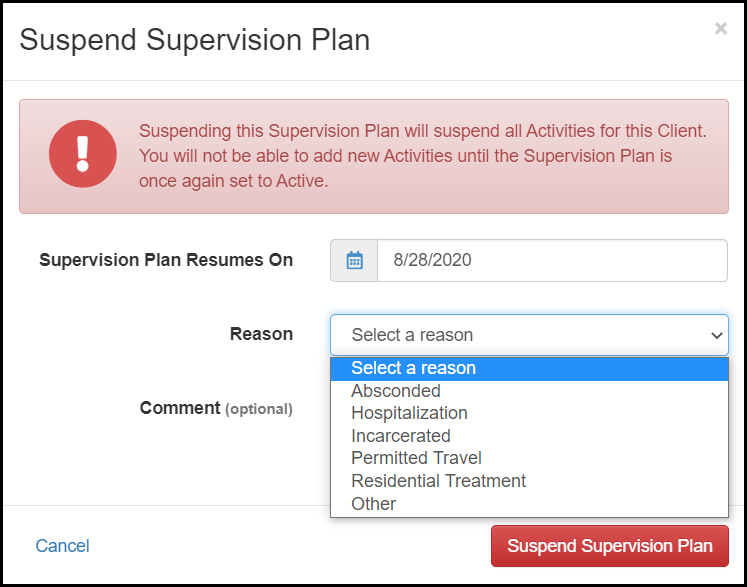
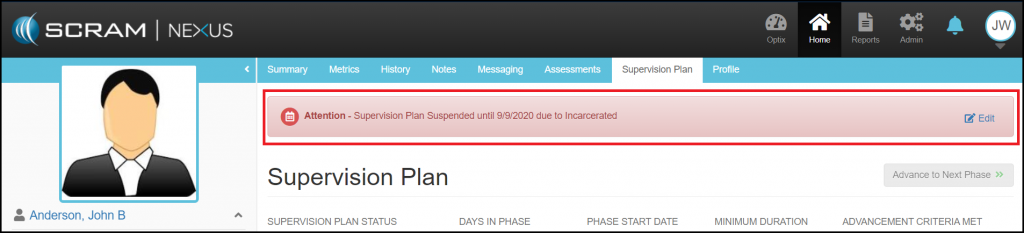
With this enhancement, you can now tell Nexus why a supervision plan has been suspended. This will be displayed across the top of the client pages along with the date the plan is to be activated again. If the reason changes – for example a client was in residential treatment and then absconded – this reason can be changed through the edit link in the banner message.
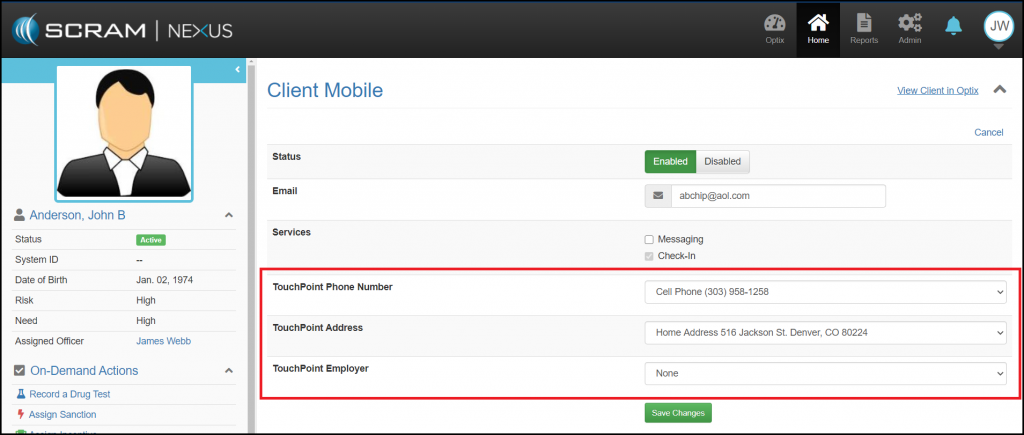
Client: Select Client Information to Synchronize with TouchPoint
Up to now, changing contact information for clients that also have TouchPoint Check-In as an activity required making changes to both the client profile in Nexus and the profile in TouchPoint. With this enhancement, Nexus will keep the client information in sync with TouchPoint. You will now be able to select what information should be synchronized with TouchPoint.
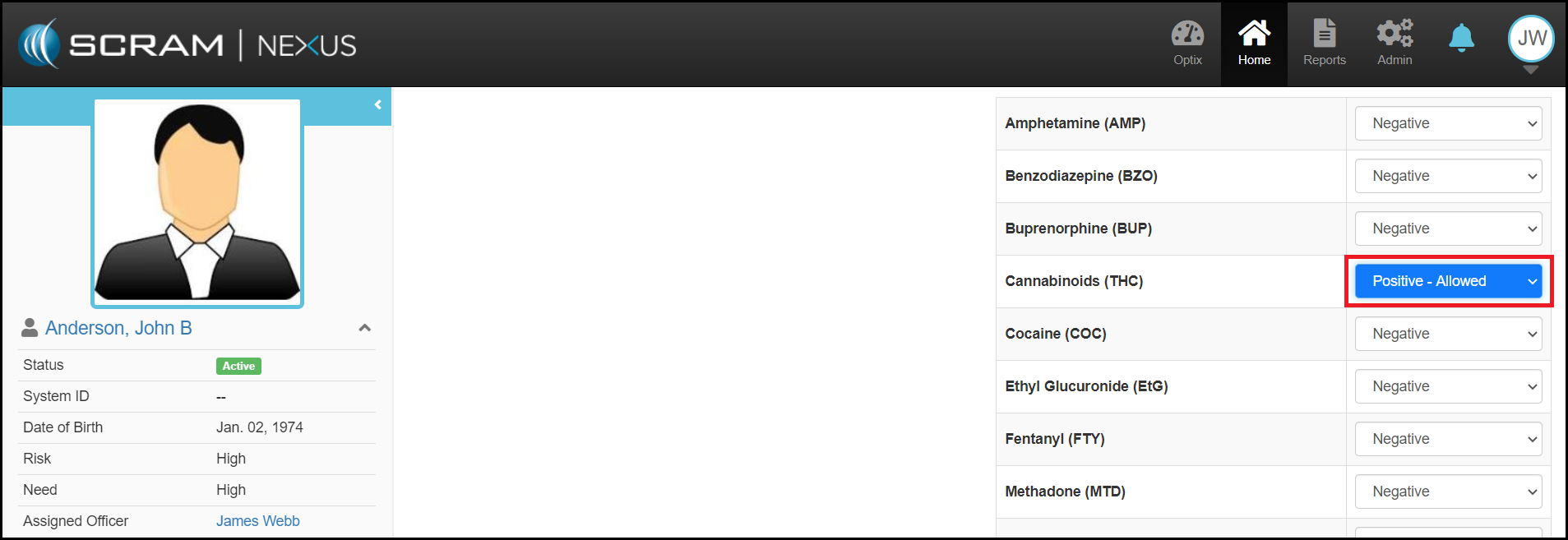
Client: ‘Positive – Allowed’ Drug Test Result
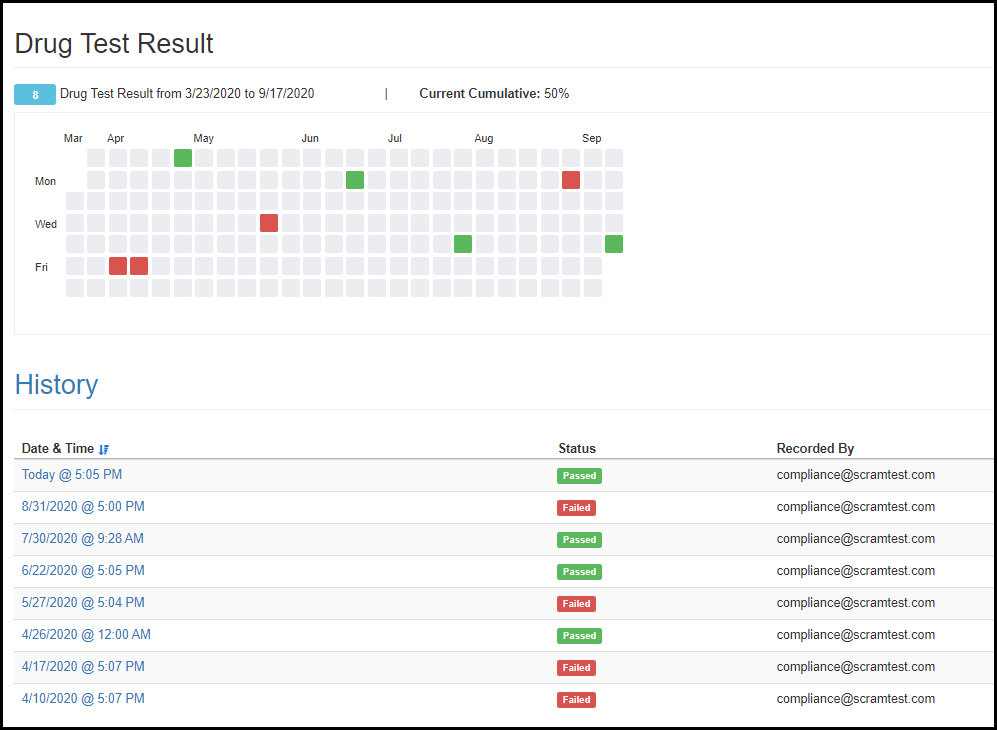
If a client is allowed to use a substance that is identified as positive during a drug test, the officer can now indicate that the positive result was not prohibited. By making this selection, you will prevent the overall drug test results from being marked as ‘Failed’.
The August 4, 2020 SCRAM Nexus® release includes: Displaying the temporary password for TouchPoint, changes to the Add Client flow for TouchPoint, supporting ‘Assigned on’ and ‘Behavior’ dates with On-Demand Incentive/Sanctions, and re-opening the client in the same tab.
Client: Display TouchPoint Temporary Password
When a client is assigned TouchPoint for the first time, a temporary password will be generated for them. The password will be displayed in the Client Mobile section of the client profile in Nexus. The password will disappear once the client successfully logs into TouchPoint. The client can reset their password if they no longer want to use the temporary password by selecting “Don’t Remember your Password” link within the application.
Click to Enlarge
Client: Add TouchPoint Check-In Activity
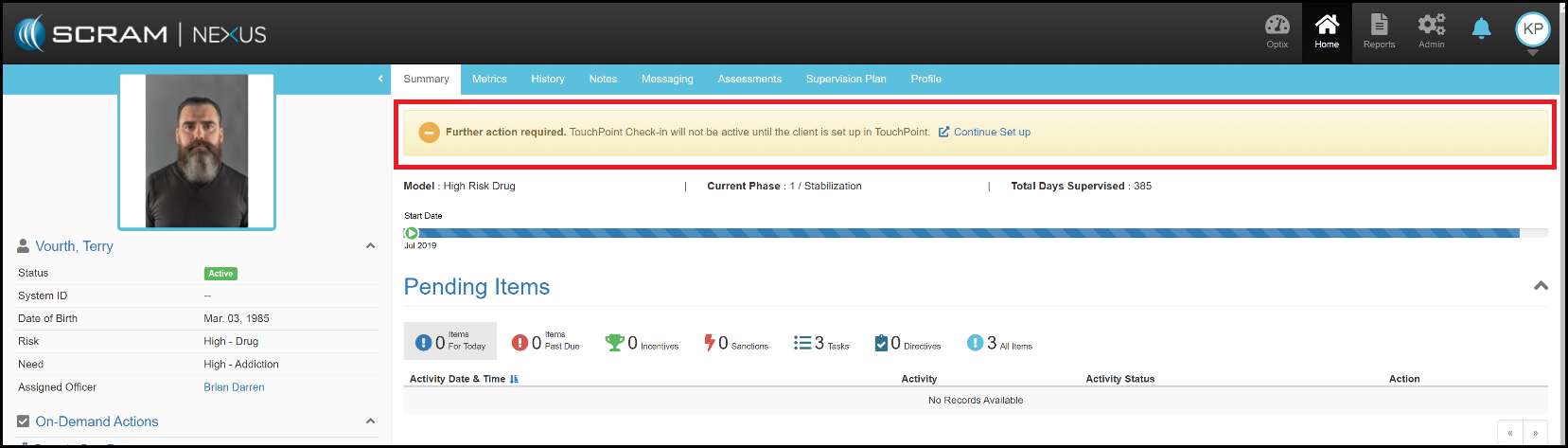
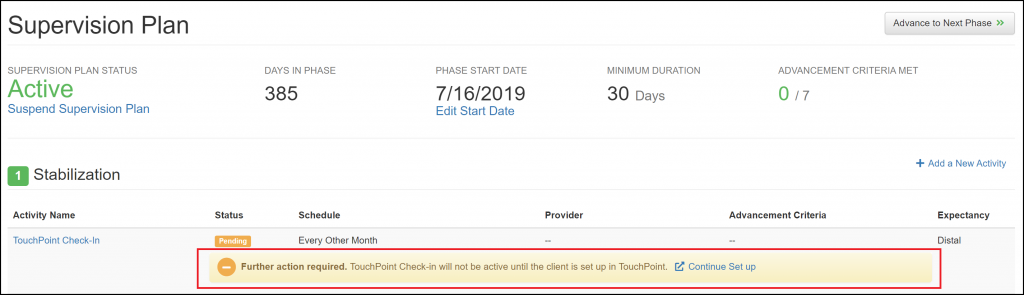
Adding the TouchPoint Check-In activity to a client’s supervision plan has been simplified by splitting it into two separate steps.
First, TouchPoint Check-In will be added either through Model Assignment or by clicking the ‘Add a new Activity’ link on the client’s Supervision Plan page.
Once the activity has been added, setup can be completed through the Add Client page for TouchPoint.
This new flow simplifies each step and allows for delaying client registration until the client is ready to install the TouchPoint app and verify credentials.
‘Further Action Required’ Banner in Client Summary
Click to Enlarge
‘Further Action Required’ Banner Under the Activity in the Supervision Plan
Click to Enlarge
Client: Dates for On-Demand Incentives and Sanctions
With this enhancement, an Officer can now enter an Assigned
on Date along with the Violation Date for On-Demand Sanctions.
This allows an Officer to backdate On-Demand Sanctions.
An Officer may also enter in a Behavior Date along with the Assigned on Date for On-Demand Incentives. The Behavior Date is the date that the actual activity/event occurred. This date is often different than the Assigned on Date.
Client: Minimizing Nexus Tabs
If an instance of a client is already open in a browser tab and a user begins another action for that client, the Officer will be directed to the already-opened browser tab. This prevents multiple tabs from being open for the same client. In the event that an Officer is in the middle of a task in that already-opened tab, the Officer will be asked if they want to save changes before the tab refreshes.
Feedback
As always, please contact SCRAM Systems Customer Service
at 1-303-785-7879 with any
recommendations for system improvements.